# Tavily Search API - AI Web Search, No API Key Needed (`clearpath/tavily-search-api`) Actor
Search the web with Tavily's AI engine, no API key or account needed. Get ranked results, AI-generated answers, images, and full page content. Supports 4 search depths, date filtering, domain restrictions, country boosting, and news search. Export to JSON, CSV, or Excel.
- **URL**: https://apify.com/clearpath/tavily-search-api.md
- **Developed by:** [ClearPath](https://apify.com/clearpath) (community)
- **Categories:** AI, Developer tools, SEO tools
- **Stats:** 31 total users, 2 monthly users, 22.3% runs succeeded, 0 bookmarks
- **User rating**: No ratings yet
## Pricing
from $11.99 / 1,000 searches
This Actor is paid per event. You are not charged for the Apify platform usage, but only a fixed price for specific events.
Since this Actor supports Apify Store discounts, the price gets lower the higher subscription plan you have.
Learn more: https://docs.apify.com/actors/running/actors-in-store.md#pay-per-event
## What's an Apify Actor?
Actors are web data automations that power AI and operations. They run on the Apify platform to scrape websites, process data, connect APIs, and automate workflows.
In Batch mode, an Actor accepts a well-defined JSON input, performs an action which can take anything from a few seconds to a few hours,
and optionally produces a well-defined JSON output, datasets with results, or files in key-value store.
In Standby mode, an Actor provides a web server which can be used as a website, API, or an MCP server.
Actors are written with capital "A".
## How to integrate an Actor?
If asked about integration, you help developers integrate Actors into their projects.
You adapt to their stack and deliver integrations that are safe, well-documented, and production-ready.
The best way to integrate Actors is as follows.
- **AI agents and MCP clients** — the [Apify MCP server](https://docs.apify.com/integrations/mcp.md) at `https://mcp.apify.com` (remote, streamable HTTP, OAuth on first use).
- **Agentic workflows and local Actor development** — [Agent Skills](https://apify.com/.well-known/agent-skills/index.json) with the [Apify CLI](https://docs.apify.com/cli/docs.md): `npm install -g apify-cli`, then `apify login`.
- **JavaScript/TypeScript projects** — the official [JS/TS client](https://docs.apify.com/api/client/js/docs.md): `npm install apify-client`.
- **Python projects** — the official [Python client](https://docs.apify.com/api/client/python/docs.md): `pip install apify-client`.
- **Any other language** — the [REST API](https://docs.apify.com/api/v2.md).
For usage examples, see the [API](#api) section below.
For more details, see Apify documentation as [Markdown index](https://docs.apify.com/llms.txt) and [Markdown full-text](https://docs.apify.com/llms-full.txt).
# README
**Tavily Search API on Apify.**
No API key. No Tavily account. Just a search query.
Get relevance-ranked web search results, AI-generated answers, images, and full page content in 2-5 seconds. Supports 4 search depths, date filtering, domain restrictions, country boosting, and news search.
#### Copy to your AI assistant
Copy this block into ChatGPT, Claude, Cursor, or any LLM to start using this actor.
```
clearpath/tavily-search-api on Apify. Call: ApifyClient("TOKEN").actor("clearpath/tavily-search-api").call(run_input={...}), then client.dataset(run["defaultDatasetId"]).list_items().items for results. Key inputs: query (string, required), searchDepth (string), maxResults (integer). Full actor spec (input schema with all params/enums/defaults, output dataset fields, README): GET https://api.apify.com/v2/acts/clearpath~tavily-search-api/builds/default (Bearer TOKEN) → inputSchema, actorDefinition.storages.dataset, readme. Pricing: PPE ~$0.004/credit (basic=1 credit, advanced=2 credits). Get token: https://console.apify.com/account/integrations
```
### How Tavily Search Works
1. Enter a search query
2. The Actor calls Tavily's Search API with your parameters
3. Results are pushed to Apify's default dataset
That's it. No setup, no configuration, no authentication.
### Quick Start — Tavily Search Examples
#### Basic search
```json
{
"query": "latest AI news"
}
```
#### News search with date filter
```json
{
"query": "tech layoffs",
"topic": "news",
"timeRange": "week"
}
```
#### Advanced search with AI answer
```json
{
"query": "best programming languages for data science",
"searchDepth": "advanced",
"includeAnswer": "advanced",
"maxResults": 10
}
```
#### Domain-filtered search with full content
```json
{
"query": "machine learning tutorials",
"includeDomains": ["arxiv.org", "github.com"],
"includeRawContent": "markdown",
"maxResults": 5
}
```
***
### Tavily Search Input Parameters
| Parameter | Type | Description | Default |
|-----------|------|-------------|---------|
| `query` | string | The search query to execute. | *required* |
| `searchDepth` | string | Latency vs. relevance trade-off: `ultra-fast`, `fast`, `basic`, `advanced`. | `basic` |
| `maxResults` | integer | Number of search results (1-20). | `5` |
| `topic` | string | `general` or `news` (for real-time updates). | `general` |
| `includeAnswer` | string | AI-generated answer: `false`, `basic`, or `advanced`. | `false` |
| `timeRange` | string | Filter by recency: `day`, `week`, `month`, `year`. | — |
| `startDate` | string | Results after this date (`YYYY-MM-DD`). | — |
| `endDate` | string | Results before this date (`YYYY-MM-DD`). | — |
| `exactMatch` | boolean | Only return results containing the exact query phrase. | `false` |
| `includeDomains` | array | Restrict results to these domains (max 300). | — |
| `excludeDomains` | array | Exclude results from these domains (max 150). | — |
| `country` | string | Boost results from a country (e.g. `united states`, `germany`). General topic only. | — |
| `includeRawContent` | string | Full page content: `false`, `markdown`, or `text`. | `false` |
| `includeImages` | boolean | Include image search results. | `false` |
| `includeImageDescriptions` | boolean | Add AI descriptions to images (requires `includeImages`). | `false` |
| `chunksPerSource` | integer | Content chunks per source (1-3). Advanced depth only. | `3` |
#### Search depth explained
| Depth | Latency | Relevance |
|-------|---------|-----------|
| Ultra-fast | Lowest | Lower |
| Fast | Low | Moderate |
| Basic | Balanced | Good |
| Advanced | Higher | Highest |
***
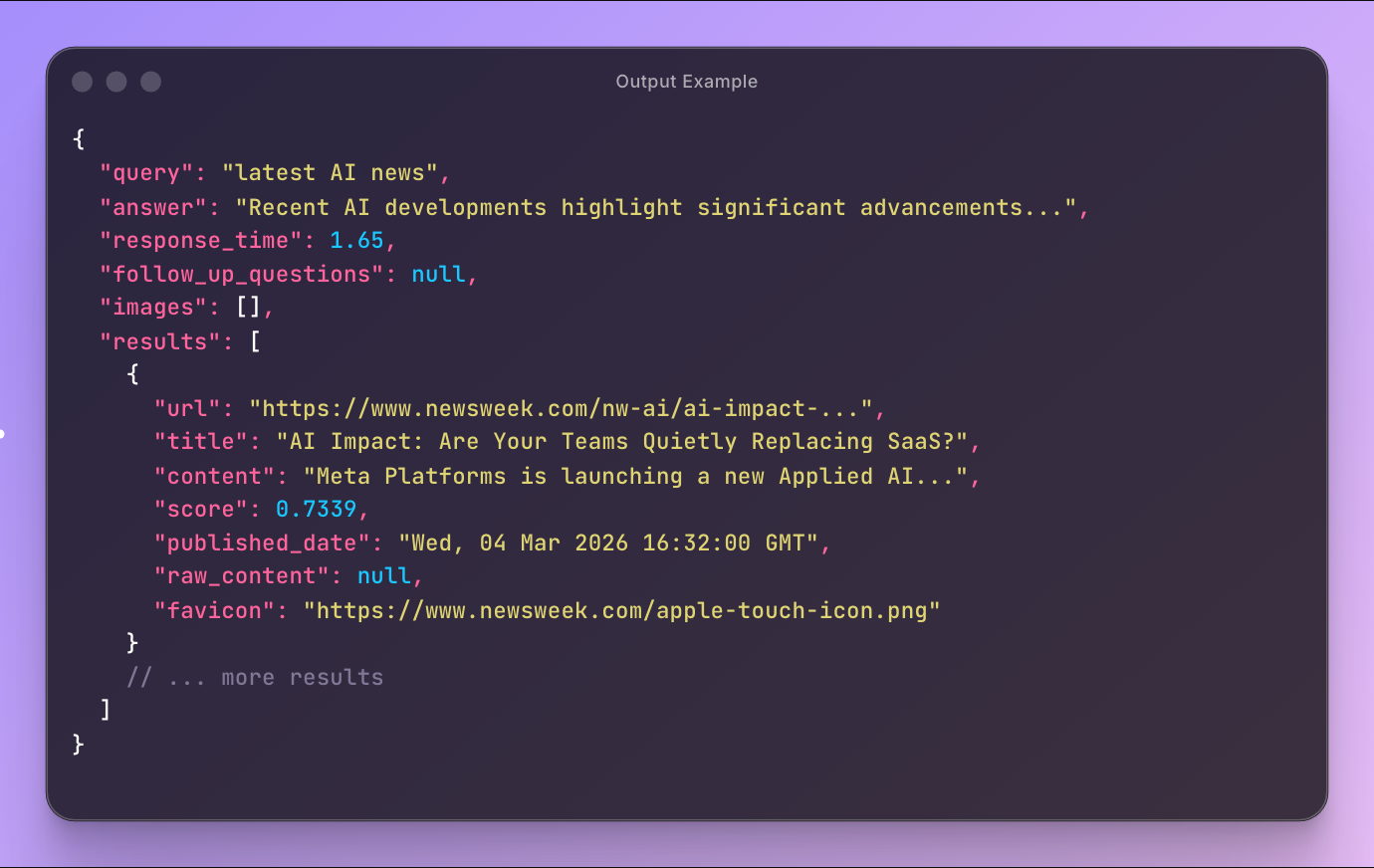
### Tavily Search Output — Structured JSON
Each run produces a single dataset item with the full Tavily search response.
**Always returned:**
- `query` — the executed search query
- `results` — array of ranked search results
**Per result:**
- `url` — page URL
- `title` — page title
- `content` — relevant content snippet
- `score` — relevance score (0-1)
- `favicon` — site favicon URL
- `raw_content` — full page content (if requested)
- `published_date` — publish date (news results)
**Optional (based on input):**
- `answer` — AI-generated answer
- `images` — image results with URL, title, and description
- `follow_up_questions` — suggested related queries
#### Output example
```json
{
"query": "best AI frameworks 2026",
"answer": "The most widely adopted AI frameworks in 2026 span deep-learning libraries, traditional machine-learning toolkits, and specialized agent-orchestration platforms: PyTorch and TensorFlow (with its high-level Keras API) remain the backbone for building and scaling neural-network models, while Scikit-learn...",
"follow_up_questions": null,
"images": [
{
"url": "https://scalevista.com/wp-content/uploads/2025/12/Best-AI-Frameworks-for-Developers.webp",
"description": "A list of the top 10 AI frameworks for developers in January 2026, featuring tools like TensorFlow, PyTorch, Keras, and others."
}
// ... 4 more images
],
"results": [
{
"url": "https://www.kellton.com/kellton-tech-blog/ai-tech-stack-2026",
"title": "AI Tech Stack 2026: Frameworks, MLOps & IDEs Guide - Kellton",
"content": "Integrated Development Environments specialized for AI development accelerate coding, debugging, and experimentation. Top IDEs for AI development in 2026...",
"score": 0.9486564,
"raw_content": "# AI Tech Stack 2026: Frameworks, MLOps, and IDEs reshaping AI Development\n\n[AI/ML](https://www.kellton.com/ai-ml)\n\nJanuary 15, 2026...",
"favicon": "https://www.kellton.com/themes/custom/kellton_theme/favicon.ico"
}
// ... 4 more results
]
}
```
***
### Pricing — Pay Per Event (PPE)
| Search type | Cost per search |
|-------------|-----------------|
| Ultra-fast / Fast / Basic | ~$0.02 |
| Advanced | ~$0.035 |
$14.99 per 1,000 basic searches. Volume discounts available for Starter, Scale, and Business plans.
#### Pricing examples
| Searches | Depth | Total Cost |
|----------|-------|------------|
| 10 | Basic | ~$0.20 |
| 100 | Basic | ~$2.00 |
| 100 | Advanced | ~$3.50 |
Free tier: **25 basic searches** for non-paying users to try the Actor.
***
### Tavily API Integration
#### Python
```python
from apify_client import ApifyClient
client = ApifyClient("your_token")
run = client.actor("clearpath/tavily-search-api").call(run_input={
"query": "best python frameworks 2026",
"searchDepth": "basic",
"maxResults": 10,
"includeAnswer": "basic",
})
dataset = client.dataset(run["defaultDatasetId"]).list_items().items
result = dataset[0]
print(f"Answer: {result['answer']}")
for r in result["results"]:
print(f" {r['score']:.2f} {r['title']}")
print(f" {r['url']}")
```
#### JavaScript
```javascript
import { ApifyClient } from "apify-client";
const client = new ApifyClient({ token: "your_token" });
const run = await client.actor("clearpath/tavily-search-api").call({
query: "best python frameworks 2026",
searchDepth: "basic",
maxResults: 10,
includeAnswer: "basic",
});
const { items } = await client.dataset(run.defaultDatasetId).listItems();
const { answer, results } = items[0];
console.log("Answer:", answer);
results.forEach((r) => console.log(` ${r.score.toFixed(2)} ${r.title}`));
```
***
### Advanced Tavily Search Examples
#### Exact phrase search on specific domains
```json
{
"query": "\"neural architecture search\"",
"exactMatch": true,
"includeDomains": ["arxiv.org", "openreview.net"],
"maxResults": 20
}
```
#### News monitoring with date range
```json
{
"query": "startup funding",
"topic": "news",
"startDate": "2026-03-01",
"endDate": "2026-03-08",
"maxResults": 20
}
```
#### Full content extraction with images
```json
{
"query": "sustainable architecture",
"includeRawContent": "markdown",
"includeImages": true,
"includeImageDescriptions": true,
"searchDepth": "advanced",
"chunksPerSource": 3
}
```
#### Country-boosted search
```json
{
"query": "electric car incentives",
"country": "germany",
"topic": "general",
"maxResults": 10
}
```
***
### Export Tavily Search Results
- **JSON** — Programmatic analysis and pipeline integration
- **CSV** — Spreadsheet reporting
- **Excel** — Data visualization and dashboards
Export directly from the Apify Console or via API.
### Automation
- **Scheduled runs** — Daily, weekly, or custom schedules
- **Webhooks** — Trigger workflows when search completes
- **API** — Integrate into existing data pipelines
***
### Use with AI Assistants (OpenClaw, Claude, etc.)
Connect this actor to AI assistants via [Apify's MCP server](https://mcp.apify.com/).
Ask your assistant to search the web in natural language.
#### Setup
1. Go to [mcp.apify.com](https://mcp.apify.com/) and add `clearpath/tavily-search-api` to your MCP server
2. Connect the MCP server to your AI assistant ([OpenClaw](https://docs.openclaw.ai/), Claude Desktop, Cursor, etc.)
#### OpenClaw example
Add Apify's MCP server to `~/.openclaw/openclaw.json`:
```json5
{
"provider": {
"mcpServers": {
"apify": {
"command": "npx",
"args": ["-y", "@apify/actors-mcp-server"],
"env": {
"APIFY_TOKEN": "your-apify-token"
}
}
}
}
}
```
Then message your OpenClaw bot on Telegram, WhatsApp, or Discord:
> "Search for the latest AI research papers from this week"
> "Find news about startup funding in Germany from the last month"
> "What are the best React frameworks in 2026? Give me an AI answer too"
The assistant calls the Tavily Search Actor, gets structured results, and responds with ranked links, snippets, and AI-generated answers.
***
### FAQ
**Q: Do I need a Tavily account or API key?**
A: No. The Actor handles authentication. You only need an Apify account.
**Q: What's the difference between search depths?**
A: Ultra-fast and Fast prioritize speed. Basic balances speed and relevance. Advanced returns the most relevant results but costs roughly twice as much.
**Q: How is the AI answer generated?**
A: Tavily uses an LLM to synthesize an answer from the search results. Basic gives a quick summary, Advanced gives a detailed response.
**Q: Can I search for news specifically?**
A: Yes. Set `topic` to `news` for real-time coverage of politics, sports, and major events from mainstream media.
**Q: What does "exact match" do?**
A: It ensures results contain the exact quoted phrases in your query, bypassing synonyms and semantic variations.
**Q: How does the country filter work?**
A: It boosts results from the specified country. Only works with the General topic.
**Q: What formats does full page content support?**
A: Markdown (preserves formatting, headings, links) or plain text (stripped formatting). Content appears in each result's `raw_content` field.
**Q: Is there a free tier?**
A: Yes. Non-paying Apify users get 25 free basic searches to try the Actor. Advanced depth requires a paid plan.
***
### Support
- **Email**: max@mapa.slmail.me
- **Bugs**: Issues tab
- **Features**: Email or issues
### Legal Compliance
This Actor uses Tavily's official API to retrieve publicly available web search results. Users must comply with applicable data protection regulations (GDPR, CCPA) when processing search results.
***
*Tavily web search on Apify — no API key, no account, just a query.*
# Actor input Schema
## `query` (type: `string`):
Use quotes for exact phrases, e.g. "machine learning" tutorials
## `searchDepth` (type: `string`):
Advanced unlocks the Chunks per source option.
## `maxResults` (type: `integer`):
Number of search results to return.
## `topic` (type: `string`):
Country filter only works with General.
## `includeAnswer` (type: `string`):
LLM-synthesized answer from search results.
## `timeRange` (type: `string`):
For exact date ranges, use Start/End date instead.
## `startDate` (type: `string`):
Format: YYYY-MM-DD
## `endDate` (type: `string`):
Format: YYYY-MM-DD
## `exactMatch` (type: `boolean`):
Only return results containing the exact query phrase. Bypasses synonyms and semantic variations.
## `includeDomains` (type: `array`):
Without https://, e.g. reddit.com, github.com. Max 300.
## `excludeDomains` (type: `array`):
Without https://, e.g. pinterest.com, quora.com. Max 150.
## `country` (type: `string`):
General topic only.
## `includeRawContent` (type: `string`):
Parsed page content in each result's raw\_content field. Increases output size.
## `includeImages` (type: `boolean`):
Adds an images array with URL, title, and optional description.
## `includeImageDescriptions` (type: `boolean`):
Requires Include image results to be enabled.
## `chunksPerSource` (type: `integer`):
Content snippets (max 500 chars each) per source. Controls the content field length.
## Actor input object example
```json
{
"query": "latest AI news",
"searchDepth": "basic",
"maxResults": 5,
"topic": "general",
"includeAnswer": "false",
"exactMatch": false,
"includeRawContent": "false",
"includeImages": false,
"includeImageDescriptions": false,
"chunksPerSource": 3
}
```
# Actor output Schema
## `results` (type: `string`):
No description
# API
You can run this Actor programmatically using our API. Below are code examples in JavaScript, Python, and CLI, as well as the OpenAPI specification and MCP server setup.
## JavaScript example
```javascript
import { ApifyClient } from 'apify-client';
// Initialize the ApifyClient with your Apify API token
// Replace the '' with your token
const client = new ApifyClient({
token: '',
});
// Prepare Actor input
const input = {
"query": "latest AI news"
};
// Run the Actor and wait for it to finish
const run = await client.actor("clearpath/tavily-search-api").call(input);
// Fetch and print Actor results from the run's dataset (if any)
console.log('Results from dataset');
console.log(`💾 Check your data here: https://console.apify.com/storage/datasets/${run.defaultDatasetId}`);
const { items } = await client.dataset(run.defaultDatasetId).listItems();
items.forEach((item) => {
console.dir(item);
});
// 📚 Want to learn more 📖? Go to → https://docs.apify.com/api/client/js/docs
```
## Python example
```python
from apify_client import ApifyClient
# Initialize the ApifyClient with your Apify API token
# Replace '' with your token.
client = ApifyClient("")
# Prepare the Actor input
run_input = { "query": "latest AI news" }
# Run the Actor and wait for it to finish
run = client.actor("clearpath/tavily-search-api").call(run_input=run_input)
# Fetch and print Actor results from the run's dataset (if there are any)
print(f"💾 Check your data here: https://console.apify.com/storage/datasets/{run.default_dataset_id}")
for item in client.dataset(run.default_dataset_id).iterate_items():
print(item)
# 📚 Want to learn more 📖? Go to → https://docs.apify.com/api/client/python/docs/quick-start
```
## CLI example
```bash
echo '{
"query": "latest AI news"
}' |
apify call clearpath/tavily-search-api --silent --output-dataset
```
## MCP server setup
```json
{
"mcpServers": {
"apify": {
"type": "http",
"url": "https://mcp.apify.com/?tools=fetch-actor-details,clearpath/tavily-search-api"
}
}
}
```
The hosted server signs you in with OAuth on first connect, so no API token belongs in this config. Clients without OAuth support can send an `Authorization: Bearer ` header instead, using a token from API & Integrations in Apify Console (https://console.apify.com/settings/integrations).
## OpenAPI specification
Download the OpenAPI definition: https://api.apify.com/v2/actors/c6CP0NM1Nqimw9c4w/builds/86dRuLb9OcJbnp9Bq/openapi.json