# Housesigma.com Scraper (`lexis-solutions/housesigma`) Actor
Scrape property listings from HouseSigma - including Canadian sales and rental data: prices, dates, addresses, and price per square foot. Ideal for real estate market analysis, trend tracking, and valuation. Fast, structured, and customizable extraction.
- **URL**: https://apify.com/lexis-solutions/housesigma.md
- **Developed by:** [Lexis Solutions](https://apify.com/lexis-solutions) (community)
- **Categories:** Real estate, Developer tools, Automation
- **Stats:** 52 total users, 0 monthly users, 100.0% runs succeeded, 3 bookmarks
- **User rating**: 4.00 out of 5 stars
## Pricing
$29.00/month + usage
To use this Actor, you pay a monthly rental fee to the developer. The rent is subtracted from your prepaid usage every month after the free trial period. You also pay for the Apify platform usage, which gets cheaper the higher Apify subscription plan you have.
Learn more: https://docs.apify.com/actors/running/actors-in-store.md#rental-actors
## What's an Apify Actor?
Actors are web data automations that power AI and operations. They run on the Apify platform to scrape websites, process data, connect APIs, and automate workflows.
In Batch mode, an Actor accepts a well-defined JSON input, performs an action which can take anything from a few seconds to a few hours,
and optionally produces a well-defined JSON output, datasets with results, or files in key-value store.
In Standby mode, an Actor provides a web server which can be used as a website, API, or an MCP server.
Actors are written with capital "A".
## How to integrate an Actor?
If asked about integration, you help developers integrate Actors into their projects.
You adapt to their stack and deliver integrations that are safe, well-documented, and production-ready.
The best way to integrate Actors is as follows.
- **AI agents and MCP clients** — the [Apify MCP server](https://docs.apify.com/integrations/mcp.md) at `https://mcp.apify.com` (remote, streamable HTTP, OAuth on first use).
- **Agentic workflows and local Actor development** — [Agent Skills](https://apify.com/.well-known/agent-skills/index.json) with the [Apify CLI](https://docs.apify.com/cli/docs.md): `npm install -g apify-cli`, then `apify login`.
- **JavaScript/TypeScript projects** — the official [JS/TS client](https://docs.apify.com/api/client/js/docs.md): `npm install apify-client`.
- **Python projects** — the official [Python client](https://docs.apify.com/api/client/python/docs.md): `pip install apify-client`.
- **Any other language** — the [REST API](https://docs.apify.com/api/v2.md).
For usage examples, see the [API](#api) section below.
For more details, see Apify documentation as [Markdown index](https://docs.apify.com/llms.txt) and [Markdown full-text](https://docs.apify.com/llms-full.txt).
# README
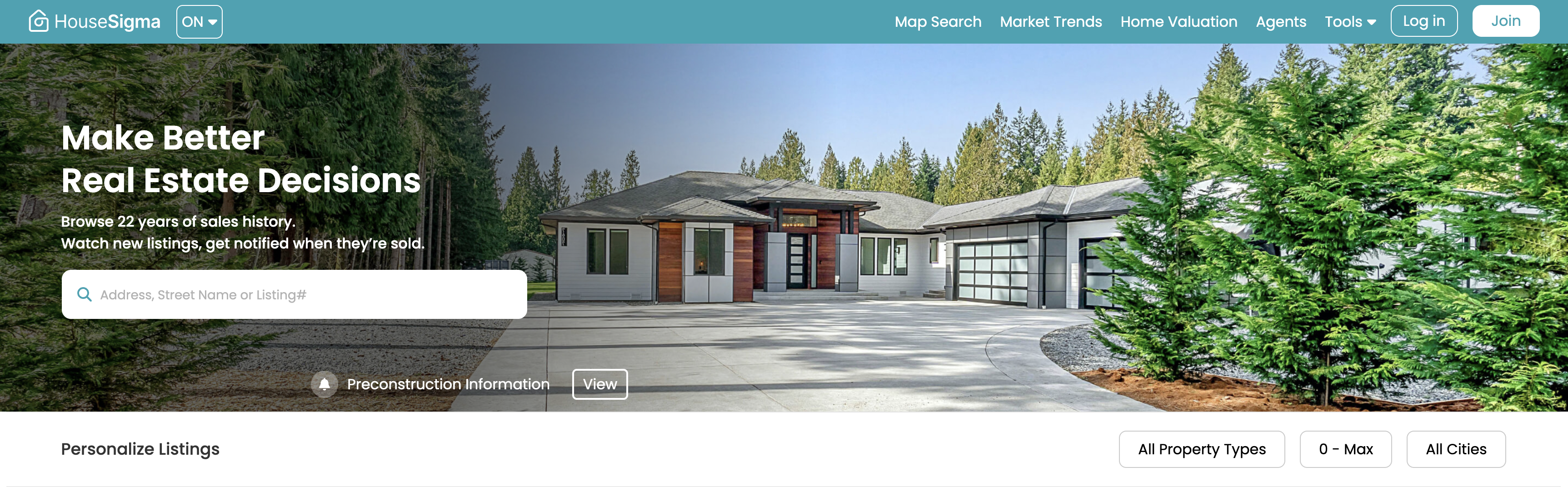
👋 Welcome to the Housesigma.com Scraper, an actor designed to help you gather real estate listings from HouseSigma.com! With this actor, you can easily search for property listings based on location, property type, price range.
### Introduction
The housesigma.com Scraper is a web scraping tool designed to extract real estate listing data from housesigma.com This actor helps buyers, investors, and analysts collect detailed property information such as listing status, pricing, location, and community data.
### Use Cases
Here are some typical scenarios in which the housesigma.com Scraper can be useful:
- **Home buyers** can use the scraper to monitor available properties in specific areas and price ranges.
- **Real estate investors** can track market trends, analyze sold history, and make informed decisions.
- **Data analysts** can extract historical and real-time property data for analysis housing market.
- **Developers** can use the scraper to integrate real estate data into dashboards, CRMs, or custom applications.
***
### ⚠️ Important: Extracting Data from Watched Areas Requires Authentication
Access to watched areas (polygons) is restricted to authenticated users. Each area is identified by a `polygonId`, which is essential for the scraping process. Therefore, user cookies are required.
> Here is how you can integrate your cookies:
>
> 1. Install the [**Cookie-Editor** Chrome extension](https://chromewebstore.google.com/detail/cookie-editor/hlkenndednhfkekhgcdicdfddnkalmdm?pli=1).
> 2. Go to [House Sigma Website](https://housesigma.com/).
> 3. Login to your account
> 4. Open the **Cookie-Editor** extension and **export your cookies** in **JSON format**.
> 5. Copy the exported cookie data and **paste it into the input field `cookies`**. 

 > 6. Make sure that the cookies have this schema defined:
```json
[
{
"domain": "housesigma.com",
"hostOnly": true,
"httpOnly": false,
"name": "storeAsyc_desk",
"path": "/",
"sameSite": null,
"secure": false,
"session": true,
"storeId": null,
"value": "YOUR_VALUE" // IMPORTANT: MAKE SURE THAT THIS FIELD IS INCLUDED
},
...The rest of your cookie objects,
]
```
> if `storeAsync_desk` doesn't exist in your cookie or doesn't have a value, then extraction from the local storage is necessary
> step 1: open browser dev tools from the site
> step 2: click on `Application` >
> 6. Make sure that the cookies have this schema defined:
```json
[
{
"domain": "housesigma.com",
"hostOnly": true,
"httpOnly": false,
"name": "storeAsyc_desk",
"path": "/",
"sameSite": null,
"secure": false,
"session": true,
"storeId": null,
"value": "YOUR_VALUE" // IMPORTANT: MAKE SURE THAT THIS FIELD IS INCLUDED
},
...The rest of your cookie objects,
]
```
> if `storeAsync_desk` doesn't exist in your cookie or doesn't have a value, then extraction from the local storage is necessary
> step 1: open browser dev tools from the site
> step 2: click on `Application` >  > step 3: open local storage tab and click on `https://housesigma.com/`, you will see the stored values related to your current sessions
  > step 4: copy the value from the `access_token` key and add it in the `token` field in the actor input schema
  > 7. Go to [Watched Area Inventory](https://housesigma.com/user/watched/areas-summary)
> 8. Create a new watched area or select an existing one.
> 9. Copy either the polygon ID or the watched area URL, and paste it into the appropriate field in the input schema.
***
### Input 📥
To use this actor, you need to provide the following input:
- Field: **startUrls**
- Type: array
- Required: No
- Description: URLs to start with.
- Example: `[{"url": "https://www.housesigma.com/property-for-sale/"}]`
- Field: **maxItems**
- Type: integer
- Required: Yes
- Description: Limit the number of items to be scraped (0 for unlimited)
- Default: 10
- Field: **proxyConfiguration**
- Type: object
- Required: No
- Description: Your proxy configuration from Apify
- Default: `{"useApifyProxy": true, "apifyProxyGroups": []}`
- Field: **query**
- Type: string
- Required: No
- Description: Search query
- Field: **listType**
- Type: array
- Required: No
- Description: Type of property
- Options: "1" => "For Sale", "2" => "For Rent"
- Field: **houseType**
- Type: array
- Required: No
- Description: Type of property
- Options Example: "D." => "Detached", "S." => "Semi-Detached"
- Field: **priceMin**
- Type: integer
- Required: No
- Description: Minimum price
- Field: **priceMax**
- Type: integer
- Required: No
- Description: Maximum price
- Field: **listingDays**
- Type: array
- Required: No
- Description: Number of days
- Options Example: "-15" => "More than 15 days ago", "-30" => "More than 30 days ago", "-60" => "More than 60 days ago", "-90" => "More than 90 days ago"
- Field: **polygonId**
- Type: string
- Required: No
- Description: Add your watched area polygon id found from here `https://housesigma.com/user/watched/areas-summary`
- Field: **mapZoom**
- Type: integer
- Required: No
- Description: Map zoom value
- Field: **token**
- Type: string
- Required: No
- Description: Add your token here for extracting data that requires auth (watched areas)
- Field: **cookies**
- Type: array
- Required: No
- Description: Add cookies for extracting data that requires auth (watched areas)
Note: You must provide either `query` or `listType`, `houseType`, `priceMin`, `priceMax`, `listingDays`, `polygonId` parameters or `startUrls`. The `maxItems` parameter is required.
### Output 📤
An example output looks like this:
```json
{
"url": "https://housesigma.com/on/windsor-real-estate/1183-felix-avenue/home/L4KAX7N9J1zyeRPJ/",
"picture": "https://housesigma.com/bkv2/img/image_coming_soon_100.png",
"houseType": "House, Detached, Single Family, Freehold",
"address": "1183 Felix AVENUE, Windsor, ",
"status": "For Lease",
"dateAdded": "2025-06-09",
"community": "Sandwich",
"municipality": "Windsor",
"municipalityArea": null,
"country": "CA",
"province": "Ontario",
"crossStreet": "",
"bedroom": 3,
"bedroomPlus": 0,
"washroom": 1,
"garage": null,
"price": 2300,
"brokerage": "JUMP REALTY INC.",
"tax": "$- / -",
"propertyType": "House, Detached, Single Family, Freehold, Detached",
"buildingAge": "-",
"houseArea": "- feet²",
"lotSize": "null x null",
"parking": "-",
"basement": "",
"listing": "25014527",
"dataSource": "realtor.ca",
"daysOnSite": "0 days"
}
```
### How many job listings can the Housesigma Scraper extract?
The Housesigma Scraper uses pagination to extract all job listings from Housesigma. You can control the number of job listings to scrape by setting the `maxItems` input parameter. If you don't set the `maxItems` parameter, the scraper will extract all job listings available on the website.
### Why use the Jobup.ch Scraper?
- ⚡️ **Fast** - The scraper is fast and efficient, allowing you to scrape job posts in a programmatic way.
- 🤙 **Easy to use** - The scraper is easy to use and requires no coding knowledge. All you need to do is input the query you want to scrape and the scraper will do the rest.
- ☑️ **Well-Maintained** - The scraper is maintained by the Lexis Solutions team, ensuring that it is always up-to-date and working properly.
### Need to scrape other real estate platforms?
Here are some other real estate platform scrapers you might find useful:
- United States 🇺🇸
- [Redfin Scraper](https://apify.com/lexis-solutions/redfin-scraper) - Extract property listings from Redfin, one of America's leading real estate platforms
- United Kingdom 🇬🇧
- [OnTheMarket Scraper](https://apify.com/lexis-solutions/onthemarket-com-scraper) - Collect property listings from OnTheMarket.com, a major UK property portal
- France 🇫🇷
- [SeLoger Scraper](https://apify.com/lexis-solutions/seloger-scraper) - Extract detailed property listings from SeLoger, France's leading real estate platform
- Nordic Countries
- [Hemnet.se Scraper](https://apify.com/lexis-solutions/hemnet-se-scraper) - Sweden's largest property marketplace
- [Boligsiden.dk Scraper](https://apify.com/lexis-solutions/boligsiden-dk-scraper) - Denmark's leading real estate portal
- Switzerland 🇨🇭
- [FlatFox.ch Scraper](https://apify.com/lexis-solutions/flatfox-ch-properties-scraper) - Extract property listings from FlatFox.ch, Switzerland's property platform
- Netherlands 🇳🇱
- [Pararius Scraper](https://apify.com/lexis-solutions/pararius) - Collect property listings from Pararius.com for the Dutch real estate market
- [Kamernet Scraper](https://apify.com/lexis-solutions/kamernet-scraper) - Extract rental listings from Kamernet.nl, Netherlands' largest rental platform
👀 p.s.
Got feedback or need an extension?
Lexis Solutions is a [certified Apify Partner](https://apify.com/partners/find). We can help you with custom solutions or data extraction projects.
Contact us over [Email](mailto:scraping@lexis.solutions) or [LinkedIn](https://www.linkedin.com/company/lexis-solutions)
### Support Our Work 💝
If you're happy with our work and scrapers, you're welcome to leave us a company review [here](https://apify.com/partners/find/lexis-solutions/review) and leave a review for the scrapers you're subscribed to. It will take you less than a minute but it will mean a lot to us!
Image Credit: https://www.housesigma.com
# Actor input Schema
## `startUrls` (type: `array`):
URLs to start with.
## `maxItems` (type: `integer`):
Maximum number of items per original URL.
## `proxyConfiguration` (type: `object`):
Your proxy configuration from Apify
## `debugMode` (type: `boolean`):
Activate to see detailed logs
## `query` (type: `string`):
Query to search for
## `listType` (type: `string`):
List Type
## `houseType` (type: `array`):
House Type
## `priceMin` (type: `integer`):
Price Min
## `priceMax` (type: `integer`):
Price Max
## `listingDays` (type: `array`):
Listing Days
## `polygonId` (type: `string`):
Add your watched area polygon id found from here `https://housesigma.com/user/watched/areas-summary`
## `mapZoom` (type: `integer`):
Map zoom value
## `token` (type: `string`):
Token for extracting data that requires auth (watched areas)
## `cookies` (type: `array`):
1. Install the Cookie-Editor Chrome extension.
2. Go to https://housesigma.com and log in.
3. Open the Cookie-Editor extension and export cookies as JSON.
4. Paste the exported cookie contents here.
## Actor input object example
```json
{
"startUrls": [
{
"url": "https://housesigma.com/on/map/?status=for-sale&page=2"
}
],
"maxItems": 10,
"proxyConfiguration": {
"useApifyProxy": true,
"apifyProxyGroups": []
},
"debugMode": false,
"mapZoom": 13,
"cookies": []
}
```
# Actor output Schema
## `overview` (type: `string`):
No description
# API
You can run this Actor programmatically using our API. Below are code examples in JavaScript, Python, and CLI, as well as the OpenAPI specification and MCP server setup.
## JavaScript example
```javascript
import { ApifyClient } from 'apify-client';
// Initialize the ApifyClient with your Apify API token
// Replace the '' with your token
const client = new ApifyClient({
token: '',
});
// Prepare Actor input
const input = {
"startUrls": [
{
"url": "https://housesigma.com/on/map/?status=for-sale&page=2"
}
],
"cookies": []
};
// Run the Actor and wait for it to finish
const run = await client.actor("lexis-solutions/housesigma").call(input);
// Fetch and print Actor results from the run's dataset (if any)
console.log('Results from dataset');
console.log(`💾 Check your data here: https://console.apify.com/storage/datasets/${run.defaultDatasetId}`);
const { items } = await client.dataset(run.defaultDatasetId).listItems();
items.forEach((item) => {
console.dir(item);
});
// 📚 Want to learn more 📖? Go to → https://docs.apify.com/api/client/js/docs
```
## Python example
```python
from apify_client import ApifyClient
# Initialize the ApifyClient with your Apify API token
# Replace '' with your token.
client = ApifyClient("")
# Prepare the Actor input
run_input = {
"startUrls": [{ "url": "https://housesigma.com/on/map/?status=for-sale&page=2" }],
"cookies": [],
}
# Run the Actor and wait for it to finish
run = client.actor("lexis-solutions/housesigma").call(run_input=run_input)
# Fetch and print Actor results from the run's dataset (if there are any)
print(f"💾 Check your data here: https://console.apify.com/storage/datasets/{run.default_dataset_id}")
for item in client.dataset(run.default_dataset_id).iterate_items():
print(item)
# 📚 Want to learn more 📖? Go to → https://docs.apify.com/api/client/python/docs/quick-start
```
## CLI example
```bash
echo '{
"startUrls": [
{
"url": "https://housesigma.com/on/map/?status=for-sale&page=2"
}
],
"cookies": []
}' |
apify call lexis-solutions/housesigma --silent --output-dataset
```
## MCP server setup
```json
{
"mcpServers": {
"apify": {
"type": "http",
"url": "https://mcp.apify.com/?tools=fetch-actor-details,lexis-solutions/housesigma"
}
}
}
```
The hosted server signs you in with OAuth on first connect, so no API token belongs in this config. Clients without OAuth support can send an `Authorization: Bearer ` header instead, using a token from API & Integrations in Apify Console (https://console.apify.com/settings/integrations).
## OpenAPI specification
Download the OpenAPI definition: https://api.apify.com/v2/actors/dUdraOcpLbm3a60kp/builds/wEQsbkkPBpUBDr2Yo/openapi.json
> 7. Go to [Watched Area Inventory](https://housesigma.com/user/watched/areas-summary)
> 8. Create a new watched area or select an existing one.
> 9. Copy either the polygon ID or the watched area URL, and paste it into the appropriate field in the input schema.
***
### Input 📥
To use this actor, you need to provide the following input:
- Field: **startUrls**
- Type: array
- Required: No
- Description: URLs to start with.
- Example: `[{"url": "https://www.housesigma.com/property-for-sale/"}]`
- Field: **maxItems**
- Type: integer
- Required: Yes
- Description: Limit the number of items to be scraped (0 for unlimited)
- Default: 10
- Field: **proxyConfiguration**
- Type: object
- Required: No
- Description: Your proxy configuration from Apify
- Default: `{"useApifyProxy": true, "apifyProxyGroups": []}`
- Field: **query**
- Type: string
- Required: No
- Description: Search query
- Field: **listType**
- Type: array
- Required: No
- Description: Type of property
- Options: "1" => "For Sale", "2" => "For Rent"
- Field: **houseType**
- Type: array
- Required: No
- Description: Type of property
- Options Example: "D." => "Detached", "S." => "Semi-Detached"
- Field: **priceMin**
- Type: integer
- Required: No
- Description: Minimum price
- Field: **priceMax**
- Type: integer
- Required: No
- Description: Maximum price
- Field: **listingDays**
- Type: array
- Required: No
- Description: Number of days
- Options Example: "-15" => "More than 15 days ago", "-30" => "More than 30 days ago", "-60" => "More than 60 days ago", "-90" => "More than 90 days ago"
- Field: **polygonId**
- Type: string
- Required: No
- Description: Add your watched area polygon id found from here `https://housesigma.com/user/watched/areas-summary`
- Field: **mapZoom**
- Type: integer
- Required: No
- Description: Map zoom value
- Field: **token**
- Type: string
- Required: No
- Description: Add your token here for extracting data that requires auth (watched areas)
- Field: **cookies**
- Type: array
- Required: No
- Description: Add cookies for extracting data that requires auth (watched areas)
Note: You must provide either `query` or `listType`, `houseType`, `priceMin`, `priceMax`, `listingDays`, `polygonId` parameters or `startUrls`. The `maxItems` parameter is required.
### Output 📤
An example output looks like this:
```json
{
"url": "https://housesigma.com/on/windsor-real-estate/1183-felix-avenue/home/L4KAX7N9J1zyeRPJ/",
"picture": "https://housesigma.com/bkv2/img/image_coming_soon_100.png",
"houseType": "House, Detached, Single Family, Freehold",
"address": "1183 Felix AVENUE, Windsor, ",
"status": "For Lease",
"dateAdded": "2025-06-09",
"community": "Sandwich",
"municipality": "Windsor",
"municipalityArea": null,
"country": "CA",
"province": "Ontario",
"crossStreet": "",
"bedroom": 3,
"bedroomPlus": 0,
"washroom": 1,
"garage": null,
"price": 2300,
"brokerage": "JUMP REALTY INC.",
"tax": "$- / -",
"propertyType": "House, Detached, Single Family, Freehold, Detached",
"buildingAge": "-",
"houseArea": "- feet²",
"lotSize": "null x null",
"parking": "-",
"basement": "",
"listing": "25014527",
"dataSource": "realtor.ca",
"daysOnSite": "0 days"
}
```
### How many job listings can the Housesigma Scraper extract?
The Housesigma Scraper uses pagination to extract all job listings from Housesigma. You can control the number of job listings to scrape by setting the `maxItems` input parameter. If you don't set the `maxItems` parameter, the scraper will extract all job listings available on the website.
### Why use the Jobup.ch Scraper?
- ⚡️ **Fast** - The scraper is fast and efficient, allowing you to scrape job posts in a programmatic way.
- 🤙 **Easy to use** - The scraper is easy to use and requires no coding knowledge. All you need to do is input the query you want to scrape and the scraper will do the rest.
- ☑️ **Well-Maintained** - The scraper is maintained by the Lexis Solutions team, ensuring that it is always up-to-date and working properly.
### Need to scrape other real estate platforms?
Here are some other real estate platform scrapers you might find useful:
- United States 🇺🇸
- [Redfin Scraper](https://apify.com/lexis-solutions/redfin-scraper) - Extract property listings from Redfin, one of America's leading real estate platforms
- United Kingdom 🇬🇧
- [OnTheMarket Scraper](https://apify.com/lexis-solutions/onthemarket-com-scraper) - Collect property listings from OnTheMarket.com, a major UK property portal
- France 🇫🇷
- [SeLoger Scraper](https://apify.com/lexis-solutions/seloger-scraper) - Extract detailed property listings from SeLoger, France's leading real estate platform
- Nordic Countries
- [Hemnet.se Scraper](https://apify.com/lexis-solutions/hemnet-se-scraper) - Sweden's largest property marketplace
- [Boligsiden.dk Scraper](https://apify.com/lexis-solutions/boligsiden-dk-scraper) - Denmark's leading real estate portal
- Switzerland 🇨🇭
- [FlatFox.ch Scraper](https://apify.com/lexis-solutions/flatfox-ch-properties-scraper) - Extract property listings from FlatFox.ch, Switzerland's property platform
- Netherlands 🇳🇱
- [Pararius Scraper](https://apify.com/lexis-solutions/pararius) - Collect property listings from Pararius.com for the Dutch real estate market
- [Kamernet Scraper](https://apify.com/lexis-solutions/kamernet-scraper) - Extract rental listings from Kamernet.nl, Netherlands' largest rental platform
👀 p.s.
Got feedback or need an extension?
Lexis Solutions is a [certified Apify Partner](https://apify.com/partners/find). We can help you with custom solutions or data extraction projects.
Contact us over [Email](mailto:scraping@lexis.solutions) or [LinkedIn](https://www.linkedin.com/company/lexis-solutions)
### Support Our Work 💝
If you're happy with our work and scrapers, you're welcome to leave us a company review [here](https://apify.com/partners/find/lexis-solutions/review) and leave a review for the scrapers you're subscribed to. It will take you less than a minute but it will mean a lot to us!
Image Credit: https://www.housesigma.com
# Actor input Schema
## `startUrls` (type: `array`):
URLs to start with.
## `maxItems` (type: `integer`):
Maximum number of items per original URL.
## `proxyConfiguration` (type: `object`):
Your proxy configuration from Apify
## `debugMode` (type: `boolean`):
Activate to see detailed logs
## `query` (type: `string`):
Query to search for
## `listType` (type: `string`):
List Type
## `houseType` (type: `array`):
House Type
## `priceMin` (type: `integer`):
Price Min
## `priceMax` (type: `integer`):
Price Max
## `listingDays` (type: `array`):
Listing Days
## `polygonId` (type: `string`):
Add your watched area polygon id found from here `https://housesigma.com/user/watched/areas-summary`
## `mapZoom` (type: `integer`):
Map zoom value
## `token` (type: `string`):
Token for extracting data that requires auth (watched areas)
## `cookies` (type: `array`):
1. Install the Cookie-Editor Chrome extension.
2. Go to https://housesigma.com and log in.
3. Open the Cookie-Editor extension and export cookies as JSON.
4. Paste the exported cookie contents here.
## Actor input object example
```json
{
"startUrls": [
{
"url": "https://housesigma.com/on/map/?status=for-sale&page=2"
}
],
"maxItems": 10,
"proxyConfiguration": {
"useApifyProxy": true,
"apifyProxyGroups": []
},
"debugMode": false,
"mapZoom": 13,
"cookies": []
}
```
# Actor output Schema
## `overview` (type: `string`):
No description
# API
You can run this Actor programmatically using our API. Below are code examples in JavaScript, Python, and CLI, as well as the OpenAPI specification and MCP server setup.
## JavaScript example
```javascript
import { ApifyClient } from 'apify-client';
// Initialize the ApifyClient with your Apify API token
// Replace the '' with your token
const client = new ApifyClient({
token: '',
});
// Prepare Actor input
const input = {
"startUrls": [
{
"url": "https://housesigma.com/on/map/?status=for-sale&page=2"
}
],
"cookies": []
};
// Run the Actor and wait for it to finish
const run = await client.actor("lexis-solutions/housesigma").call(input);
// Fetch and print Actor results from the run's dataset (if any)
console.log('Results from dataset');
console.log(`💾 Check your data here: https://console.apify.com/storage/datasets/${run.defaultDatasetId}`);
const { items } = await client.dataset(run.defaultDatasetId).listItems();
items.forEach((item) => {
console.dir(item);
});
// 📚 Want to learn more 📖? Go to → https://docs.apify.com/api/client/js/docs
```
## Python example
```python
from apify_client import ApifyClient
# Initialize the ApifyClient with your Apify API token
# Replace '' with your token.
client = ApifyClient("")
# Prepare the Actor input
run_input = {
"startUrls": [{ "url": "https://housesigma.com/on/map/?status=for-sale&page=2" }],
"cookies": [],
}
# Run the Actor and wait for it to finish
run = client.actor("lexis-solutions/housesigma").call(run_input=run_input)
# Fetch and print Actor results from the run's dataset (if there are any)
print(f"💾 Check your data here: https://console.apify.com/storage/datasets/{run.default_dataset_id}")
for item in client.dataset(run.default_dataset_id).iterate_items():
print(item)
# 📚 Want to learn more 📖? Go to → https://docs.apify.com/api/client/python/docs/quick-start
```
## CLI example
```bash
echo '{
"startUrls": [
{
"url": "https://housesigma.com/on/map/?status=for-sale&page=2"
}
],
"cookies": []
}' |
apify call lexis-solutions/housesigma --silent --output-dataset
```
## MCP server setup
```json
{
"mcpServers": {
"apify": {
"type": "http",
"url": "https://mcp.apify.com/?tools=fetch-actor-details,lexis-solutions/housesigma"
}
}
}
```
The hosted server signs you in with OAuth on first connect, so no API token belongs in this config. Clients without OAuth support can send an `Authorization: Bearer ` header instead, using a token from API & Integrations in Apify Console (https://console.apify.com/settings/integrations).
## OpenAPI specification
Download the OpenAPI definition: https://api.apify.com/v2/actors/dUdraOcpLbm3a60kp/builds/wEQsbkkPBpUBDr2Yo/openapi.json