# X402 Checker (`onescales/x402-checker`) Actor
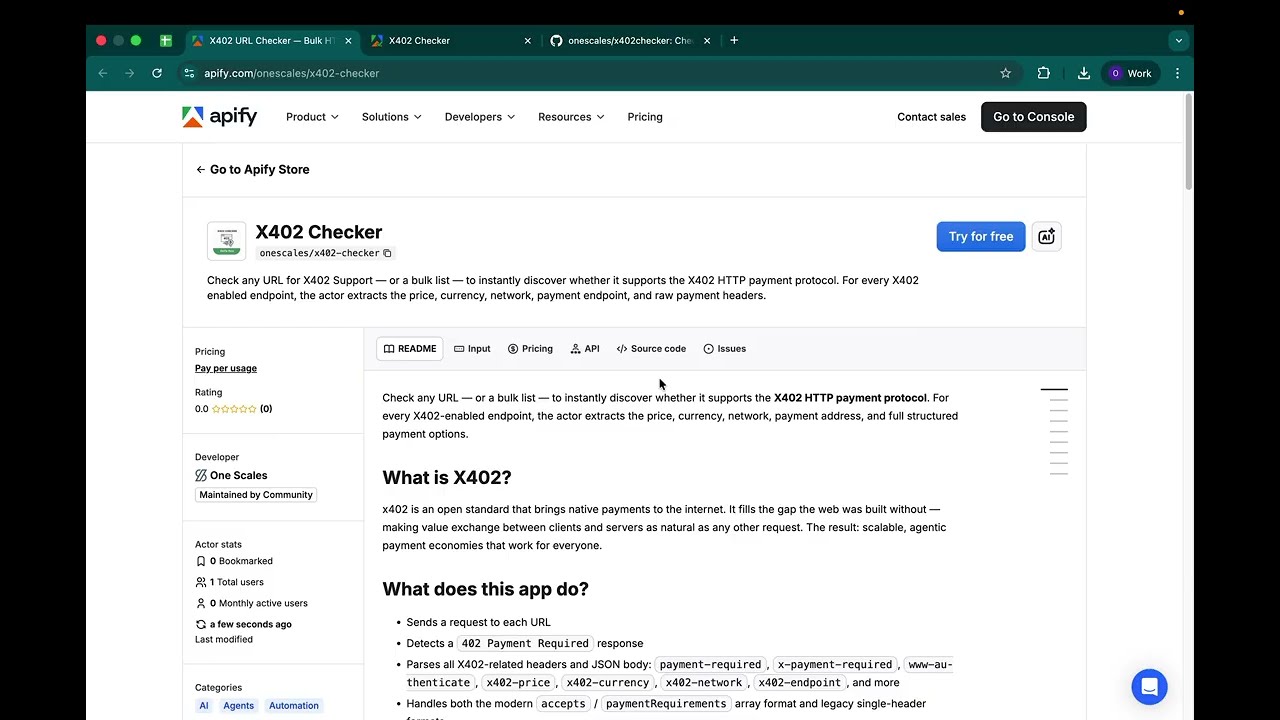
Check any URL for X402 Support — or a bulk list — to instantly discover whether it supports the X402 HTTP payment protocol. For every X402 enabled endpoint, the actor extracts the price, currency, network, payment endpoint, and raw payment headers.
- **URL**: https://apify.com/onescales/x402-checker.md
- **Developed by:** [One Scales](https://apify.com/onescales) (community)
- **Categories:** AI, Agents, Open source
- **Stats:** 11 total users, 4 monthly users, 100.0% runs succeeded, 2 bookmarks
- **User rating**: 5.00 out of 5 stars
## Pricing
Pay per usage
This Actor is paid per platform usage. The Actor is free to use, and you only pay for the Apify platform usage, which gets cheaper the higher subscription plan you have.
Learn more: https://docs.apify.com/actors/running/actors-in-store.md#pay-per-usage
## What's an Apify Actor?
Actors are web data automations that power AI and operations. They run on the Apify platform to scrape websites, process data, connect APIs, and automate workflows.
In Batch mode, an Actor accepts a well-defined JSON input, performs an action which can take anything from a few seconds to a few hours,
and optionally produces a well-defined JSON output, datasets with results, or files in key-value store.
In Standby mode, an Actor provides a web server which can be used as a website, API, or an MCP server.
Actors are written with capital "A".
## How to integrate an Actor?
If asked about integration, you help developers integrate Actors into their projects.
You adapt to their stack and deliver integrations that are safe, well-documented, and production-ready.
The best way to integrate Actors is as follows.
- **AI agents and MCP clients** — the [Apify MCP server](https://docs.apify.com/integrations/mcp.md) at `https://mcp.apify.com` (remote, streamable HTTP, OAuth on first use).
- **Agentic workflows and local Actor development** — [Agent Skills](https://apify.com/.well-known/agent-skills/index.json) with the [Apify CLI](https://docs.apify.com/cli/docs.md): `npm install -g apify-cli`, then `apify login`.
- **JavaScript/TypeScript projects** — the official [JS/TS client](https://docs.apify.com/api/client/js/docs.md): `npm install apify-client`.
- **Python projects** — the official [Python client](https://docs.apify.com/api/client/python/docs.md): `pip install apify-client`.
- **Any other language** — the [REST API](https://docs.apify.com/api/v2.md).
For usage examples, see the [API](#api) section below.
For more details, see Apify documentation as [Markdown index](https://docs.apify.com/llms.txt) and [Markdown full-text](https://docs.apify.com/llms-full.txt).
# README
## X402 Checker
Check any URL — or a bulk list — to instantly discover whether it supports the **X402 HTTP payment protocol**. For every X402-enabled endpoint, the actor extracts the price, currency, network, payment address, and full structured payment options.
[](https://www.youtube.com/watch?v=rdPnwRh9a2s)
### What is X402?
x402 is an open standard that brings native payments to the internet. It fills the gap the web was built without — making value exchange between clients and servers as natural as any other request. The result: scalable, agentic payment economies that work for everyone.
### What does this app do?
- Sends a request to each URL
- Detects a `402 Payment Required` response
- Parses all X402-related headers and JSON body: `payment-required`, `x-payment-required`, `www-authenticate`, `x402-price`, `x402-currency`, `x402-network`, `x402-endpoint`, and more
- Handles both the modern `accepts` / `paymentRequirements` array format and legacy single-header formats
- Returns one structured dataset row per URL: payment options, networks, amounts, tokens, pay-to addresses, and error info
### Demo / Try it Out
- Register a free Apify account and try it out at https://apify.com/onescales/x402-checker?fpr=s9de8
### Supported Networks & Coins
- **Stablecoins:** USDC, USDT, DAI, EURC, PYUSD, USDG
- **EVM mainnets:** Ethereum, Base, Polygon, Optimism, Arbitrum, Avalanche, BSC, X Layer, Plasma
- **EVM testnets:** Ethereum Sepolia, Base Sepolia, OP Sepolia, Arbitrum Sepolia, Polygon Amoy, Avalanche Fuji, X Layer Sepolia
- **Solana:** Mainnet and Devnet
- **Unknown networks and tokens** are still reported with their raw values so you never lose data
- **Need a network or coin that isn't listed?** [Contact us](https://docs.google.com/forms/d/e/1FAIpQLSfsKyzZ3nRED7mML47I4LAfNh_mBwkuFMp1FgYYJ4AkDRgaRw/viewform?usp=dialog) and we'll add it.
### Use cases
- **Developer research** — Discover which URLs in the x402 ecosystem require payment and at what price
- **Bulk auditing** — Check hundreds of endpoints at once to build a directory or monitor pricing changes
- **Integration testing** — Verify your own x402-enabled service is returning the correct headers
- **Competitive intelligence** — Track x402 adoption across public APIs
### Input
| Field | Type | Required | Description |
|-------|------|----------|-------------|
| `urls` | array | Yes | One or more URLs to check |
**Example input:**
```json
{
"urls": [
{ "url": "https://x402.org/protected" },
{ "url": "https://api.example.com/data" }
]
}
```
### Output
Each URL produces one dataset row:
| Field | Type | Description |
|-------|------|-------------|
| `url` | string | The checked URL |
| `supportsX402` | boolean | `true` if the server returned HTTP 402 |
| `statusCode` | number | Actual HTTP status code returned |
| `x402Version` | string | X402 protocol version from the payload |
| `description` | string | Resource description from the payload |
| `acceptsCount` | number | Number of payment options available |
| `acceptNetworks` | string\[] | Blockchain networks for each option (e.g. `Base`, `Ethereum`) |
| `acceptAmounts` | string\[] | Payment amounts for each option (human-readable, e.g. `0.001`) |
| `acceptSymbols` | string\[] | Token symbols for each option (e.g. `USDC`) |
| `acceptPayTos` | string\[] | Payment recipient addresses for each option |
| `accepts` | object\[] | Full structured payment options array |
| `rawHeaders` | object | Raw X402-related response headers (when present) |
| `error` | string | Error message if the request failed |
| `checkedAt` | string | ISO 8601 timestamp |
**Example output item (X402-enabled URL):**
```json
{
"url": "https://x402.org/protected",
"supportsX402": true,
"statusCode": 402,
"x402Version": "1",
"description": "Protected resource",
"acceptsCount": 1,
"acceptNetworks": ["Base"],
"acceptAmounts": ["0.001"],
"acceptSymbols": ["USDC"],
"acceptPayTos": ["0xABC123..."],
"accepts": [
{
"scheme": "exact",
"network": "Base",
"amount": "0.001",
"symbol": "USDC",
"payTo": "0xABC123..."
}
],
"checkedAt": "2025-04-16T12:00:00.000Z"
}
```
**Example output item (non-X402 URL):**
```json
{
"url": "https://api.example.com/data",
"supportsX402": false,
"statusCode": 200,
"checkedAt": "2025-04-16T12:00:00.000Z"
}
```
### Open Source
x402checker is made by \_done (https://underscoredone.com) and is open source and freely available for personal and commercial use.
**Repository:** [github.com/onescales/x402checker](https://github.com/onescales/x402checker)
This project is licensed under the [MIT License with Attribution](./LICENSE) — you are free to use, modify, and distribute this software, provided that visible credit to **One Scales** and a link to is included in any derivative work
### Support
**[Contact Support](https://docs.google.com/forms/d/e/1FAIpQLSfsKyzZ3nRED7mML47I4LAfNh_mBwkuFMp1FgYYJ4AkDRgaRw/viewform?usp=dialog)** — feature requests and custom integrations welcome.
### Related Keywords
x402, X402 tool, x402 lookup, http 402 status code, payemnt required, actor, AI, API, apify, at scale, auditor, automated, automation, batch, bulk, checker, converter, crawler, cron, CSV, dataset, detector, downloader, Excel, export, exporter, extractor, fetcher, finder, free tool, generator, Google Sheets, HTML, ifttt, instant, JSON, lookup, make, make.com, maker, mass, MCP, monitor, n8n, no-code, no API key required, parser, PDF, pipeline, report, scanner, schedule, scheduled, scraper, spreadsheet, tool, validator, verifier, webhook, workflow, XML, zapier
# Actor input Schema
## `urls` (type: `array`):
One or more URLs to check for X402 payment protocol support.
## Actor input object example
```json
{
"urls": [
{
"url": "https://x402.org/protected"
}
]
}
```
# Actor output Schema
## `x402Results` (type: `string`):
All checked URLs with X402 support status and full payment details.
# API
You can run this Actor programmatically using our API. Below are code examples in JavaScript, Python, and CLI, as well as the OpenAPI specification and MCP server setup.
## JavaScript example
```javascript
import { ApifyClient } from 'apify-client';
// Initialize the ApifyClient with your Apify API token
// Replace the '' with your token
const client = new ApifyClient({
token: '',
});
// Prepare Actor input
const input = {
"urls": [
{
"url": "https://x402.org/protected"
}
]
};
// Run the Actor and wait for it to finish
const run = await client.actor("onescales/x402-checker").call(input);
// Fetch and print Actor results from the run's dataset (if any)
console.log('Results from dataset');
console.log(`💾 Check your data here: https://console.apify.com/storage/datasets/${run.defaultDatasetId}`);
const { items } = await client.dataset(run.defaultDatasetId).listItems();
items.forEach((item) => {
console.dir(item);
});
// 📚 Want to learn more 📖? Go to → https://docs.apify.com/api/client/js/docs
```
## Python example
```python
from apify_client import ApifyClient
# Initialize the ApifyClient with your Apify API token
# Replace '' with your token.
client = ApifyClient("")
# Prepare the Actor input
run_input = { "urls": [{ "url": "https://x402.org/protected" }] }
# Run the Actor and wait for it to finish
run = client.actor("onescales/x402-checker").call(run_input=run_input)
# Fetch and print Actor results from the run's dataset (if there are any)
print(f"💾 Check your data here: https://console.apify.com/storage/datasets/{run.default_dataset_id}")
for item in client.dataset(run.default_dataset_id).iterate_items():
print(item)
# 📚 Want to learn more 📖? Go to → https://docs.apify.com/api/client/python/docs/quick-start
```
## CLI example
```bash
echo '{
"urls": [
{
"url": "https://x402.org/protected"
}
]
}' |
apify call onescales/x402-checker --silent --output-dataset
```
## MCP server setup
```json
{
"mcpServers": {
"apify": {
"type": "http",
"url": "https://mcp.apify.com/?tools=fetch-actor-details,onescales/x402-checker"
}
}
}
```
The hosted server signs you in with OAuth on first connect, so no API token belongs in this config. Clients without OAuth support can send an `Authorization: Bearer ` header instead, using a token from API & Integrations in Apify Console (https://console.apify.com/settings/integrations).
## OpenAPI specification
Download the OpenAPI definition: https://api.apify.com/v2/actors/Vp9ZpPLeEfFDK2nbt/builds/HPThWJnpmDlpj7wOA/openapi.json