Strategies and Performance Metrics for Initial Loads on Autonomous Database

GoldenGate is a great tool for replications — no doubt about that. The challenge comes when you have to do an intial load. There are multiple ways to achieve it and this is what I would like to cover in this article. To find out and test multiple tools and services that could do initial load for me.
Services and tools that I have used:
- OCI Data Integration — Data Load Task
- Data Transforms (built-in ADW)
- OCI GoldenGate Pipeline
- OCI GoldenGate — Initial Load Extract
- Data Pump
The test conditions were:
- loading 10 tables with ~ 54Gb with ~14312000 rows each
- Source was Autonomous Transaction Processing 19c
- Target was Autonomous Data Warehouse 23ai
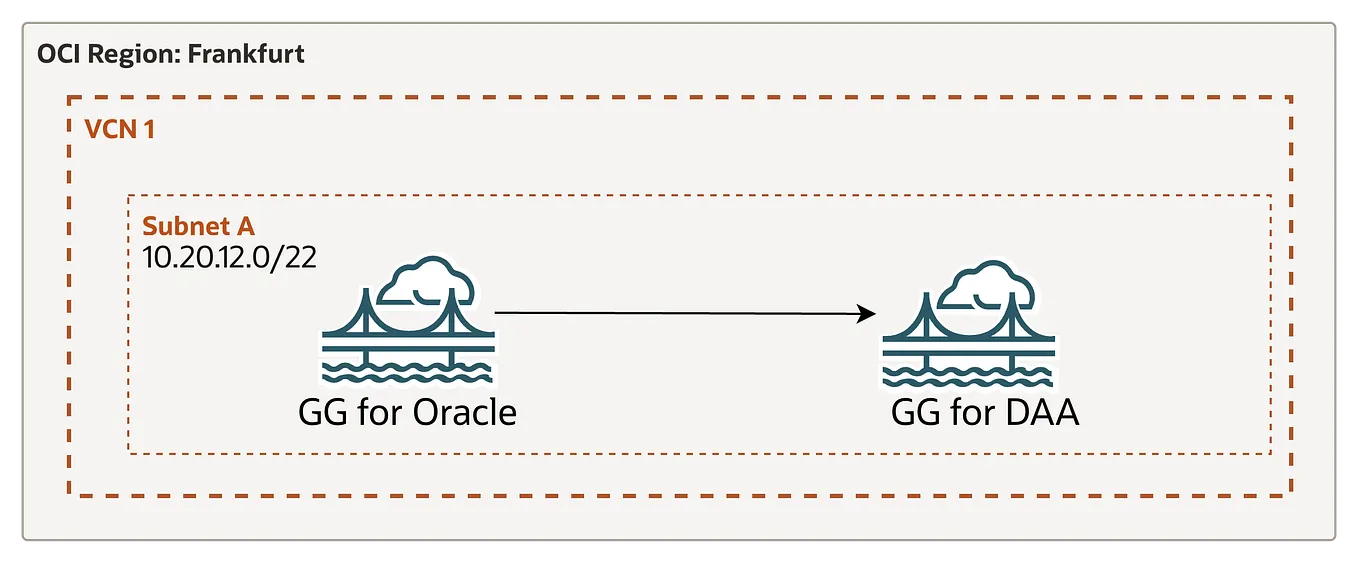
To make it a clean test and determine which will be the fastest and with more advantages, both source and target are set to have 2 ECPU and 3Tb of storage. Also, all the services will be in the same subnet and in the same region.
Let’s talk numbers.
OCI Data Integration
In OCI DI was created a Data Loader task that contained all those 10 tables.
Results:
On average, it took 1:40h per table to be loaded. In total, the duration for entire task with 10 table was: 8h: 39min: 22 seconds.

Advantages:
- No coding experience is required
- Very simple tool to use for Initial Loading but also for transformations if required
- Supports a variety of sources and targets
- Supports parallel processing for faster data loads
- Using pipeline to achieve automation and orchestrate it with other tasks and services, ex: trigger OCI GG replication as soon as initial load has finished.
Disadvantages:
- Takes a bit of time to do the load
- Data Load task allows you to load a single schema and 200 tables. If you have more tables or they are distributed across multiples schemas — separate tasks should be created
Data Transforms
Data Transforms has a similar capability of doing a bulk upload as OCI DI — Data Load task.
Results:
All tables are loaded at the same time. The total time was 37643 seconds: 10h: 27min: 23sec

Advantages:
- Same as OCI DI it does not require any coding experience
- Very simple tool to use for Initial Loading but also for transformations if required
- Supports a variety of sources and targets
- Is embedded in Autonomous Database, so no additional tools is required
- Has an interconnection with OCI GG, which will be triggered as soon as the initial load will be finished
- Multiple deployment options are available which allows to customise the shape of the instance, if more performance is required
Disadvantages:
- Takes a lot time to finish
- Uses local agent to do the load, which is out of control if you go with embedded version
OCI GoldenGate Pipeline
OCI GoldenGate pipeline is a fairly new capability in OCI GoldenGate family. It allows you to very easily setup real-time data replication, including initial load, to stream data directly from operational databases (ATP in our case) to analytical environments (ADW).
Get Alexandru Porcescu’s stories in your inbox
Join Medium for free to get updates from this writer.
If you want data replication without the complexity of learning or managing all the individual GoldenGate components — which could be a lot — you defenetly must consider using the GoldenGate pipeline, as it simplifies setup and management while providing real-time replication capabilities.
Results:
Because pipeline has multiple phases, will be considered only the one that does initial load. So the total time is 37643 seconds: 4h: 17min: 25sec

Advantages:
- Initial load is fast
- Simplifies way of doing intial load and starting replication
- No manual administration of a dedicated GoldenGate deployment
- Auto scaling is enabled for even faster performance
- Flexible in handling multiple schemas and tables
Disadvantages:
- The only disadvantage that I see so far is not really related to initial load. If you need more customizations or to use GoldenGate parameters, a proper GG deployment will have to be created.
OCI GoldenGate
OCI GoldenGate also offers you capability of doing initial load using Initial Load extract type. I created a deployment of OCI GoldenGate and assigned minumum recommended number of OCPUs for a production environment: 4.
Results:
Extract finalised writing to trail files in 1h: 30min: 02sec

Replicat started at finalised wiring into ADW in


Total time: 2 days 17h: 38min: 47sec
Advantages:
- No need for a separate tool to handle initial load
- Once IL is done, you could leverage the full potential of OCI GG
- Allows to do initial load without stopping any incoming transactions
- Data will be encrypted at rest and also will allow you to use your own encryption keys
Disadvantages:
- Initial Load using OCI GG is a very slow and time consuming method
- Will require 2 manual steps: do extract first, then create a replicat
Data Pump
Oracle Data Pump is pupular and high-speed data movement tool that allows you to do quick export and import of data and metadata between Oracle databases. It also comes with multiple configurations like: using parallel processing, flexible filtering options, multiple storage options, etc. In my tests, I was using OCI Object Storage as storage location and were exported only those 10 tables.
Results:
expdp — was done in 2h: 13min: 10sec
expdp admin@atppriv_medium \
TABLES=admin.f1_telemetry_data_1,admin.f1_telemetry_data_2,admin.f1_telemetry_data_3,admin.f1_telemetry_data_4,admin.f1_telemetry_data_5,admin.f1_telemetry_data_6,admin.f1_telemetry_data_7,admin.f1_telemetry_data_8,admin.f1_telemetry_data_9,admin.f1_telemetry_data_10 \
filesize=5GB \
credential=DataPumpCredential \
dumpfile=https://xxxxxxx.objectstorage.us-phoenix-1.oci.customer-oci.com/n/xxxxxx/b/xxxxxx/o/export%L.dmp \
parallel=6 \
encryption_pwd_prompt=yes \
logfile=export.log \
directory=data_pump_dir \
EXCLUDE=statistics,index
impdp — was done in 3h: 38min: 10sec
impdp admin@adwpriv_high \
  credential=DataPumpCredential \
  dumpfile=https://xxxxxxx.objectstorage.us-phoenix-1.oci.customer-oci.com/n/xxxxxxx/b/xxxxxxx/o/export%L.dmp \
  parallel=6
  transform=segment_attributes:n \
  EXCLUDE=statistics,index \
  encryption_pwd_prompt=yes \
  logfile=impdp_export.log \
  status=60
Total time = 5h: 51min: 20sec
Advantages:
- Popular and powerful tool with a big community
- Pretty fast
- Flexibility in configuration settings and command-line arguments.
- Allows data encryption
Disadvantages:
- Requires careful configuration of roles and permissions to run export/import jobs successfully
- Works exclusively with Oracle databases
After testing multiple tools and services for initial loads on Autonomous Database, the clear winners in terms of speed and efficiency are OCI GoldenGate Pipeline and Oracle Data Pump. Both offer fast, reliable initial load capabilities with OCI GG Pipeline providing seamless real-time replication setup and Data Pump delivering powerful, flexible export/import operations.
However, if your use case involves not only initial loading but also requires ETL transformations, then OCI Data Integration and Data Transforms are excellent choices. These tools provide simple, no-code solutions with built-in transformation capabilities, though they take a bit more time to complete the load compared to the faster options.
For those interested in achieving full automation from OCI Data Integration to OCI GoldenGate, stay tuned for my next article where I will demonstrate how to orchestrate these services for an end-to-end automated data pipeline.