6 Tiny Mac Apps I Can’t Work Without (and Not One Needs a Subscription)

A mirror for your face before a call. A transcriber that never uploads your audio. A calendar under your clock. A shelf for your files, invoices you just ask for, and a battery that ages slower.

The Mac apps people write about are the big ones: Photoshop, Final Cut, Xcode. They aren’t the ones I’d miss most.
I’d miss the tiny ones. Each does one small job, stays out of your way, and saves you a few seconds many times a day. Those seconds add up, and so does the annoyance they save you.
I make small Mac apps, so I’m picky about them. Three of the six below are mine, and I’ll tell you which when we get there. I had nothing to do with the other three. I’d recommend them even if I’d never written a line of code.
To make the list, an app had to fix something you run into almost every day, and be worth it from the very first day.
1. Hand Mirror: the three-second check before every call
You know the moment. The call starts in a minute, you click Join, and there you are: hair sticking up, a lamp glaring behind you, half your face out of frame. Everyone saw it before you did.
Hand Mirror fixes that with one click. It lives in your menu bar. Click it, and your camera appears in a small mirror right under it. Fix your hair, tilt the screen, click away, and it’s gone. No app to open, no test call to start. According to its App Store listing, it doesn’t record, collect or send your data anywhere.

On a MacBook with a notch, Hand Mirror Plus lets you click the notch itself, right where the camera sits. It’s such a natural idea that Chris Welch at The Verge called it the best use of the MacBook notch he’d seen. Plus also adds a window you can resize and place anywhere, a microphone level check, and Snaps: little Polaroid-style photos you can doodle on.
It’s made by Rafael Conde, a product designer who builds apps on the side. Apple has featured it in App Store collections like Your Work-From-Home Toolkit.
Price: free on the Mac App Store. Hand Mirror Plus is a one-time $6.99 in the US store. The developer raises that price each time a new Plus feature ships, so buying early is the cheaper move. Needs macOS 14.4 or later.
2. MacWhisper: every word of a recording, without uploading it
An hour-long interview. A lecture. A voice memo you rambled into on a walk. The words are all in there, but typing them up takes longer than the recording did. And most transcription websites want your audio on their servers first.
MacWhisper does it on your Mac instead. Drag in an audio or video file (mp3, m4a, wav, mov, mp4 and more), and it writes out every word with timestamps. It runs speech models like OpenAI’s Whisper and NVIDIA’s Parakeet locally, so a private recording never has to leave your computer. You can switch to cloud models if you’d like, but that’s your call.

It understands 100 languages and exports plain text, Word, PDF and Markdown, or subtitles (.srt and .vtt) ready for a video. It has grown well beyond files, too:
- Meetings: it can record and transcribe calls in Zoom, Teams, Webex, Discord and more. No bot joins your call.
- Dictation: talk into any text field on your Mac instead of typing.
- Watched folders: drop a file into a folder and the transcript just appears.
The free version handles everyday transcription with smaller models. Pro unlocks the bigger, more accurate ones, plus extras like speaker recognition and batch transcription. It’s made by Jordi Bruin and friends at Good Snooze in the Netherlands.
Price: free to start. MacWhisper Pro is a one-time €64 with lifetime updates. Buy it from macwhisper.com itself: the site warns about lookalike scam sites.
3. Itsycal: a calendar right where you look for one
“What date is next Thursday?” “Am I free on the 19th?” Tiny questions, and on a Mac each one means opening the Calendar app, finding the week, and closing it again.
Itsycal puts a little calendar in your menu bar. Click it and the month drops down, with your upcoming events listed underneath. It reads the calendars you already have in the Mac’s Calendar app, so your iCloud, Google and work calendars just show up, with no new account to sign in to.

It does more than its size suggests. You can add an event right from the menu bar, join a video meeting from an event, tick off reminders, show week numbers, and set your own date and time format for the menu bar. A keyboard shortcut opens it from anywhere.
It’s made by Mowglii, a one-person studio whose apps are all free.
Price: free, with an option to donate if it earns its place. The newest version needs macOS 27. Older versions for earlier macOS releases, back to macOS 11, are on the same page.
4. Shelfy: a shelf beside your Dock (this one’s mine)
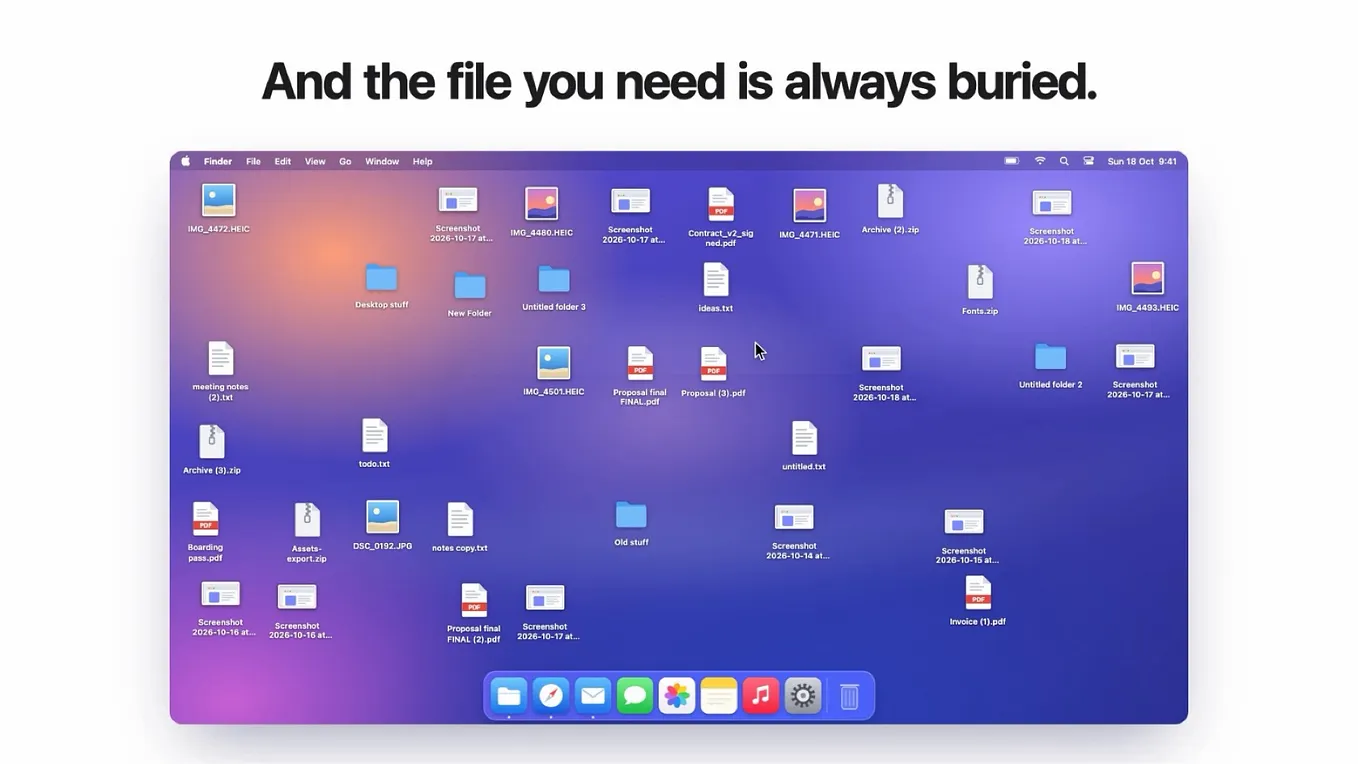
Where does a file go when it’s halfway somewhere? A PDF you’ll attach in a minute, a screenshot for a chat, a logo on its way from one window to another. On a Mac, the answer is the Desktop, and nobody ever tidies the Desktop. Mine became a graveyard of “Proposal final FINAL.pdf” and forty screenshots.
So I built Shelfy. It turns the empty space beside your Dock into a glass shelf. Drop files on it while you work, and drag them off when you need them. On the other side of the Dock, your newest screenshots and downloads are already waiting, so the screenshot you just took is one drag away from your email.

- ⇧⌘Space opens a panel that searches everything on the shelf, even the words inside your screenshots.
- One-click actions on any file: compress, convert, resize, remove a background, merge PDFs, turn a video into a GIF, and more.
- Shake to Shelf, new in 0.3: shake the pointer while you drag, and a shelf appears right under it. Perfect when the Dock is far away or hidden.
- Clipboard history, also new: the other side of the Dock can show what you copied lately. Passwords from password managers are never kept.

It’s light, too. When I measured it on my M1 MacBook Air, it idled at about 0.1% CPU and 26 MB of memory, so you forget it’s there until you need it.
Get Ayesha Gagan’s stories in your inbox
Join Medium for free to get updates from this writer.
Price: $9.99 once, for up to 3 of your Macs, with free updates. No subscription, no account. Needs macOS 14 Sonoma or later, on Apple silicon or Intel.
5. Invoicewell: invoices you just ask for (mine too)
If you freelance, you know the end-of-month routine. Find the client’s address, add up the hours, remember the next invoice number, get the tax right, write the email. It’s admin for money you’ve already earned. And many invoicing apps charge you every month for the privilege.
Invoicewell is a native Mac app for invoices, quotes and credit notes. You can make them by hand in a fast, clean editor. Or connect an AI assistant like Claude and simply ask: “Invoice Harbour Labs for this month’s hours.”
Here’s the part I’m proudest of. Invoicewell itself works out what the invoice still needs and fills in everything it already knows: your business details, the next number, the client’s address and terms, tax rates, tracked hours. So the assistant asks you only what’s missing. And it can never send anything. Only you press Send.

Without any AI, it’s still a complete invoice app:
- Recurring invoices, and a time tracker in the app or the menu bar
- Part payments, three levels of reminders, and late fees
- 5 invoice designs with your logo, color and font, as real PDFs
- Any currency, and invoices in English, Spanish, French, German, Dutch or Italian
Your invoices and clients stay on your Mac, not on someone’s server.
Price: $19.99 once, for up to 3 Macs, with free updates. No subscription, no account. There’s no free trial, but the website has a working demo you can try in your browser. Needs macOS 14 Sonoma or later.
6. Chargeberry: a MacBook battery that ages slower (my last one)
If your MacBook lives on its charger, it probably sits at 100% all day. That feels harmless, but a lithium-ion battery ages fastest when it’s kept full and warm. By Battery University’s figures, a battery held full for a year at 25°C keeps about 80% of its capacity. Held at 40%, it keeps about 96%. You never notice it happening. One day the Mac just dies at 2 PM instead of 6.
An honest note first: since macOS Tahoe 26.4, macOS has its own Charge Limit (80 to 100%) in System Settings › Battery. If a simple 80% cap is all you want, that may be enough, and you don’t need my app.
Chargeberry is for everything around that cap. It’s a menu bar app that holds your limit and adds what macOS leaves out:
- Full by 8:00: it holds your limit all night, then charges to 100% just before you leave. You pick the time instead of macOS guessing your routine, and you can make it a weekly schedule.
- Charge to 100% now: one click before a trip. Your limit comes back by itself when you unplug.
- Battery health over time: a daily history, plus a monthly Battery Wrapped card you can share.
- Shortcuts and alerts: keyboard shortcuts, and a low-battery warning at the level you choose.

On macOS 26 and earlier, it goes further: any limit from 50%, pausing the charge when the battery gets hot, running down to your limit with the charger still plugged in, and one-click calibration. On macOS 27, Apple locked the low-level charging controls, so those extras aren’t available there.
Price: $5.99 once, for up to 3 Macs, with free updates. Needs a MacBook with Apple silicon (M1 or newer) and macOS 14 Sonoma or later.
The six at a glance
- Hand Mirror: check your camera before a call. Free, Plus $6.99 once.
- MacWhisper: turn recordings into text, on your Mac. Free, Pro €64 once.
- Itsycal: a calendar in your menu bar. Free.
- Shelfy: a shelf beside your Dock. $9.99 once.
- Invoicewell: invoices you just ask for. $19.99 once.
- Chargeberry: a battery that ages slower. $5.99 once.
Notice something? Not one of them needs a subscription.
Small apps, big difference
None of these will ever get a keynote. That’s the point. Each one sands off a single rough edge you’d stopped noticing, and a week later you can’t picture your Mac without it.
Now I’m curious: what tiny app would you add to this list? Tell me in the comments. And if some small Mac annoyance drives you up the wall every day, tell me about that too. It might become my next app.
Full disclosure: I make Shelfy, Invoicewell and Chargeberry. I have no connection to Hand Mirror, MacWhisper or Itsycal, and there are no affiliate links in this post.
I’m Ayesha, and I build small, native Mac apps. More at ayeshagagan.com, or say hi on X at @ayeshagagan.