Accessibility Compliance Reporting for Government Agencies: Section 508 & VPAT

Government agencies need to meet accessibility requirements across websites, applications, documents, and other digital services. They also need clear documentation of how those requirements were assessed and whether the service meets the applicable standards.
An accessibility compliance report provides that record. It documents everything from the requirements assessment to the remediation status. The specific requirements can vary by jurisdiction, agency, technology, and contract.
For U.S. federal agencies, Section 508 is a key requirement, while WCAG and other standards may also apply depending on the context.
In this guide, I’ll cover what a government accessibility compliance report should include, how to create and test one, how VPATs and ACRs fit into the process, and how to keep the report current.
What is an Accessibility Compliance Report for Government Agencies?
An accessibility compliance report is a formal assessment of a government website, application, document, or digital service against the accessibility requirements that apply to it.
The report helps agencies evaluate accessibility, identify areas that need attention, and communicate the assessment results to relevant stakeholders. It supports procurement decisions when accessibility information is required for a government technology purchase.
The scope can include the standards assessed, areas evaluated, testing approach, findings, and known limitations. Government agencies, contractors, vendors, procurement teams, and accessibility professionals may use the report depending on their role in developing, purchasing, or reviewing the service.
What Accessibility Requirements Should a Government Report Cover?
The requirements covered in a government accessibility report depend on the jurisdiction, type of service, and regulations that apply. It is better if you identify these requirements at first. This will give your assessment a clear basis and will help determine which accessibility standards you should use.
Section 508 and WCAG
For U.S. federal agencies, the Revised Section 508 Standards are a key requirement for covered ICT. They incorporate WCAG 2.0 Level A and AA success criteria for applicable electronic content and software. WCAG provides the technical criteria used to evaluate digital accessibility, with WCAG 2.2 being the current W3C Recommendation.
Other requirements that may apply by jurisdiction
Government accessibility requirements can differ across states, countries, and public-sector organizations. Depending on the context, a report may also need to address state or local accessibility laws, regional standards, procurement requirements, or contractual obligations.
The report should therefore clearly identify the laws, standards, versions, and conformance levels used to evaluate the service.
A requirements checklist includes:
- Applicable law or regulation
- Accessibility standard and version
- Required conformance level
- ICT or service covered by the requirement
- Government or jurisdiction-specific requirements
- Procurement or contractual accessibility requirements
What an Accessibility Compliance Report Should Include?
A useful report should let someone understand what was tested without having to ask the testing team for missing information.
I would include:
- Assessment scope: Product or website name, version, release, URLs, applications, documents, and components tested.
- Applicable requirements: Accessibility standards, WCAG version, target conformance level, and relevant Section 508 provisions.
- Testing environment: Browsers, operating systems, devices, assistive technologies, and other relevant configurations.
- Testing methods: Automated tools, manual checks, keyboard testing, screen reader testing, and other evaluation methods.
- Findings and evidence: Accessibility issues, affected criteria, severity or user impact, screenshots, test results, and supporting evidence.
- Conformance status: Pass, fail, partial conformance, known limitations, and areas requiring further assessment.
- Remediation and retesting: Issues resolved, outstanding issues, remediation status, and results from subsequent testing.
- Assessment details: Testers or assessment team, assessment date, report version, and revision history.
Keep the original test evidence so findings can be reproduced later.
How to Create an Accessibility Compliance Report for Government
I would build the report around the assessment process itself. Each step should create information that can be carried into the final report.
1. Define the scope: Decide exactly what you are testing. This could be a website, web application, mobile application, PDF library, internal system, or a specific release.
2. Identify the requirements: Document the applicable law, standard, WCAG version, conformance level, agency policy, and contract requirements.
3. Define the test environment: Record browsers, operating systems, devices, assistive technologies, and application versions. Accessibility can change depending on the environment.
4. Run automated tests: Use automated testing to identify issues such as missing accessible names, invalid ARIA, contrast problems, and other detectable failures.
5. Perform manual testing: Test keyboard navigation, focus order, forms, dialogs, error handling, headings, content structure, zoom, reflow, and other areas that automated tools cannot reliably evaluate.
6. Test with assistive technology: Where appropriate, include screen readers and other assistive technologies.
7. Record findings: For every issue, document the affected page or component, applicable requirement, problem, user impact, evidence, and recommended remediation.
8. Retest fixes: Do not remove an issue simply because a developer says it has been fixed. Retest it and record the result.
9. Write the final report: Summarize the overall findings, conformance status, remaining issues, testing limitations, and next steps.
10. Maintain the report: Give the report a version number and update it when the product or accessibility status changes.
How to Test Accessibility for the Compliance Report
You can use a combination of automated and manual testing rather than relying on a single scanner. Automated tools quickly identify repeatable issues, while manual testing is needed for interactions and experiences that require human judgment.
My testing process accessibility testing process usually covers:
- Automated WCAG checks for detectable issues such as missing labels, invalid ARIA, and contrast failures.
- Keyboard testing to verify navigation, focus order, focus visibility, and keyboard access to interactive elements.
- Screen reader testing to check page structure, accessible names, form instructions, error messages, and dynamic content.
- Visual and responsive checks for zoom, text resizing, reflow, contrast, and responsive behavior.
- Content and component testing for headings, landmarks, links, tables, images, PDFs, multimedia, dialogs, and other complex elements.
Record the tools, environments, assistive technologies, and test cases used. This gives the compliance report traceable evidence behind its findings.
Accessibility Testing Tools for Government Agencies
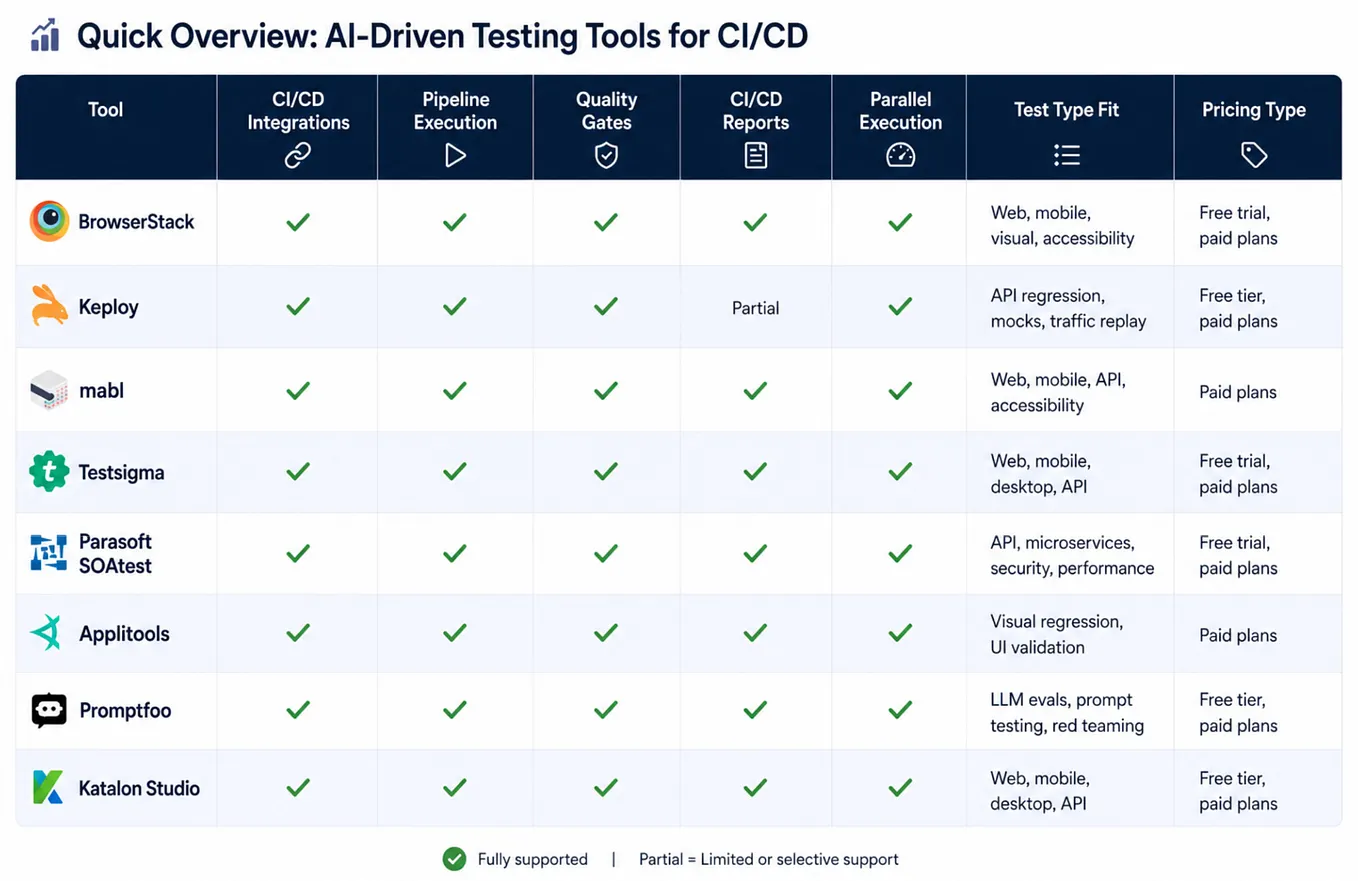
You can use several accessibility testing tools for creating a compliance report. I have worked with a few in this space, and here are my top suggestions for you. I have evaluated these tools based on the testing capabilities, workflow, reporting, and the ease of use.
Get Colin P’s stories in your inbox
Join Medium for free to get updates from this writer.
Have a look:
# Accessibility Insights
Accessibility Insights works well when a compliance report needs requirement-level evidence. I have found it useful for checking individual WCAG requirements through a structured assessment.
Its assessment workflow combines automated, assisted, and manual checks. Each requirement can be marked as passed, failed, or incomplete. Failure instances can also be recorded with supporting details. This creates a clear link between the WCAG requirement, test result, and accessibility issue.
The assessment can be exported as HTML or JSON for record keeping. This makes Accessibility Insights useful when compliance evidence needs to be retained or reviewed later. It works well for teams that need a structured approach to manual accessibility testing.
# BrowserStack Accessibility Testing
BrowserStack Accessibility works well when compliance testing needs workflow-level evidence. I’ve used it to assess accessibility across user journeys rather than checking pages in isolation.
Its workflow testing helps identify accessibility issues across multiple pages and states. Findings include the affected component, accessibility criterion, severity, and supporting evidence such as screenshots. This makes the results easier to trace back to a specific workflow step.
BrowserStack supports WCAG and Section 508-based testing. Its accessibility dashboard brings findings from different testing methods into one place. For government compliance reports, this makes it easier to connect findings with applicable requirements and track remediation and retesting.
# WAVE
WAVE is amongst the most commonly used tools for accessibility testing. I use it for quick, visual checks of a page’s accessibility structure.
Its browser extension places findings directly on the rendered page. This makes it easy to spot structural issues, missing labels, contrast problems, and ARIA-related findings. It also works with local, intranet, password-protected, and dynamic pages, which is useful for government applications.
WAVE works well for focused page checks, but larger assessments need broader coverage. So, I use it alongside any free tier cloud-based tools such as BrowserStack accessibility or axe Monitor, to get the coverage and centralized reporting. This gives the assessment both quick page-level investigation and broader coverage.
# Siteimprove Accessibility
Siteimprove Accessibility is useful for agencies managing large digital estates. It works well when accessibility needs regular monitoring across multiple websites, pages, and documents.
Its dashboards bring accessibility issues into one place. Teams can track issues, monitor remediation, and share progress through reports. It also provides regulation-specific views for requirements such as ADA Title II and EAA.
Siteimprove is useful for ongoing accessibility monitoring, especially after the initial assessment. New content and website changes can introduce new issues over time. The platform helps teams spot these changes and track them. Manual and assistive technology testing are still needed for a complete assessment.
# Pa11y
Pa11y is a good fit when accessibility testing needs to run as part of the development workflow. I have mostly used it for catching accessibility regressions before they reach production.
It can test a list of URLs or an entire sitemap. It can also run against local or staging environments. Teams can set an accessibility threshold and fail the build when that limit is exceeded. Results can be exported in formats such as JSON, HTML, and CSV. This makes it easier to retain automated test evidence with each build. The U.S. government’s ‘Section508.gov’ also uses Pa11y CI to test pages from its sitemap.
The major limitation of Pa11y is that it remains an automated testing layer. It cannot establish full accessibility conformance on its own. Manual and assistive technology testing are still needed for a complete compliance assessment.
How to Use VPATs and ACRs for Government Compliance
This is an area where terminology can get confusing. Let’s first understand what a VPAT and ACR is.
A VPAT (Voluntary Product Accessibility Template) is a template used to document how a product or service meets accessibility requirements.
An ACR (Accessibility Conformance Report) is the completed document based on that template.
For federal ICT procurement, vendors commonly use a VPAT to create an ACR. The ACR describes how their product conforms to applicable accessibility requirements.
A VPAT or ACR should not replace accessibility testing. The report should be based on an actual evaluation. If a product partially supports or does not support a requirement, the ACR should explain the limitation.
For procurement teams, an ACR provides useful evidence when comparing products and assessing accessibility requirements before a purchase.
Common Accessibility Compliance Reporting Mistakes
While preparing accessibility compliance reports, I’ve seen a few common mistakes addressed repeatedly. These can make the report less useful for compliance reviews and remediation.
I’ve listed the recurrent ones below, along with a simple fix for each:
- Using “WCAG compliant” without defining the target. State the exact WCAG version and conformance level assessed.
- Relying only on automated scans. Add manual checks and assistive technology testing to the assessment.
- Reporting only an accessibility score. List the individual issues, affected components, requirements, evidence, and remediation status.
- Ignoring partial conformance. Clearly identify partially supported criteria and explain the remaining accessibility barriers.
- Leaving out the test environment. Record the browsers, operating systems, devices, and assistive technologies used.
- Treating an old report as permanent proof. Update the report and retest after major product or content changes.
How to Keep Your Accessibility Compliance Report Up to Date?
An accessibility compliance report should be treated as a living document. I update it when there are changes that can affect the accessibility status of the product or service.
For example, you can choose to update it when:
- A major UI or application change is released
- New accessibility requirements apply
- A significant accessibility defect is fixed
- A new component or workflow is introduced
- The testing environment changes
- A procurement or contract requirement changes
- Periodic accessibility testing identifies new issues
Keep the original assessment and record new findings separately. Document remediation and retesting as changes are made. Update the report version and date with each revision.
This creates a clear history of accessibility changes and helps teams understand how compliance status has changed over time.
Final Thoughts
For me, a good accessibility compliance report is one that someone can trust without needing the testing team to explain it. Basically, the report should make the accessibility status clear.
In my opinion, transparency matters more than presenting a perfect compliance picture. Documenting limitations and unresolved issues gives teams something they can actually work with.
Accessibility changes with products, content, and technology. A report should reflect that reality. When the evidence is clear and the assessment can be verified, the report becomes more than a compliance document. It becomes a useful record for making accessibility better over time.