Before we start, I’m SO, so sorry, real estate industry…
How I created an Automated Dashboard using my Property Management emails
Based on recent survey data, 92% of landlords and rental property owners identify repairs and maintenance as one of the top three most demanding or burdensome responsibilities of managing a rental property. (Rental Housing Journal)

🥕 This short guide shows how I turned messy property manager email threads into a simple, low-code task dashboard. The goal was not to police anyone, but rather to have AI comb through the emails and let me know when follow-ups should be visible and avoid having to “escalate” before things get too delayed, resulting in additional costs for me and the property management company.


The problem: email is not a task system
I was getting updates across multiple threads: maintenance, cleaning, listings, inspections, bills, and scheduling. The intent was good, but the outcomes were fuzzy. I could not quickly answer:
- What did we agree on?
- What is in progress vs. done?
- Who owns the next step?
- What should I follow up on this week?
So I built a tiny CRM-like workflow for my household vendors using AI + VS Code to help with Data Cleaning and Data Analysis.
The high-level solution
I kept it simple and local:
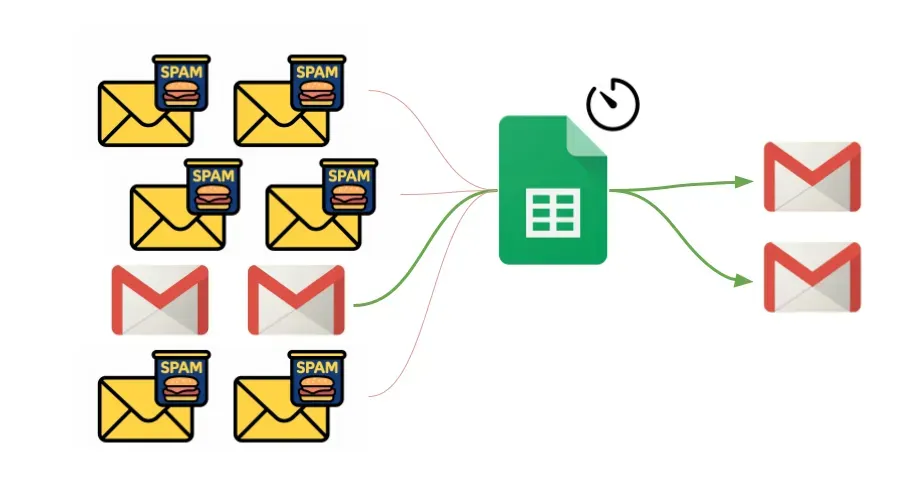
- Google Apps Script pulled my property manager emails into a spreadsheet.
- Put this on a schedule (Apps Script Triggers)
- A small python script exported the spreadsheet data into JSON. (Apps Script Webhook or you can use Google Sheet APIs)
- I summarized tasks into a CSV.
- A local HTML dashboard read the CSV and JSON and rendered a clear, human-readable view.
- VS Code was able to read the JSON and create a CSV for the “backend” (it has access to many of the popular Chat AI models.)
No third-party SaaS. No new logins. No subscriptions. No cloud services.
Just my data in a format I can control and review to draft emails with.
Ethical note: Why I cared about the tone
I did not want to be an asshole. The point was not to play “gotcha.” It was to make sure we all had the same source of truth and that I could clearly list the tasks from all of our emails. When everything is explicit, the relationship is easier, not harder.
The AI-prompting blueprint (high level)
Almost all of this was vibe coded using Gemini or VS Code (which uses ChatGPT).
Here is the rough flow I wanted AI to build for me:
1. Collect emails into a spreadsheet using Google Apps Script.
2. Normalize the data: sender, date, subject, and a plain-text body preview.
3. Export to JSON so my local index.html dashboard can read it locally.
4. Extract tasks into a CSV with fields like:
- TaskName
- Status
- Priority
- AssignedTo
- DueDate
- Notes
5. Render a dashboard in a single HTML file that loads the CSV and JSON and visualizes:
- Stats (total tasks, in progress, pending, completed)
- Task lists grouped by status
- A recent email feed for context
That is it. No complex backend (just Google Sheets and CSV files).
Get Dan Pham’s stories in your inbox
Join Medium for free to get updates from this writer.
All localhost and readable to both me and my wife. (Although, as a designer, she hates the purple gradient user interface lol…)
Benefits: One place to Update and Generate Email Updates
Having a “Single Pane of Glass” is a game changer for real estate management. With this new single source of truth, I can:
- Update the CSV on my own or ask AI to update the CSVs for me.
2. Write the emails from scratch on my own, or I can ask AI to draft emails to the owners for me.
What the dashboard gives me
- A living checklist of commitments
- A clean view of what is pending and who owns it
- A short list of follow-ups I should send this week
- A running history of communications (for context, not blame)
Sample prompt I used:
I used a prompt like this to keep the workflow consistent:
Goal: Build a simple, local task dashboard from property manager emails.Inputs:
- A JSON file of email records exported from a spreadsheet
- A CSV file of tasks extracted from those emailsRequirements:
- Client-side only (no server)
- Group tasks by status
- Show priorities and assignments
- Show recent email context
- Keep it fast and readable
Why this is useful beyond property management
This same structure works for any household vendor:
- Cleaning services
- Contractors
- Landscaping
- Insurance and billing
- Rentals or sublets
If you can export email to a spreadsheet, you can build a tiny CRM in just a few hours.
Lessons learned
- A small dashboard beats a large inbox.
- Good relationships need shared clarity, not more meetings.
- Low code is enough if you focus on the workflow, not the tech.
Want to build your own?
I recommend starting with the simplest version:
- One spreadsheet
- One CSV of tasks
- One HTML dashboard
Then add small improvements as needed. The best system is the one you will actually use.