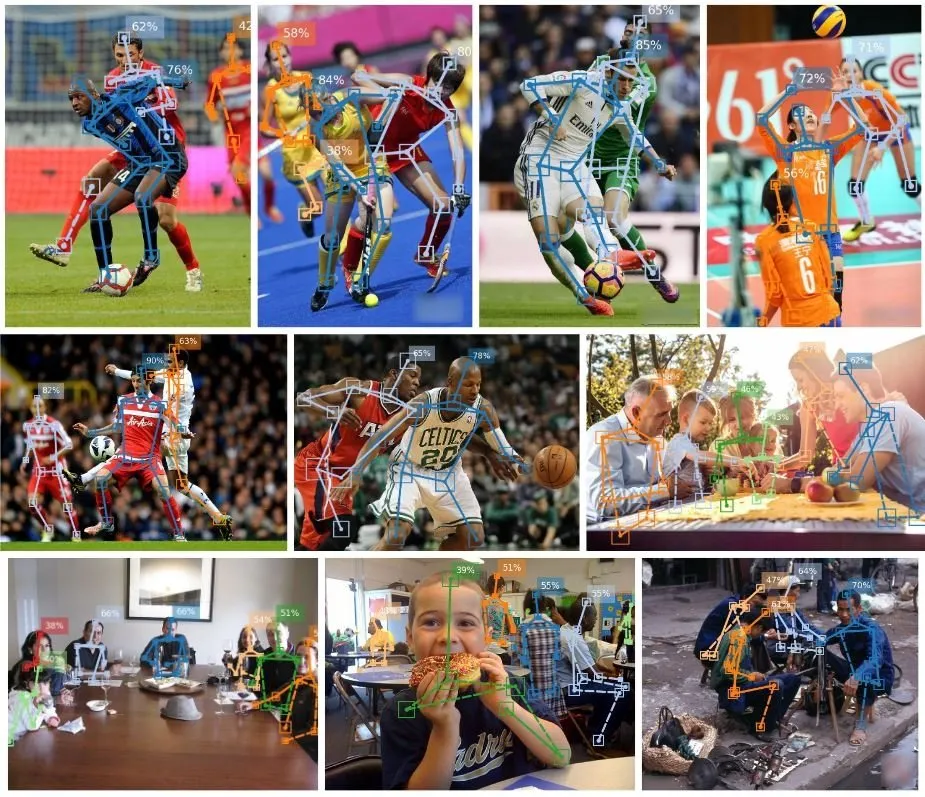
The Best Human Pose Estimation Model in 2026? For Real-Time on Mobile, the List Is Shorter Than You Think


A few years ago I fell into the trap most developers fall into when they first add body tracking to an app: I assumed the hard part was picking the right model. So I did what you probably came here to do. I opened fifteen tabs, read the benchmarks, and tried to work out whether MoveNet beat MediaPipe, whether YOLO was overkill, and whether OpenPose was still a thing.
Here is what I wish someone had told me: the moment you say “real time, on a phone, on both iOS and Android”, the question stops being “which model is most accurate” and becomes “which models even qualify”. And that list is short.
This is a practical, honest comparison of the eight human pose estimation models developers actually reach for in 2026, filtered through the constraint that matters most for real apps, followed by the uncomfortable truth about the other 90 percent.
The shortlist

One chart worth screenshotting
If you plot these on two axes, “can it run in real time on the device” and “how many platforms does it reach”, the answer to “which one for real-time mobile” becomes obvious.

Only MoveNet sits comfortably in the top-right corner: real time and cross-platform. Everything else makes you trade something, and the trade is bigger than the marketing admits.
Real FPS numbers, where marketing meets the phone
Everyone says “real-time on mobile”. Here is what the phone actually does. These are measured frame rates from the TensorFlow.js pose-detection benchmarks, in the browser (WebGL), which is the true cross-platform path:

Look at the Pixel 5 row. In the browser, MoveNet Lightning holds 34 FPS while BlazePose runs at 11–12 (5 for Heavy). Desktop and iPhone are fine for both; Android in the browser is where BlazePose quietly stops being real time. This is the single most useful table I wish I had found on day one. (Caveat, to be fair: MediaPipe’s native Android runtime is faster, ~22–32 FPS on a Pixel 5. So native-only on Android, BlazePose is fine. For one cross-platform build, MoveNet is the safer bet.)
The questions that actually decide it
Instead of ranking models on a single “accuracy” number, ask these.
1. Does it run in real time, on the device?
For a live skeleton over a moving body, you want on-device inference at 30+ FPS. MoveNet, MediaPipe, ML Kit and Apple’s stack clear that bar. YOLO26-nano does too, once exported. OpenPose and MMPose do not without a real GPU, which usually means a server, which means latency, cost and sending frames off the phone. On-device also means the camera stream never leaves the device, which is a genuine privacy argument you can put in your app store listing.
2. Which platforms does it reach?
This is where iOS-only models quietly cost you a second implementation.
- iOS + Android + Web: MoveNet (TF.js + TFLite) and MediaPipe.
- iOS + Android, native only: ML Kit.
- iOS only: Apple Vision and ARKit. Superb, free, on-device, and useless the day you ship on Android.
- Web: MoveNet and PoseNet in the browser.
3. How many keypoints do I need?
- 17 (COCO): MoveNet, YOLO26, PoseNet. Enough for reps, angles and posture.
- 19 (Apple Vision, 2D), or a 91-joint 3D rig via ARKit motion capture.
- 33 (BlazePose): MediaPipe, ML Kit. Adds hands and feet.
- 133 (WholeBody): MMPose. Sign language and gesture work; overkill for a squat counter.
More points is more to compute and more jitter to smooth, not automatically better.
4. One person or many?
MoveNet, ML Kit and ARKit track a single subject. MediaPipe defaults to one. YOLO26-pose, PoseNet, OpenPose and MMPose go multi-person. Alone in front of a camera? Single person is simpler and faster.
The one snippet that explains everything
Here is YOLO26-pose on an image. Look at what actually comes back:
from ultralytics import YOLO
# The model auto-downloads on first run
model = YOLO("yolo26n-pose.pt")
results = model("athlete.jpg")
for result in results:
keypoints = result.keypoints.xy # shape: (N_persons, 17, 2)
scores = result.keypoints.conf # confidence per keypoint
print(f"Detected {len(keypoints)} person(s)")
And here is MoveNet in TensorFlow.js, a completely different model, giving you the same shape of answer:
const model = poseDetection.SupportedModels.MoveNet;
const detector = await poseDetection.createDetector(model);
const poses = await detector.estimatePoses(videoElement);
// poses[0].keypoints -> [{ x, y, score, name }, … 17 of them]
That is the punchline of every pose model. You get keypoints: an x, a y, and a confidence score. Whether you pick YOLO26, MoveNet, MediaPipe or Apple Vision, the output is the same shape. Which brings me to the part that actually cost me months.
The 90 percent nobody benchmarks
None of those snippets give you:
- joint angles, computed and smoothed frame to frame,
- rep counting, with a definition of what a good rep even is,
- a form score a user can read and act on,
- filtering, so the skeleton stops jittering when confidence drops,
- comparison to a reference movement, so you can score technique instead of just counting.
That is the business layer, and it is entirely on you. Worse, it is not written once. The camera-to-tensor pipeline (pixel formats, orientation, resize, normalization) is different on iOS, Android and web, so you rebuild and re-stabilize it three times. A lot of what feel like “pose bugs” are really camera preprocessing bugs. Hardware acceleration is fragmented across Metal, NNAPI and WebGL, and it fails silently on the devices you do not own. And none of it is ever finished, because the platforms underneath keep shifting.
Get Fabrice Sepret (CEO at Movelytics)’s stories in your inbox
Join Medium for free to get updates from this writer.
This journey proved more complex than I first imagined, and it is the reason I stopped treating “which model” as the important decision.
So which one should you use?
- One person, real time, mobile and cross-platform: MoveNet
- Cross-platform with 3D or richer landmarks: MediaPipe
- Native mobile, one subject, turnkey, no web: ML Kit
- iOS only, best native 3D: Apple ARKit / Vision
- Real-time, multiple people: YOLO26-pose
- Research and custom datasets: MMPose
A shortcut, if you want to focus on user experience and stop waisting time on pose estimation
This is what I’m building now: PoseTracker, a real-time human pose estimation API with pre-trained movement models. It runs on-device using MoveNet or BlazePose inside a WebView and returns the layer I used to build by hand: rep counting, joint angles, form scoring, progression tracking, and comparison against a reference movement — all as structured messages, with the same behavior across iOS, Android, and the web. You can integrate it with about a single line of code instead of rebuilding the entire pipeline three times or locking yourself into a single platform.
I am not saying skip the comparison above. Pick your model with open eyes. But if you already know you will need reps, angles and scoring in real time on mobile, and you would rather not spend a quarter stabilizing a camera pipeline on three platforms, that is the shortcut.
If you want to see the outputs a WebView integration returns, the docs are here: https://posetracker.gitbook.io/posetracker-api
Stay tuned for more deep dives on the parts of human pose estimation the benchmarks never mention.