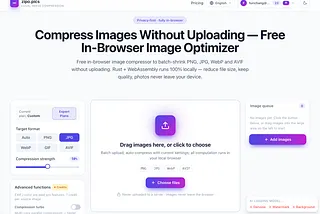
I Moved My Image Compressor to WebAssembly. I Won’t Go Back.
# I Benchmarked PNG, JPEG, WebP, and AVIF. The “Winner” Depends on What You’re Shipping.
Every few months someone publishes a chart showing AVIF is 50% smaller than JPEG, and the internet collectively agrees to switch everything to AVIF. Then they try it, the encode takes nine seconds per image, Safari renders it wrong, and they quietly revert.
I build [zipo.pics](https://zipo.pics), a browser-based image compressor that runs on WebAssembly, so I spend a lot of time thinking about format selection. Here’s the honest version of how these four formats actually compare — based on real measurements from our own pipeline, not marketing benchmarks.
— -
## The Numbers I Actually Have
Let me be upfront about what these are: a 128×128 gradient PNG run through our WASM engine. Small sample, synthetic input. I’m sharing it because it’s real data I measured, not because it proves anything definitive.
**Source: 128×128 gradient PNG, 50.9KB**
| Output | Size | Notes |
| — -| — -| — -|
| PNG (optimized) | 12.8KB | Lossless, quantized palette |
| JPEG | 2.1KB | Baseline, standard encoder |
| WebP | 0.9KB | Lossy |
| AVIF | 1.3KB | rav1e encoder, quality 60 |
A few things jump out, and one of them is a trap.
**AVIF came out *larger* than WebP.** That’s not a bug — it’s what happens when you test on a tiny, smooth gradient. AVIF’s advantage comes from better handling of complex detail and gradients at scale. On a 128px image there isn’t enough complexity for its predictors to pay off, and its container overhead is relatively higher. On real photographs at 1920px+, AVIF reliably beats WebP. On small graphics, it often doesn’t.
This is why “AVIF is always smallest” is wrong, and why you should test on images that look like your actual images.
— -
## The Part Benchmarks Don’t Measure: Encode Time
Compression ratio is the number everyone quotes. Encode time is the number that decides whether you can actually ship it.
In our WASM pipeline, AVIF uses `ravif` with the rav1e encoder. It is, by a wide margin, the slowest codec in the set. On a large photo it can be an order of magnitude slower than WebP. In a server-side batch pipeline with a queue and time to spare, that’s manageable. In a browser, it’s the difference between a tool that feels instant and one that feels broken.
This is why we run everything in a Web Worker. If you execute WASM compression on the main thread, the page freezes — there’s no preemption, the browser can’t paint until the Rust function returns. For AVIF especially, the Worker isn’t an optimization, it’s the only way the feature is usable at all.
JPEG is fast. WebP is fast. AVIF is not. If you’re building anything interactive, that asymmetry matters more than a 20% file size difference.
— -
## Format-by-Format: When Each One Actually Wins
### PNG — when you need lossless and alpha
PNG is the only format here that’s lossless by default. That makes it the right answer for:
- Screenshots, UI mockups, and text-heavy graphics (JPEG artifacts around text look terrible)
- Images requiring a transparency channel with hard edges
- Anything that will be edited again later (re-compressing lossy formats compounds artifacts)
Our PNG path uses `imagequant` for color quantization followed by the `png` crate’s built-in DEFLATE encoder. We preserve alpha through the `tRNS` chunk for indexed palettes.
**One caveat worth knowing:** we can’t use oxipng in the WASM build. Oxipng is meaningfully better at lossless PNG optimization, but it depends on `libdeflater`, which is C code, and `wasm32-unknown-unknown` has no libc to compile against. The dependency is non-optional, so the build simply fails. For native builds we enable oxipng; for the browser build we accept slightly larger output. If you’re optimizing PNGs natively, use oxipng — it’s better than what we can ship in-browser.
### JPEG — when compatibility is non-negotiable
Get Furichang’s stories in your inbox
Join Medium for free to get updates from this writer.
JPEG is old, lossy, has no alpha support, and will work literally everywhere. That last part still matters more than people admit.
It’s the right choice for photographs in contexts where you can’t control the viewer: email attachments, legacy CMSes, print workflows, anything feeding into a system you don’t own.
Our JPEG output uses `jpeg-encoder`, a pure-Rust encoder. We’d have preferred mozjpeg — it’s the gold standard for JPEG compression — but it calls `libc::free` and `libc::fdopen`, neither of which exists on the `wasm32-unknown-unknown` target. The build fails at FFI linking. So we ship standard baseline JPEG instead: fully compatible, slightly less optimized.
### WebP — the default for most web images
WebP is the pragmatic default and probably the right answer for 80% of web use cases:
- Broad browser support now (Chrome, Firefox, Edge, Safari 14+)
- Supports both lossy and lossless
- Supports alpha, unlike JPEG
- Encodes fast
If you’re picking one format for general web delivery and don’t want to think about it, pick WebP.
### AVIF — when you can afford the encode cost
AVIF wins on compression ratio for complex photographic content at real resolutions. It’s worth it when:
- You’re encoding once and serving many times (CDN-cached assets, not user uploads)
- Your images are large enough that the ratio advantage compounds
- You can tolerate slow encodes in a background job
It’s the wrong choice for real-time, user-facing compression on large images, at least in a browser WASM context.
— -
## What I’d Actually Recommend
Stop looking for a single winning format. Instead:
1. **Serve WebP as your baseline.** Fast, small enough, broadly supported.
2. **Add AVIF via `<picture>` for photographic content** where you’ve pre-encoded assets. Let browsers that support it take the smaller file.
3. **Keep PNG for graphics with text or hard-edged transparency.**
4. **Use JPEG only when you’re forced to** by a downstream system you don’t control.
```html
<picture>
<source srcset=”photo.avif” type=”image/avif”>
<source srcset=”photo.webp” type=”image/webp”>
<img src=”photo.jpg” alt=”…”>
</picture>
```
This gives modern browsers the smallest file and everyone else a working fallback. It costs you three encode passes at build time and nothing at runtime.
— -
## The Honest Caveats
- My size numbers come from a single synthetic 128×128 image. They show how the codecs behave on *small, smooth* input — which is precisely where AVIF underperforms. Don’t generalize them to photographs.
- Encode times are described qualitatively because they depend heavily on image size, device, and whether threads are available. The ordering (JPEG/WebP fast, AVIF slow) is consistent; the magnitudes are not.
- Our WASM constraints (no mozjpeg, no oxipng) mean our output isn’t the absolute best each format can achieve. Native tools with full C dependencies will beat us on raw ratio. What we get instead is privacy — nothing leaves the browser — and no upload wait.
— -
## TL;DR
- **AVIF is not universally smallest.** On small or simple images, WebP often beats it. Test with images that resemble your real content.
- **Encode time is the constraint nobody benchmarks.** AVIF’s ratio advantage comes at a large speed cost, which matters enormously in browsers.
- **WebP is the sane default** for most web delivery — good ratio, fast, alpha support, broad support.
- **PNG for graphics with text or transparency.** Keep oxipng for native pipelines; it doesn’t compile to WASM.
- **JPEG for compatibility**, not quality.
- **Use `<picture>`** to serve AVIF with WebP and JPEG fallbacks rather than picking one.
Format selection isn’t about finding the winner. It’s about matching the codec to how the image will be used — and being honest about whether you can afford the encode.
— -
*I build [zipo.pics](https://zipo.pics), a free image compressor that runs entirely in your browser — no uploads, nothing leaves your device. If you’re working on image optimization tooling, I’d be curious what you’ve measured.*