Learning Distortion — Part 1: Distortion with Matrix.
What Is Distortion in Graphics?
Distortion is bending the coordinate space before you draw anything.
You don’t warp the image — you warp the uv grid the image sits on. Bend the grid, and whatever is drawn on it bends too. That's the whole trick behind almost every high-end effect.
Where It’s Used
- Water — scrolling ripples and moving surfaces
- Fire, smoke & heat haze — wobbling, rippling air
- Black holes & portals — space spiraling toward a center
- Screen effects — shockwaves, glitches, underwater wobble
- Transitions — ripple wipes, dissolves, melts
How We Do It — With Matrices
For this first phase, inspired by The Book of Shaders, Chapter 8, we distort using matrix transformations.
A matrix is just a compact rule for reshaping coordinates. Three of them cover the fundamentals:
- Translation — move the coordinate
- Rotation — spin the coordinate
- Scale — zoom the coordinate in and out
This is the exact math behind the “Transform” component in every game engine — I just built it by hand in GLSL instead of using a pre-made node.
Moving the Coordinate = Moving the Object
Here’s the key idea: I never move the object.
I move the entire coordinate space, and the object drawn on it appears to move with it. Shift the uv, and the shape shifts. Rotate the uv, and the shape spins. Everything on the grid follows the grid.
Master that, and you can make anything on screen move exactly how you want.
Translation — Moving the Coordinate
Translation just means moving the coordinate space.
Think of it like sliding a piece of paper on a table. You don’t redraw what’s on the paper — you just push the whole sheet, and everything on it moves along. In shaders, we do the same by adding a value to uv.
- Add to
uv.x→ the space slides sideways - Add to
uv.y→ the space slides up or down
Whatever we draw follows the grid, so the object looks like it’s moving.
//GLSL script
//CODE RESPONSIBLE FOR THE TRANSLATION (MOVING) OF THE COORDINATE.
vec2 coord_rotate = vec2(cos(iTime), sin(iTime)); //translates the coordinate in x,y in vec2
uv += coord_rotate * .25;
Here’s what each line does:
vec2(cos(iTime), sin(iTime))— this builds a moving point.iTimeis the clock (it keeps counting up), andcos/sinturn that clock into a point that travels in a circle.coshandles the x,sinhandles the y.uv += variable_name * .25— we add that moving point touv, which shifts the whole coordinate space. The.25just shrinks the circle so the movement stays small instead of flying off screen.

Rotation — Spinning the Coordinate
Rotation means spinning the coordinate space around its center.
Same idea as before — we don’t spin the object, we spin the whole grid, and the object turns along with it.
The Rotation Formula
To rotate, we can’t just add a value like we did with translation. Spinning needs a matrix — a small rule that mixes x and y together using sin and cos

//GLSL script
mat2 rotate2d(float _angle){
    return mat2(cos(_angle),-sin(_angle),
                sin(_angle), cos(_angle));
}
You hand it an angle, and it hands back a matrix that rotates any coordinate by that angle. You don’t have to memorize why the sin and cos sit where they do — just know this is the standard 2D rotation matrix, and it works.
Using It — Two Kinds of Spin
//GLSL script
uv = rotate2d(sin(iTime) * PI) * uv; //this one spins like a pendulum (left and right) because we use spinsin(iTime)bounces smoothly between -1 and 1, back and forth forever.- Multiplying by
PIturns that into an angle that swings one way, then back the other. - Result: the space rocks left and right like a pendulum.
//GLSL script
uv = rotate2d(iTime * TAU) * uv; //this spins like a wheel in circular motioniTimeonly ever counts up, so the angle keeps growing and never reverses.TAU(a full circle =2 * PI) makes each step a clean full rotation.- Result: the space spins continuously like a wheel, always in the same direction.
The difference is simple: sin swings back and forth, plain iTime goes round and round.

Scale — Zooming the Coordinate
Scale means zooming the coordinate space in and out.
Get Gokul Senthil’s stories in your inbox
Join Medium for free to get updates from this writer.
Zoom out and the grid stretches, so objects look bigger. Zoom in and the grid shrinks, so objects look smaller. Again — we don’t resize the object, we resize the space it lives on.
The Scale Formula
Like rotation, scaling uses a small matrix. This one just multiplies x and y by the amount you want:

//GLSL script
mat2 scale(vec2 _scale){
    return mat2(_scale.x,0.0,
                0.0,_scale.y);
}_scale.xcontrols the horizontal zoom_scale.ycontrols the vertical zoom
Using It — Making the Breathe anim
//GLSL script
uv = scale(vec2(sin(iTime) + 1.)) * uv;sin(iTime)swings between -1 and 1.- Adding
+ 1.shifts that range to 0 and 2, so the zoom is always positive.
That last part matters. If the scale ever went negative, the space would flip inside-out. By keeping it between 0 and 2, the grid smoothly grows and shrinks — it looks like the whole space is breathing in and out.

Stacking the Matrices Into a Vortex
Each transformation on its own is simple. The magic happens when you stack them — run one after another on the same uv.
In my shader, I apply them in this exact order:
Scale → Rotate → Translate
Each step feeds its result into the next, so they build on top of each other instead of acting alone.
Order of Operations Is Everything
This is the part that surprised me most: the order you stack them completely changes the result.
Rotate-then-scale does not look like scale-then-rotate. Same matrices, different sequence, totally different image.
Because my scale and rotation are both driven by iTime, every point on the grid gets pulled and twisted by a slightly different amount as it moves outward from the center. And that combination produces something I did not plan for:
A whirlpool.
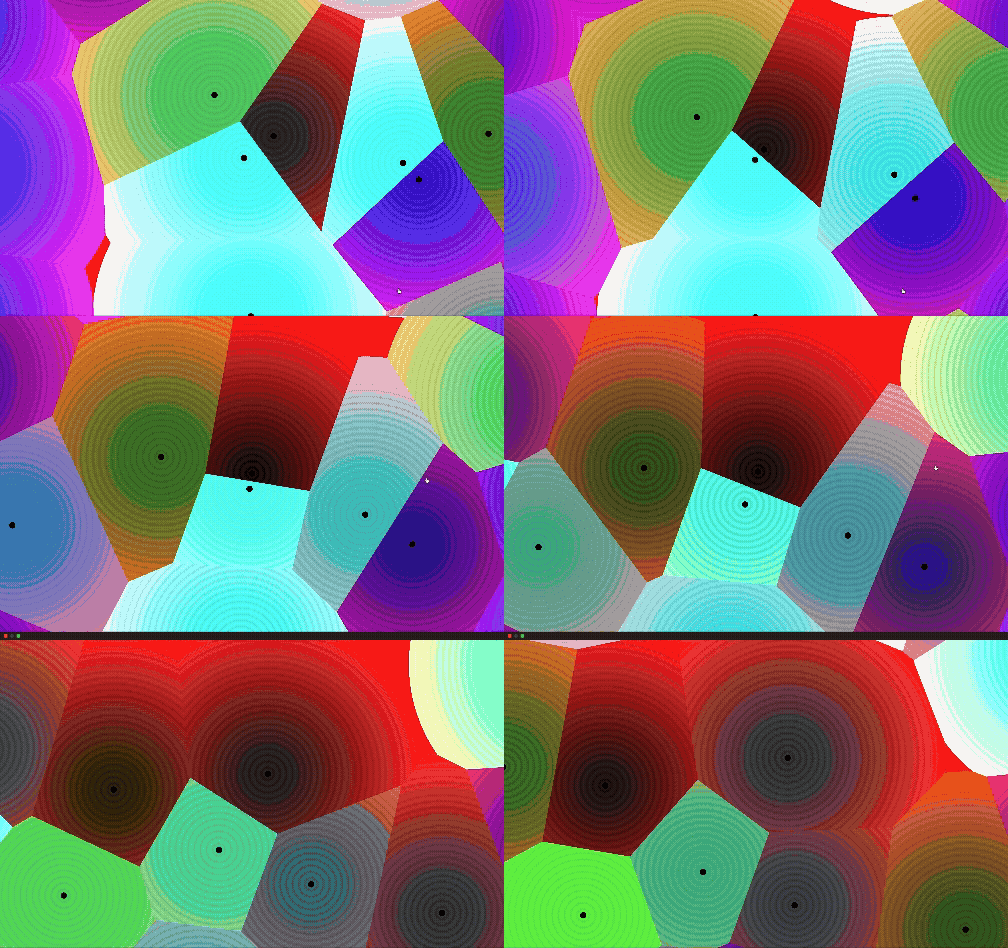
Pure, rigid math — three matrices in the right order — accidentally draws the same spiral shape you see in a hurricane, a draining sink, or a galaxy. I didn’t code “make a vortex.” I just stacked transformations, and nature’s blueprint fell out on its own.
//GLSL script

#define PI 3.14159265359
#define TAU 6.28318530718


/*THIS ENTIRE SCRIPT IS A BASED ON THE LEARNING PATH OF ME TO LEARN HOW DISTORTION WORKS IN SHADERS
CHAPTER AND RESOURCES USED ARE AS FOLLOWS:

*/

//TO ROTATE A COORDINTE THE EQUATION GOES LIKE BELOW

mat2 rotate2d(float _angle){
    return mat2(cos(_angle),-sin(_angle),
                sin(_angle),cos(_angle));
}

//TO SCALE A COORDINTE THE EQUATION GOES LIKE BELOW

mat2 scale(vec2 _scale){
    return mat2(_scale.x,0.0,
                0.0,_scale.y);
}

//TO CREATE A CROSS

float box(in vec2 _st, in vec2 _size){
    _size = vec2(0.5) - _size*0.5;
    vec2 uv = smoothstep(_size,
                        _size+vec2(0.001),
                        _st);
    uv *= smoothstep(_size,
                    _size+vec2(0.001),
                    vec2(1.0)-_st);
    return uv.x*uv.y;
}

float plus(in vec2 _st, float _size){
    return  box(_st, vec2(_size,_size/4.)) +
            box(_st, vec2(_size/4.,_size));
}

void mainImage( out vec4 fragColor, in vec2 fragCoord )
{
    vec2 uv = (fragCoord/iResolution.xy) - .5 ;
    uv.x = uv.x * (iResolution.x / iResolution.y);


//==========================================================SCALING=====================================================================

//CODE RESPONSIBLE FOR THE SCALING THE COORDINATE.

    uv = scale(vec2(sin(iTime) + 1. )) * uv ;


//==========================================================ROTATION====================================================================

//CODE RESPONSIBLE FOR THE ROTATING THE COORDINATE.

    uv = rotate2d(sin(iTime) * PI) * uv; //this one spin like a pendulum (left and right in 360)cause we use sin.

    uv = rotate2d(iTime * TAU) * uv; //this spins like wheel in circular motion


//========================================================TRANSLATION===================================================================

//CODE RESPONSIBLE FOR THE TRANSLATION (MOVING) OF THE COORDINATE.

    vec2 coord_rotate = vec2(cos(iTime), sin(iTime)); //translates the coordinate in x,y in vec2
    uv += coord_rotate * .25;


//output printing area

    vec3 color = vec3(uv.x, uv.y, 0.0);

    color += vec3(plus(uv + 0.5 , 0.25)); //by adding the uv + 0.5 we move the plus sign in the coordinate so it just moves from dead center.

    fragColor = vec4(color, 1.0);

}
https://www.shadertoy.com/view/sfy3zz
this shader link you run it,work on it or play with this.
So here’s where we’ve landed:
- Distortion is just bending the coordinate space before you draw
- Translation, Rotation, and Scale are the core tools
- Stacking them in order turns rigid math into a spinning vortex
The matrix stack was only the first step. Here’s the full pathway I’m following to understand distortion at a complete scale — and right now, we’re 1/3 of the way there.
My Learning Pathway to Distortion
- Chapter 8–2D Matrices (done — this article)
- Concept: Translation, Rotation, and Scale. The pure math of how to slide, spin, and stretch the UV canvas using matrices before drawing any shapes.
- Chapter 11 — Noise (upcoming)
- Concept: Domain Warping. Found at the very bottom of the chapter — using noise to push and pull the coordinate grid into organic, melting distortions (exactly like woodgrain and water ripples).
- Chapter 13 — Fractal Brownian Motion (upcoming)
- Concept: Warping / Fluid Dynamics. The second half takes Domain Warping further, layering multiple distortions to create complex effects like swirling gas clouds and flowing liquids.
Check Out My Shaders
Everything here I wrote from scratch and tested live on ShaderToy. If you want to poke at my other shader experiments, they’re all here:
See you in Part 2.