From Creative Brief to Final HTML5 Ad: A Practical Google Web Designer Workflow

A successful digital advertising creative starts long before the first animation is created. Every project has a purpose. A business may want to promote a product, introduce a new service, communicate a seasonal offer, or bring attention to a limited-time campaign. The designer’s job is to translate that objective into an advertising creative that is visually clear, technically appropriate, and consistent with the brand.

For HTML5 animated banners, this process involves creative planning, layout development, animation, technical checks, and final delivery.
Google Web Designer provides tools for creating HTML5 advertising content, but the quality of the finished creative still depends on the decisions made throughout production.
Here is how I approach the process of developing professional HTML5 banner ads for digital advertising campaigns.
Step 1: Understand the Campaign Objective
Before opening the design software, establish what the advertisement needs to communicate.
A campaign designed to generate leads may require a clear service benefit and a strong call to action. An e-commerce promotion may need to emphasize the product, price, or special offer. A brand awareness creative may focus more on recognition and positioning.
These objectives influence the entire design.
Start by gathering the following information:
- The product or service being promoted
- The target audience and campaign objective
- The primary headline and supporting message
- The offer or key selling point
- Brand guidelines, logos, and approved imagery
- The call-to-action text and destination URL
- Required ad dimensions and technical specifications
A complete brief makes the creative process easier to manage and reduces uncertainty during revisions.
Step 2: Choose the Appropriate Advertising Format
Not every display advertising project requires the same type of creative.
A static banner may be appropriate when the message is simple and the design needs to remain straightforward. An animated HTML5 banner may be more suitable when the campaign benefits from sequential messaging or movement.
Google Ads also offers responsive display ads, which use supplied creative assets and information to generate combinations for different placements. These are different from uploaded HTML5 display ads.
Before production begins, confirm which format the campaign requires.
This decision affects the design approach, asset preparation, technical requirements, and delivery process.
Step 3: Develop a Strong Visual Hierarchy
A banner has limited space, so every element should have a clear role.
The viewer needs to recognize the main message quickly. A crowded layout can make the headline, product, offer, and call to action compete for attention.
I generally begin by identifying the most important element and organizing the remaining content around it.
For example, a promotional creative could prioritize:
Primary message: The main offer or benefit.
Supporting visual: A product image, relevant illustration, or brand element.
Call to action: A clear next step that matches the campaign.
Brand identity: The logo, colors, and typography needed to maintain recognition.
The precise arrangement depends on the campaign and dimensions. The objective is not to follow one rigid template, but to create a layout in which the important information is easy to understand.
Step 4: Plan the Animation Before Building It
Animation works best when it has a defined purpose.
Instead of adding transitions simply because the format allows them, determine what the motion should accomplish. It might introduce the headline, reveal a product benefit, or guide the viewer toward the call to action.
A simple storyboard can outline the sequence before development begins.
For example:
- Opening: Establish the brand or campaign message.
- Middle: Introduce the product, service, or offer.
- Closing: Reinforce the message and present the call to action.
This is only one possible structure. Some banners work better with a single animated element, while others benefit from a more direct composition.
Animation should remain readable, purposeful, and appropriate for the placement. Important information should not be rushed through the sequence or obscured by unnecessary movement.
Step 5: Build the Creative in Google Web Designer
Once the layout and animation direction are clear, production can begin in Google Web Designer.
The exact workflow depends on the project, but the main tasks may include:
- Preparing and organizing the required visual assets
- Setting up the document for the intended ad format
- Building the layout and positioning elements
- Creating animation timelines and transitions
- Adding interactive elements when required and supported
- Configuring the appropriate click-through behavior
- Checking how the creative behaves during playback
A well-organized project makes revisions easier and helps keep the production process manageable.
If the project includes multiple banner dimensions, I also consider how the design can be adapted without compromising the readability or visual balance of each version.
Step 6: Adapt the Design to Different Dimensions
One of the most important challenges in banner production is maintaining design quality across different sizes.
Get Habiba Ihsan’s stories in your inbox
Join Medium for free to get updates from this writer.
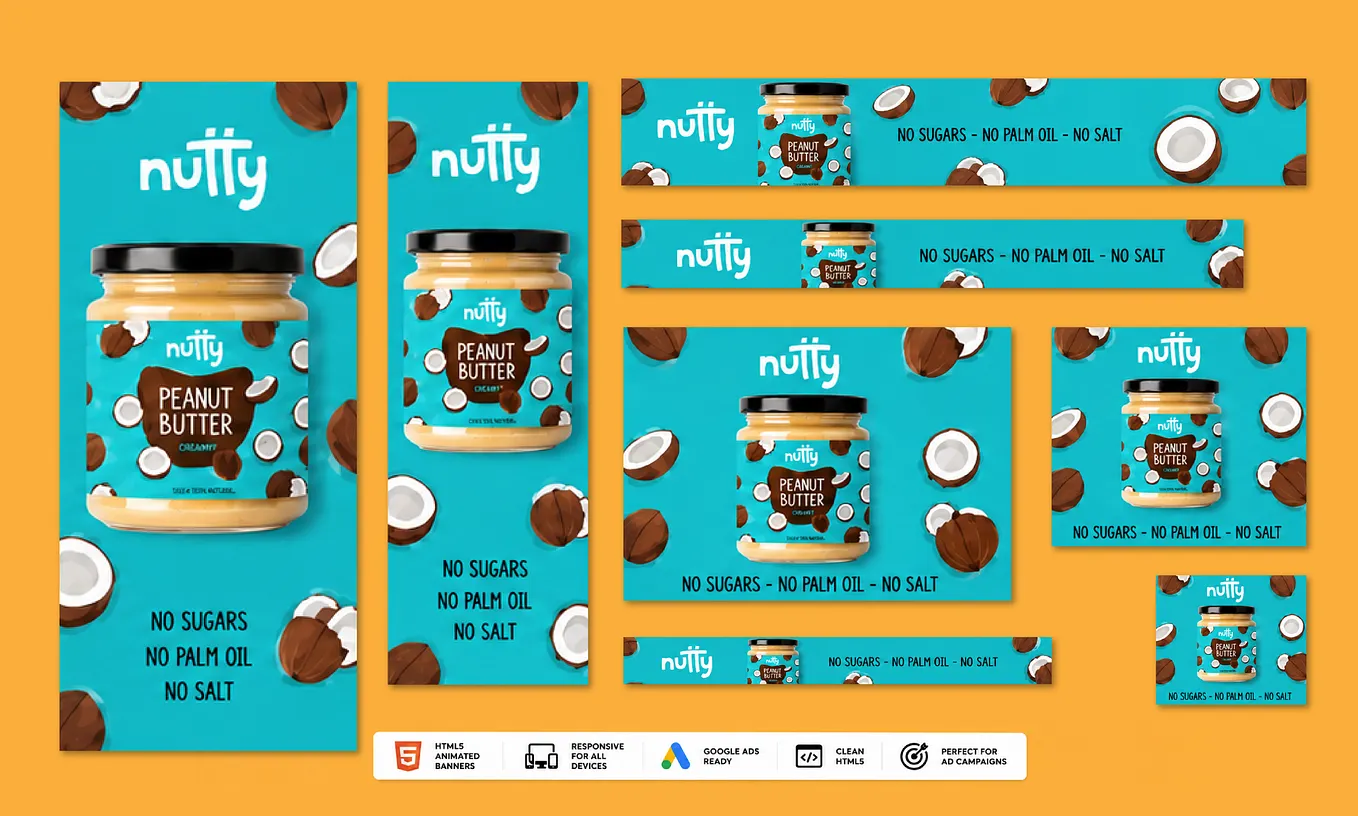
A square banner has different visual constraints from a wide leaderboard or a tall skyscraper. Simply shrinking or stretching the same layout can create readability problems and awkward spacing.
Instead, review the composition at each required dimension.
Questions worth asking include:
- Is the headline still readable?
- Does the product remain prominent?
- Is the call to action clearly visible?
- Is the logo appropriately positioned?
- Does the animation still make sense?
- Can unnecessary supporting text be removed?
The aim is to preserve the campaign’s core message while adapting the composition to the available space.
Each version should be reviewed as an individual creative, even when it belongs to a larger campaign set.
Step 7: Check Technical Specifications and Platform Requirements
A visually polished creative is not ready for delivery until its technical requirements have been checked.
The requirements depend on the advertising platform and format. For uploaded HTML5 display ads, Google Ads specifies restrictions and requirements relating to matters such as supported formats, file sizes, dimensions, and other technical details.
Before delivery, verify the relevant requirements for the intended placement.
A practical quality-control checklist includes:
- Confirming the requested dimensions
- Checking the final file size
- Reviewing animation playback and timing
- Checking text readability and visual alignment
- Testing the click-through destination
- Confirming that required assets are included
- Reviewing the creative against the applicable platform policies
Do not assume that a file is compliant simply because it opens successfully in a browser. The intended advertising platform’s current requirements should guide the final checks.
Step 8: Prepare the Final Delivery
Professional delivery includes more than sending a finished visual.
The client should know what has been supplied, which dimensions are included, and whether the files are intended for immediate upload or further editing.
Depending on the agreed scope, delivery may include final creative files, the requested size variations, previews, and editable project assets where applicable.
It is also helpful to identify any remaining requirements, such as final destination URLs or approved campaign copy.
Clear delivery makes it easier for clients to review the work and move toward campaign implementation.
Step 9: Use Campaign Feedback to Guide Future Creative
Once the advertising assets are live, campaign results can provide useful information for future design decisions.
However, performance is influenced by many factors beyond the banner itself. Audience targeting, bidding, landing page quality, the offer, and competition can all affect the outcome.
When campaign data is available, compare creative variations against the intended objective.
For example, a team may test different headlines, product images, offers, or calls to action. The results can help inform the next creative iteration.
The important point is to treat creative development as a process of informed improvement rather than assuming that one visual style will work equally well for every campaign.
Need Professional Google Web Designer Services?
Businesses, e-commerce brands, and marketing agencies often need advertising creatives that combine thoughtful design with reliable production.
I offer services for projects involving:
- Google Web Designer ad creation
- HTML5 animated display banners
- Google Display Network creatives
- Google Ads banner design
- GIF and static advertising banners
- Promotional and e-commerce creatives
- Campaign-specific creative variations
Whether you need one animated banner or a collection of display advertising assets, the process begins with understanding your campaign requirements and the format you need.
If you already have a design reference, brand assets, copy, and preferred dimensions, share them with your project inquiry. If you have an early concept, we can discuss the required creative direction and scope.
Ready to start your HTML5 banner project?
Visit my Fiverr gig to review my services and contact me with your brief.
Order Google Web Designer services on Fiverr:
Let’s turn your campaign requirements into professional digital advertising creatives.
Conclusion
The strongest workflow begins with a clear objective, builds around a focused message, adapts the design to the intended dimensions, and finishes with appropriate quality checks.
If your business or agency needs HTML5 animated banners, Google Display Network creatives, or promotional display ads, start by defining your campaign objective and selecting the right production format.
A clear brief is the first step toward a better creative outcome.
#GoogleWebDesigner #HTML5Advertising #BannerAdDesign #GoogleAds #DisplayAdvertising #DigitalCreativeProduction