How I Optimize Digital Asset Workflows: Practical Strategies for Modern Teams


Digital assets are absolutely essential for my work. Every single image, video, creative file or branded piece of content feels like an investment. Each one shapes how customers experience what I do. As my library grows, I keep noticing how tricky asset management gets. I really started caring about this when looking for old files or trying to reuse something, and realized just how much time I was wasting searching. That is when digital asset workflows became my focus.
People call them DAM workflows. These are just the steps that help me keep assets in order. They help me keep everything organized, easy to find, and secure. When my team wants to ramp up a campaign, work from different locations, or publish to lots of places, these workflows decide if we have a smooth ride or a frustrating mess. For me, a well-tuned workflow has meant the difference between chaos and actually delivering great work.
Let me walk you through how I approach digital asset workflows so I can work faster, smarter, and deliver great results.
The Core Stages of a Digital Asset Workflow
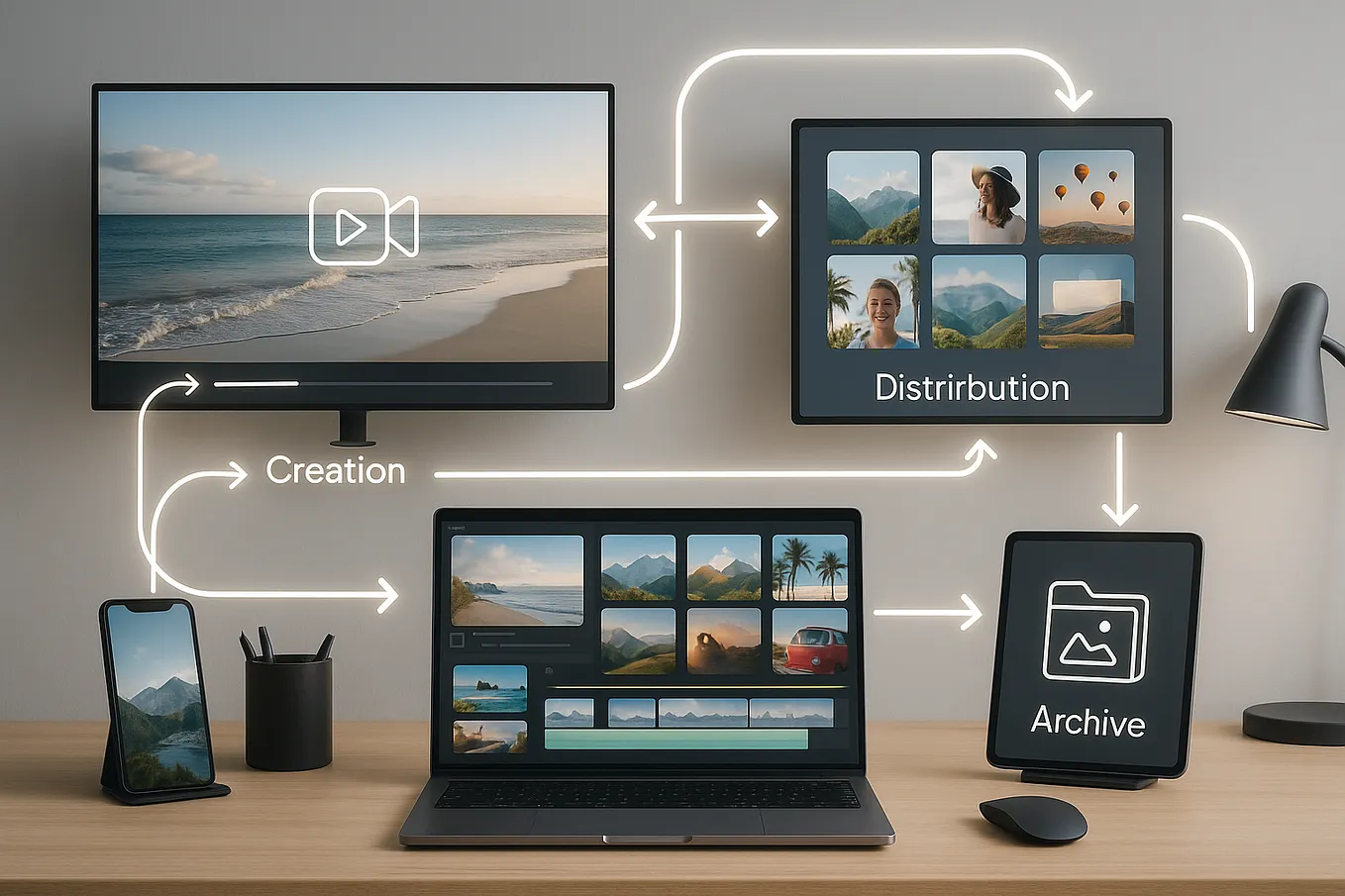
When I think about optimizing digital asset workflows, I start by breaking it down into a few main stages. Here is the path an asset follows:
- Creation: I start here. Maybe it is at a photo shoot, or maybe I am designing a flyer or shooting a video. This is when the asset comes to life and becomes real.
- Review and Approval: Next, I send the asset out for feedback. This is when I collect comments, ask for revisions, and only approve the file when it meets our standards and project goals.
- Activation and Distribution: Once approved, I get the asset onto the right channels. Sometimes it goes to my website, other times social media, or even internal teams.
- Archiving and Analysis: When I am done, I store the asset in a safe spot for reuse later. I also check the performance to see how it did and guide what I create in the future.
I have learned that keeping all these stages connected and seamless is what makes my workflow powerful.
Centralize and Organize Your Digital Assets
If I had to pick the one thing that cut down my frustration, it would be using a proper Digital Asset Management (DAM) platform. Tools like Adobe Experience Manager Assets, Box, Catsy, and ImageKit have helped me create a single home for everything I make.
Why centralization matters for me:
- I no longer waste time looking through old email threads or dusty folders.
- My team can finally work together in real time. There is no confusion about which version we are on.
- I have better control over who can see what, which feels safer to me. It is much easier to manage permissions and usage rights.
- Scaling up across new channels or campaigns is much smoother. I do not have to dig each time we need something new.
Let me give you an example. There was a project where I was working with a brand called “Box Bites”-it is a made-up snack company, but it helped me imagine the possibilities. I used Box to keep everything in one place. There was a dashboard with brand rules, templates, and every image or file I needed. Everything really was at my fingertips. That feeling of order sticks with me.
Leverage Automation and AI for Efficiency
AI and automation completely changed the way I handle digital assets. Here is how I use those tools now.
AI-Powered Tagging and Metadata
Filling in tags and details manually is so boring. Plus, it can get messy when my library grows. A good DAM system scans my images and videos and adds tags and data for me. For example, if I search for “headphones” the DAM picks out every asset with headphones, no matter who uploaded it. This really speeds things up.
What changed for me:
- My searches became lightning fast. No more endless clicking and guessing.
- I do a lot less busywork. AI handles the hard part.
- Everything stays organized, even as I add hundreds of new files.
Automated Workflows
I automate whatever tasks I can. Some examples:
- The system routes files to the right people for review and approval. I do not need to send reminders.
- I set rules that change asset status automatically.
- I use forms that create briefs right away. No need to write up the same info each time.
- All the feedback and comments stay neatly tied to the asset. I can scroll back if I need context.
- As soon as something is approved, the permissions or publication steps update on their own.
I remember the first time Box sent me a status update before I even thought to ask for one. It even created a creative brief after my teammate submitted a request. That small automation made me wonder how I ever managed before.
Use Generative AI for Asset Variations
Sometimes I cannot find the right photo, or I need all kinds of variations for different marketing needs. Now, with generative AI (like Adobe Firefly in Adobe Express) I can whip up new versions easily. I used to send requests to the design team for every little change. Now, I just let AI handle resizing, cropping, or even making new graphics when the need comes up. It feels like a superpower.
Get Ines Carvalho’s stories in your inbox
Join Medium for free to get updates from this writer.
One thing I’ve found particularly helpful for creative teams that need to centralize every stage-from planning to publishing, without cobbling together different tools-is using a platform like Yoho. On campaigns with fast-moving requirements or high-volume content, it solves the pain of scattered files and confusing workflows. By keeping everything from scheduling, asset management, and task assignment to real-time feedback in a single space, it streamlines collaboration and lets our team move much faster, especially when launching multi-channel campaigns.
Streamline Review, Approval, and Version Control
One area that always felt like a headache was collecting feedback and keeping track of versions. Here is what I do now:
- I make sure every comment, approval, and note is kept inside the DAM platform.
- I set clear roles so each teammate knows their job and level of access.
- I use built-in version control. I can always roll back to an old version or pick a favorite as the new standard.
- I protect work in progress by adding watermarks, security tags, and setting up rules for retention.
- I trust the automated notifications and task assignments to keep things moving along.
Now every edit, decision, and update is in one place. I have not lost track of a file in ages. The feeling of knowing exactly which asset is the latest is so much better than my old way.
Ensure Governance and Brand Consistency
I care a lot about protecting my brand and staying compliant with rules.
- I set expiration dates or usage rules for images I license or content that is time-sensitive.
- I keep records of rights, credits, and usage info where I can find it.
- I let AI check assets against brand guidelines before putting them into action.
- I give access based on roles and set sensitivity labels and sharing settings carefully.
AI agents in my DAM sometimes flag images that look “off brand” or catch expired licenses before anything goes out to the public. This extra check stops mistakes before they become problems.
Optimize Activation and Distribution
I want to get my assets out there fast as soon as they are approved.
- I store finished assets in a published library that connects right to my e-commerce sites, social accounts, and partner platforms.
- I use metadata and smart folders to make each asset easy to find by campaign or channel.
- Some DAMs will automatically adjust file formats for me, so I do not waste time making versions for every single platform.
Because of this, my team spends way more time being creative and a lot less time pushing files around.
Use Real-Time Analytics to Improve
When my assets go live, I check in to see how they are doing.
- I track where each image, video, or file is used, and which ones perform best.
- I use that info to decide what I create next, and where I put my resources.
By closing this loop, I keep my workflow evolving. I have also avoided the sad pile of unused content. My asset library is active, not just a storage closet.
Practical Tips for Building Better Digital Asset Workflows
Here are some lessons I have picked up over time:
- Keep workflows very simple. If it gets complicated, people cannot keep up.
- Set clear goals for each step. Everyone should know who does what.
- Automate things that waste time, especially repetitive steps.
- Use role-based access so only the right people see certain files.
- Keep a central brand portal that everyone can find, both internal people and partners.
- Train your team and review your process often. I never stop tweaking things.
The Payoff: Faster, Smarter Content Operations
Having an optimized digital asset workflow has changed my day-to-day life. I save hours. I make fewer mistakes. I get to be more creative. I feel more confident that content will be delivered in the right way to customers every time.
Centralizing storage, automating the small tasks, making teamwork easy, and staying compliant-these are things that get more important as I grow. They are preparing me and my brand for where content is heading in 2025 and beyond.
FAQ: Your Questions About Digital Asset Workflows, Answered
What is a digital asset workflow and why does it matter?
A digital asset workflow is just a step-by-step process for how I create, review, organize, approve, distribute, and save all kinds of digital content. It matters to me because it keeps everything organized, searchable, and safe from mistakes or rule violations.
How does automation improve digital asset workflows?
Automation handles the parts of my process that get tedious or repetitive, like tagging, changing statuses, or routing files for approval. It saves me time, avoids mistakes, and keeps things steady even as my library grows.
What are the benefits of AI in managing digital assets?
AI helps me find files quickly by tagging and sorting them automatically. It fills out info, recognizes what is in each image, and checks if things match our brand rules. Generative AI even helps me make new or improved versions of assets right when I need them.
How do I choose the right DAM system for my organization?
I look at how much content I have, my team’s size, and what we really do each day. I pick a DAM that gives strong search, good automation, smart AI, and works with the other tools I use already. Security and access controls also matter a lot to me.
Optimizing my digital asset workflows is something I am always working on. The results are worth it. My campaigns move quicker, my team is in sync, and my content library finally works for me-not the other way around.