Functions in JavaScript — Complete Guide
Introduction
So far in this series we have learned about variables, data types, operators, conditional statements and loops.
Now let me ask you something.
Imagine you are building a food delivery app.
Every time a user places an order you need to:
- Calculate the total price
- Apply discount
- Add delivery charge
- Show the final amount
If you write this calculation code every single time an order is placed — you will end up writing the same 10 lines of code hundreds of times.
That is a nightmare to write. And an even bigger nightmare to fix when something goes wrong.
What if you could write that code once — and simply call it whenever you need it?
That is exactly what functions do.
A function is a reusable block of code that performs a specific task. You write it once and use it as many times as you want — anywhere in your program.
In this article we will cover:
- What functions are and why we need them
- How to define and call a function
- Parameters and arguments
- Return values
- Function declarations vs expressions
- Arrow functions
- Real world examples
Let’s go!
Why Do We Need Functions?
Before we learn the syntax — let’s understand the problem functions solve.
Without functions — repeated code:
// Calculating bill for order 1
let price1 = 499;
let quantity1 = 2;
let total1 = price1 * quantity1;
console.log("Order 1 Total: ₹" + total1);
// Calculating bill for order 2
let price2 = 299;
let quantity2 = 3;
let total2 = price2 * quantity2;
console.log("Order 2 Total: ₹" + total2);// Calculating bill for order 3
let price3 = 199;
let quantity3 = 5;
let total3 = price3 * quantity3;
console.log("Order 3 Total: ₹" + total3);
With functions — write once use many times:
function calculateBill(price, quantity) {
    let total = price * quantity;
    console.log("Order Total: ₹" + total);
}
calculateBill(499, 2); // Output: Order Total: ₹998
calculateBill(299, 3); // Output: Order Total: ₹897
calculateBill(199, 5); // Output: Order Total: ₹995Clean, simple and reusable!
1. Function Declaration
The most common way to create a function is using a function declaration.
Syntax:
function functionName(parameters) {
    // code to execute
}
Simple example:
function greet() {
    console.log("Hello! Welcome to JavaScript!");
}
This creates the function but does not run it yet.
To run the function you need to call it:
greet(); // Output: Hello! Welcome to JavaScript!You can call it as many times as you want:
greet(); // Output: Hello! Welcome to JavaScript!
greet(); // Output: Hello! Welcome to JavaScript!
greet(); // Output: Hello! Welcome to JavaScript!
2. Parameters and Arguments
Functions become really powerful when you pass values into them.
- Parameters → the variable names listed in the function definition
- Arguments → the actual values you pass when calling the function
// name and age are PARAMETERS
function greetUser(name, age) {
    console.log("Hello " + name + "! You are " + age + " years old.");
}
// "Ishwarya" and 25 are ARGUMENTS
greetUser("Ishwarya", 25);
// Output: Hello Ishwarya! You are 25 years old.greetUser("Priya", 30);
// Output: Hello Priya! You are 30 years old.greetUser("Rahul", 22);
// Output: Hello Rahul! You are 22 years old.
Default Parameters
What if someone calls your function without passing all arguments?
In ES6 (2015) JavaScript added default parameters — values that are used when an argument is not provided:
function greetUser(name = "Guest", age = 0) {
    console.log("Hello " + name + "! You are " + age + " years old.");
}
greetUser("Ishwarya", 25);
// Output: Hello Ishwarya! You are 25 years old.greetUser("Priya");
// Output: Hello Priya! You are 0 years old.greetUser();
// Output: Hello Guest! You are 0 years old.
3. Return Values
So far our functions just print something to the console. But most of the time you want a function to calculate something and give you back the result.
That is what return does.
function addNumbers(a, b) {
    return a + b;
}
let result = addNumbers(10, 5);
console.log(result); // Output: 15The function calculates a + b and returns the result back to wherever it was called from.
Important Things About return
1. return stops the function immediately:
function checkAge(age) {
    if (age < 18) {
        return "Minor"; // Function stops here if age < 18
    }
    return "Adult"; // Only reaches here if age >= 18
}
console.log(checkAge(15)); // Output: Minor
console.log(checkAge(20)); // Output: Adult2. A function without return gives back undefined:
function sayHello() {
    console.log("Hello!");
    // No return statement
}
let result = sayHello();
console.log(result); // Output: undefined3. You can return any data type:
function getUser() {
    return {
        name: "Ishwarya",
        age: 25,
        city: "Chennai"
    };
}
let user = getUser();
console.log(user.name); // Output: Ishwarya
console.log(user.city); // Output: Chennai4. Function Expression
In JavaScript a function can be treated as a value — just like a number or a string.
A function expression is when a function is created as part of an expression — rather than as a standalone statement.
The most common way you will see this is when a function is assigned to a variable:
javascript
const greet = function() {
    console.log("Hello from function expression!");
};
greet(); // Output: Hello from function expression!Here the function on the right side of = is the expression — it creates a function as a value and assigns it to the variable greet.
Because functions are values in JavaScript they can also be:
Passed as an argument to another function:
javascript
setTimeout(function() {
    console.log("Runs after 1 second!");
}, 1000);
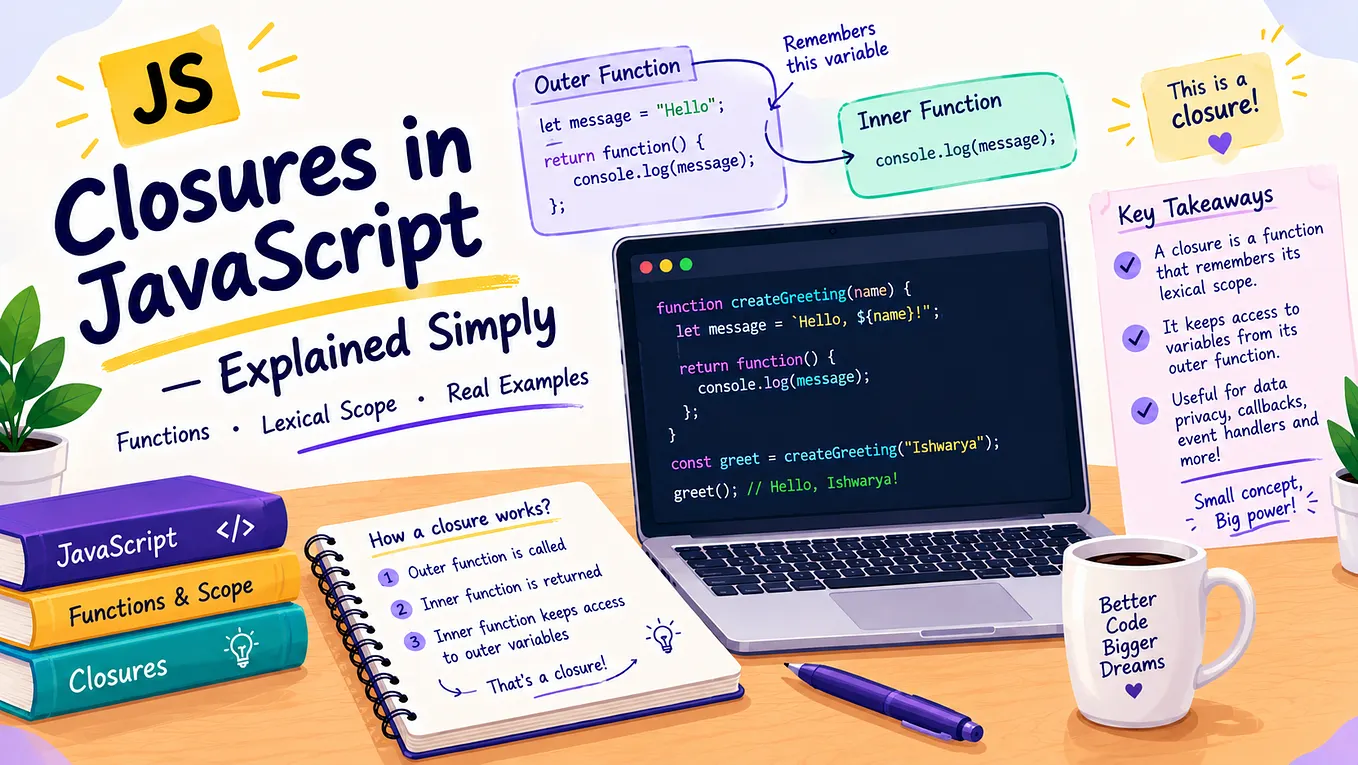
Returned from another function:
javascript
function makeMultiplier(x) {
    return function(y) {
        return x * y;
    };
}
const double = makeMultiplier(2);
console.log(double(5)); // Output: 10
console.log(double(10)); // Output: 20Key Point: In JavaScript functions are treated as first class values — meaning they can be stored, passed and returned just like any other value. A function expression is simply a function being used as a value!
Function Declaration vs Function Expression

What is Hoisting?
Function declarations are hoisted — meaning JavaScript moves them to the top of the code before running it. So you can call them before they are defined:
// Works fine — declaration is hoisted
greet();
function greet() {
console.log("Hello!");
}Function expressions are not hoisted:
// Error — expression is not hoisted
greet();const greet = function() {
console.log("Hello!");
};
// ReferenceError: Cannot access 'greet' before initialization5. Arrow Functions
Arrow functions were introduced in ES6 (2015). They provide a shorter and cleaner syntax for writing functions.
Get Ishwarya Gopinathan’s stories in your inbox
Join Medium for free to get updates from this writer.
Regular function:
function addNumbers(a, b) {
return a + b;
}Same function as arrow function:
const addNumbers = (a, b) => {
return a + b;
};Even shorter — implicit return:
When an arrow function has just one expression to return — you can remove the {} and return keyword:
const addNumbers = (a, b) => a + b;console.log(addNumbers(10, 5)); // Output: 15Arrow Function Variations
No parameters:
const greet = () => {
console.log("Hello!");
};greet(); // Output: Hello!One parameter — brackets are optional:
const double = number => number * 2;console.log(double(5)); // Output: 10
console.log(double(10)); // Output: 20Multiple parameters — brackets required:
const multiply = (a, b) => a * b;console.log(multiply(3, 4)); // Output: 12Multiple lines — need curly braces and return:
const calculateBill = (price, quantity, discount) => {
let total = price * quantity;
let discountAmount = (total * discount) / 100;
return total - discountAmount;
};console.log(calculateBill(499, 2, 10));
// Output: 898.26. Function Scope
Variables declared inside a function are not accessible outside that function. This is called function scope.
function greet() {
let message = "Hello!"; // Only exists inside this function
console.log(message); // Output: Hello!
}greet();
console.log(message); // Error! message is not defined outsideBut a function can access variables from the outer scope:
let appName = "MyApp"; // Outer variablefunction showApp() {
console.log(appName); // Can access outer variable
}showApp(); // Output: MyApp
Real World Examples
Example 1 — Temperature Converter
const celsiusToFahrenheit = (celsius) => {
return (celsius * 9/5) + 32;
};const fahrenheitToCelsius = (fahrenheit) => {
return (fahrenheit - 32) * 5/9;
};console.log(celsiusToFahrenheit(0)); // Output: 32
console.log(celsiusToFahrenheit(100)); // Output: 212
console.log(fahrenheitToCelsius(98.6).toFixed(1)); // Output: 37.0
Example 2 — Shopping Cart
const calculateTotal = (price, quantity) => price * quantity;const applyDiscount = (total, discountPercent) => {
let discount = (total * discountPercent) / 100;
return total - discount;
};const addDeliveryCharge = (total, isFreeDelivery) => {
return isFreeDelivery ? total : total + 49;
};let itemTotal = calculateTotal(499, 2);
console.log("Item Total: ₹" + itemTotal); // Output: Item Total: ₹998let afterDiscount = applyDiscount(itemTotal, 10);
console.log("After Discount: ₹" + afterDiscount); // Output: After Discount: ₹898.2let finalTotal = addDeliveryCharge(afterDiscount, false);
console.log("Final Total: ₹" + finalTotal); // Output: Final Total: ₹947.2
Example 3 — Password Validator
const isValidPassword = (password) => {
if (password.length < 8) {
return "Password must be at least 8 characters!";
}
if (password.length > 20) {
return "Password must not exceed 20 characters!";
}
return "Password is valid!";
};console.log(isValidPassword("abc"));
// Output: Password must be at least 8 characters!console.log(isValidPassword("mypassword123"));
// Output: Password is valid!
Example 4 — Grade Calculator
const getGrade = (marks) => {
if (marks >= 90) return "A+";
if (marks >= 80) return "A";
if (marks >= 70) return "B";
if (marks >= 60) return "C";
if (marks >= 50) return "D";
return "F";
};const students = [
{ name: "Ishwarya", marks: 92 },
{ name: "Priya", marks: 78 },
{ name: "Rahul", marks: 55 },
{ name: "Karthik", marks: 45 }
];for (let student of students) {
console.log(student.name + " → Grade: " + getGrade(student.marks));
}
// Output:
// Ishwarya → Grade: A+
// Priya → Grade: B
// Rahul → Grade: D
// Karthik → Grade: F
Common Mistakes Beginners Make
Mistake 1 — Forgetting to call the function
function greet() {
    console.log("Hello!");
}// Wrong — just defining, not calling!
greet;// Correct — add () to call it!
greet();
Mistake 2 — Forgetting return
function addNumbers(a, b) {
    let total = a + b;
    // Forgot to return!
}
let result = addNumbers(5, 10);
console.log(result); // Output: undefined// Correct
function addNumbers(a, b) {
return a + b; // Return the result!
}let result = addNumbers(5, 10);
console.log(result); // Output: 15
Mistake 3 — Confusing parameters and arguments
// name and age are PARAMETERS — placeholders
function greet(name, age) {
    console.log("Hello " + name);
}
// "Ishwarya" and 25 are ARGUMENTS — actual values
greet("Ishwarya", 25);Mistake 4 — Too many things in one function
// Bad — one function doing too many things!
function doEverything(price, quantity, discount, name) {
    let total = price * quantity;
    let discountAmount = (total * discount) / 100;
    let finalPrice = total - discountAmount;
    console.log("Hello " + name);
    console.log("Your total is ₹" + finalPrice);
}
// Good — each function does one specific thing!
const calculateTotal = (price, quantity) => price * quantity;
const applyDiscount = (total, discount) => total - (total * discount / 100);
const greetUser = (name) => console.log("Hello " + name);Best Practice: Each function should do one thing and do it well. This is called the Single Responsibility Principle — and it makes your code much easier to read, test and maintain!
Try It Yourself!
Open your browser console (F12) and try these:
// Exercise 1 — Create a greeting function
function greetUser(name, timeOfDay) {
    console.log("Good " + timeOfDay + " " + name + "!");
}
greetUser("Ishwarya", "Morning");
greetUser("Priya", "Evening");// Exercise 2 — Create a calculator
const add = (a, b) => a + b;
const subtract = (a, b) => a - b;
const multiply = (a, b) => a * b;
const divide = (a, b) => a / b;console.log(add(10, 5));
console.log(subtract(10, 5));
console.log(multiply(10, 5));
console.log(divide(10, 5));// Exercise 3 — Create an area calculator
const circleArea = (radius) => Math.PI * radius * radius;
const rectangleArea = (length, width) => length * width;console.log(circleArea(7).toFixed(2));
console.log(rectangleArea(10, 5));
Share your output in the comments!
Key Takeaways
- Functions are reusable blocks of code — write once use many times
- Use
function name() {}to declare a function - Use
()after the function name to call it - Parameters are placeholders — arguments are actual values
- Default parameters provide fallback values when arguments are missing
returnsends a value back from the function- A function without
returngives backundefined - Function declarations are hoisted — expressions are not
- Arrow functions
=>provide a shorter cleaner syntax - Variables inside a function are not accessible outside — function scope
- Each function should do one thing — Single Responsibility Principle
What’s Coming in Article 9?
Arrays in JavaScript — Complete Guide
- What arrays are and why we need them
- Creating and accessing arrays
- Array methods — push, pop, shift, unshift, splice and more
- Looping through arrays
- Real world examples
Follow this publication so you don’t miss it!
If this article helped you understand functions clearly — give it a clap 👏
Drop a comment below:
“Functions make so much sense now! ”
This is Article 8 of 30 in the Complete JavaScript Series
← Previous: Article 7 — Loops in JavaScript
→ Next: Article 9 — Arrays in JavaScript