Atmos Encoding and Decoding

I’m going to be writing quite a bit about Dolby Atmos mixing and mastering moving forward as I’m doing it full time now. I really, really love the huge sonice palette and creative opportunity the format brings. Not simply for storytelling, but for even for music composition.
Anyway, the other day I was explaining to someone what it was and how it worked. There was some confusion on “spatial” “3D” “Atmos” “Surround” and all the associated terms being lumped together or confusing. In an effort to clear it up for my friend I found myself reference an article on No Film School I wrote years ago about LUTs (Look Up Tables) and their applications.

LUTs and Stuff
Dolby calls it an algorithm but it operates in the same fashion as a LUT. In fact, Andrew Scheps actually called them Look Up Tables when discussing the same topic on his podcast. I’ll steal the same description I used from my previous article and apply it to Atmos in particular.
LUT means “Look Up Table.” It’s literally a table of information. It’s helpful to think of it like a math problem: R= S+L
“R” being your result or what you want to attain.
“S” being your source or what you start with.
“L” being your LUT or the difference needed to make up between your source and your desired outcome.
Applied to Dolby Atmos, your final mix is “S.” All the millions of devices your mix is heard on is “R.” Dolby Atmos’ magic sauce is “L.”
Get Jay Friesen’s stories in your inbox
Join Medium for free to get updates from this writer.
It’s not really magic sauce though. Dolby calls it downmixing and they have some of their LUT information posted here. So how does this all play out? Well, this is where Dolby Atmos gets really cool and separates itself from everything else. This is also where we have to change our headspace.
Reform Our Thinking
When we mix in Dolby Atmos we’re not mixing (or thinking) channel count! We’re not mixing into left and right channels. Nor are we mixing into side surround, rear surround or any other surround channels. We’re actually mixing in a 3D space. Our speaker configuration simply lets us hear that space in varying levels of detail.
The reason for this is that Dolby Atmos is not designed to be used with or for a specific set of channels. Yes, Dolby publishes a minimum specification for production rooms but that’s to help facilitate the most immersive experience possible. We can’t mix what we can’t hear!
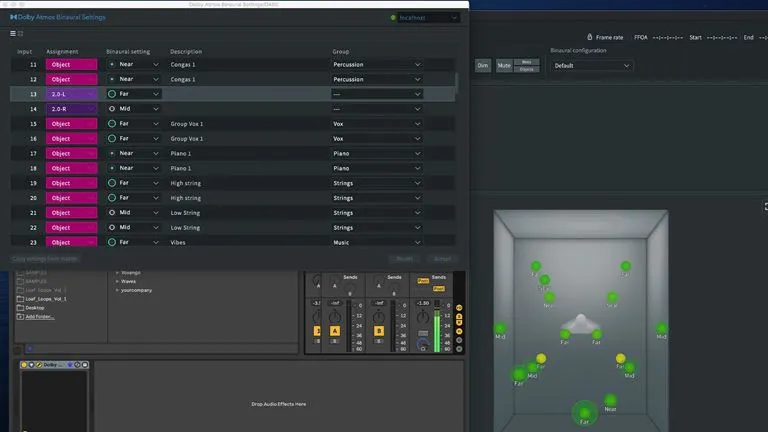
How does this work though? Well, this is where those LUTs come in. In Atmos, we mix via objects, not channels (you can but I won’t get into that). We place those objects anywhere in 3D space. We hear that placement and associated mix details out of whatever speakers we have in that area (remember, more speakers, more detail).
When we get what we like, we export our file to Dolby’s .BWF file format. That object placement and associated mix detail is stored as metadata (along with the actual audio files themselves.) If you spent any time in the film world, you’ll be quite familiar with metadata. If you haven’t well, let’s simply say it’s additional information about various parameters stored with the actual video or audio file itself. In Atmos’ case, it’s storing the information related to it’s position, volumetric, and other information related to that audio file.
Mathtastic
Joe Bob throws on his headphones and starts streaming that latest track or mix you made in Atmos and he loves it. Then Joe decides his headphones don’t cut it so he fires up Apple Music on his Apple TV that’s connected to his 7.1 home theater system. Now he’s really blown away. What’s happening here?
Apple is referencing the object metadata in our .BWF file, “S,” against Atmos’ LUT, “L” then decodes into their Spatial delivery format “downmixing” for Joe’s various listening mediums, “R.” This method allows the appropriate sound (and amount of said sound) to be placed in the appropriate speaker based on Joe’s setup.
This begs the question then, does Atmos “upmix” to 9.1.6? (that being the3 current most speakers it’ll see). Yes, because remember, it doesn’t matter how many channels, it matters where in space you put that sound. A key difference between Atmos and traditional surround formats like 5.1 and 7.1 is with the traditional format: lose a speaker, lose the sound. With Atmos, it doesn’t matter. The sound will be placed appropriately regardless of how many speakers you where.
Pretty cool huh? At bit later I‘ll go in to personal (and some objective) reasons why I believe it’s better for music (and all audio in general) as well as why I believe it’s the future but for now, I’ll leave you with this mental mush.