MusicXML and Python

How to generate, compose and play music using Python Music21 library and MusicXML notation.
Introduction
I always like music but I am not talented enough to be a concert pianist. My piano playing skill I would say is 7 in a scale of 1 to 10. And my computer programming skill is an 8.
So I went to a discovery process on how to merge my musical interest with computer algorithms. This article describes the tools and technology available in my discovery
MusicXml
MusicXML is a standardized file format used for representing and exchanging musical scores between different music notation software and applications. It was developed by Recordare LLC and is now maintained by the W3C Music Notation Community Group.
At its core, MusicXML is an XML-based markup language, which means it uses human-readable text to represent structured data. This format allows music scores to be stored in a machine-readable form, enabling easy sharing, interoperability, and manipulation of musical information across different software and platforms.
Here are the main components and features of MusicXML:
- Elements: MusicXML consists of a set of elements that represent various aspects of a musical score, such as notes, rests, dynamics, lyrics, and more. These elements are structured hierarchically, forming a tree-like structure that describes the entire musical composition.
- Hierarchy: The hierarchical structure of MusicXML allows for precise representation of musical notation. For example, notes are contained within measures, measures are part of a musical part or staff, and staves are organized within a musical score. This hierarchy enables accurate representation of complex musical arrangements and multi-part compositions.
- Music Notation: MusicXML supports a wide range of music notation symbols, including notes, rests, accidentals, clefs, key signatures, time signatures, articulations, dynamics, lyrics, and more. It provides a comprehensive set of elements and attributes to represent various musical elements accurately.
- Formatting: MusicXML allows specifying formatting and layout information, such as page size, margins, staff size, system layout, and spacing between musical elements. This flexibility ensures that the visual representation of the score remains consistent across different software and devices.
- Metadata: MusicXML supports the inclusion of metadata, such as composer, title, copyright information, tempo markings, and performance instructions. This metadata helps identify and provide contextual information about the musical composition.
- Playback Information: MusicXML can include playback information, such as tempo, dynamics, articulations, and instrument-specific techniques. This data enables software to generate MIDI files or provide playback of the musical score with more accurate musical interpretation.
- Compatibility: MusicXML is designed to be compatible with a wide range of music notation software and applications. Most popular music notation software, such as Finale, Sibelius, MuseScore, and Dorico, support importing and exporting MusicXML files, allowing seamless exchange of musical scores between different platforms.
By utilizing MusicXML, composers, arrangers, educators, and performers can easily share and collaborate on musical scores, regardless of the software they use. It has become the de facto standard for music notation interchange, enabling a vibrant ecosystem of music software tools that can work together harmoniously.
Generate MusicXML Files
To generate MusicXML files using Python, you can utilize libraries that provide MusicXML functionality. One such library is music21, which is a powerful toolkit for computer-aided musicology.
Music21
Here’s an example of how you can use music21 to generate a simple MusicXML file:
# pip install music21

# Import modules
from music21 import converter, note, stream

# Create a music stream
s = stream.Stream()

# Add musical elements
c_major_scale = ['C', 'D', 'E', 'F', 'G', 'A', 'B', 'C']

for pitch_name in c_major_scale:
    n = note.Note(pitch_name)
    s.append(n)

# Convert to MusicXML
musicxml_file = 'output.xml'
s.write('musicxml', fp=musicxml_file)
That’s it! Running the above code will generate a MusicXML file named ‘output.xml’ containing the C major scale.
You can further customize the generated MusicXML file by adding additional musical elements, adjusting attributes such as duration, articulations, dynamics, and saving it in different file formats supported by music21. The library provides extensive documentation and examples to explore more advanced usage and manipulation of MusicXML files.
Music21 Documentation
Here is a summary of the documentation.
music21 is a comprehensive Python library for working with music notation, analysis, and synthesis. It provides a wide range of functionality for handling musical data, including parsing and creating MusicXML files, analyzing music, generating MIDI output, and more. The music21 documentation covers the library’s features, concepts, and usage in detail.
Get Larrimer Prestosa’s stories in your inbox
Join Medium for free to get updates from this writer.
Here is a summary of the main sections of the music21 documentation:
- Introduction: The introduction section provides an overview of music21, its goals, and the concepts it employs. It explains the library’s core objects, such as Note, Chord, Stream, and Metadata, and introduces the music21 environment and its interactive capabilities.
- User’s Guide: This section serves as a guide for using music21 effectively. It covers topics such as creating and manipulating musical elements, working with Streams and Scores, accessing and modifying metadata, handling music notation, and formatting and displaying musical data. It also includes information on searching and filtering music, handling MIDI files, and utilizing music21’s musicXML module.
- Corpus: The Corpus section focuses on the built-in music corpora provided by music21. It explains how to access and use these collections of musical works for analysis, study, and experimentation. The documentation covers various corpora, including Bach, Monteverdi, and Essen Folksong.
- Theory: The Theory section delves into the theoretical aspects of music and how music21 can be used for music analysis. It covers topics such as chord and key analysis, Roman numeral analysis, harmonic reduction, and more. The documentation provides examples and detailed explanations of the theory-related functionality.
- Examples: The Examples section offers a wide range of code examples demonstrating various music21 features and use cases. It covers topics like basic musical object creation, working with scales and chords, analyzing melodies, creating musical scores, and more. These examples serve as a valuable resource for learning and understanding music21’s capabilities.
- API Reference: The API Reference section provides detailed documentation for all the classes, methods, and attributes available in music21. It offers an in-depth explanation of each component’s functionality and usage, making it a useful reference when working with specific elements of the library.
- Tutorials: The Tutorials section contains a collection of tutorials that guide users through different aspects of music21. These tutorials cover topics such as creating scores, analyzing Bach chorales, generating MIDI output, and more. They provide step-by-step instructions and examples to help users grasp the library’s features effectively.
The music21 documentation is extensive and well-documented, providing a wealth of information for users to explore and utilize the library’s capabilities. Whether you’re a music researcher, composer, educator, or simply interested in working with musical data, the music21 documentation serves as a valuable resource for understanding and using the library effectively.
Playing MusicXML Files
Several software applications support the playback of MusicXML files. Here are some popular options:
- MuseScore: MuseScore is a free and open-source music notation software that supports importing and playing MusicXML files. It offers a user-friendly interface and comprehensive playback capabilities, allowing you to listen to the music as it is represented in the MusicXML file. MuseScore is available for Windows, macOS, and Linux.
- Finale: Finale is a commercial music notation software widely used in the professional music industry. It supports importing and playing MusicXML files, offering advanced playback features and extensive control over the musical interpretation. Finale is available for Windows and macOS.
- Sibelius: Sibelius is another popular commercial music notation software used by musicians, composers, and educators. It supports importing and playing MusicXML files, providing high-quality playback options and customizable playback settings. Sibelius is available for Windows and macOS.
- Dorico: Dorico is a professional music notation software developed by Steinberg. It supports importing and playing MusicXML files, offering sophisticated playback capabilities and expressive interpretation options. Dorico is available for Windows and macOS.
- GarageBand: GarageBand is a free music production software available for macOS and iOS. While primarily focused on music creation and recording, it also supports importing MusicXML files, allowing basic playback of the musical score.
- Notion: Notion is a versatile music notation and composition software available for Windows and macOS. It supports importing and playing MusicXML files, providing a range of playback options and a user-friendly interface.
These are just a few examples of software applications that support MusicXML playback. Many other music notation software and digital audio workstations (DAWs) also offer MusicXML support or have plugins/extensions available for MusicXML playback. Additionally, web-based music players and mobile apps may also provide MusicXML playback capabilities.
MusicScore
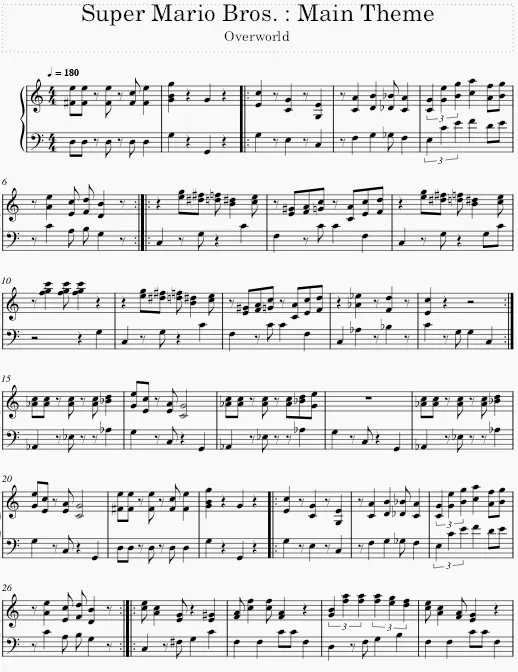
My personal favorite is MusicScore. It runs on iOS, Windows and Linux on a wide range of computers and devices. It can also run in a browser. It also have a catalog of music files which you can download as MusicXML, PDF, MP3 format.
MuseScore offers a range of features and benefits, which can vary depending on the type of subscription plan you choose. Here are some of the main features and benefits of MuseScore:
- Music Notation: MuseScore provides a comprehensive set of tools for creating and editing music notation. You can create sheet music with multiple instruments, add notes, rests, chords, lyrics, dynamics, articulations, and more. It supports a wide range of musical symbols and notation conventions.
- Playback: MuseScore allows you to listen to your compositions with its built-in playback feature. It accurately reproduces the music as notated, providing a realistic representation of how the music sounds. You can adjust tempo, dynamics, and other playback settings to fine-tune the interpretation.
- Sheet Music Sharing: MuseScore provides a platform for sharing sheet music online. You can upload and publish your compositions to the MuseScore website, making them accessible to a global community of musicians. You can also browse and discover sheet music created by other users.
- Online Score Editor: With MuseScore’s online score editor, you can create and edit sheet music directly in your web browser. It eliminates the need for installing software and allows you to work on your compositions from any device with an internet connection.
- Sheet Music Import/Export: MuseScore supports importing and exporting various file formats, including MusicXML, MIDI, PDF, and more. This enables easy collaboration with other musicians and allows you to work with sheet music created in different software applications.
- Advanced Notation Features: MuseScore offers advanced notation features such as cross-staff beaming, complex tuplets, irregular time signatures, multi-measure rests, and more. These features allow you to accurately notate complex musical compositions.
- Plugins and Extensions: MuseScore supports plugins and extensions that extend its functionality. You can customize and enhance MuseScore by installing additional plugins, which provide features like chord symbols, drum notation, advanced playback options, and more.
- Mobile Apps: MuseScore offers mobile apps for iOS and Android devices. These apps allow you to access and view sheet music on the go, making it convenient for rehearsals, performances, and studying music.
- MuseScore Pro: With a MuseScore Pro subscription, you gain additional benefits such as access to an expanded sheet music library, offline access to sheet music on mobile devices, increased upload and storage limits, priority support, and more.