How To Amazon Alexa Setup
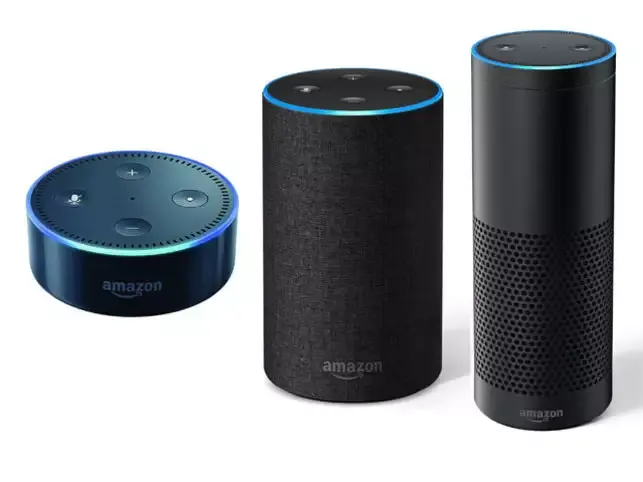
The Smart Speakers market is growing strongly and many big companies have started investing in this particular industry. Names of the top contenders are Apple, Amazon and Google. These three companies mass produce the smart speaker line up and are really well made. However, today we will be talking about the Amazon’s Alexa line up. The reason why Amazon’s Alexa smart speaker has risen up the ranks so suddenly is because of its cheap price, while also offering the user interoperability in the whole smart system environment. If done correctly, this can change the whole Smart things scenario with the power of data exchange. The whole smart things environment works with the smart devices in which all these sensors get incorporated into a small mesh network. This helps those people who want up to date information on the things that require immediate action.

How to setup Amazon Alexa
1. We will have to start this guide by buying off a Smart Speaker first. We will be using an Echo Dot for this guide. (Echo Dot is the cheapest of the bunch with the same inert capabilities.)
2. Next step is to take everything out and lay on the table.
3. Connect the USB cable to the Echo Dot and the other end to the wall adapter.
4. Turn on the Echo Dot’s plug switch.
5. Install the Amazon Alexa app on your mobile phone.
6. Open the app and wait for it to load up.
Get Luke baker’s stories in your inbox
Join Medium for free to get updates from this writer.
7. Sign in to your Amazon account and click on Customize your Alexa device.
8. Click on the Add device button.
9. Now, press and hold the Action button on the Alexa device until a gold ring starts coming and revolves around the Alexa device.
10. After this, connect to the Wi-Fi network created by your Amazon Alexa by going to the wireless connection settings in your phone.
11. When this completes, you will have successfully connected to your Amazon Alexa device.
After this is done, you can simply speak Hey, Alexa! and the Amazon Alexa will wake up and respond to your query. Many things can be asked by the end user like
Ø What’s the current temperature?
Ø What is the current rate of US Dollar?
Ø When is my next appointment?
Please make sure to use this feature wisely as it has to power to make one lazy! The Amazon Alexa can also be connected to an external speaker with the help of an audio cable (3.5 mm jack).