Supremepdfapp: Malware that’s not so supreme


In another YAPA (Yet Another PDF APplication) investigation, I began by “hunting” around keywords using Google’s ad transparency, and came across supremepdfapp[.]com. I went the website and downloaded the sample, now found on VirusTotal. As pointed out to me by MalasadaTech, this advertiser is based in Hong Kong, while the “company signer” is an Israel based company that is only a few days old at the time of this writing.

This time however, the hard-coded XOR key has been changed (this change is now reflected in my YARA rule).
Observed Obfuscated Strings
string text = “SOFTWARE\\Microsoft\\Windows\\CurrentVersion\\App Paths\\” + TManager.BS(new int[] { 99, 104, 114, 111, 109, 101, 46, 101, 120, 101 });
*translates to chrome.exe
string text4 = TManager.BS(new int[] { 71, 111, 111, 103, 108, 101 });
string text5 = TManager.BS(new int[] { 67, 104, 114, 111, 109, 101 });
*Chrome
string text6 = TManager.BS(new int[] { 99, 104, 114, 111, 109, 101, 46, 101, 120, 101 });
*chrome.exe
string text3 = “U09GVFdBUkVcTWljcm9zb2Z0XFdpbmRvd3MgTlRcQ3VycmVudFZlcnNpb24=”;
*SOFTWARE\Microsoft\Windows NT\CurrentVersion
string text = “U29mdHdhcmVcTWljcm9zb2Z0XFdpbmRvd3NcQ3VycmVudFZlcnNpb25cVW5pbnN0YWxsXA==”;
‘ *Software\Microsoft\Windows\CurrentVersion\Uninstall\
new string[] { “exe.”, “emorhc”, “\\shtaP ppA”, “\\noisreVtnerruC”, “\\swodniW”, “\\tfosorciM”, “\\ERAWTFOS” },
*”SOFTWARE\\” ,”Microsoft\\” ,”Windows\\” ,”CurrentVersion\\” ,”App Paths\\” ,”chrome” ,”.exe
new string[] { “exe.”, “emorhc”, “\\shtaP ppA”, “\\noisreVtnerruC”, “\\swodniW”, “\\tfosorciM”, “\\edoN2364GWOW”, “\\ERAWTFOS” },
*”SOFTWARE\\” ,”WOWG4632Node\\” ,”Microsoft\\” ,”Windows\\” ,”CurrentVersion\\” ,”App Paths\\” ,”chrome” ,”.exe
new string[] { “emorhCelgooG”, “\\llatsnI”, “\\noisreVtnerruC”, “\\swodniW”, “\\tfosorciM”, “\\ERAWTFOS” },
*”SOFTWARE\\” ,”Microsoft\\” ,”Windows\\” ,”CurrentVersion\\” ,”Install\\” ,”GoogleChrome”
new string[] { “emorhCelgooG”, “\\llatsnI”, “\\noisreVtnerruC”, “\\swodniW”, “\\tfosorciM”, “\\edoN2364GWOW”, “\\ERAWTFOS” }
*SOFTWARE\\” ,”WOWG4632Node\\” ,”Microsoft\\” ,”Windows\\” ,”CurrentVersion\\” ,”Install\\” ,”GoogleChrome
string encryptionKey = “ZX8qNsT7bW4vK1pD-y5823401974”;
*HardCoded XOR key
{ 1, new char[] { ‘H’, ‘p’, ‘p’, ‘h’, ‘m’, ‘f’ } },
{ 2, new char[] { ‘D’, ‘i’, ‘s’, ‘p’, ’n’, ‘f’ } },
*Chrome
{ 3, new char[] { ‘d’, ‘i’, ‘s’, ‘p’, ’n’, ‘f’, ‘/’, ‘f’, ‘y’, ‘f’ } }
*chrome.exe
Data Table
public string a1x = “”; // user ID (GUID in configs.txt)
public string b2y = “”; // OS version
public string c3z = “”; // OS name
public string d4q = “”; // server-provided flag from /supreme (true/false)
public static string e5r = ‘1.2.3.6’; // app version
public string f6t = “”;
public string g7u = ‘true/false’;
public string h8p = ‘true/false’;
public string i9m = ‘true/false’; // Chrome merge succeeded
public string j0n = “”; // log buffer (errors, status)
public string k1s = “”; // campaign code
public string l2v = ‘true/false’; // “installed” flag (SupremeDOC.exe present or not)
public string m3w = “”; //
public string n4k = “”; //
public string o5b = ‘true/false’;
public string spotes; // set to ‘true’ if Default profile patched
Internet availability check
public static void OpenSpeedTestInBrowser()
{
try
{
Process.Start(new ProcessStartInfo
{
FileName = “https://openspeedtest.com",
UseShellExecute = true
});
}
catch (Exception)
I suspect this is to prohibit the program from continuing if a 200 response isn’t received from the site. Of course, this can just be auto-responded in Fiddler. Additionally the program checks to see if it has already been installed. This is a simple check to see if the dropped converter exists in “AppData\Local\Temp\Supreme DOC”.
Decryption Process
string text = Environment.GetFolderPath(Environment.SpecialFolder.LocalApplicationData) + this.DecryptValue
string encryptionKey = “ZX8qNsT7bW4vK1pD-y5823401974”;
The key is used to encrypt/decrypt response from server Response from server https://sup.hacolak[.]com/sprstrt and https://hacolak[.]com/supreme. It will attempt to POST Chrome Data out as Base64 encoded with this key.
Get Luke Acha’s stories in your inbox
Join Medium for free to get updates from this writer.
Below is a fiddler JSON crafted response with XOR/Base64 encoded data for “profile”,”profiles_order”,\Google\Chrome\User Data\,Local State, and \Web Data.
There are necessary responses to be received back into the application in order to run.
{ “ConversionResult”: “{\”IsOK\”:true,\”ColumnA\”:\”KipXFycfMQ==\”,\”ColumnB\”:\”KipXFycfMUQ9OEYSLkM=\”,\”PrimaryOffset\”:\”Bh9XHikfMWshP0YZJlQsEV4cRxh2UkBRbQ==\”,\”LeftOffset\”:\”FjdbECJTB0MDI1E=\”,\”SecondaryOffset\”:\”Bg9dE243NUMD\”,\”RightOffset\”:\”Bg9dE243NUMD\”,\”Surface\”:\”Bg9dE243NUMD\”}”, “MergingResult”: “{\”IsOK\”:true,\”ColumnA\”:\”KipXFycfMQ==\”,\”ColumnB\”:\”KipXFycfMUQ9OEYSLkM=\”,\”PrimaryOffset\”:\”Bh9XHikfMWshP0YZJlQsEV4cRxh2UkBRbQ==\”,\”LeftOffset\”:\”FjdbECJTB0MDI1E=\”,\”SecondaryOffset\”:\”Bg9dE243NUMD\”,\”RightOffset\”:\”Bg9dE243NUMD\”,\”Surface\”:\”Bg9dE243NUMD\”}” }
Image Documentation

figure1: dnspy view of “decrypted” data from web response. Variable text2 returns “Local State” file.

figure2: dnspy shows iteration of “discovered” chrome profiles.

figure3: dnspy shows chrome data being “encrypted” using the hard-coded XOR key → Base64.

figure4: dnspy view of “Web Data” file as charcode array.

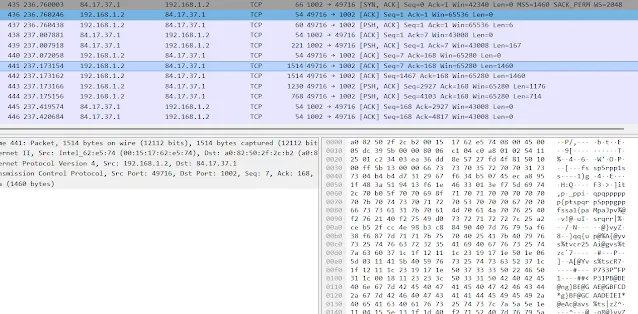
figure5: Fiddler view of POST data to server of “encrypted” chrome data

figure6: CyberChef view of decoded CharCode, showing SQLite database file

figure7: CyberChef view of “decrypted” POST data, showing chrome data.
As you can see, Chrome data is encrypted and then posted out. The chrome process is “restarted” into is previous session, allowing the program “unlocked” access to files such as Web Data during this time.
Originally published at https://blog.lukeacha.com on December 8, 2025.