Exploitation of Grotesque 1

I started with host discovery using nmap and I found the ip address at 192.168.1.121

I did a full port scan and discovered 2 open ports: port 66 and port 80

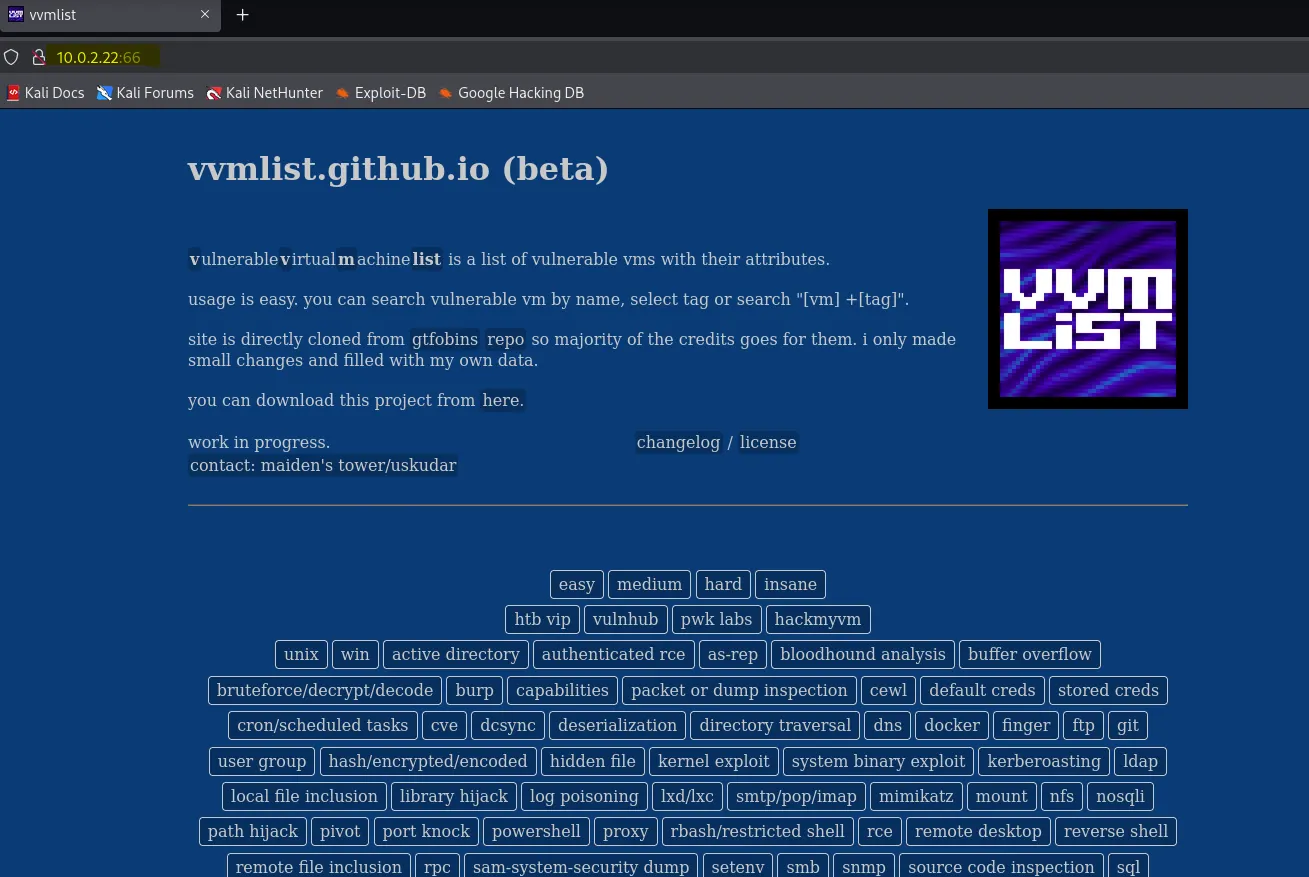
I accessed port 66 in my web browser and came across a vulnerable vm list

I downloaded the list which was a zip file

so I checked the source code of the page and came across a brainfuck encoded string:
+++++ +[->+ +++++ <]>++ +++++ ++++. <++++ ++++[ ->+++ +++++ <]>++ ++..<
+++[- > — -< ]> — . +++++ +++.< +++[- > — -< ]> — — — -.< ++++[ ->+++ +<]>+
+..++ ++.<+ +++[- > — — <]> — -.<++ +++++ [-> — — — — <]> — — -.< +++++
- ++[- >++++ ++++< ]>++. — . — — — — .<

which gave me this clue after decoding: /sshpasswd.png

upon accessing the image decoded from the brainfuck string, I accessed it in thebrowser and i saw this image displayed:

Running ExifTool against sshpasswd.png revealed standard metadata (dimensions, format, color profile) along with editing history entries from Adobe Photoshop CC 2018. However, the output did not contain any exploitable or hidden payload: no GPS coordinates, custom comments, or unusual tags that could suggest steganographic content.

Binwalk uncovered a zlib-compressed payload embedded in the PNG (saved as A96);

when opened it looked like gibberish, which is expected because it’s still compressed

Further enumeration using web enumerationg tools didn’t yield much

I unzipped the vmlist.zip file and found a lot of files and directories

I looked through the _vvmlist folder, it had a lot of files which most of them were md, and looking through some of them, they just had a lot of strings which would be time consuming to look through

eg this

so I used the cat * | sort | uniq command which combines all files, sorts the lines, and removes duplicates to make the output cleaner and easier to read.

And I found this important line

I navigated to http://192.168.1.121/lyricsblog/ and discovered it is a wordpress website

so I scanned it using wpscan, enumerating for usernames and plugins: wpscan — url http://192.168.1.121/lyricsblog/ -e u,p and found a user: erdalkomurcu

I used nikto to bruteforce the directory and found a login page: wp-login.php

I inspected the source code but did not find anything really useful except a comment of a picture

I navigated to the picture in the browser: http://192.168.1.121//lyricsblog/yesman.png

I downloaded the image and tried extracting information from it using exiftool and brainwalk but nothing worked, so I went back to the page and identified the lyrics Hakan Tasiyan on the page as specified in the picture

I copied the lyrics into a file and got the md5 hash

After getting the hash, I converted it to uppercase

and the credential: erdalkomurcu
Get Morontowumi Akinbogun’s stories in your inbox
Join Medium for free to get updates from this writer.
plus the hash in uppercase BC78C6AB38E114D6135409E44F7CDDA2 worked on the login page found earlier and I gained access to the admin dashboard


I navigated to the theme file editor as the goal was to find an upload point, so I replaced the contents of the default error404 template with the contents of a shell.php designed to connect back to a listener once accessed


With that I was able to get a shell as www-data

In the /var/www/html/lyricsblog directory, I took a look at the wp-config.php file

With that I found some database credentials for the user raphael which was _double_trouble_

So I used the password gained to switch user to raphael

And I found the user flag

I also found a hidden KeePass database (.chadroot.kdbx) owned by user raphael — likely contains encrypted credentials/passwords and is readable only by raphael (or root). And I sent it to my kali vm

I extracted KeePass KDBX hash with keepass2johnand cracked it withjohn — wordlist=/usr/share/wordlists/rockyou.txt, recovering password **chatter** for user **chadroot.

I opened [https://app.keeweb.info](https://app.keeweb.info) to load the `.kdbx` and decrypt it with the cracked password so I can view the stored credentials.

Upon entering inside I found 4 different root passwords:
.:.yarak.:.
secretservice
.:.subjective.:.
rockyou.txt

I tried all the passwords till .:.subjective.:. worked

Then I got the root flag