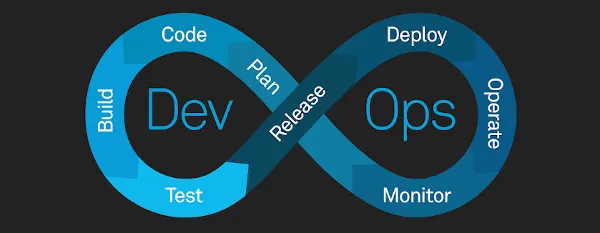
Here is how I wired up a Bicep pipeline that refuses to deploy until a human has actually read the change preview. The shape is simple: a single main.bicep at the root, a modules/ folder for the pieces, and a three-stage Azure DevOps YAML pipeline that lints, runs az deployment group what-if, then waits at a manual approval gate before the apply. No Terraform state file to babysit, because Azure Resource Manager itself is the state. The deployment history sits in the resource group, every run has a name, every change is diffed against the live resources before anything is touched.
STEPS
- Step 1: Lay out
main.bicepandmodules/ - Step 2: Add lint with
az bicep build - Step 3: Run
az deployment group what-ifas the safety gate - Step 4: Wire the YAML pipeline with a manual approval before deploy
- Step 5: Apply tagging and naming conventions inside the Bicep
- Step 6: Verify the deployment record in the resource group
Why this matters
Most teams I see writing Bicep treat the pipeline like an afterthought. They check the file in, run az deployment group create from a hosted agent, and hope the reviewer caught everything in the PR. That works until someone renames a property on a key vault and the next deploy quietly recreates it, losing access policies. The what-if operation exists exactly to catch that class of accident. It speaks ARM, it knows the live resource state, and it tells you (in plain symbols) what is going to be Created, Modified, Deleted, or left as NoChange. If you put it before a manual approval, the reviewer is no longer reading code, they are reading the diff against production.
The approval gate then turns the diff into a contract. The pipeline pauses. A named approver sees the what-if output in the logs. They either click approve, or they reject, and the apply never runs. That is the build I want for anything touching shared infra.
Prerequisites
- An Azure subscription with permission to create resource groups and the resources you plan to deploy (
Microsoft.Resources/deployments/*plus the resource-specific write actions). - An Azure DevOps project with a self-hosted or Microsoft-hosted agent pool.
- An Azure Resource Manager service connection in the project:
Azure DevOps > Project settings > Service connections > New > Azure Resource Manager. Workload identity federation is preferred over a long-lived secret. - Azure CLI
2.76.0or later on the agent (theValidationLevelswitch landed in that version). - Bicep CLI
0.22.Xor later if you want to use.bicepparamparameter files. - A Git repo with a
mainbranch protected by a PR policy.
NOTE: THE AzureResourceManagerTemplateDeployment@3 TASK SUPPORTS BICEP FILES DIRECTLY ONLY WHEN THE AGENT HAS AZURE CLI > 2.20.0. ON OLDER WINDOWS-2019 IMAGES YOU WILL SEE A SILENT FALLBACK THAT TRIES TO READ THE FILE AS JSON AND FAILS WITH A PARSER ERROR.
Tools Used
Azure DevOps Pipelines: the build and release plane. We use multi-stage YAML so lint, what-if, and deploy live in the same file with explicit dependsOn.
Bicep CLI: the transpiler from .bicep to ARM JSON. We call it through az bicep build to get linting and compile errors as part of the lint stage.
Azure CLI (az): the deployment driver. The two commands that matter here are az deployment group what-if and az deployment group create.
AzureResourceManagerTemplateDeployment@3: the official Azure Pipelines task for ARM and Bicep deploys. We use it in the deploy stage with deploymentMode: Incremental and csmFile pointing at the compiled or raw Bicep.
Environments + approval checks: the Azure DevOps construct that holds the manual-approval gate. The deployment job targets the environment, the environment has an approver configured, and the job will not start until the approver clicks.
Step 1: Lay out main.bicep and modules/
The file layout I ship looks like this:
infra/
  main.bicep
  main.bicepparam
  modules/
    storage.bicep
    keyvault.bicep
    appservice.bicep
  pipelines/
    azure-pipelines.yml
main.bicep is a thin orchestrator. It declares parameters, computes the naming prefix, and calls each module. Real example:
targetScope = 'resourceGroup'@description('Short env code: dev, tst, prd')
@allowed([ 'dev', 'tst', 'prd' ])
param env string@description('Azure region for all resources')
param location string = resourceGroup().location@description('Workload owner team, propagated to tags')
param owner string = 'platform-eng'var namePrefix = 'gabops-${env}'var commonTags = {
env: env
owner: owner
costCenter: 'cc-4421'
managedBy: 'bicep'
repo: 'gab-bespoke-lab'
}module storage 'modules/storage.bicep' = {
name: 'storage-${env}'
params: {
namePrefix: namePrefix
location: location
tags: commonTags
}
}module kv 'modules/keyvault.bicep' = {
name: 'kv-${env}'
params: {
namePrefix: namePrefix
location: location
tags: commonTags
}
}output storageAccountId string = storage.outputs.storageAccountId
output keyVaultUri string = kv.outputs.keyVaultUri
The .bicepparam file binds environment values without dragging JSON into the diff:
using './main.bicep'param env = 'dev'
param owner = 'platform-eng'NOTE: WHEN YOU USE A .bicepparam FILE WITH AZURE CLI, DO NOT ALSO PASS --template-file. THE CLI WILL ERROR WITH Only a .bicep file is allowed with a .bicepparam file.
Step 2: Add lint with az bicep build
The lint stage compiles every .bicep in the repo and fails on warnings. The built-in linter ships with Bicep CLI and is configured via bicepconfig.json:
{
  "analyzers": {
    "core": {
      "rules": {
        "no-hardcoded-location": { "level": "error" },
        "no-unused-params":      { "level": "error" },
        "no-unused-vars":        { "level": "error" },
        "prefer-interpolation":  { "level": "warning" },
        "secure-parameter-default": { "level": "error" }
      }
    }
  }
}
The YAML for the lint stage is short:
stages:
  - stage: lint
    displayName: 'Lint Bicep'
    jobs:
      - job: bicep_build
        pool:
          vmImage: 'ubuntu-latest'
        steps:
          - checkout: self
          - task: AzureCLI@2
            displayName: 'az bicep build'
            inputs:
              azureSubscription: 'sc-gabops-dev'
              scriptType: 'bash'
              scriptLocation: 'inlineScript'
              inlineScript: |
                az bicep version
                az bicep build --file infra/main.bicep
                # Compile every module too, so unused params surface here
                for f in infra/modules/*.bicep; do
                  az bicep build --file "$f"
                done
The compile produces infra/main.json next to the source. We do not publish it as an artifact (it gets regenerated downstream), but the failure of az bicep build is what gates the next stage.
Step 3: Run az deployment group what-if as the safety gate
This is the part most pipelines skip. The what-if call hits ARM with the compiled template, ARM compares against the resource group, and the agent prints a coloured diff. The change-type symbols Microsoft documents are:
+ Create- Delete~ Modify! Deploy(only when--result-format ResourceIdOnly)NoChange,Ignore,NoEffectas silent categories
The stage:
- stage: whatif
    displayName: 'What-if preview'
    dependsOn: lint
    condition: succeeded()
    jobs:
      - job: preview
        pool:
          vmImage: 'ubuntu-latest'
        steps:
          - checkout: self
          - task: AzureCLI@2
            displayName: 'az deployment group what-if'
            inputs:
              azureSubscription: 'sc-gabops-dev'
              scriptType: 'bash'
              scriptLocation: 'inlineScript'
              inlineScript: |
                set -euo pipefail
                az deployment group what-if \
                  --name 'whatif-$(Build.BuildId)' \
                  --resource-group 'rg-gabops-dev' \
                  --template-file infra/main.bicep \
                  --parameters infra/main.bicepparam \
                  --result-format FullResourcePayloads
--result-format FullResourcePayloads is the default, but I set it explicitly so a future reviewer does not have to remember. If you want a machine-readable version for a custom gate (a script that fails on any Delete, for example), add --no-pretty-print and pipe the JSON into jq:
az deployment group what-if \
  --resource-group 'rg-gabops-dev' \
  --template-file infra/main.bicep \
  --parameters infra/main.bicepparam \
  --no-pretty-print \
  | jq '[.changes[] | select(.changeType == "Delete")] | length'
If that count is non-zero on main, you can fail the stage and force a human to look. That has saved me twice from a renamed name property silently dropping a storage account.
Get GABRIEL OKOM’s stories in your inbox
Join Medium for free to get updates from this writer.
NOTE: WHAT-IF CANNOT RESOLVE THE reference() FUNCTION. PROPERTIES THAT USE IT WILL ALWAYS REPORT AS Modify EVEN IF THE FINAL DEPLOYED VALUE WILL NOT CHANGE. THIS IS DOCUMENTED NOISE, NOT A BUG.
Step 4: Wire the YAML pipeline with a manual approval before deploy
The approval is not a YAML keyword. It lives on the environment object in Azure DevOps. Create one called prod-infra under Pipelines > Environments > New environment, then add an approval check: prod-infra > Approvals and checks > + > Approvals > Approvers: <named user or group>.
The deploy stage references that environment and uses the deployment job type:
- stage: deploy
    displayName: 'Deploy to dev RG'
    dependsOn: whatif
    condition: succeeded()
    jobs:
      - deployment: apply
        displayName: 'az deployment group create'
        environment: 'prod-infra'
        pool:
          vmImage: 'ubuntu-latest'
        strategy:
          runOnce:
            deploy:
              steps:
                - checkout: self
                - task: AzureResourceManagerTemplateDeployment@3
                  displayName: 'ARM template deployment v3'
                  inputs:
                    deploymentScope: 'Resource Group'
                    azureResourceManagerConnection: 'sc-gabops-dev'
                    subscriptionId: '$(subscriptionId)'
                    action: 'Create Or Update Resource Group'
                    resourceGroupName: 'rg-gabops-dev'
                    location: 'uksouth'
                    templateLocation: 'Linked artifact'
                    csmFile: 'infra/main.bicep'
                    csmParametersFile: 'infra/main.bicepparam'
                    deploymentMode: 'Incremental'
                    deploymentName: 'gabops-$(Build.BuildId)'
                    deploymentOutputs: 'armOutputs'
A few things that are easy to get wrong here. azureResourceManagerConnection is the service-connection name, not the subscription ID. subscriptionId is the GUID (the docs are explicit: not the subscription name). deploymentMode: Incremental is the default and the one you want for a CI pipeline. Complete will delete anything in the resource group not declared in the template, which is exactly the foot-gun you do not want firing on every merge.
When the pipeline hits this stage, the deployment job will not start. Azure DevOps posts a “Waiting for review” status, the named approver gets an email, and the what-if output from the previous stage is one click away in the logs. Approve, the job runs. Reject, it does not.
NOTE: IF YOU WANT THE APPROVER TO SEE THE WHAT-IF OUTPUT INLINE WITH THE APPROVAL PROMPT (NOT JUST IN THE PREVIOUS-STAGE LOGS), PUBLISH IT AS A PIPELINE ARTIFACT IN STAGE whatif AND ATTACH A ## vso[task.uploadsummary] MARKDOWN SUMMARY TO THE JOB.
Step 5: Apply tagging and naming conventions inside the Bicep
Tagging belongs in code, not in a post-deploy script. The commonTags variable in main.bicep is the seam. Every module accepts a tags param and applies it to every resource:
param tags object
param namePrefix string
param location string
resource sa 'Microsoft.Storage/storageAccounts@2023-05-01' = {
name: '${replace(namePrefix, '-', '')}st01'
location: location
tags: tags
sku: { name: 'Standard_LRS' }
kind: 'StorageV2'
properties: {
minimumTlsVersion: 'TLS1_2'
allowBlobPublicAccess: false
supportsHttpsTrafficOnly: true
}
}output storageAccountId string = sa.id
Naming is computed once in main.bicep as namePrefix and threaded down. The convention I use: <product>-<env>-<region-short>-<resource-type-short>-<nn>. So a storage account in dev becomes gabopsdevuksst01 (storage accounts strip dashes and cap at 24 chars), a key vault becomes gabops-dev-uks-kv-01. Put the rule in a naming.bicep module if you want to centralise the abbreviation table.
The point of doing this in Bicep, not in a deploy script, is that what-if will now show you the tags as part of the diff. If someone changes costCenter from cc-4421 to something else, the approver sees ~ tags.costCenter in the preview.
Step 6: Verify the deployment record in the resource group
After the deploy stage finishes green, every run is captured in the resource group’s deployment history under the name you passed in deploymentName. Pull the last one:
az deployment group show \
  --resource-group 'rg-gabops-dev' \
  --name 'gabops-12345' \
  --query 'properties.provisioningState' \
  --output tsv
You want Succeeded. To see the outputs the pipeline captured into $(armOutputs):
az deployment group show \
  --resource-group 'rg-gabops-dev' \
  --name 'gabops-12345' \
  --query 'properties.outputs'
This is the equivalent of terraform output, except there is no state file to corrupt, no remote backend to lock, no drift between the recorded state and reality. ARM is the state. The deployment record is the audit trail. If two runs use the same deploymentName, the second overwrites the first in the history, so make the name unique per run (the $(Build.BuildId) token does this for free).
Troubleshooting
The pipeline fails at az bicep build with Could not find module. The Bicep CLI resolves module paths relative to the source file, not the agent's working directory. If you moved modules/ and the module declaration still says 'modules/storage.bicep', the compile fails. Fix the relative path or use the alias form: module storage 'br/public:avm/res/storage/storage-account:0.11.0' for a registry-hosted module.
What-if shows ~ Modify on a resource you did not touch. Almost always one of two things: a reference() function in your template (documented limitation, cannot be resolved at preview time), or a property that ARM sets to a default on first deploy and that you did not declare. Add the property explicitly in Bicep, or accept the noise.
Deploy stage fails with AuthorizationFailed even though the service principal worked yesterday. The service connection is scoped to a subscription, not a resource group. If someone moved the resource group, or rotated the SPN's role assignment, you get this. Re-grant Contributor (or a tighter custom role) on the resource group and User Access Administrator if your template assigns RBAC.
Approval times out after seven days. That is the default Timeout on the environment approval check. If your team only approves on Mondays, raise it under Environments > prod-infra > Approvals and checks > Approvals > Timeout. Anything over 30 days is a smell, you probably want a scheduled rollout window instead.
AzureResourceManagerTemplateDeployment@3 fails with BicepCli not found. The hosted agent image has it preinstalled, but self-hosted Linux agents do not. Install it via az bicep install in a one-off step before the task runs, or bake it into your agent image.
Clean up
To tear down a dev resource group entirely, run:
az group delete --name 'rg-gabops-dev' --yes --no-waitIf you want to keep the resource group but wipe the resources, the Complete deployment mode against an empty template will do it, and what-if will preview every deletion first:
az deployment group create \
  --resource-group 'rg-gabops-dev' \
  --template-file empty.bicep \
  --mode Complete \
  --confirm-with-what-if
The --confirm-with-what-if flag (short form -c) runs what-if, prints the diff, and prompts before the actual apply. Use it locally when you want the same safety as the pipeline without going through the pipeline.
If you got this far, you have a Bicep pipeline that lints in CI, previews every change against the live resource group, blocks at a named approver, and writes an auditable deployment record on every apply. The state lives in ARM, the diff lives in the pipeline log, and the human is the gate. That is the build.