Broken Access Control in a Cloud API: How One Missing Check Leaked a Secret (CTF Walkthrough)

A beginner-friendly look at IDOR — how an API that trusts the wrong thing hands you data you were never meant to see, and how to stop it.

One login. One API key. One missing ownership check. That was all it took to read a secret the system swore it would “bar you entirely” from.
If you have ever wondered how real-world data leaks happen without any fancy “hacking,” this post is for you. No zero-days, no memory corruption — just an API that forgot to ask one simple question: ”Wait, do you actually own this?”
This is a walkthrough of a CTF challenge called App Cloud, built to look like an Apache CloudStack panel. Everything here was done on a challenge box made for exactly this purpose. Only test systems you are authorized to test.
The setup
I opened the target and landed on a plain login page for a “CloudStack Lab.” Like most warm-up challenges, it took the classic default credentials:
- Username: `admin`
- Password: `admin`
That dropped me on a dashboard that happily handed over an API key and API secret, plus a hint: the API has two interesting endpoints, `listResources` and `listAnnotations`.
So the plan was simple — look at what the API lets me do, then look at what it shouldn’t.
Step 1: Map what you own
The `/resources` page listed six resources tied to the admin account, each with a UUID (a long unique ID). Virtual machines, a backup volume, a load balancer, a storage pool. Normal cloud inventory.
At this point I had a list of IDs I “owned.” The question was whether the API would let me peek at IDs I didn’t.
Step 2: Read the API docs like an attacker
The `/api/help` page described `listAnnotations` — an endpoint that returns comments left on a resource. One line in the docs is the whole challenge:
”WITHOUT an entityid the results are filtered to resources you own. WITH an entityid the annotations of that specific entity are returned.”
Read that again. Without an ID, it filters to your stuff. With an ID, it just… gives you that entity’s annotations. It never re-checks that the entity belongs to you.
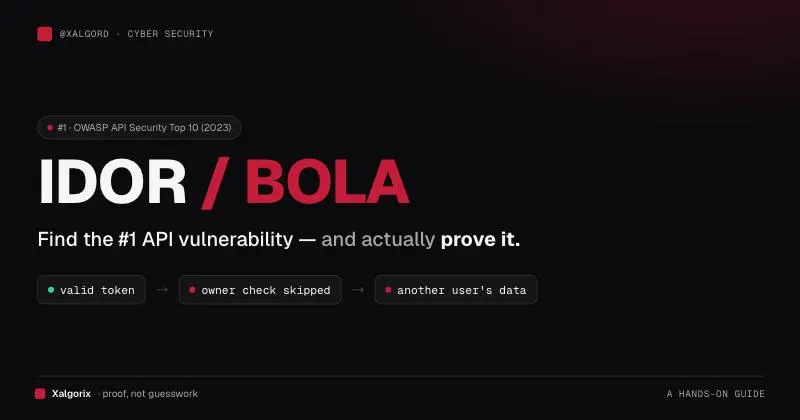
That is the textbook shape of an Insecure Direct Object Reference (IDOR)— a type of Broken Access Control. The server uses your identity to let you in the door, then stops checking whether each specific object is actually yours.
Step 3: Walk your own resources first
I queried annotations for each UUID I owned. Most were boring (“Scheduled maintenance window”). But the backup volume had a note left behind by a previous operator:
"annotation": "Config snapshot archived to internal system resource
(UUID: 13015102-120c-4a8c-bb20-5bf7ae654a1d).
Do not share this reference outside the admin group."j
A new UUID — one that was not in my resource list. The challenge narrative talked about “a system that bars you entirely.” This was that system. I wasn’t supposed to be able to touch it.
Step 4: Ask for what isn’t yours
Because the endpoint never verifies ownership, I simply passed that internal UUID as the `entityid`:
curl -s "http://TARGET/api/listAnnotations?apikey=REDACTED&entityid=13015102-120c-4a8c-bb20-5bf7ae654a1d"The API returned the annotations for a `SystemResource` I had no rights to — and the note on it was the flag.
flag{cld4ta_brok3n_4cc3ss_c0ntr0l_...}tNo exploit code. No payload. I asked a question I shouldn’t have been allowed to ask, and the server answered it.
Why it works
The server made the mistake almost every IDOR makes. It checked authentication (“is this a valid API key?”) but skipped authorization (“is this key allowed to see this specific object?”).
Get Sheikh Mujtaba (Mujtaba Javed)’s stories in your inbox
Join Medium for free to get updates from this writer.
Those are two different questions. Authentication is who are you. Authorization is what are you allowed to touch. Confusing the two is OWASP API Security Top 10 — API1:2023, Broken Object Level Authorization (BOLA), the single most common API flaw in the wild.
How to Prevent It
1. Check ownership on every object, every request
Never trust the ID in the request. Before returning anything, confirm the caller owns it:
# Vulnerable: trusts the entity_id blindly
annotations = db.get_annotations(entity_id)

# Fixed: the lookup is scoped to the caller
annotations = db.get_annotations(entity_id, owner_id=current_user.id)
if annotations is None:
    return error(403, "Not your resource")
The fix is one extra condition: WHERE owner = me. That is the whole lesson.
2. Don’t let “optional” parameters bypass your filter
The bug here was that passing `entityid` silently switched off the ownership filter. An optional parameter should never remove a security check. Filter first, then apply the parameter on top.
3. Prefer unguessable IDs, but don’t rely on them
UUIDs are hard to guess, which helps. But here the ID leaked in an annotation. Obscurity is not access control— always pair it with a real ownership check.
4. Log and alert on denied access
If one API key starts requesting objects it doesn’t own, that is a signal. Log authorization failures and watch for a spike. Attackers enumerate; make that noise visible.
Conclusion: How to Stay Safe?
Broken Access Control topped the OWASP Top 10 (2021) for a reason — it is everywhere, and it rarely needs clever exploitation. The defense is boring and effective: on every request, for every object, ask “does this user actually own this?” Scope your database queries to the caller, never trust an ID from the client, and treat “optional” filters with suspicion.
If you build APIs, go read one endpoint that returns a record by ID right now, and check whether it confirms ownership. You might be one missing `WHERE` clause away from this exact bug.

Hey there! I’m thrilled that you’re interested in this topic. To stay in the loop with the latest advancements, cutting-edge tech trends, and insightful content, connect with me on my social platforms:
- Website: https://sheikhmujtaba.me
- Blog: https://sheikhmujtaba.me/blog
- LinkedIn: https://www.linkedin.com/in/sheikh-m-mujtaba-javed-0362872b9/
- X (Twitter): https://x.com/Mujtaba_Javed_
- GitHub: https://github.com/Sheikh-Muhammad-Mujtaba
Thank you for stopping by — your time means a lot! Let’s stay connected. 🚀