Creating an Autonomous AI Database Serverless on Oracle AI Database@AWS

On June 10, 2026, Oracle AI Database@AWS added support for Oracle Autonomous AI Database Serverless. I created an instance directly from the AWS Console and verified SQL connectivity from an EC2 instance using SQLcl.
With this update, Oracle AI Database@AWS can now be used not only with dedicated Exadata infrastructure, but also with the serverless version of Autonomous AI Database.

Oracle AI Database@AWS now supports Oracle Autonomous AI Database Serverless, a fully managed database service that provides elastic scalability, high performance, and integrated AI capabilities.

This service automatically handles scaling, tuning, patching, upgrades, backups, and security. As a result, organizations can build and scale AI-powered applications using vector search, RAG, and enterprise AI workloads while integrating seamlessly with AWS services.
Key features of Autonomous AI Database

- Accelerate application development: Build and deploy quickly on an integrated platform that supports vectors, JSON, graphs, and more. Take advantage of a scalable and cost-effective solution with flexible cloud, multicloud, or on-premises deployment options, advanced security, and self-service tools.
- A fully automated database service: Supports workloads that include the latest Oracle data types, transaction processing, AI, and analytics, reducing the need for multiple specialized databases.
- Maximize data security and availability: With Oracle’s automated services, you can keep mission-critical applications running with 99.995% availability.
- Bring AI to your data: Use built-in AI Vector Search and LLMs with your own data to get more accurate answers. There is no need to replicate your data to a separate vector database.
Autonomous AI Database also includes

- Oracle APEX: A low-code development platform for building scalable and secure enterprise applications with world-class capabilities.
- Oracle REST Data Services (ORDS): A Java Enterprise Edition-based data service that makes it easy to develop modern REST interfaces for relational data and JSON document stores.
- Database Actions: A web-based interface that uses Oracle REST Data Services to provide development, data tools, administration, and monitoring features for Autonomous AI Database.
- Oracle Machine Learning: A set of components that supports data scientists, ML engineers, data analysts, and SQL, R, and Python users. These components include SQL, R, and Python APIs, a built-in notebook interface, a no-code interface for AutoML, data and model monitoring, model deployment, and model management, deployment, and monitoring through REST endpoints.
Until now, Oracle AI Database@AWS mainly focused on dedicated Exadata-based configurations. With Autonomous AI Database Serverless now available, it is easier to start using Oracle Autonomous Database directly from AWS.
In this article, I will walk through checking AWS Marketplace / Public Offer, creating an ODB network, creating an Autonomous AI Database Serverless instance, and verifying SQL connectivity from EC2 using SQLcl.
Autonomous AI Database Serverless@AWS Quick Start
- ✅ 1. AWS Marketplace and Public Offer
- ✅ 2. Logging in to the Oracle Database@AWS console
- ✅ 3. Creating an ODB network
- ✅ 4. Multiple ODB Peering Connections for VPC Connectivity
- ✅ 5. Creating an Autonomous AI Database Serverless instance
- ✅ 6. Verifying SQL connectivity
- ✅ 7. References
Architecture overview
In this architecture, the EC2 client connects to the Autonomous AI Database through the ODB network. The database lifecycle is operated from the AWS Console, while the Oracle-managed control plane provides the database management experience behind the scenes.

AWS Marketplace and Public Offer
You can purchase Oracle AI Database@AWS directly through AWS Marketplace without contacting Oracle Sales. This is usually referred to as a Public Offer.
With a Public Offer, you have the flexibility to start and stop using the service at any time without committing to a specific usage period or consumption period. During onboarding, you need to create a new OCI tenancy.
Billing and payment for the service are handled through AWS Marketplace.
Note
During onboarding with a Public Offer, you need to create a new OCI tenancy. Only a Private Offer can be linked to an existing OCI tenancy.
You can purchase one offer, either a Private Offer or a Public Offer, per AWS account.
The available service offerings differ between Public Offers and Private Offers. For details, see Available Database Services.
1. AWS Marketplace
Enter `Oracle` in Search AWS Marketplace products, and Oracle Database@AWS will appear.
Note: Public Offer vs Private Offer
For the Public Offer flow, open AWS Marketplace, search for “Oracle Database@AWS”, select View purchase options, review the offer details, auto-renewal, and pricing details, and then select Subscribe.
If you are using a Private Offer instead, choose Request Private Offer and follow the private-offer process with Oracle Sales.
Oracle Database@AWS Console Login
1. All services page
Click [Oracle Database@AWS].
2. Oracle Database@AWS console
Once the service becomes available, the Dashboard button appears.
Click [Dashboard].
3. Dashboard page
You can confirm that Autonomous AI Databases Serverless New is displayed.
Creating an ODB network
1. ODB network page
2. Create ODB network page
From the Oracle AI Database@AWS dashboard or the ODB network list, select Create ODB network.
- ODB network name: Enter an identifier using a name of your choice. The identifier can be up to 255 characters. Allowed alphanumeric characters are a-z, A-Z, 0–9, underscore (_), and hyphen (-). It must start with a letter or underscore (_) and cannot contain two consecutive hyphens ( - ).
- Availability Zone: A drop-down list containing the AZs where the ODB network can exist. The list is limited by your subscription.
- Client subnet CIDR: Enter the CIDR block range for the client network. For details and restrictions for this CIDR block, see the ODB network design page.
- Backup subnet CIDR(Optional): ADB does not require a backup subnet.
- DNS configuration domain name has two options: Default and Custom domain name.
 - Default: If you select this option, the Domain name field becomes read-only.
 - Domain name prefix: Enter the name that will be concatenated with the domain name to specify the IP name for the Exadata Database. The domain name prefix must be 1 to 15 alphanumeric characters and must start with a letter.
 - To customize the domain name, select Custom domain name and specify the name.
- Configure service integration: You can configure ODB network access to Amazon S3, Zero-ETL, and Security Token Service (STS).
 - Amazon S3: You can use the network path to initiate self-managed backups to your own Amazon S3 bucket.
 - Zero-ETL: You can enable the network path for Zero-ETL integration. This allows you to create data replication from Oracle AI Database@AWS to Amazon Redshift. For details, see the documentation about enabling Zero-ETL for an ODB network.
 - Security Token Service (STS): Optional. Select the checkbox to enable Security Token Service (STS) and grant access from the ODB network to additional AWS services.
 To use customer-managed keys in the authentication policy for AWS KMS integration, you must select the AWS KMS checkbox. For details, see the AWS KMS documentation.
- Region restore: Optional. After selecting the checkbox, you also need to select the source region for the restore. For details, see cross-region restore.3. Creating the ODB network
It takes several tens of minutes for the status to change to Available.
Note
Creating an ODB network takes several tens of minutes.
4. ODB network creation complete
Once the ODB network has been created, you can confirm it from the ODB network list in the Oracle AI Database@AWS dashboard.
5. Multiple ODB Peering Connections for VPC Connectivity
ODB peering is a user-created network connection that enables private traffic routing between an Amazon VPC and an ODB network. In this test, the EC2 client connected to the Autonomous AI Database through the ODB network, so VPC connectivity is an important part of the overall architecture.
With Multiple ODB Peering Connections, you can connect multiple application VPCs directly to a single ODB network, or connect a single VPC to multiple ODB networks. This is useful when you have multiple application VPCs, separated environments, or multi-AZ application architectures that need private connectivity to Oracle databases running on Oracle AI Database@AWS.
When configuring ODB peering, remember to check CIDR overlap, VPC route tables, and DNS resolution. After creating an ODB peering connection, the VPC route tables must be configured to route traffic to the peered ODB network. DNS resolution from the VPC to ODB network resources also needs to be configured, typically by using Amazon Route 53 Resolver.
The following article provides a hands-on walkthrough for Multiple ODB Peering Connections.
I also tested Multiple ODB Peering Connections separately in the following Japanese article. It covers the configuration flow for connecting multiple VPCs to an ODB network.
For this SQLcl connectivity test, the EC2 instance needs a private network path to the Autonomous AI Database through the ODB network.
Creating an Autonomous AI Database Serverless instance
1. Oracle AI Database@AWS dashboard
Select Autonomous AI Databases Serverless, and click [Create Autonomous AI Database Serverless].
2. Step 1: General settings
In the General settings step, enter the following information and click [Next].
- Display name: Enter an appropriate display name. The name must be 1 to 255 characters, start with a letter or underscore, cannot end with a hyphen, and cannot contain two consecutive hyphens. The allowed characters are A-Z, a-z, 0–9, underscore, and hyphen.
- Database name: Enter a name that clearly identifies the database. The name must be 1 to 30 characters, use only alphanumeric characters, and must start with a letter.
- Advanced options: Configure advanced options.
 - Elastic pool options: To enable this, select the Enable checkbox.
 a. Pool option: Select one of the following options.
 Join an existing elastic pool: Connect this database to an existing elastic pool by selecting a pool leader.
 b. Create an elastic pool: Create a shared resource pool with configurable ECPU capacity.
 - Compute model: Select ECPU as the compute model.
 - Bring Your Own License (BYOL): Enable this option if you want to bring your own license.
- Backup settings section: Configure backup settings.
 - Automatic backups, in days: Enter a value from 1 to 60 days.
- Lock backup retention period: Enable the Backup retention lock option if you want to lock the retention period and prevent further changes. Backup retention lock can be used as a security measure to protect backups from unintended changes and ransomware.Note
If you use Elastic Pool, you need to select the ECPU compute model and disable Compute Auto Scaling. In this test, I did not use Elastic Pool because I wanted to verify the regular Serverless creation flow.
3. Step 2: Database configurations
In the Database configurations step, enter the following information and click [Next].
- Workload type section: Select the workload type for the Autonomous AI Database Serverless instance. Supported workload types include Lakehouse, Transaction Processing, JSON, and APEX.
- Database version drop-down list: Select the Oracle Database version. The options are 19c and 26ai.
- Number of ECPUs: Use the slider to set a value from 2 to 512.
- Compute auto scaling: Enabled by default.
- Storage: Use the slider to set the storage allocation from 20 GB to 393,216 GB.
- Storage auto scaling: Select the Enable checkbox to enable it.4. Step 3: Permissions
In the Permissions step, enter the following information and click [Next].
- User name field: Set to ADMIN by default. This value cannot be changed.
- Administrator user password: Enter the administrator user password. The password must be 12 to 30 characters and must contain at least one uppercase letter, one lowercase letter, and one number. You can use any printable ASCII character except slash (/), double quote ("), and at sign (@).
- Confirm password: Enter the same password again.
- Network access: Select the access type for Autonomous AI Database Serverless.
- OCI maintenance notification contacts: You can enter up to 10 email addresses for maintenance update notifications. AWS forwards these addresses to Oracle, and Oracle sends the notification emails.5. Step 4: Advanced configurations — options
The Advanced configurations step is optional. Review the optional settings before proceeding to review and create, then click [Next].
- Encryption: Customer-managed key encryption is not available when creating an Autonomous AI Database Serverless instance. After the database has been created, you can enable customer-managed key encryption by going to the database details page and editing the encryption settings.
- Maintenance: Set the maintenance update patch level to Regular.
- Management: In this section, select the character set and national character set for Autonomous AI Database Serverless.
- Tools: Enable or disable built-in tools for Autonomous AI Database Serverless.
 - Oracle APEX: Oracle APEX is a low-code development platform for building scalable and secure enterprise applications that can be deployed anywhere.
 - Database Actions: Oracle AI Database Actions is a web-based interface that uses Oracle REST Data Services (ORDS) to provide development, data tools, administration, and monitoring features for Oracle Autonomous AI Database.
 - Graph Studio: Graph Studio automates the creation of knowledge graphs (RDF) and property graphs, and provides interactive tools for querying, analyzing, and visualizing these graphs within Autonomous AI Database. To access Graph Studio, you need to log in as a graph-enabled user. This user can be created in Database Actions.
 - Oracle Machine Learning user interface: The Oracle Machine Learning user interface gives you immediate access to Oracle Machine Learning components and features on Autonomous AI Database, including OML Notebooks, OML AutoML UI, OML Models, and template sample notebooks.
 - Data Transforms: Oracle Data Transforms allows you to design graphical data transformations in the form of data flows and workflows. Data flows define how data moves and is transformed between different systems, while workflows define the order in which data flows are executed.
 - Web Access (ORDS): Oracle REST Data Services (ORDS) provides an HTTPS interface for working with Oracle AI Database content in one or more REST-enabled schemas.
 - MongoDB API: This option is currently not supported.
 - Data Lake Accelerator: Data Lake Accelerator improves the performance and scalability of external data processing in Autonomous AI Database. It automatically allocates additional CPU resources based on query needs and accelerates external data scans from object stores. This integration enables efficient resource utilization, faster query response, and easier scaling for large volumes of data.
 - Spatial Studio: Oracle Spatial Studio provides a web-based interface for self-service spatial analysis and visualization of spatial data within Autonomous AI Database.
 - SODA drivers: Simple Oracle Document Access (SODA) is a set of APIs that lets you work with JSON documents managed by Oracle AI Database without using SQL. SODA drivers support REST, Java, Node.js, Python, PL/SQL, and C.
- Tags: Tags are labels assigned to AWS resources. Each tag consists of a key and an optional value. You can use tags to search and filter resources, track AWS costs, and more.6. Review and create
In the Review and create step, review all the information. If you need to make changes, select Back and update the settings.
When you are done, click [Create autonomous AI database] to create the Autonomous AI Database Serverless instance.
7. Creating the database
After creating the Autonomous AI Database Serverless instance, you can check its status in the Autonomous AI Databases Serverless list. The status changes from Provisioning to Available.
Creation complete
Confirming creation
After creation is complete, confirm that the status of Autonomous AI Database Serverless is Available.
Verifying SQL connectivity
1. ADB page
On the page for the ADB instance you created, click [Database connection] in the upper right.
For TLS authentication, you can choose either Mutual TLS (mTLS), which requires a wallet on the client side, or TLS, which does not require a wallet.
This time, I used TLS connectivity without a wallet. I copied the connection string for the target TNS name from the Connection strings list and configured it in the connection descriptor on the EC2 side.
2. SQLcl setup
For this SQLcl connectivity test, the EC2 instance needs a private network path to the Autonomous AI Database through the ODB network. ODB peering connections provide this private connectivity between Amazon VPCs and ODB networks.
I installed SQLcl on an EC2 instance by referring to the following article, and configured `tnsnames.ora` with the wallet-free TLS connection string obtained from the ADB Database connection page.
For this test, I installed SQLcl on the EC2 instance and verified connectivity by setting the TLS connection string from the ADB Database connection page in `tnsnames.ora`.
3. SQL connection
Connect to ADB using the `sql` command.
[ec2-user@ip-10–0–1–101 ~]$ sql ADMIN/<Password>@ADB
 SQLcl: Release 26.1 Production on Thu Jun 11 15:43:32 2026
 Copyright © 1982, 2026, Oracle. All rights reserved.
 Last Successful login time: Thu Jun 11 2026 15:43:34 +00:00
 Connected to:
 Oracle AI Database 26ai Enterprise Edition Release 23.26.2.2.0 - Production
 Version 23.26.2.2.0

SQL> show user
 USER is "ADMIN"

SQL> select banner_full from v$version;
 BANNER_FULL
 ______________________________________________________________________________
 Oracle AI Database 26ai Enterprise Edition Release 23.26.2.2.0 - Production
 Version 23.26.2.2.0

SQL> select sysdate from dual;
 SYSDATE
 ____________
 10-JUN-26
With Autonomous AI Database Serverless now available on Oracle AI Database@AWS, Oracle Autonomous AI Database has become easier to use directly from AWS.
In addition to dedicated Exadata-based configurations, you can now choose the Serverless version of Autonomous Database. This makes it much easier to use for validation and development, as well as for testing AI/RAG applications and Vector Search environments.
In this article, I created the database from the AWS Console and verified connectivity from an EC2 instance using SQLcl.
Next, I would like to try integration with AWS services, as well as Vector Search and RAG use cases with Oracle AI Database 26ai.
Oracle Database is becoming more natural to use not only on OCI, but also on AWS. As a data platform for the AI era, it is getting even more exciting.
Final Thoughts: AI and Lakehouse Possibilities with Autonomous AI Database on AWS

In this post, I created an Autonomous AI Database Serverless instance from Oracle AI Database@AWS and verified SQL connectivity from an EC2 instance using SQLcl.
However, what I find most exciting is not only that Oracle Autonomous Database can now be used from AWS.
The bigger point is that AWS applications can now use Oracle’s enterprise data more naturally as part of AI solutions.
Oracle Database is not just a relational database. It can handle many important data types used in modern enterprise applications, including relational data, JSON, graph, text, spatial, and vector data, within a single converged database engine.
Get Shiro Kobayashi’s stories in your inbox
Join Medium for free to get updates from this writer.
Instead of combining many specialized databases for each workload, Oracle Database allows transactions, analytics, search, AI, machine learning, and application development to be handled close to the same data foundation.
In other words, rather than moving data far away for AI, we can start bringing AI closer to the data.
— -
Autonomous AI Database as a Lakehouse Platform
Autonomous AI Database can also access data outside the database.
Using `DBMS_CLOUD`, Autonomous AI Database can load data from cloud object stores and external repositories such as Oracle Cloud Infrastructure Object Storage, Amazon S3, Azure Blob Storage, Azure Data Lake Storage, Google Cloud Storage, GitHub repositories, and S3-compatible object storage.
It can also query files in cloud storage directly by using external tables.
This means Autonomous AI Database can be used not only as a database, but also as a lakehouse-style AI data platform.
For example, it can bring together data sources such as:
- Core business data in Oracle Database
- Logs and analytical data in Amazon S3
- Apache Iceberg tables
- Business documents in SharePoint
- JSON, XML, CSV, Parquet, ORC, and Avro files
- PDF and Word documents
- Vectorized document data
- Predictive models managed by Oracle Machine Learning
Autonomous AI Database Lakehouse capabilities also support formats such as CSV, JSON, XML, AVRO, ORC, Parquet, Delta Sharing, Iceberg, Word, and PDF.
With Apache Iceberg support, this becomes especially interesting for large-scale lakehouse analytics and AI workloads.
— -
SharePoint and S3 Data Can Become Part of AI Solutions
One feature I find especially interesting is the ability to work with business document sources such as SharePoint.
Autonomous AI Database provides SharePoint support through `DBMS_CLOUD` and `DBMS_CLOUD_PIPELINE`. These packages can be used to list, retrieve, and download files stored in Microsoft SharePoint, and then use them for downstream analysis, indexing, or AI processing.
This means that the following types of enterprise knowledge can become part of AI applications:
- Design documents
- Operation manuals
- FAQs
- Contracts
- Meeting minutes
- Support histories
- Incident response records
- Internal knowledge bases
- Business manuals
Traditionally, these documents often had to be copied into a separate search engine, data lake, or vector database before being used in an AI application.
With Autonomous AI Database, Oracle business data, Amazon S3 data lake files, SharePoint documents, Apache Iceberg tables, vector search, and machine learning can be handled in a more integrated way.
— -
Autonomous AI Database as an AI Data Hub on AWS
With Oracle AI Database@AWS, applications running on AWS can use Autonomous AI Database more naturally.
This makes it possible to think of Autonomous AI Database as an AI data hub for enterprise applications on AWS.
A simplified architecture could look like this:
Applications on AWS
 ↓
Amazon VPC / ODB Peering
 ↓
Autonomous AI Database Serverless
 ↓
Business data in Oracle Database
Data lake files in Amazon S3
Apache Iceberg tables
Documents in SharePoint
JSON / Graph / Spatial / Vector / ML
 ↓
Vector Search / RAG / Select AI / OML / APEX / ORDS
Using ODB Peering, application VPCs on AWS can connect privately to the ODB network.
This makes it easier to build architectures where AWS applications securely access mission-critical Oracle data and external lakehouse data.
It also allows the architecture to expand to multiple application VPCs when needed.
— -
AI Solutions Enabled by Autonomous AI Database on AWS
By making Oracle Autonomous Database available on AWS, several practical AI solution patterns become possible.
— -
1. Internal Knowledge Search and RAG
Documents stored in SharePoint, such as design documents, operation manuals, FAQs, contracts, meeting minutes, and support histories, can be used together with Oracle AI Vector Search to build internal knowledge search and RAG applications.
For example, users could ask questions such as:
Are there any past incidents similar to this issue?What contract terms are related to this customer?Can you summarize the operation procedure related to this design document?What are the recent inquiry trends for this product?Instead of simple keyword search, users can search by meaning and context.
This could significantly improve the experience of searching internal enterprise knowledge.
— -
2. AI Analytics on S3 and Iceberg Data Lakes
Data stored in Amazon S3, such as Parquet, ORC, CSV, JSON, and Iceberg files, can be queried as lakehouse data from Autonomous AI Database and combined with SQL and AI capabilities.
For example, it may be possible to combine:
- Access logs in S3
- IoT data
- Clickstream data
- Purchase history
- Large-scale historical analytical datasets
- Customer master data in Oracle Database
- Contract data in Oracle Database
- Transaction data in Oracle Database
This enables analytics such as:
Which customer segments have shown an increase in inquiries over the last 30 days?Can we combine S3 access logs with Oracle contract data to identify customers with a high churn risk?Can we combine large historical Iceberg data with current business data to forecast demand?Can we detect signs of fraudulent usage by combining log data and business data?The ability to combine lakehouse data with transactional data in Oracle Database is very interesting for enterprise AI analytics.
— -
3. Natural Language Analytics for Business Data
With Select AI, business users may be able to query data using natural language without writing SQL directly.
For example, a business user could ask:
Which customer segments had lower sales this month compared to last month?List customers that may have a high churn risk over the past 90 days.List customers that may have a high churn risk over the past 90 days.Summarize why inquiries about this product are increasing, based on FAQs and support history.Combine S3 logs and Oracle customer data to identify customers whose usage frequency is decreasing.This could move some analysis work closer to self-service analytics for business teams.
Instead of always asking database or BI specialists to prepare reports, business users may be able to ask questions directly against trusted enterprise data.
— -
4. RAG Assistants with Amazon Bedrock
Combining Autonomous AI Database with AWS generative AI services also opens up interesting possibilities.
For example, Amazon Bedrock can be used for embeddings and LLM-based response generation, while Oracle AI Database 26ai stores business data and vectors for retrieval.
In this architecture, the responsibilities can be separated as follows:
- Amazon Bedrock: Embeddings, LLMs, and response generation
- Oracle AI Database: Business data, vectors, search, access control, and transaction data matching
- AWS applications: UI, APIs, business applications, and chat interfaces
- ODB Peering: Private connectivity from Amazon VPCs to the ODB network
This means the LLM does not need to do everything by itself.
A more enterprise-ready architecture can be built by assigning clear roles:
- Store trusted business data in Oracle Database
- Perform similarity search and business-data matching in Oracle AI Database
- Use a generative AI model for response generation
- Run the application layer on AWS
This kind of role separation is very important for enterprise AI systems.
— -
5. Low-Code AI Business Applications
Autonomous AI Database also includes tools such as Oracle APEX, ORDS, Database Actions, and Oracle Machine Learning.
This means AI search results and machine learning outputs can be turned into business applications with APEX, or exposed as REST APIs through ORDS.
For example, we could build:
- AI-powered customer inquiry search applications
- Contract review assistants
- Incident response knowledge search
- Customer churn prediction dashboards
- REST APIs that return fraud detection scores
- Chat UIs for asking questions against internal data
- Internal knowledge portals for SharePoint documents
- Analytical dashboards that include S3 and Iceberg data
In this type of architecture:
- UI can be built with APEX
- APIs can be exposed with ORDS
- Search can be handled by Vector Search
- Analytics can be written in SQL
- Prediction can be handled by Oracle Machine Learning
- Document intelligence can be implemented with RAG
- External data can be queried as lakehouse data
This gives Autonomous AI Database a very integrated role in AI application development.
— -
6. Real-Time Analytics, Prediction, and Recommendation
Oracle Machine Learning can also help build machine learning workflows close to the data.
Instead of moving large volumes of data to an external machine learning platform, models can be created, evaluated, deployed, and scored using data inside the database.
Possible use cases include:
- Fraud detection
- Customer churn prediction
- Product recommendation
- Demand forecasting
- Predictive maintenance
- Support ticket classification
- Inquiry priority scoring
- Anomaly detection in logs
For companies that already store important business data in Oracle Database, this is especially powerful.
Instead of moving data away just to use AI, they can use AI, machine learning, and vector search closer to the database layer.
— -
Toward an Autonomous AI Lakehouse
Oracle has also introduced Autonomous AI Lakehouse, which combines Autonomous AI Database with Apache Iceberg.
This direction is positioned as an open and interoperable data platform that helps simplify access to data across multiple data platforms and cloud environments.
In that sense, Oracle Autonomous AI Database is not just an OLTP database, a data warehouse, or a vector database.
It can become a core platform that connects many elements required for enterprise AI:
- Business data
- Data lakes
- Documents
- Apache Iceberg
- Vectors
- Machine learning
- Natural language querying
- REST APIs
- Low-code application development
- Applications running on AWS
This direction feels very close to an **Enterprise AI Lakehouse**.
— -
Summary
In this test, I created an Autonomous AI Database Serverless instance on Oracle AI Database@AWS and verified SQL connectivity from EC2.
However, the bigger opportunity is not just that Oracle Autonomous Database can now be used from AWS.
The real opportunity is that AWS applications can use Oracle business data, Amazon S3 data lake files, Apache Iceberg tables, SharePoint documents, and other enterprise data sources together for AI solutions.
For future AI applications, simply calling an LLM will not be enough.
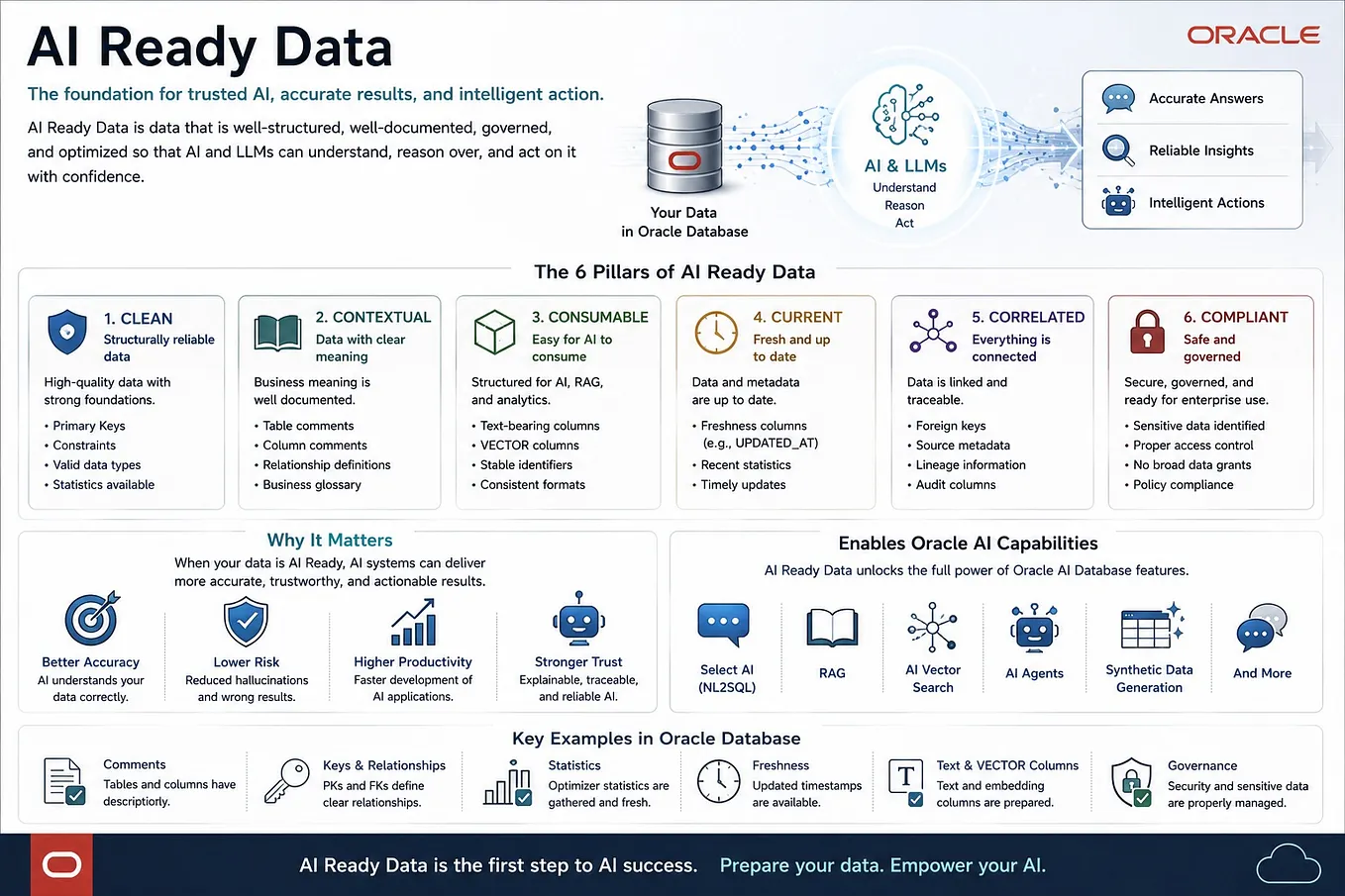
The important question is how to safely access accurate, up-to-date, and permission-controlled enterprise data.
From that perspective, having Oracle Autonomous AI Database available on AWS gives Oracle Database users a powerful new option for enterprise AI and data utilization.
Next, I would like to try Oracle AI Database 26ai Vector Search, RAG, Select AI, lakehouse integration with Amazon S3 and Iceberg, vector search over SharePoint documents, and integration with Amazon Bedrock.
— -
Technical explanation
Bonus
I also created a manga where Zundamon and friends introduce the content of this article. I hope it makes the technical content a little more fun to read.

This manga is an unofficial derivative work created by the author.
Characters used: Zundamon / Shikoku Metan / Kasukabe Tsumugi
The rights to each character belong to their respective rights holders.This manga is an unofficial fan-made illustration and is not affiliated with, endorsed by, or sponsored by Oracle or AWS.
Credits:
— Zundamon / Shikoku Metan: Used in accordance with the guidelines of the Tohoku Zunko and Zundamon Project.
— Kasukabe Tsumugi: Used in accordance with the official terms of use.

References
- Autonomous AI Database
- Oracle AI Database@AWS
- Get Started
- Onboard
- Network
- What’s New
- Regional Availability
- Create Autonomous AI Database (Serverless)
- Public Offer
- What’s New in Oracle Autonomous AI Database Serverless
- Oracle Autonomous AI Database Serverless — Books - - [Oracle AI Database](https://www.oracle.com/database/)
- - [Oracle AI Vector Search](https://www.oracle.com/database/ai-vector-search/)
- - [Autonomous AI Database Select AI](https://www.oracle.com/autonomous-database/select-ai/)
- - [Machine Learning with Autonomous AI Database](https://docs.oracle.com/en/cloud/paas/autonomous-database/serverless/adbsb/oml-machine-learning-autonomous-database.html)
- - [Load Data from Files in the Cloud — Autonomous AI Database](https://docs.oracle.com/en/cloud/paas/autonomous-database/serverless/adbsb/load-data-cloud.html)
- - [Query External Data — Autonomous AI Database](https://docs.oracle.com/en/cloud/paas/autonomous-database/serverless/adbsb/query-external-data.html)
- - [Use Lakehouse with Autonomous AI Database](https://docs.oracle.com/en/cloud/paas/autonomous-database/serverless/adbsb/autonomous-lakehouse.html)
- - [SharePoint Support with DBMS_CLOUD in Autonomous AI Database](https://docs.oracle.com/en/cloud/paas/autonomous-database/serverless/adbsb/sharepoint-support.html)
- - [Oracle Introduces Autonomous AI Lakehouse](https://www.oracle.com/news/announcement/ai-world-oracle-introduces-autonomous-ai-lakehouse-2025-10-14/)
- - [Oracle AI Database@AWS](https://docs.oracle.com/en-us/iaas/Content/database-at-aws/oaaws.htm)
- - [Accelerate generative AI use cases with Amazon Bedrock and Oracle Database@AWS](https://aws.amazon.com/blogs/database/accelerate-generative-ai-use-cases-with-amazon-bedrock-and-oracle-databaseaws/)
- - [Configuring ODB Peering to an Amazon VPC in Oracle Database@AWS](https://docs.aws.amazon.com/odb/latest/UserGuide/configuring.html)