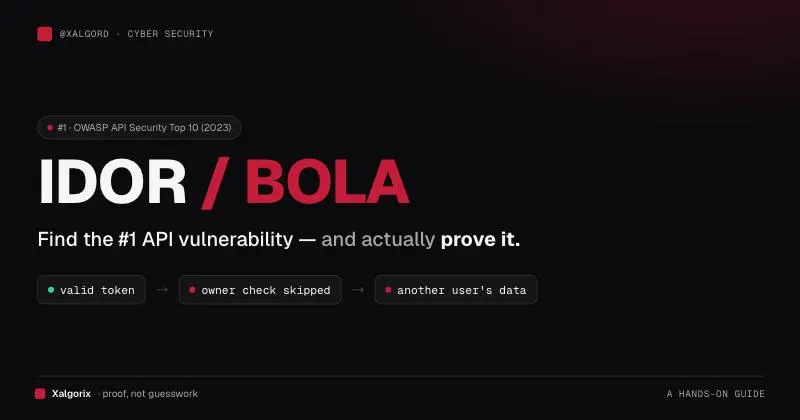
UUIDs Aren’t Exactly Guessable… So How Do You Find IDORs?
When testing APIs, you may encounter endpoints such as:
GET /api/users/123/profileWith sequential IDs, you might try:
123
124
125
126
If the application does not properly enforce authorization, changing the ID may expose another user’s data. This is a classic example of Insecure Direct Object Reference (IDOR).
Modern applications often use UUIDs instead:
550e8400-e29b-41d4-a716-446655440000Because UUIDs are difficult to guess, the testing strategy changes.
Instead of guessing object identifiers, look for where the application exposes valid object references and test whether authorization is properly enforced.
What Is IDOR?
IDOR occurs when:
- An application exposes a reference to an object.
- A user can influence that reference.
- The server retrieves the referenced object.
- The server fails to verify whether the user is authorized to access it.
For example:
GET /api/invoices/12345If Invoice 12345 belongs to Account A and Account B can change the request to another valid invoice and retrieve Account A's data, there may be an authorization vulnerability.
The important question is not whether the identifier is predictable.
The important question is:
Can the authenticated user access an object they are not authorized to access?
UUIDs Change the Testing Strategy
With sequential IDs, the traditional approach is:
Find ID → Change ID → Check responseWith UUIDs, use:
Find object reference
        ↓
Understand the object relationship
        ↓
Use another authorized test account
        ↓
Replace the reference
        ↓
Check authorization
A UUID being difficult to guess does not make it an authorization control.
UUIDs can reduce blind enumeration, but the server must still perform authorization checks for every object access.
1. Start With API Responses
One of the easiest ways to discover object references is through the browser’s:
Developer Tools → Network
Perform normal application actions such as:
- Opening a profile
- Viewing a project
- Opening an invoice
- Viewing an order
- Uploading a document
- Creating a team
- Sending an invitation
- Opening a notification
- Downloading a file
Look at the API responses.
For example:
{
  "id": "550e8400-e29b-41d4-a716-446655440000",
  "name": "Example Project"
}
Or:
{
  "projectId": "7f7c9c3e-6f6c-4d6c-a8e9-123456789abc",
  "ownerId": "b7e3c9c1-1234-4567-8901-abcdef123456"
}
These are legitimate object references provided by the application, so there is no need to guess them.
2. Build an API Map
As you explore the application, maintain a simple map:
| Object | Reference | Endpoint | Method | Owner |
| — — — — — | — — — — — — | — — — — — | — — — — — — | — — — — — — |
| Profile A | UUID-A | `/api/profiles/{uuid}` | GET | Account A |
| Profile B | UUID-B | `/api/profiles/{uuid}` | GET | Account B |
| Project A | UUID-C | `/api/projects/{uuid}` | GET | Account A |
| Document A | UUID-D | `/api/documents/{uuid}` | GET | Account A |
The expected result must come from the application’s intended authorization model.
This helps you understand relationships such as:
User
 ├── Profile
 ├── Projects
 ├── Documents
 ├── Invoices
 ├── Notifications
 └── Invitations
3. Follow Object Relationships
A UUID may not appear directly in the URL. One API response may expose several related objects:
{
  "id": "UUID-A",
  "ownerId": "UUID-B",
  "organizationId": "UUID-C",
  "documents": [
    {
      "id": "UUID-D"
    }
  ]
}
This gives you:
Project      → UUID-A
Owner        → UUID-B
Organization → UUID-C
Document     → UUID-D
Understanding these relationships can reveal where authorization boundaries should exist.
4. Use Two Test Accounts
Two authorized test accounts are extremely useful for IDOR/BOLA testing.
For example:
Account A
   ↓
Project A
   ↓
UUID-A
Then authenticate as Account B and attempt to access the same object:
GET /api/projects/UUID-AIf Account B does not have permission, the application should reject the request according to its authorization model.
Possible denial responses include:
403 Forbiddenor:
404 Not FoundThe exact response depends on the application’s design. The important point is that Account B should not receive unauthorized data.
5. Where Can You Find Object References?
UUIDs may appear in many places.
API Responses
{
  "id": "UUID-A"
}
Lists
{
  "projects": [
    {"id": "UUID-A"},
    {"id": "UUID-B"}
  ]
}
Search Results
{
  "results": [
    {
      "id": "UUID-A",
      "name": "Project Alpha"
    }
  ]
}
Notifications
{
  "notification": {
    "resourceId": "UUID-A"
  }
}
Invitations
{
  "invitationId": "UUID-A"
}
Downloads
GET /api/documents/UUID-A/downloadRequest Parameters
Object references may also appear in:
URL paths
Query parameters
Request bodies
Headers
For example:
GET /api/projects/UUID-AGET /api/projects?projectId=UUID-A{
"projectId": "UUID-A"
}The broader principle is:
Look for object references wherever the application uses identifiers to access data.
6. Watch the Network Tab
Suppose you click:
Projects → Project AlphaThe browser might send:
GET /api/projects/550e8400-e29b-41d4-a716-446655440000Inspect:
- URL
- HTTP method
- Headers
- Query parameters
- Request body
- Response body
- Status code
- Cookies
- Authorization information
You can reproduce requests in a controlled test environment using your authorized test accounts.
For example:
curl -i \
  'https://example.com/api/projects/UUID-A' \
  -H 'Authorization: Bearer YOUR_TOKEN'
The objective is to test authorization, not simply whether the endpoint responds.
7. Don’t Stop at GET
Object-level authorization can affect many operations.
Look for:
GET    /api/projects/UUID-A
PATCH  /api/projects/UUID-A
DELETE /api/projects/UUID-A
Other relevant actions may include:
- Download
- Export
- Share
- Approve
- Archive
- Restore
- Administrative actions
If Account A owns an object, verify that Account B cannot modify or delete it unless the documented permission model allows that action.
Not every POST endpoint is automatically an object-level authorization test. Focus on operations that accept or act upon a specific object reference.
8. Test Search, Notifications, and Invitations
Search functionality can expose object references:
GET /api/search?q=projectResponse:
{
  "results": [
    {
      "id": "UUID-A",
      "name": "Project Alpha"
    }
  ]
}
Similarly, notifications and invitations may contain:
{
  "resourceId": "UUID-C",
  "resourceType": "project"
}
The reference itself is not necessarily sensitive or vulnerable.
Get Tasfia Zaima’s stories in your inbox
Join Medium for free to get updates from this writer.
The important question is what happens when an unauthorized user uses it.
9. Test Downloads and Exports
File-related endpoints are worth checking:
GET /api/files/UUID-A/downloador:
GET /api/reports/UUID-A/exportPotential objects include:
- PDFs
- Invoices
- Reports
- Resumes
- Contracts
- Images
- CSV files
- User-generated documents
If another account can retrieve a protected resource using a reference it should not have access to, this may indicate an authorization problem.
10. Consider Multi-Tenant Applications
Multi-tenant applications require careful attention to tenant boundaries.
For example:
Organization A
 ├── User A
 ├── Project A
 └── Document A
Organization B
├── User B
├── Project B
└── Document BThe server should enforce the appropriate tenant boundary.
Even when every object uses UUIDs, UUIDs do not replace server-side authorization.
11. Test Different Roles
Authorization may depend on the user’s role:
Viewer
Editor
Manager
Administrator
Create a test matrix based on the application’s documented permission model:
Viewer — Project A
- Operation: Read
- Expected Authorization: Based on permissions
- Operation: Update
- Expected Authorization: Based on permissions
Editor — Project A
- Operation: Update
- Expected Authorization: Based on permissions
Manager — Project A
- Operation: Delete
- Expected Authorization: Based on permissions
Do not assume what a role should be allowed to do. Use the application’s documented authorization model.
12. Inspect Frontend JavaScript
Frontend code can help identify API routes and object relationships.
For example:
fetch(`/api/projects/${projectId}`)or:
fetch(`/api/documents/${document.id}/download`)Searching JavaScript bundles for terms such as:
/api/
projectId
documentId
resourceId
organizationId
userId
download
export
delete
update
can help map the application’s API surface.
However:
Finding an endpoint in frontend code is not itself a vulnerability.
It simply helps you understand how the application works.
13. Pay Attention to Error Responses
An endpoint might return:
{
  "error": "Project not found"
}
or:
{
  "error": "You do not have permission to access this project"
}
The exact response depends on the application’s design.
Differences between 403 and 404 are not automatically vulnerabilities. The important issue is whether authorization is consistently enforced.
14. UUID Exposure ≠ IDOR
This distinction is critical.
UUID Exposure
An object reference is visible to the client:
{
  "projectId": "550e8400-e29b-41d4-a716-446655440000"
}
This alone does not demonstrate IDOR.
IDOR / Broken Object-Level Authorization
A user can use that reference to access or manipulate an object they are not authorized to access.
Conceptually:
UUID visible
     ↓
Unauthorized request
     ↓
Protected object returned
     ↓
Potential BOLA / IDOR
The authorization failure is the important part.
15. Don’t Assume Every UUID Is Random
UUIDs can be generated using different versions and implementation strategies.
Therefore:
Do not assume an identifier is secure simply because it looks like a UUID.
At the same time, blindly guessing UUIDs is generally not the primary IDOR testing strategy.
Focus on obtaining valid references through legitimate application behavior and then testing authorization.
16. Follow the Complete Object Lifecycle
Authorization should be considered throughout an object’s lifecycle:
Create
  ↓
View
  ↓
Edit
  ↓
Share
  ↓
Download
  ↓
Export
  ↓
Archive
  ↓
Delete
At each stage ask:
What object reference is being used?
and:
What authorization rule should apply here?
An application may correctly protect one operation while incorrectly protecting another.
17. Practical Beginner Workflow
Step 1 — Create Account A
Create an object:
Account A
   ↓
Object A
   ↓
UUID-A
Step 2 — Capture the Request
Use the browser Network tab:
GET /api/objects/UUID-AStep 3 — Create Account B
Use another authorized test account that should not have access to Object A.
Step 4 — Replay the Request
Using Account B’s authentication context:
GET /api/objects/UUID-AStep 5 — Compare the Response
Check:
Status code
Response body
Returned object
Sensitive fields
File content
Side effects
Step 6 — Test Other Operations
If applicable:
PATCH  /api/objects/UUID-A
DELETE /api/objects/UUID-A
GET    /api/objects/UUID-A/download
Step 7 — Document the Evidence
Record:
Account A
Object A
Object reference
Endpoint
HTTP method
Account B
Request
Response
Expected authorization
Actual authorization
Impact
18. Authorization Test Matrix
A simple matrix can make testing easier:
| Object | Reference | Owner | Tester | Operation | Result |
| — — — — | — — — — — — | — — — — | — — — — | — — — — — — | — — — — |
| Project A | UUID-A | Account A | Account A | GET | Allowed |
| Project A | UUID-A | Account A | Account B | GET | Denied |
| Project A | UUID-A | Account A | Account B | PATCH | Denied |
| Project A | UUID-A | Account A | Account B | DELETE | Denied |
| Document A | UUID-B | Account A | Account B | Download | Denied |
The expected result must come from the application’s intended authorization model.
19. What Makes a Strong IDOR Finding?
A strong finding establishes a clear authorization boundary.
For example:
Account A owns Object A.Account B does not have permission to access Object A.Account B obtains Object A's valid reference.Account B sends the request.The server returns Object A's protected data.
This is stronger evidence than simply saying:
"I changed a UUID and received 200."A 200 OK response alone does not prove IDOR.
You must establish that the object should not have been accessible to that user.
20. What Is Not Enough?
These observations alone do not necessarily demonstrate IDOR:
What Does the Observation Prove?
UUID is visible
- Does it prove IDOR? No
Endpoint returns `200`
- Does it prove IDOR? No
Another user’s UUID was found
- Does it prove IDOR? No
UUID appears predictable
- Does it prove IDOR? Not by itself
API returns `404`
- Does it prove IDOR? No
Application uses UUIDs
- Does it prove IDOR? No
The key question remains:
Does the server enforce authorization for the referenced object?
Final Checklist
When testing an application that uses UUIDs, ask:
- ☐ What objects does the application expose?
- ☐ What references identify those objects?
- ☐ Where are those references returned?
- ☐ Are references present in URLs?
- ☐ Are references present in query parameters?
- ☐ Are references present in request bodies?
- ☐ Are references present in headers?
- ☐ Can I obtain another valid object reference through normal application behavior?
- ☐ Do I have two authorized test accounts?
- ☐ Does Account A own the object?
- ☐ Does Account B lack permission for the object?
- ☐ What happens when Account B uses the reference?
- ☐ Are GET operations protected?
- ☐ Are update operations protected?
- ☐ Are delete operations protected?
- ☐ Are download/export operations protected?
- ☐ Are tenant boundaries enforced?
- ☐ Are role-based permissions enforced?
- ☐ Does the application consistently enforce authorization?
- ☐ Can I demonstrate unauthorized access without guessing or brute-forcing identifiers?
Final Takeaway
UUIDs make blind enumeration much harder, but they do not eliminate IDORs.
The key skill in modern API security testing is understanding how object references move through the application:
Users
  ↓
Objects
  ↓
API endpoints
  ↓
Related resources
  ↓
Authorization checks
When you encounter a UUID, don’t focus only on guessing another identifier.
Instead ask:
Where does this reference come from, what object does it represent, and does the server verify that I am actually allowed to access it?
UUIDs make objects harder to enumerate.They do not make authorization optional.