How to Make a Birthday Video | The Ultimate Beginner’s Guide


Birthdays are highly special occasions for everyone. Sharing standard gifts is nice, but creating a custom video is better. A personalized video shows deep care and effort.
It captures beautiful memories that last forever. Fortunately, modern technology makes the entire process incredibly simple. You do not need professional editing skills to start.
This guide will show you how to make a birthday video easily. Your friends and family will absolutely love this meaningful digital gift.
What Is a Custom Birthday Video?
A custom birthday video is a curated collection of digital memories. It combines old photos, video clips, and favorite songs.
You can create these videos for friends, family, or colleagues. They serve as a modern, dynamic version of a traditional birthday card.
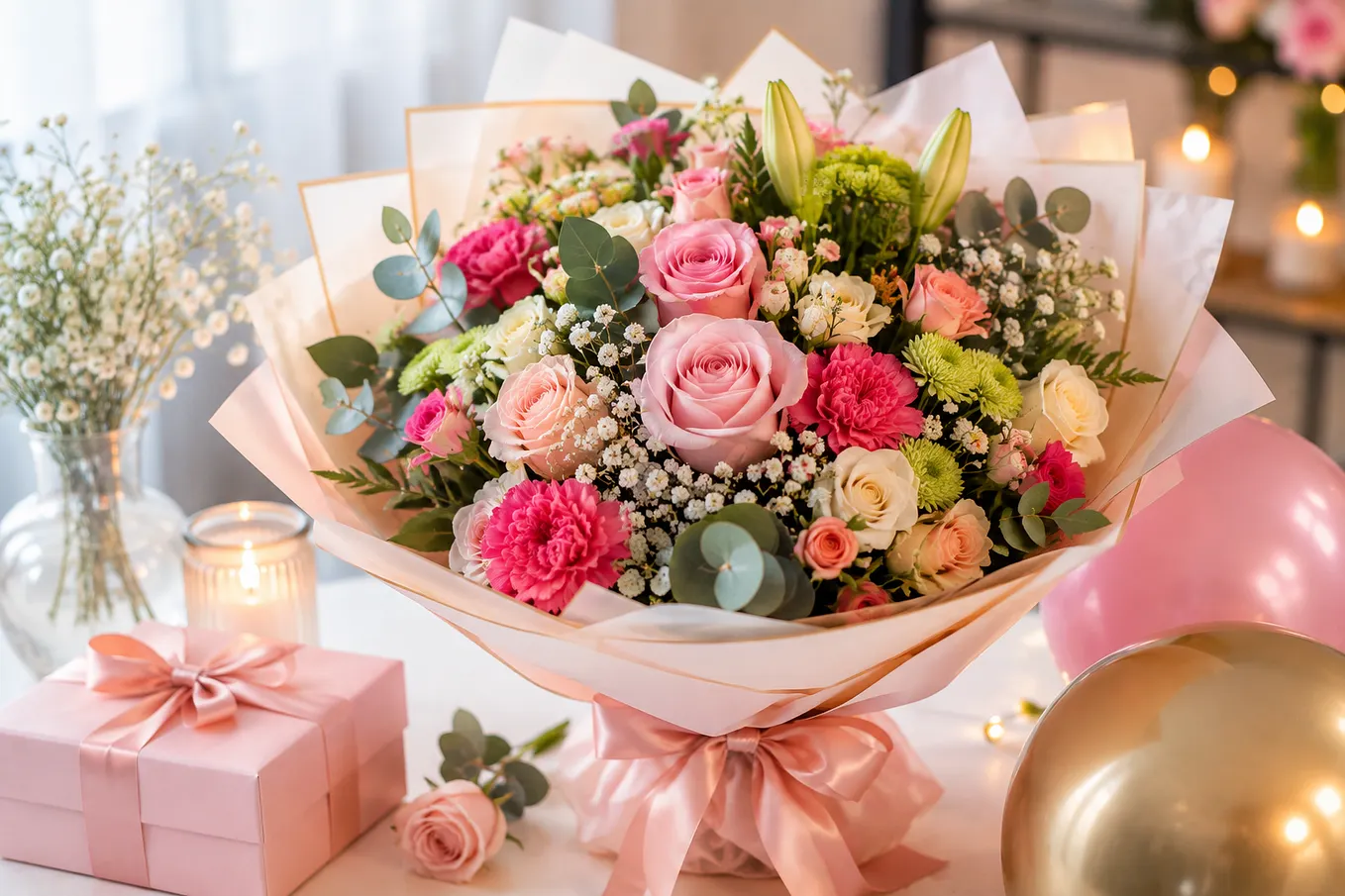
You can also pair the video with thoughtful gift arrangements to make the birthday surprise even more memorable. You can highlight major milestones or funny inside jokes.
The final product is a moving digital keepsake. It can be shared easily across various social media platforms.
Why Is a Great Birthday Video Important?
Traditional gifts can fade or get lost over time. A video remains accessible forever in the digital cloud. For an extra thoughtful touch, you can pair your video with a beautiful flower bouquet.
Relatives living far away can feel closer through shared media. Furthermore, video content triggers strong, positive emotional responses. It brings old, forgotten memories back to life instantly.
A well made video shows genuine love and deep appreciation. It makes the recipient feel incredibly valued and highly celebrated.
How Do You Choose the Best Video Editing Tool?
Choosing the right software makes your project much easier. Beginners should look for intuitive, user friendly interfaces. Many excellent tools offer pre-made templates for quick editing.
Key Features to Consider
- Ease of Use: Look for simple drag-and-drop mechanics.
- Asset Library: Ensure it has good built-in music tracks.
- Export Options: The tool must support high-quality video exports.
- Platform Compatibility: Choose software that works on your device.
Popular Software Options
- Canva: Excellent for simple templates and quick graphics.
- CapCut: Great for mobile editing and trendy transitions.
- iMovie: Perfect for beginner Apple users wanting clean designs.
- Adobe Premiere Rush: Ideal for creators wanting more control.
What Are the Latest Birthday Video Trends?
Staying updated on current trends keeps your video engaging. Modern videos are shorter, punchier, and highly visual. People prefer authentic moments over perfectly staged clips today.
The Rise of Group Montage Videos
Group clips are incredibly popular right now. You can collect short wishes from many distant friends.
Then, you stitch them together into one seamless presentation. This creates a wonderful surprise from the entire community.
TikTok and Reel Style Edits
Short-form vertical videos are dominating the digital space. You can use fast cuts synced to upbeat music.
Get Harry John’s stories in your inbox
Join Medium for free to get updates from this writer.
Add popular filters and fun text overlays for flavor. These styles work perfectly for younger audiences who love social media.
How Can You Get the Best Visual Results?
High visual quality keeps your audience completely engaged. You do not need an expensive professional camera for this. Modern smartphones can capture stunning footage if used correctly.
Simple Steps for Better Recording
- Find Good Light: Always shoot near a bright, open window.
- Steady Your Camera: Keep your hands steady while recording clips.
- Clean Your Lens: Wipe your phone camera lens before shooting.
- Check the Angle: Shoot at eye level for natural framing.
Selecting the Right Audio
Good audio is crucial for a successful video project. Pick a background track that matches the recipient’s personality.
Keep the music volume lower during speaking parts. Clear speech is much more important than loud music.
How to Make a Birthday Video in 5 Easy Steps?
Planning your workflow saves a lot of precious time. Follow this structured process to keep your project organized. Here is how to make a birthday video without any stress.
Gather Your Media Assets
Collect all your photos and videos early. Ask friends to send their media files via email.
Organize everything into a single folder on your computer. This keeps your workspace clean and efficient.
Outline a Simple Storyboard
Decide the exact order of your collected media clips. A chronological order usually works best for milestones.
Start from early childhood and move toward the present day. Or, you can group clips by specific themes.
Import and Trim Your Clips
Open your chosen video editing software. Import your organized media folder into the timeline.
Trim away any long, boring gaps in the footage. Keep the pacing brisk to maintain viewer interest.
Add Text and Transitions
Insert clear text titles for names and dates. Use simple, clean fonts that are easy to read.
Apply smooth, basic transitions between different video scenes. Avoid overusing flashy effects as they distract viewers.
Export and Share the Video
Preview your final project one last time. Check for any typos or bad audio levels. Export the video in a standard MP4 format. Upload it to Google Drive or share it on YouTube.
Final Thoughts
Learning how to make a birthday video is a valuable skill. It allows you to create deeply personal, unforgettable digital gifts.
Always focus on authentic emotional storytelling rather than technical perfection. Start gathering your favorite family photos and video clips today.
You can also make the celebration more special with birthday flowers that complement the video gift.
Frequently Asked Questions
What is the best length for a standard birthday video?
The best length for a birthday video is between two and three minutes total.
Can I make a high-quality birthday video completely for free?
Yes, you can use free tools like CapCut or Canva for editing.
How do I collect video clips from distant family members?
You can collect clips using Google Drive or WhatsApp video sharing features.
How to make a birthday video look professional on a budget?
Use clean cuts, steady lighting, clear audio, and simple text fonts for professional results.
Where can I find safe background music for my project?
You can find free background music inside YouTube Studio or the Pixabay library.