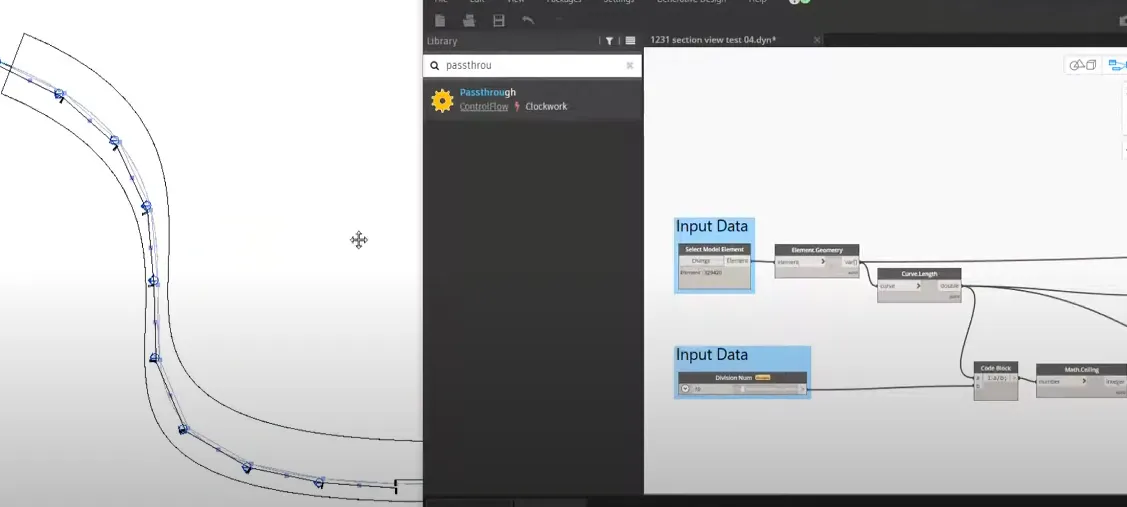
Criteria for Louver Placement: Select a Face, then extract and select the NurbsCurve using [Surface.PerimeterCurves].
Press enter or click to view image in full size
Extract the length using [Curve.Length] to extract points that can be placed at 500mm intervals. Use the [Curve.PointAtSegmentLength] node. The interval can be changed later with an input value.
Press enter or click to view image in full size
Create a rectangle assuming the NurbsCurve is flattened.
Press enter or click to view image in full size
Connecting the NurbsCurve’s length to the input of [Rectangle.ByWidthLength] allows the length value to change automatically when the shape is modified later.
Based on Dynamo and Generative Design, I address automation processes in different fields, including architecture, construction, MEP, and civil engineering.