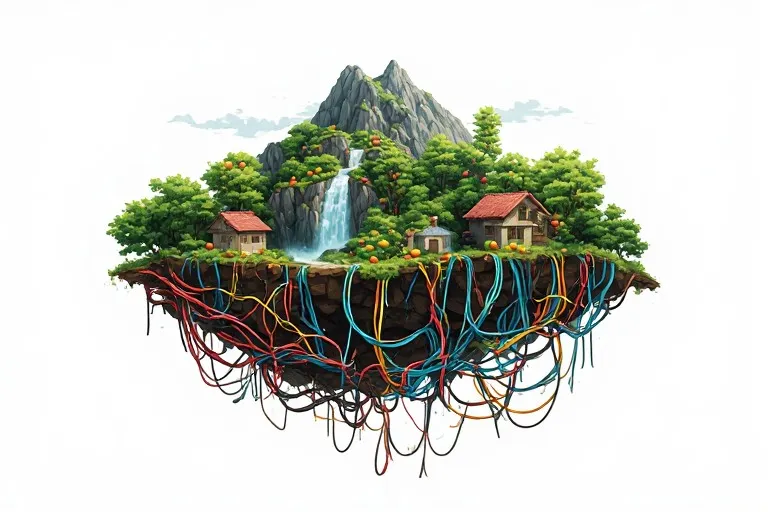
How AI Changed My Design Workflow in 2026
From Grammar Fixes to Vibe Coding, and a Few Funny Mistakes Along the Way

I didn’t start my AI journey like a futuristic designer.
I started it by fixing grammar.
Honestly, if you told my earlier self that I’d use AI one day to build user journeys, generate interfaces, write product strategy, and even vibe-code working prototypes, I would’ve probably said:
“Bro, I just wanted better English for my design case study.”
That’s how it started.
Small. Safe. Harmless.
And then it escalated quickly.
Stage 1: Grammar Fixing & the “Free AI Tool Addiction”

The first AI tool I ever used was ChatGPT for Grammar Check.
At that time, I wasn’t thinking about “AI workflows” or “product thinking.”
I was just trying to make my daily chats, mail, UX case studies sound less like… well… broken English.
Then I discovered something dangerous: free AI tools.
And that’s when things went downhill.
I went into full exploration mode:
- Grammar checkers
- Rephrasing tools
- “Write me a LinkedIn post like Steve Jobs” tools
- Resume boosters
At one point, I had like 12 tabs open just comparing “FREE AI WRITING TOOLS 2024 (NO SIGNUP)”.
And I remember thinking:
“Why are all of these free? What is the catch?”
Spoiler: I still don’t fully know.
Stage 2: The First Confusion: What is RAI?

Then came my first serious confusion.
I came across something called RAI (Responsible AI).
And my brain interpreted it as:
“Oh cool, another AI model like GPT.”
So I went around confidently telling someone:
“Yeah I’ve used RAI also.”
They looked at me like I had just invented a new religion.
Later I realized:
It wasn’t a tool. It was a principle framework about ethics, fairness, and safety in AI systems.
That was my first humbling AI moment.
Stage 3: Comic Universe Builder Era

This was the most experimental phase of my AI journey — the visual storytelling phase.
I wanted to go beyond generating single images and actually build a consistent comic-style narrative using AI.
At first, it was frustrating. Used ChatGPT and Adobe Firefly (before nano-banana era).
Characters kept changing faces, styles kept shifting, and continuity was almost impossible to maintain. Every image felt like it belonged to a different universe.
So I explored more niche AI tools focused on character consistency, scene continuity, multi-frame storytelling
(Some worked better than others.)
Slowly, I realized the key skill wasn’t just generating images — it was maintaining visual continuity across scenes.
So I started refining my workflow:
- Reusing character definitions consistently
- Building scene-by-scene prompt chains
- Tight control over style and descriptions
Over time, the output shifted from random images to a connected visual narrative.
That’s when it clicked:
AI is not just for creating visuals.
It’s for building continuity of imagination.
And this phase made me think differently about design — not as isolated screens, but as story-driven experiences.
Stage 4: The FOMO Phase : Am I Already Behind?

This is where things got emotionally interesting.
Every week there was a new announcement:
- “New AI that designs entire apps”
- “AI that replaces Figma”
- “AI that codes better than developers”
- “AI that designs AI”
And I started feeling something very specific:
FOMO.
Not just normal FOMO.
Design FOMO + career FOMO + existential FOMO.
Get Avinash Kumar’s stories in your inbox
Join Medium for free to get updates from this writer.
I remember thinking:
“If I don’t learn this tool in 2 days, am I even a designer anymore?”
Meanwhile, I was still struggling to align a button properly in auto-layout.
Stage 5: The Shift: AI as Partner

After the chaos settled, something interesting happened.
I stopped treating AI like a “tool collection.”
And started using it like a thinking partner.
Now I use AI for:
- User journey creation
- Edge case discovery
- UX writing exploration
- Product idea validation
- Information architecture drafts
Instead of staring at a blank screen, I now start with:
“Give me 3 ways this user flow could break.”
And honestly… it is very good at breaking my confidence and my assumptions.
Stage 6: Context Understanding When AI Started “Getting It”

This was the real turning point.
AI stopped feeling like:
“Ask → Answer”
And started feeling like:
“Context → Memory → Suggestion → Improvement”
It began understanding:
- Project goals
- User problems
- Product constraints
- Even tone of communication
At some point, I realized:
I was no longer explaining everything from scratch.
And that is when it started feeling powerful… and slightly scary.
Stage 7: Knowledge Planner: My Second Brain Problem

Then I did something dangerous again.
I started feeding everything into AI:
- Notes
- Research
- UX decisions
- Design references
- Ideas at 2 AM that I don’t fully understand anymore
And suddenly AI became my:
“Where did I save that idea?” replacement system.
The problem?
Now I don’t remember if I thought of something…
or if AI suggested it and I just agreed.
Stage 8: Vibe Coding: Designers Who Accidentally Became Builders

This is the stage I didn’t expect.
I am not a “developer.”
But with AI tools, I started:
- Building UI prototypes that actually work
- Creating landing pages
- Testing product ideas instantly
- Building small internal tools
This is where “vibe coding” entered my life.
It feels like:
“I explain vibes… and code appears.”
Sometimes it works beautifully.
Sometimes it breaks completely and I pretend I understand the error.
Final Reflection: The Real Change Wasn’t AI
The funny thing is…
AI didn’t just change my workflow.
It changed my behavior:
- From guessing → to exploring
- From static thinking → to rapid iteration
- From isolated design → to system thinking
- From “I need to know everything” → to “I can explore anything quickly”
And yes, I still sometimes open 10 AI tools at once and forget why.
But now I know something important: AI is not replacing designers :)
It is just removing the excuses we used to have for not exploring enough.