InMusings of a software architectbyTony Hickman·Jan 9Batch Processing FileNet Documents with MCP ToolsOften “Batch” is seen as a bad term but there are still a LOT of areas where “batch” processing is the sensible architectural approach…
P8 Hub🍁·Feb 15, 2025Creating a Case Using the FileNet P8 Java APIIn this code, I am passing case property values, case type, and solution name as method parameters. The case properties are being passed as…
P8 Hub🍁·Jan 20, 2025Search BAW Processes and Tasks with TWSearch QueryYou can use a JavaScript TWSearch object to get data from process and task instances. It lets you choose which details to retrieve, set…
P8 Hub🍁·Jan 16, 2025Retrieving Case Properties of a Case Using FileNet CE Java APIIn this code, searchKey and searchVal are used to filter out the case folder.
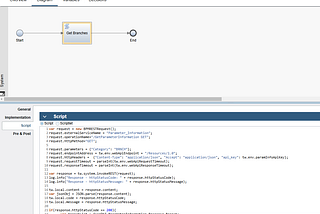
P8 Hub🍁·Jan 15, 2025Invoking a REST Service in IBM BAW Through an External Service Flow (Version 20.0.0.1 or earlier)IBM Business Automation Workflow (BAW) Process Center offers comprehensive capabilities to create External Service Flows that facilitate…
P8 Hub🍁·Jan 12, 2025Adding a Document to a Case Using FileNet CE Java APIIn this sample code, a ByteArray stream, document name, document class, and CaseFolder ID are passed as method parameters. To attach a…
P8 Hub🍁·Jan 6, 2025Connecting to Process Engine (PE) with FileNet Java APIBelow is a sample code snippet that demonstrates how to connect to the Process Engine (PE) using the FileNet Java API and purge certain…A response icon1A response icon1
P8 Hub🍁·Jan 1, 2025Add Case Page Field Updated Event in FileNet Case ManagerIn this scenario, the value of the Gender field is updated automatically whenever the Salutation field’s value changes. This behavior is…
P8 Hub🍁·Dec 26, 2024Setting Dropdown Field Options Dynamically in the Case Manager Work Details PageTo dynamically populate a dropdown field in the Work Details page of IBM Case Manager, follow these steps:A response icon1A response icon1
P8 Hub🍁·Dec 25, 2024Dynamically Hide Fields in Case Manager Work Details PageAdd a Script Adapter to the Work Details page and configure the wiring as follows: