InApple TechbyAnil Kumar Bakkashetti·5d agoYour iPhone Backup Doesn’t Prove Your Photos Are SafeBefore you erase, trade in, or clear out your iPhone, check the photo status that a successful backup cannot confirm.
Hina Javed·Nov 3iCloud+ vs. Google One: Which Cloud Storage is Better for iOS UsersBoth iCloud+ and Google One offer cloud storage, file synchronization and additional features but they differ in pricing, privacy, device…
Dilan the techie·Oct 317 Ways to Free Up iPhone Storage That Most People MissThe “iPhone storage is full” warning usually arrives at a bad moment, such as when taking a photo or installing an app. Deleting photos and…
Teacher Zawa | A friendly teacher for AI beginners·Oct 28ChatGPT Can Now Connect to Your iCloud Mail and Calendar. Decide Two Things FirstBefore you connect: when ChatGPT should ask you, and what the training setting does. A beginner’s guide.
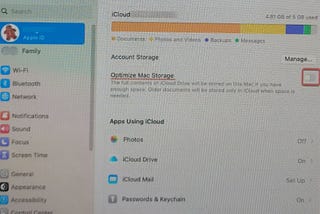
Sylvia Nora·Oct 20Why I Can’t Remove iCloud Drive Downloads on macOS SonomaI want my iCloud Drive files available when I need them, but I don’t necessarily want every file taking up space on my Mac.
Dilan the techie·Oct 175 iCloud+ Features You’re Probably Paying For and Not UsingMany iPhone owners pay Apple a little every month because the phone keeps warning that storage is full. That small payment buys more than…
InApple TechbyAnil Kumar Bakkashetti·Oct 15Your Deleted iPhone Photos May Not Get 30 DaysApple documents an iCloud storage condition that removes your usual recovery window. Check this before a bulk clear-out.A response icon1A response icon1
InILLUMINATIONbyHernan M·Oct 10iCloud Photos Is Not a Backup. Deleting From Your iPhone Deletes It Everywhere.Why “iCloud storage full” tempts people to delete photos from the iPhone and keep them in iCloud, what iCloud Backup quietly skips, and…