Analytics help center screenshot

Analytics service management template

Capture, triage, and manage all your analytics and data requests

BEST FOR

  • Analytics teams

KEY FEATURES

  • Request types

  • Help portal

  • Queues

  • Automation

Analytics help center screenshot

What is an analytics service management template?

The analytics service management template is designed for analytics and data teams that want to capture, triage, and manage requests in one location and help employees access the data and insights they need.

What does the analytics service management template include?

Capture relevant information

Use editable request types for common analytics support issues or create your own that are specific to your team’s analytics support services.

How to get started with the Analytics service management template

Manage all your analytics requests in one location and help your employees access the data and insights they need.

  1. 1

    Set up your help center and portal

    The help center is where employees can submit requests and access your self-service knowledge base. Set up the welcome message, announcements, and layout. Learn more.

  2. 2

    Customize your request types

    Help customers and agents by using tailored analytics request types, or even creating your own. Learn more.

  3. 3

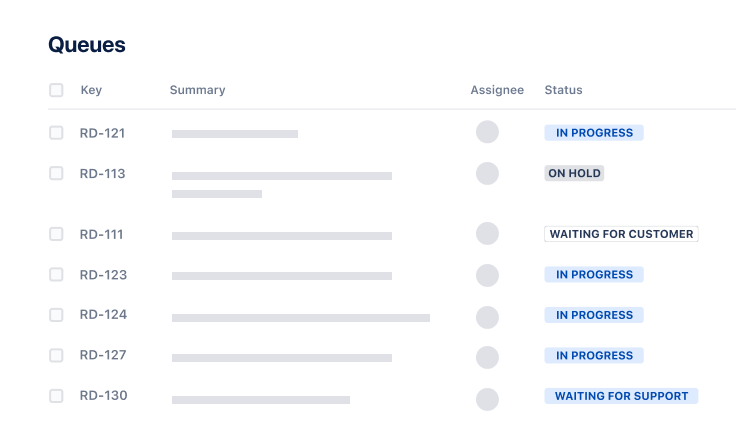
    Organize your queues

    Help customers and agents by using tailored finance request types, or even creating your own. Learn more.

  4. 4

    Add agents

    It’s time to get the party started! Add agents to your service project team. Learn more.

  • Promote self-service

    Help employees find answers to common questions and locate relevant reports, dashboards, and models using a service portal. Set up a knowledge base to show relevant articles and help answer inquiries.

  • Make work visible

    Bring together requests from multiple channels like email, chat tools, and portals. Use workflows to track progress, and queues to help organize requests by priority and see what others are working on.

  • Amplify your team’s greatness

    Dive into customer satisfaction reports to quantify the value your team brings to the organization. Celebrate your team’s work with reports and dashboards, and use these metrics to improve and optimize your service experiences.

Related templates

Operations

General service management template

Collect, prioritize, and manage requests for any business teams.

Service Management

IT service management template

Intake requests, set up alerts, raise incidents, and fix issues quickly.

Marketing

Marketing service management template

Manage and track all your marketing requests.

Related resources

GUIDE

How to use Atlassian Analytics in Jira Service Management

Learn how to optimize Jira Service Management to meet your analytics team’s unique needs.

GUIDE

How Enterprise Service Management works in Jira Service Management

Learn how to scale Jira Service Management across your organization.

GUIDE

The Atlassian approach to ESM

Learn Atlassian’s insider tips and tricks for getting enterprise service management up and running.

Ready to use this free template?

Use template