
If you’re deciding between Windows 10 and Windows 11, the choice depends on your hardware, needs, and future plans. Windows 11 offers a modern design, better multitasking, stronger security, and AI features, while Windows 10 remains familiar and reliable.
Note: Microsoft officially ended Windows 10 support on 14 October 2025, meaning no further security updates or feature improvements are available.
Key Differences: Features
Before moving towards the detailed difference between Windows 11 and Windows 10, explore this table to get an overview of what actually changed in Windows 11.
| Feature | Windows 11 | Windows 10 |
|---|---|---|
| User Interface | Fluent Design, centered Start Menu & Taskbar | Classic Start Menu & Taskbar |
| System Requirements | TPM 2.0, 4GB RAM, 64GB storage | Lower requirements |
| Widgets | Integrated Widgets panel | Not available |
| Virtual Desktops | Snap Layouts & Snap Groups | Basic snapping |
| Touch Controls | Optimized for touch devices | Limited touch features |
| Gaming | Auto HDR, DirectStorage | Standard gaming |
| Microsoft Store | Redesigned, limited Android app support | Traditional Store |
| Security | TPM 2.0, enhanced Windows Hello | Standard security |
| Task Manager | Modern UI, better tracking | Traditional layout |
| File Explorer | Redesigned interface | Classic File Explorer |
| Start Menu | Simplified, pinned apps | Tile-based |
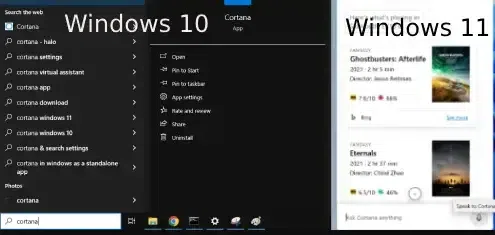
| Cortana | Separate app (largely deprecated) | Integrated in Taskbar |
| Updates | Fewer interruptions | More frequent restarts |
| Hardware Compatibility | Best for newer hardware | Works on older PCs |
| AI Features | Built-in Copilot | Not available |
1. User Interface
Windows 11:
- Features a modern Fluent Design with rounded corners, smoother animations, and a centered Start Menu and Taskbar for a cleaner look.

Windows 10:
- Retains the classic, familiar Start Menu and Taskbar that have been around since Windows 7. The interface is more traditional and functional but less modern in terms of design.
2. System Requirements
- Windows 11 requires newer hardware and TPM 2.0 for enhanced security.
- Windows 10 runs well on older systems with lower requirements.
| Component | Windows 10 | Windows 11 |
|---|---|---|
| Processor | 1 GHz or faster (64-bit) | 1 GHz+, 2 cores (64-bit) |
| RAM | 2 GB | 4 GB |
| Storage | 32 GB | 64 GB |
| Graphics | DirectX 9 / WDDM 1.0 | DirectX 12 / WDDM 2.0 |
| TPM | Not required | TPM 2.0 required |
3. Multitasking and Virtual Desktops
Windows 11:
- Offers Snap Layouts and Snap Groups which enhances multitasking experience for quickly arrange and manage apps. In addition, Virtual desktops have improved functionality with better animations and the ability to organize workspaces more intuitively.
Windows 10:
- Provides basic multitasking through Task View, but the snap features and virtual desktop functionality are not as advanced or flexible.
4. Microsoft Store and App Support
- Windows 11: Features a redesigned Microsoft Store that now supports Android apps via the Amazon Appstore.
- Windows 10: This version have the traditional Microsoft Store and lacks support for Android apps with limited applications.

5. Security
- Windows 11: Upgraded with significant boost in security (TPM 2.0 and Windows Hello) for biometric authentication. These features make it a more secure platform, especially for users with high-security needs.
- Windows 10: Offers solid security features like BitLocker and Windows Defender, it lacks the newer security protocols found in Windows 11.
Security Feature: Comparison Chart (Win 10 vs. Win 11)
| Feature | Windows 10 | Windows 11 |
|---|---|---|
| TPM | Optional | TPM 2.0 mandatory |
| BitLocker | Available | Improved with TPM |
| Secure Boot | Supported | Required |
| Windows Hello | Standard | Faster & more secure |
| Ransomware Protection | Basic | Enhanced |
| Windows Sandbox | Available (Pro/Enterprise) | Improved isolation |
6. Start Menu & Cortana
- Windows 11: The Start Menu is completely redesigned with a simplified, centered layout, featuring pinned and recommended apps.
Cortana, Microsoft’s virtual assistant, is no longer integrated into the taskbar and is now a separate app.
- Windows 10: Retains the traditional tile-based layout with limited options for customization in the Start Menu. Also, the Cortana is integrated directly into the taskbar, but its functionality is less advanced compared to Windows 11.
7. AI Features Copilot
- Windows 11: Copilot integrates directly into the OS, offering intelligent assistance across a variety of apps and services such as Mail Composure, Creating charts, Documents Summarization and much more.

- Windows 10: Does not supports Copilot feature.
Performance Difference of Windows 11 and Windows 10
Well, we know that GUI matters, but what about the performance? Here in this section we have created a table that provides you the performance matrices of Windows 11 and Windows 10. So if you are planning to switch from Windows 10 to Windows 11, then keep these performance matrices in your mind.
| Performance Area | Windows 11 | Windows 10 | Notes |
|---|---|---|---|
| Boot Time | 9 | 8 | Faster on SSDs & modern hardware |
| App Launch Speed | 8 | 8 | Nearly identical |
| Multitasking | 9 | 7 | Better window management |
| Gaming | 8 | 8 | Similar performance |
| Responsiveness | 8 | 8 | Hardware dependent |
Overall Ratings
- Windows 11: 8.4 / 10
- Windows 10: 7.8 / 10
Note: In our testing, Windows 11 scored 8.4 overall, outperforming Windows 10's 7.8. However, these scores may vary depending on your hardware, so be sure to assess performance on your specific system as well.
8. Gaming Experience
- Windows 11: Offers advanced gaming features such as Auto HDR for improved visuals, DirectStorage for faster loading times, and better integration.
- Windows 10: It also provides a good gaming experience, (excluding gaming technologies). It provides solid performance but lacks the latest gaming innovations.
Gaming Experience: Comparison Chart (Win 10 and Win 11)
| Gaming Feature | Windows 10 | Windows 11 |
|---|---|---|
| Game Load Times | Standard load times | Direct Storage for faster load times, reducing bottlenecks |
| Graphics Quality | Standard HDR (if supported) | Auto HDR for better visual experience, even in older games |
| Game Performance | Standard DirectX 12 support | Direct Storage for faster and smoother loading of large open-world games |
| Frame Rate Optimization | Basic frame rate stability | Enhanced performance with higher and more stable frame rates, especially for higher-end GPUs |
| Gaming UI | Classic taskbar and notifications | Gaming Widgets for real-time performance monitoring, Xbox Game Bar enhancements |
| Gaming Features | Limited support for next-gen gaming features | Xbox Game Pass integration; Enhanced Game Mode and support for next-gen hardware |
| Multiplayer Gaming | Standard multiplayer experience | Auto HDR, Direct Storage, and better networking support for seamless multiplayer |
| VR/AR Support | Basic VR/AR support | Advanced VR and AR support with better GPU utilization and performance tuning |