
 Meet Maggie, PCMag's
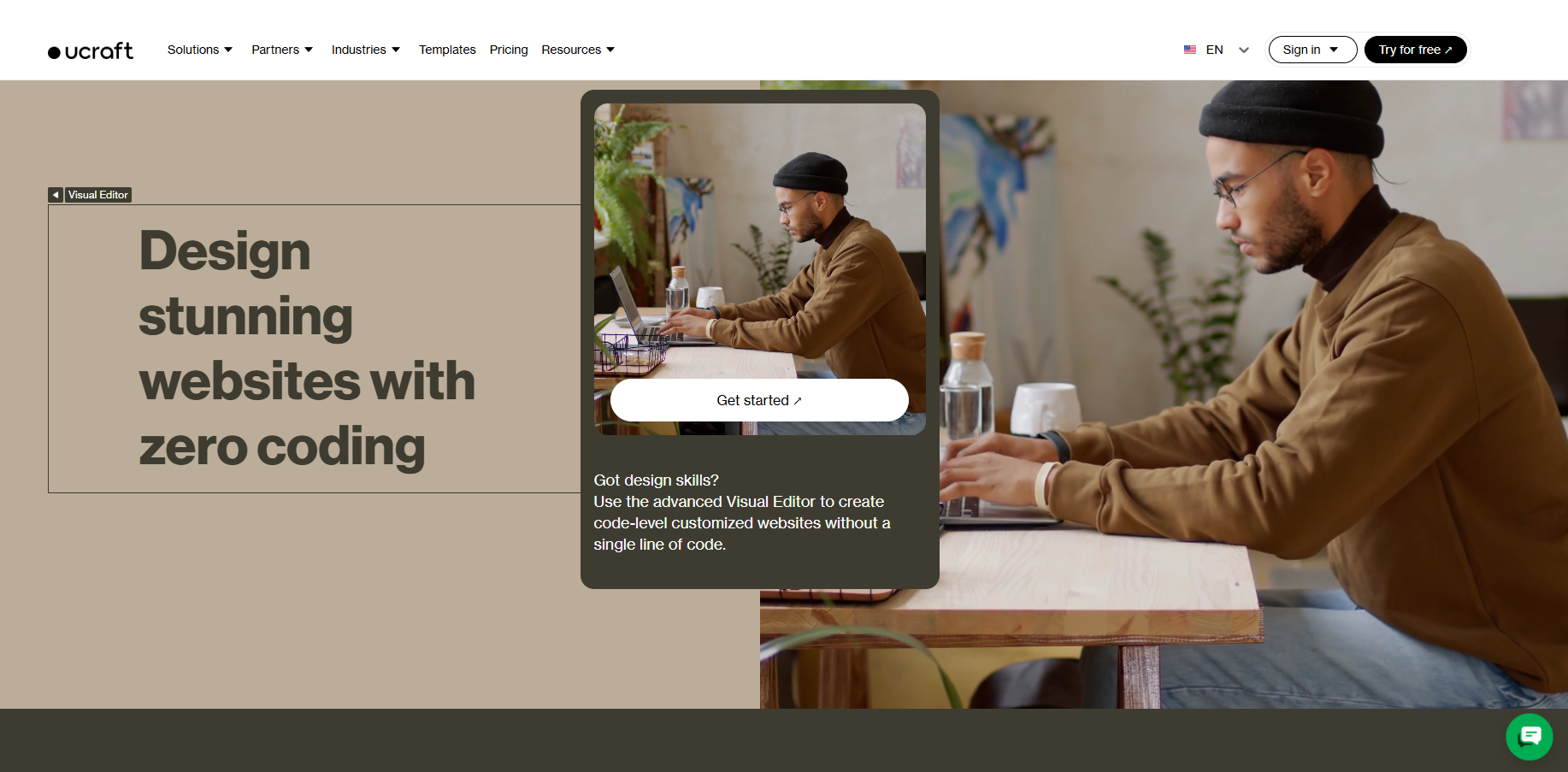
In the early days of the internet, you couldn't build a website without coding. These days, services like Ucraft, one of many website builders we've tested, help you create a web presence without needing to code. It lets you whip up beautiful, modern, mobile-friendly pages with tools that bring the site builder further in line with rival services. However, Ucraft's interface is less intuitive than those of its competitors, and its free and cheapest versions are disappointingly limited. Since our last review, Ucraft has revamped its price tiers and AI features. Overall, Ucraft is a good tool, but you'd be better off creating a website with Duda or Wix, our Editors' Choice winners for premium and free website builders, respectively. The former offers more intuitive site-building tools, while the latter has more than 2,000 templates.
You get started by signing up for an account, which requires only a name, email address (with verification), and password. You can start with a free account, which includes Ucraft branding, an SSL certificate, 24/7 support via web chat, unlimited monthly data transfers, 15 pages, and limited website customization. Unlike Wix, Ucraft imposes numerous limitations on free site design options (more on that later), and you can only create one site per account.
Paid accounts start at $6 per month for the Website tier, which removes Ucraft branding and includes a custom domain name. For $10 per month, you gain the ability to sell up to 15 products online, along with unlimited pages and bandwidth. It also comes with advanced site customization options, which we wish were included in the base paid tier. Next up the ladder is Pro Shop ($21 per month), which increases the product ceiling to 1,000 and adds more online store features. Ucraft's top-level eCommerce Unlimited plan ($69 per month) features unlimited products, inventory locations, and page collection items.
Ucraft's pricing is generally in line with other website builders. For comparison, Wix starts at $17 per month and increases to $159 for its top business offering. Meanwhile, Squarespace charges between $25 and $139 per month. All tiers also include a 14-day free trial, similar to Duda.
Similar Products





Webflow Website Builder

As with just about every other DIY online website builder, you get started by selecting a template. The designs are stylish, with many featuring full-page images and minimal navigation. However, Ucraft has a little more than 120 templates in total, while Wix has more than 2,000. Once you choose a template, you must select a domain name. Free sites get domains in the form of yoursitename.ucraft.ai.
Starting my testing with a free account, I discovered that the full customization options are not available to free or even base paid account holders. That's unfortunate; Weebly and Wix's free versions provide nearly all the same features as their paid counterparts, aside from e-commerce and larger storage and bandwidth options.
With a more premium account, you can use the usual page design elements: Images, galleries, titles, paragraphs, videos, icons, logos, buttons, and social buttons. I like that there's a search field within the widgets, blocks, and overlays panel to quickly find items. Most elements let you add hover and load effects, such as slide-ins and reveals. Ucraft's logo builder is a helpful feature that sets the service apart from many of its rivals. With it, small businesses without the resources to hire a professional designer can whip up a logo in a few easy steps.

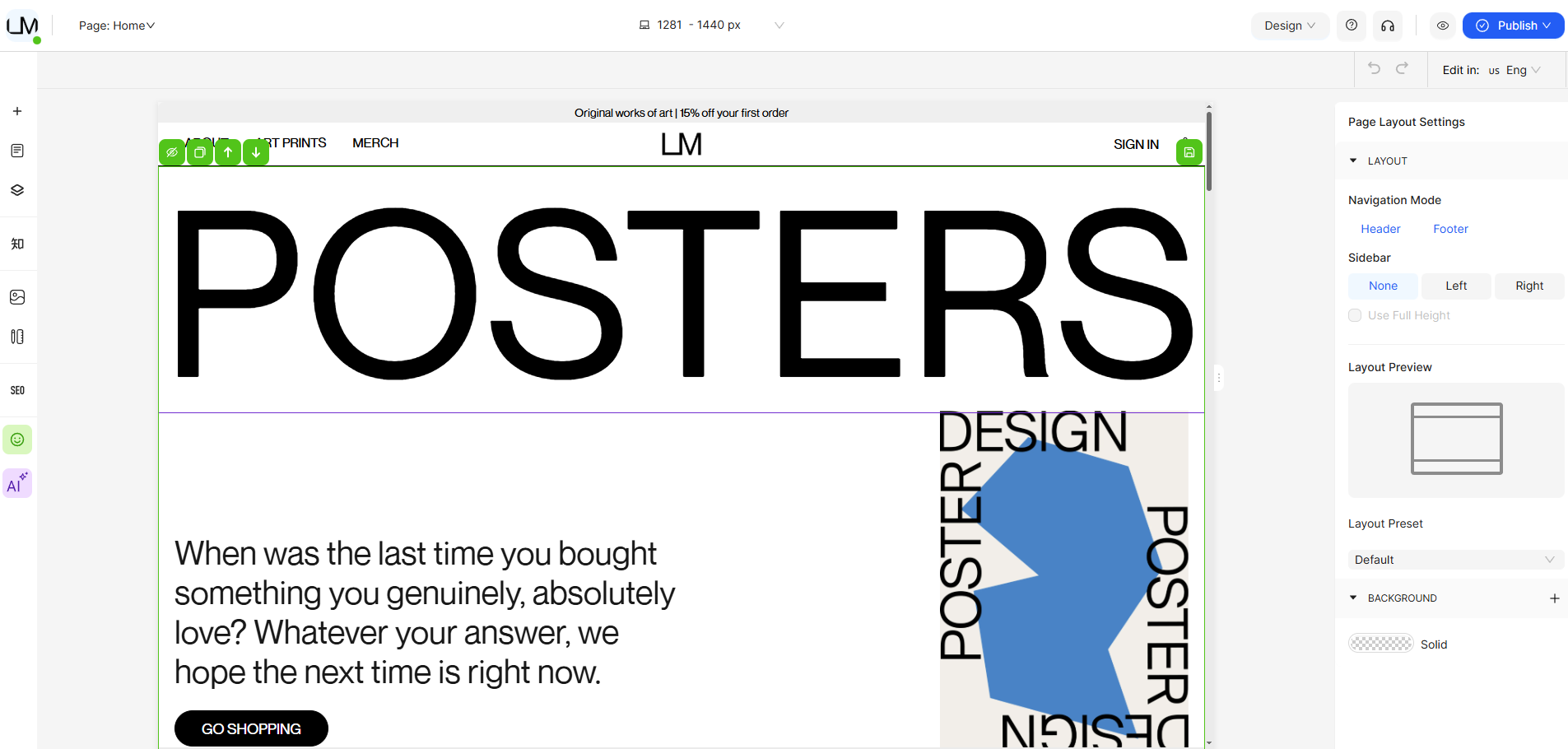
The interface, on the other hand, is a bit clunky. You can drag and drop site elements, but you're limited in where and how you can place them on the page. Everything snaps into predetermined grid spots, but I wasn't always sure where an element would move while I dragged it. However, section dividers guide you as you drag elements. It's not as intuitive as Duda or Wix.
Separate from the building page is the Designer Tools page, where you adjust title fonts and change layout options (the latter lets you adjust the space between elements and blocks). Double-clicking text allows you to adjust its font, size, spacing, and color.
You can upload multiple JPGs from your PC or select images from a curated, searchable collection of free stock photography. Ucraft helpfully saves all your uploaded photos, allowing you to reuse them elsewhere on the site (but not on any other Ucraft sites you may have). Your options for video embedding are Vimeo and YouTube, though you can also upload an MP4 file.
Ucraft features basic photo editing tools to help you tweak the brightness, contrast, and color saturation of your images. You can crop images, choose load animations, and rotate and scale images.
The website builder provides a range of quality options for adding pages to your site. You start doing so from the Dashboard's Pages button. The overall template you chose determines what pages are initially included in your site. Of course, you can add to and delete these, but you may not see page types like Store when you add a page. You can, however, duplicate a template page or just create and customize a blank one. You can also password-protect individual pages for security or paywall purposes.
Ucraft also has blogging templates. The blog maker lets you save a draft, schedule a post, apply tags, add categories, and assign multiple authors. You can also enable comments, but that requires a Disqus account. After you create a post, it appears on your Articles Dashboard page.
Unfortunately, Ucraft makes your site live by default as soon as you start editing it. I prefer builders that let you save a version before making it live, such as Wix. But you can set your site to Offline in Site Settings to avoid this. The Settings page also lets you password-protect your site, set a favicon, and enable caching. The last option only works with custom domains and results in faster page load times. But you must remember to clear the cache when you update the site. A versioning feature is tied to this caching, allowing you to test different site content on your custom domain versus your Ucraft.com subdomain.
Previously, Ucraft's AI tool was called Ucraft Copilot. It generated layouts, designs, and descriptive text based on your prompts. However, in my most recent testing, I could no longer find that feature, and Ucraft's (AI-powered) support chatbot had nothing to say about it either. Ucraft's AI functionality now appears to revolve around Hoory, an AI-powered customer service assistant you can integrate into your site.
Ucraft also lets you connect your site to a variety of external services to enhance its functionality, from HubSpot and Mailchimp to LiveAgent and Zendesk. Chances are that some of those integrations include AI features as well. Overall, our stance remains that users should avoid AI website builder tools in order to preserve the humanity of their sites.
With a paid Basic Shop account, you gain Ucraft's robust e-commerce options. Some e-commerce blocks are essentially online catalog pages with customizable layouts. But to actually change commerce options, such as price, you must visit the dashboard's eCommerce page. There, you add products, set up payment gateways, and even enter shipping and tax options. The initial payment services include PayPal and Square. Higher eCommerce tiers include more than 50 payment options and more than 20 shipping methods.
You can bulk-update a group of selected products and import them via the CSV, LiteCommerce, or XCart formats. Sharing your store on eBay, Facebook, and most other online marketplaces is easy, with built-in options. You can sell downloads and subscriptions, conduct email marketing campaigns, and create discount coupons for your products. Ucraft checks all the boxes for adding online selling to your site.
If you're trying to grow your audience, Ucraft provides a built-in analytics tool in the dashboard. You can track the number of visitors to your site, along with other key details such as location and device used. The analytics page also displays financial data, including your store's profit. SEO tools indicate whether your pages are optimized, which is necessary to get them in front of as many people as possible.
One cool option I haven't seen in other site builders is the Visibility feature in Ucraft's context menus. With it, you can choose which device display types an element appears on. It's a boon to customization because a large image that works well on desktop browsers may look awful on smartphones or tablets. However, Ucraft lacks a tool for editing your site's design on a mobile device.
Ucraft has an app for managing your store and products from the road—as long as you have a Pro Shop ($21 per month) account or above. It offers advanced features, such as abandoned-cart emails to prospective buyers. It's a comprehensive and well-executed e-commerce feature for interacting with potential customers.

I found the people (or robots) behind Ucraft's help chat (available 24/7) attentive and knowledgeable. In fact, it reached the point where I felt someone was always watching me build the site. A help button is located in the lower-right corner of every screen. It directs you to a well-stocked support page featuring tutorials on frequently needed topics, including Getting Started, Designer Tools, and Logo Creation. Ucraft also lets you monitor its uptime. In testing, even with occasional brief server errors, Ucraft proved very stable.
Final Thoughts
 (Credit: Ucraft)
Ucraft Website Builder
- 5.0 - Exemplary: Near perfection, ground-breaking
- 4.5 - Outstanding: Best in class, acts as a benchmark for measuring competitors
- 4.0 - Excellent: A performance, feature, or value leader in its class, with few shortfalls
- 3.5 - Good: Does what the product should do, and does so better than many competitors
- 3.0 - Average: Does what the product should do, and sits in the middle of the pack
- 2.5 - Fair: We have some reservations, buy with caution
- 2.0 - Subpar: We do not recommend, buy with extreme caution
- 1.5 - Poor: Do not buy this product
- 1.0 - Dismal: Don't even think about buying this product
Read Our Editorial Mission Statement and Testing Methodologies.
Ucraft is a powerful website builder offering sleek, modern design options and the ability to password-protect any page. Overall, its store builder provides nearly everything a small online shop could want, including good image editing tools and built-in analytics. Still, performing many tasks in Ucraft isn't as smooth and intuitive as in other providers, and its free tier isn't very viable. For a more complete website builder, consider our Editors' Choice winners: Duda, for its premium mobile options, and Wix, for its extensive site-building features and capable free plan.
STILL ON THE FENCE?
About Our Expert
My PCMag career began in 2013 as an intern. Now, I'm a senior writer, using the skills I acquired at Northwestern University to write about dating apps, meal kits, programming software, website builders, video streaming services, and video games. I was previously a senior editor at Geek.com and have written for The A.V. Club, Kotaku, and Paste Magazine. I'm the author of the gaming history book Video Game of the Year: A Year-by-Year Guide to the Best, Boldest, and Most Bizarre Games from Every Year Since 1977, and the reason everything you know about Street Sharks is a lie.
- Webflow Website Builder Review: A High-Quality CMS With Lots of Upselling
- Returning to Vice City Put Me in the Perfect Mood for GTA 6
- Weebly Website Builder Review: Good Features, Limited Customization
- Strikingly Website Builder Review: Refreshingly Simple Layouts, But Limited Customization
- Hostinger Website Builder Review: Easy, Affordable, and All-In on AI
- More from Jordan Minor


