
 Meet Maggie, PCMag's
Losing control of your online accounts after a data breach is a nightmare scenario, but hardware security keys, such as the Yubico Security Key C NFC ($29, as tested), are effective tools for keeping bad actors at bay. The Security Key C NFC supports the latest multi-factor authentication (MFA) options, and it stores passkeys. Best of all, it delivers Yubico's signature high-quality design at a fraction of the cost of the professional-level YubiKey line. That earns the Security Key C NFC an Editors' Choice award and an exemplary five-star rating.
The Security Key C NFC is $29 and supports the following authentication standards: FIDO2 CTAP1, FIDO2 CTAP2, Universal 2nd Factor (U2F), and WebAuthn. That's enough to handle just about any login scenario the average person will encounter when securing an online account. You can also store up to 100 passkeys on the device.


The $58 YubiKey 5C NFC, on the other hand, supports all those standards as well as OATH-TOTP, OATH-HOTP, OpenPGP, smart card authentication (PIV), and Yubico OTP. It's a device with a wide range of protocols that's more useful in business settings where people use a lot of different software platforms throughout the day.
With its focus on affordability and general use, the Security Key C NFC is most comparable with Google's USB-C/NFC Titan Security Key and the open-source Nitrokey FIDO2. Google's offering is well-made but a little more expensive at $35, and it stores up to 250 passkeys.
Similar Products


The Security Key NFC line is available in two flavors: USB-A and USB-C. This review focuses on the USB-C model, known as the Security Key C NFC.

The USB-A and USB-C model designs are nearly identical, aside from their connectors. Both are rated IP68, meaning they are dustproof and protected against immersion in water.
It's hard to tell the Security Key C NFC from its more expensive cousin, the YubiKey 5C NFC. On the back of the Security Key C, the word "FIDO" is printed in white, while the YubiKey 5C NFC features a tiny QR code and numbers printed on it.

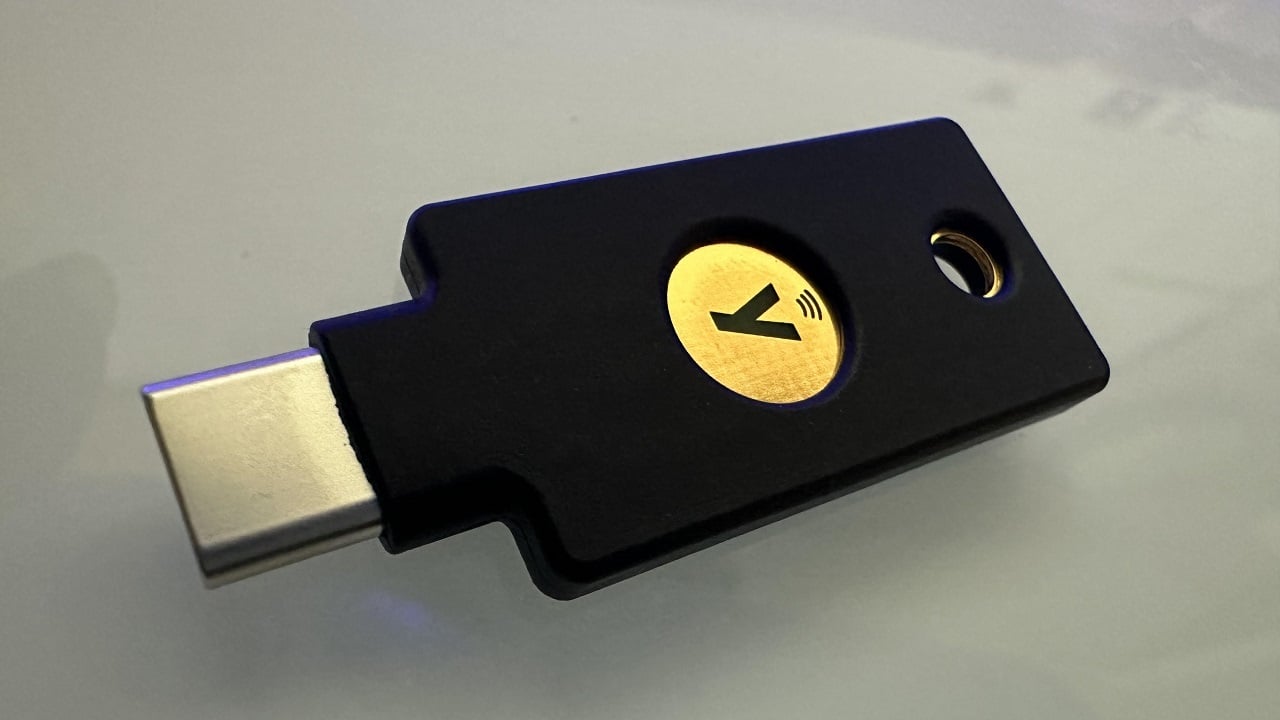
The front of the Security Key C NFC features a hole punched in the plastic housing and is reinforced with metal for hanging on a keychain or lanyard. Below that, the key feature is a gold-colored metal disk emblazoned with the letter "Y". The letter lights up green when the device is connected to a computer. During authentication, you tap the metal disk—which is capacitive—as a liveness test to confirm that a real human is using the key.
Using a hardware security key is pretty easy. Simply plug it in when instructed by a website, touch the key to prove you're a human, and you're done. I really appreciate that Yubico has a wealth of helpful videos on its website to guide new users through enrolling their hardware security keys on various platforms.
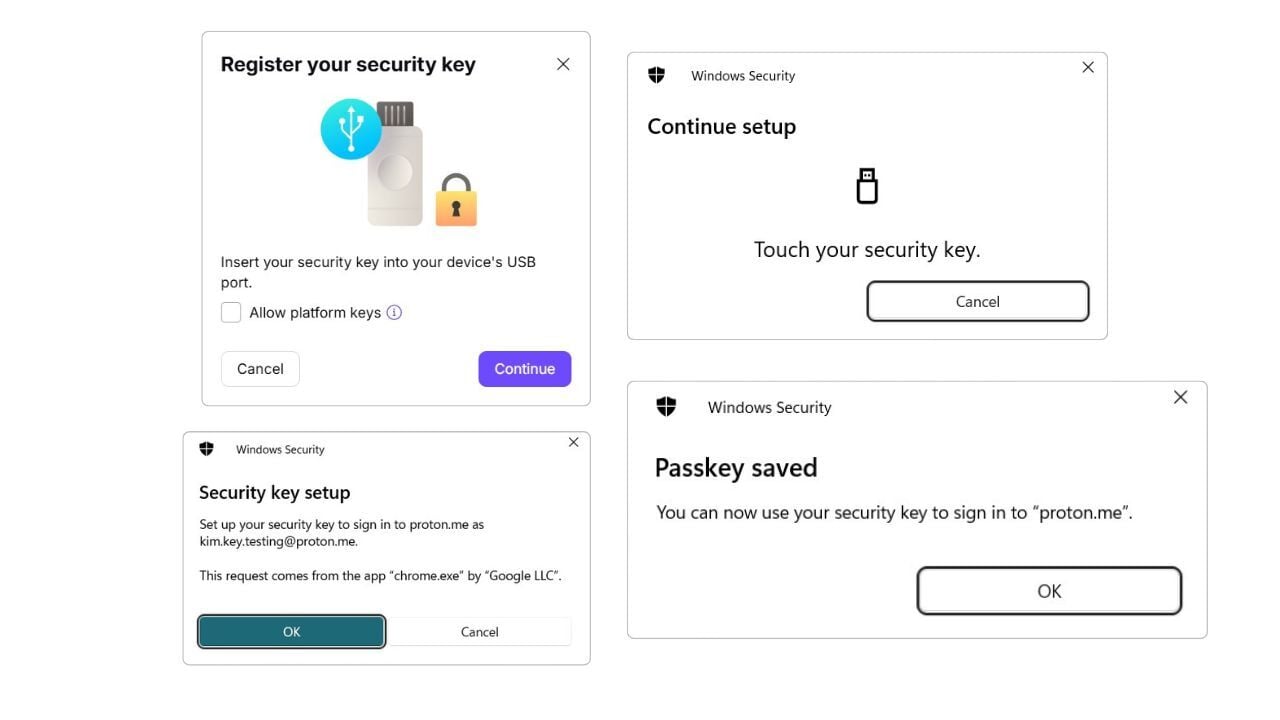
I was able to attach the Security Key C NFC to a Proton Mail account by visiting the Account Settings section, following the on-screen prompts, inserting the key into my desktop computer's USB-C port, and tapping the key as instructed. The next time I logged into the Proton Mail account, it requested a touch confirmation via the security key to verify my identity.
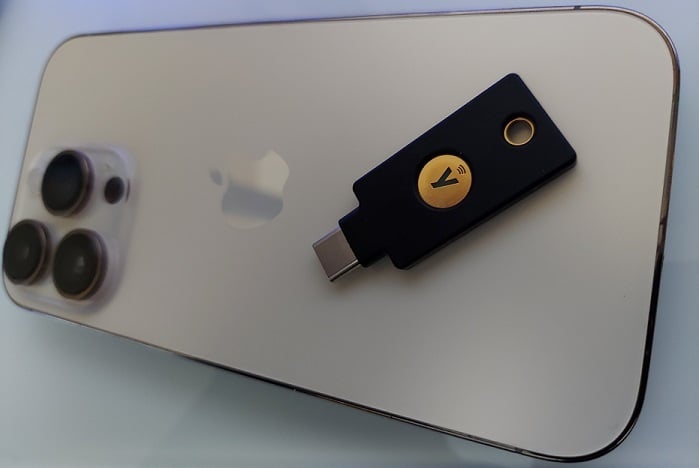
Tests using passkeys stored on the Security Key C NFC on other platforms went smoothly. For the mobile test, I created a passkey for a Google account and stored it on the Security Key C NFC using a Samsung phone. I was able to use the key's NFC capability during the setup process. I used an iPhone 14 Pro to log into the account again, this time using only the passkey stored on the Security Key C NFC. It worked like a charm, no password required.
Final Thoughts
 (Credit: Kim Key)
Yubico Security Key C NFC
- 5.0 - Exemplary: Near perfection, ground-breaking
- 4.5 - Outstanding: Best in class, acts as a benchmark for measuring competitors
- 4.0 - Excellent: A performance, feature, or value leader in its class, with few shortfalls
- 3.5 - Good: Does what the product should do, and does so better than many competitors
- 3.0 - Average: Does what the product should do, and sits in the middle of the pack
- 2.5 - Fair: We have some reservations, buy with caution
- 2.0 - Subpar: We do not recommend, buy with extreme caution
- 1.5 - Poor: Do not buy this product
- 1.0 - Dismal: Don't even think about buying this product
Read Our Editorial Mission Statement and Testing Methodologies.
The Yubico Security Key C NFC has all the compatibility you'd want from a hardware security key, with an outstanding design and a price that's easily within impulse-buy territory. It's not a Swiss Army device like the YubiKey 5C NFC, and it doesn't offer the biometric technology found in the YubiKey Bio. I think that's fine, because the Security Key C NFC is intended to work for most people—which it does seamlessly—not most situations. That makes it an Editors' Choice winner for hardware security keys and our top choice for anyone looking to try one for the first time.
STILL ON THE FENCE?
About Our Expert
I review privacy tools like hardware security keys, password managers, private messaging apps, and ad-blocking software. I also report on online scams and offer advice to families and individuals about staying safe on the internet. Before joining PCMag, I wrote about tech and video games for CNN, Fanbyte, Mashable, The New York Times, and TechRadar. I also worked at CNN International, where I did field producing and reporting on sports that are popular with worldwide audiences.
In addition to the categories below, I exclusively cover ad blockers, authenticator apps, hardware security keys, and private messaging apps.
- Stop Replying 'Stop': The Danger of Responding to Spam Texts (And How to Block Them for Good)
- The Terrifying Truth About the Private Flock Cameras Tracking Your Town, and Why Residents Are Revolting
- Your Social Media Is a Scammer's Cheat Sheet. Here's How to Lock It Down
- Check Your Phone Now: These 10 Data-Hungry Apps Are Secretly Tracking You
- The Best Password Managers for 2026
- More from Kim Key


