
 Meet Maggie, PCMag's
The Epson EcoTank ET-2980 ($299.99) is Epson's latest iteration to fill the "one step up from strictly entry level" slot for EcoTank printers. Compared with the step below, it stays with the same low (100-sheet) paper capacity for printing, but it adds auto duplexing. And as with the entire EcoTank line, it offers a low running cost, because it ditches cartridges in favor of low-cost ink that you pour into tanks. It doesn't offer enough to replace (or join) the less-expensive Brother MFC-J4335DW as our current Editors' Choice pick for low-cost, tank-based inkjet printers. But it delivers a lower cost per page, and if you don't need the MFC-J4335DW's better paper handling or speed, it might be the all-in-one printer you want for your home or home office.
Aside from the low-cost ink, the ET-2980 doesn't offer much in the way of features. (That's not a criticism. The low-cost ink by itself largely justifies the printer's price.) In particular, the paper handling is suitable for only light-to-medium-duty printing and strictly light-duty scanning, even by home and home office standards.
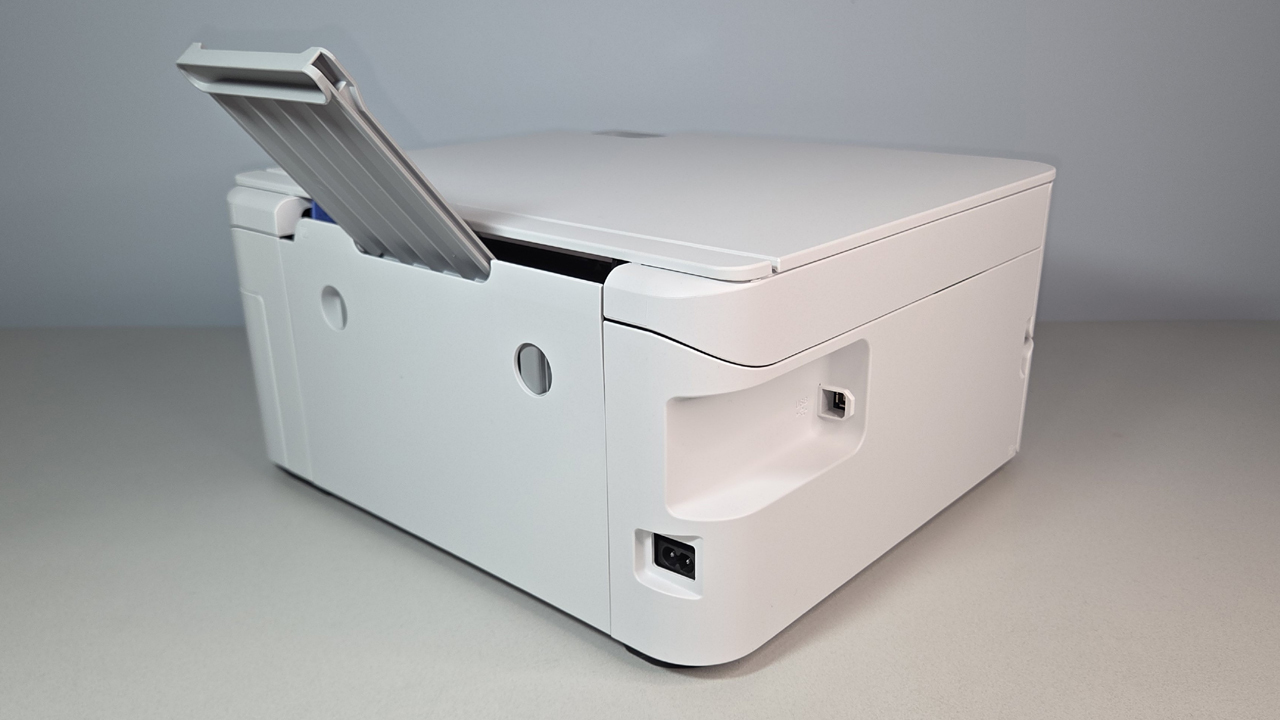
For printing, the ET-2980 is limited to a single rear 100-sheet paper tray, automatic duplexing (two-sided printing), and the ability to handle up to legal-size paper. If you want to keep paper refills down to once a week, the tray's capacity translates to a maximum of 400 pages per month. Epson pegs the recommended maximum at 800, which works out to 40 pages per day (assuming 20 work days per month), and is about right if you print mostly in duplex, counting each side of the paper as one page. However, note that the company also claims the printer comes with enough ink for up to three years, with a footnote that says the number is based on 125 pages per month, or a little more than six pages per day on average.
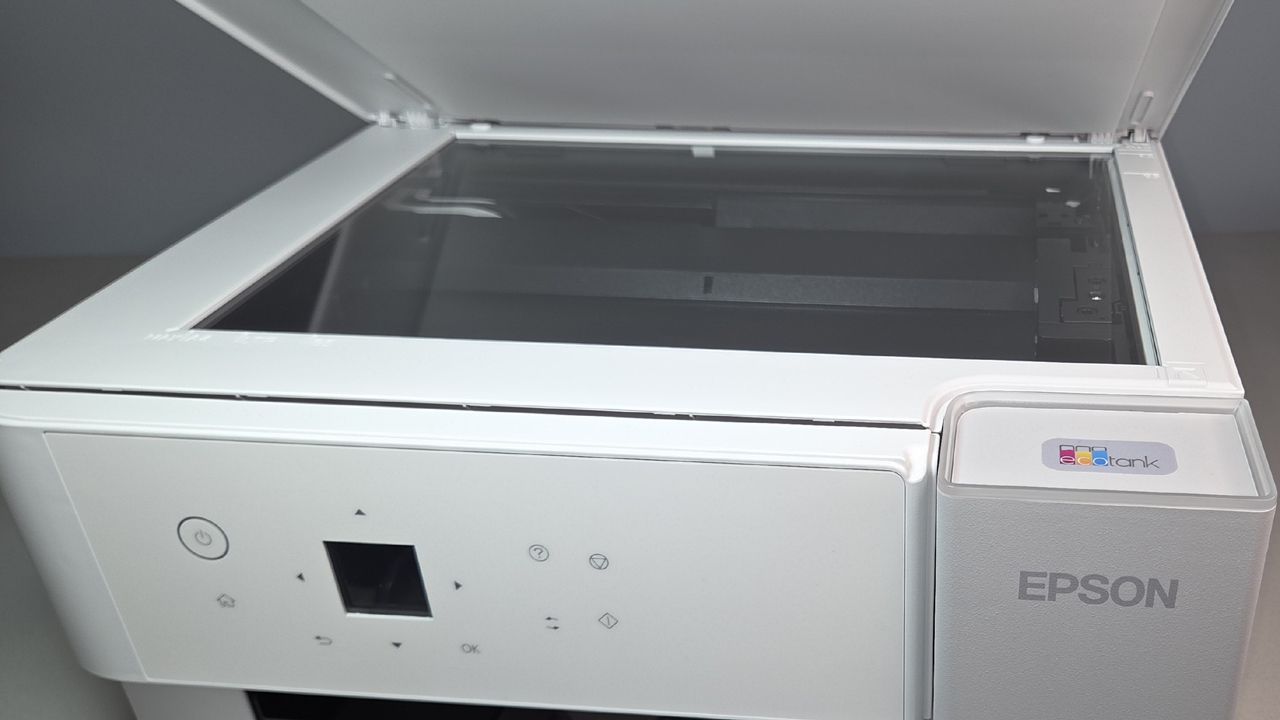
For scanning and copying, the paper handling is limited to placing up to A4 or US letter-size pages by hand on the 8.5-by-11.7-inch flatbed. This can quickly get tiresome if you need to scan many documents longer than a page or two, particularly with duplex documents. For those who rarely scan or copy anything, however, having the flatbed can be a welcome convenience for those times when you need it, especially for scanning just a page or two.
Similar Products


Canon Pixma G3270 Wireless MegaTank All-In-One Printer

Epson EcoTank ET-1910 Wireless Color Supertank Printer

Epson WorkForce Pro WF-7840 Wireless Wide-Format All-in-One Printer


Epson EcoTank Pro ET-5850

HP OfficeJet 250 Mobile All-in-One Printer

Canon imagePrograf PRO-1100

Epson Expression Photo XP-8800 Wireless Color All-in-One

Physical setup is typical for a tank-based inkjet. The ET-2980 measures 7.4 by 14.8 by 13.7 inches and weighs just 11.5 pounds, making it easy to unpack and find room for. As usual, the bottles for the cyan, yellow, magenta, and black ink are keyed so you can't pour the ink into the wrong tanks. Once the ink is loaded, messages on the 1.44-inch front panel LCD will guide you through a semi-automated alignment routine: printing an alignment page, waiting for you to place it on the scanner, and then scanning the page to complete the alignment.

Software installation is also straightforward. Simply follow the instructions in the Quick Start guide to go to the Epson website, then download the recommended software package. The installation routine is mostly automated, leaving little to do beyond choosing either USB or Wi-Fi for the connection. For mobile printing and scanning, you can also download the Epson Smart Panel app to your iOS or Android devices. The app can connect either through your network, if you connected the printer to it, or via Wi-Fi Direct.
Also note that if you connect the printer by Wi-Fi to your internet-connected network, you can take advantage of Epson Connect, which adds the ability to print over the internet from any location.

Epson says the ET-2980 comes with enough ink to print 6,600 standard mono pages and 5,500 standard four-color pages. After that, the ink cost per page works out to 0.26 cent per mono page and 0.95 cent per color page, based on the claimed yield and prices at this writing. When comparing printer prices, be sure to take both of these factors into account. As we discuss in How to Save Money on Your Next Printer, it's important to make your comparisons based on the total cost of ownership—running cost plus initial cost—rather than focusing on either part of that equation alone.
For judging performance, I chose three other tank-based printers for comparison: the Brother MFC-J4335DW, the Canon Maxify GX1020, and the Canon Maxify GX2020.
As the results above show, the MFC-J4335DW, which is the least expensive in the group, was the fastest on every individual test—so much better that it made a noticeable overall difference. All three of the other printers were essentially tied for second place for the full business applications suite (shown below).
The MFC-J4335DW's delivered the fastest time for first page out (FPO) and for pages after the first; combined, their total time for the whole suite was roughly 85 seconds less than any of the others. Among the other three, the ET-2980 was about 4 seconds faster than either Canon printer for FPO time on the Word file, giving it a small advantage over those two if most of what you print are one- and two-page text files.
That said, note that for duplex printing (shown in the chart below), the second-place advantage flips to the two Canon printers.
The Epson printer and both Canon models were essentially tied for the first sheet out (pages one and two), but for pages three through 12, the two Canon printers tied for second place, and the Epson slipped to a close fourth place. The roughly 6-second difference isn't significant for our 12-page test file, but the longer the document, the more significant it will be.
The ET-2980's text quality was easily good enough for most purposes, but well below top tier for an inkjet. All the fonts in our tests that you'll most likely use in most documents were easily readable at 5 points, but none qualified as well-formed at that size. A loupe revealed uneven widths, with some breaks in lines and somewhat ragged edges. One of the two fonts in our tests with heavy strokes qualified as easily readable at 10 points. The one that's hard to render well needed a 12-point size to qualify.

For graphics on plain paper, the default settings delivered reasonably saturated color along with smooth gradients, and thin lines held well in all cases, including on a black background. I saw some minor banding, but only on solid black fills. Photos printed on the recommended Epson Photo Paper Glossy were at the low end of the range for drugstore quality. I didn't see any banding or obvious dithering, but they were a little darker overall than they should have been, and reds tended to be oversaturated. The mono photo in our suite was a little brown rather than neutral gray, but not by as much as a standard sepia print.
On our water-resistance tests, I didn't see any smudging of either black or color ink on either plain paper or photo paper. Text on plain paper also stood up to a highlighter without smudging. And note that the photos dried without showing any watermarks.
Final Thoughts
 (Credit: M. David Stone)
Epson EcoTank ET-2980
- 5.0 - Exemplary: Near perfection, ground-breaking
- 4.5 - Outstanding: Best in class, acts as a benchmark for measuring competitors
- 4.0 - Excellent: A performance, feature, or value leader in its class, with few shortfalls
- 3.5 - Good: Does what the product should do, and does so better than many competitors
- 3.0 - Average: Does what the product should do, and sits in the middle of the pack
- 2.5 - Fair: We have some reservations, buy with caution
- 2.0 - Subpar: We do not recommend, buy with extreme caution
- 1.5 - Poor: Do not buy this product
- 1.0 - Dismal: Don't even think about buying this product
Read Our Editorial Mission Statement and Testing Methodologies.
All four of the printers mentioned in this review are solid choices. But since each offers a different balance of paper handling, connection options, price, and running cost, the trick is to pick the one that best matches your needs. The key argument for choosing the ET-2980 is its low running costs. Compared with the other models mentioned here, it offers the lowest cost per color page, and it ties the two Canon printers for the lowest cost per mono page. However, it also has the most limited paper handling in the group.
For printing, either Canon printer offers more than double the paper capacity. The MFC-J4335DW comes in third, with a capacity that's lower than for the Canon models but higher than the ET-2980's. It's also the only one in the group that adds a one-sheet bypass to let you easily feed a different type of paper than is in the tray. For scanning, both the GX2020 and the MFC-J4335DW add an automatic document feeder (ADF).
If you prefer a wired connection to your network, the Canon models are the only two in this group that offer an Ethernet port, giving them the obvious advantage. If cost is your main concern, the Brother printer is the least expensive in the group. However, it also has the highest running cost, so depending on how much you print, it may be the most expensive in the long run.
All that said, if your printing and scanning needs are minimal enough for the ET-2980's paper-handling constraints, and you print enough for the low cost per color page to slash your total cost of ownership, the ET-2980 is likely the best fit.
STILL ON THE FENCE?
About Our Expert
Most of my current work for PCMag is about printers and projectors, but I've covered a wide variety of other subjects—in more than 4,000 pieces, over more than 40 years—including both computer-related areas and others ranging from ape language experiments, to politics, to cosmology, to space colonies. I've written for PCMag.com from its start, and for PC Magazine before that, as a Contributor, then a Contributing Editor, then as the Lead Analyst for Printers, Scanners, and Projectors, and now, after a short hiatus, back to Contributing Editor.
I'm pretty sure I'm the only person who worked on every "Project Printer" blockbuster PCMag ever produced, often writing 15 or more reviews for the year's big printer blowout. (I snuck in a single review one year when I was writing a book, strictly so I could keep that claim alive.)
I've always worked for PCMag as a freelancer, which has freed me to take time away to write nine books, be a major contributor to four others, and write for other publications, including Wired, Computer Shopper, Projector Central, and Science Digest, where I was Computers Editor. I also wrote a computer column at one point for The Newark Star-Ledger.
Although I started my career primarily as a science (mostly physics and astronomy) and science-fiction writer (published in Analog), my non-computer-related work runs the gamut from the Project Data Book for NASA's Upper Atmosphere Research Satellite (written for GE's Astro-Space Division) to the script for a video overview of a top company in the gaming industry (that would be gambling, not video games). My books include The Underground Guide to Color Printers (Addison-Wesley), Troubleshooting Your PC (Microsoft Press), and Faster, Smarter Digital Photography (Microsoft Press).
Having covered a wide range of subjects, I've developed a serial expertise in many of them. The ones most relevant to my current work at PCMag.com are all imaging technologies.


