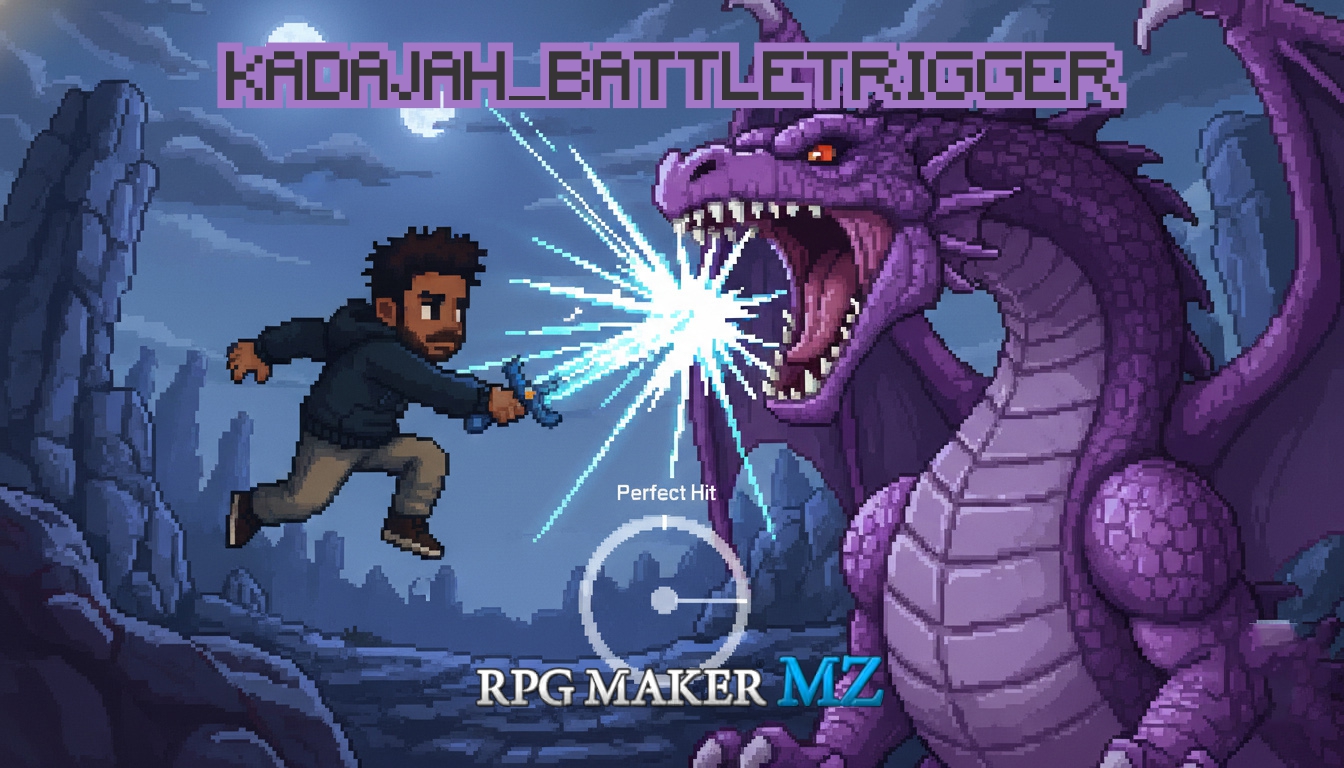
Kadajah's Battle Trigger for RPG Maker MZ
A downloadable tool
Kadajah's Battle Trigger for RPG Maker MZ
Inject Adrenaline into Every Turn, Master the Timing, and Unleash Critical Combos.
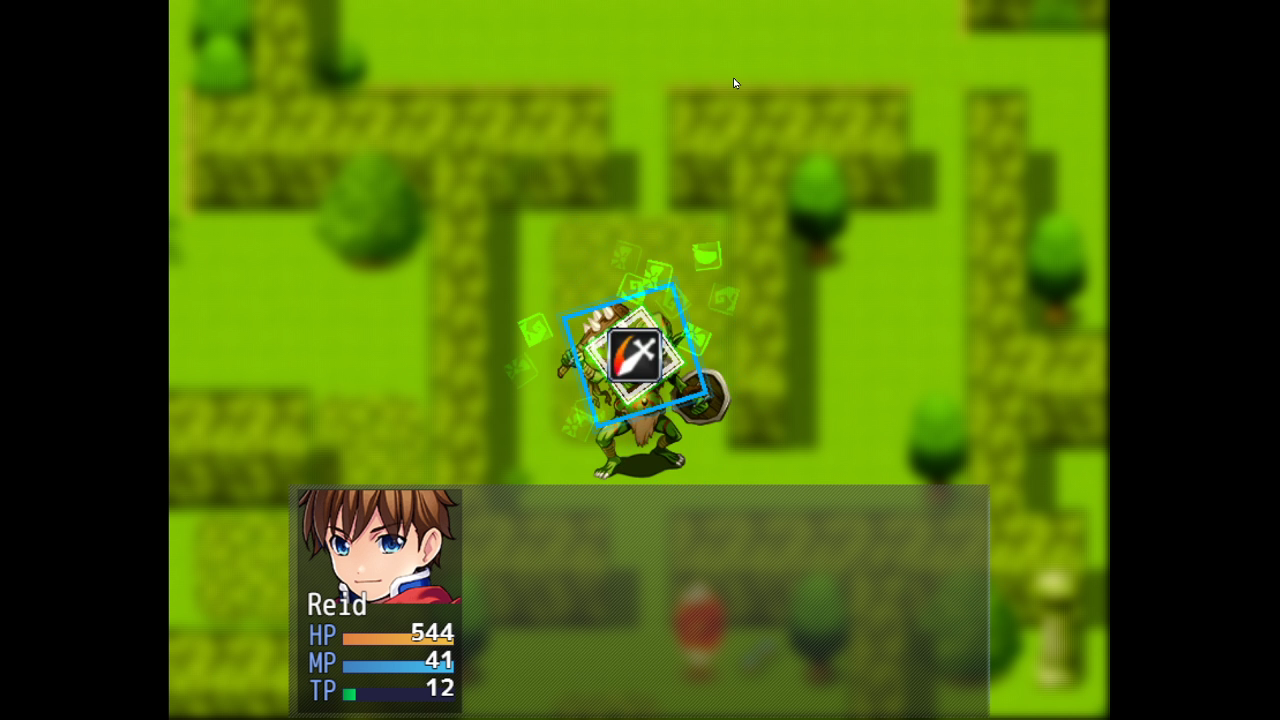
Kadajah Battle Trigger (KBT) – Is a professional "Quick Time Event" (QTE) system designed to transform standard RPG Maker MZ combat into an interactive experience. It bridges the gap between passive turn-based strategy and active engagement, inspired by classic "Action Command" systems found in titles like Paper Mario, Shadow Hearts, and Final Fantasy VIII.
In v4.6, the plugin receives a massive visual overhaul. The "Arc" style has been refined into a sleek Speedometer with a precise Target Circle, and the new "Shutter" style introduces vertical precision bars perfect for cut-scenes or sniping skills.
In v4.7, A series of new features, a block and dodge system suggested by the user Raz, the addition of some extra screen effects, and a list of ready-made presets.
- Defensive QTEs (Dodge & Block):
You can now assign QTE presets to enemy attacks! When an enemy targets a player character, a defensive trigger will appear. A standard success allows the actor to Block (reducing incoming damage by half), while hitting the Critical/Sweet Spot results in a Perfect Dodge (evading the attack entirely and taking zero damage). This can be assigned using the <BattleTriggerDef: X> note tag or enabled globally for all enemies via Plugin Commands.
- Screen Shake & Flash:
You can now configure Screen Shake and Screen Flash effects specifically on Critical (Perfect) hits directly inside the Plugin Parameters for each preset. This adds a massive visual impact when the player hits the "Sweet Spot". - 20 New Default Presets:
The plugin now comes out-of-the-box with 20 distinct default setups ready to use, showcasing the full potential of every visual style (Square, Arc, Shutter, Bar, Circles, Drop, Expand, Charge, Linear track, and Boost mashing).
Total Control: You define the rhythm of battle. Create simple "Press OK" timing challenges, complex button sequences (Up, Down, Left, Right), or furious button-mashing tests of strength. Everything is fully customizable via a robust Preset System in the plugin parameters, change colors, adjust hit windows, add particle explosions, and set specific rewards for perfection.
Stop watching your battles. Play them.
Features
- Unique Visual Styles: Choose the perfect UI for every skill.
- Square / Expand / Drop: Classic shrinking or falling shapes.
- Bar / Charge: Sliding gauges and fill-meters.
- Arc (New v4.6): A refined speedometer needle with a clean target zone.
- Shutter (New v4.6): Cinematic bars closing in from top and bottom.
- Linear: A scrolling track of inputs (Guitar Hero style).
- Boost: A button-mashing test of endurance.
- Custom Particle Engine: Integrated particle system with 7 types (Star, Circle, Square, Triangle, Cross, Ring, and Shatter). Particles react to physics—"Shatter" particles obey gravity on failure, while "Ring" particles expand on impact.
- Input Sequencing: Require the player to press "OK", or specific keys like Shift, Control, Up, Down, etc.
- Risk & Reward System:
- Skill Morphing: Transform a skill into a more powerful ID upon "Perfect" completion.
- Damage Bonuses: Set separate multipliers for Hits and Criticals (Sweet Spots).
- Fail Punishment: Set recoil damage (User takes % Max HP damage) if they miss the trigger.
- Perfect Finishes: Trigger a "Perfect Image" cut-in (Zoom, Fade, or Instant) with sound effects when a player hits 100% success.
- Smart Auto-Mode: Allow enemies (or lazy players) to use skills with a calculated success chance based on Luck stats.
Controls & Configuration
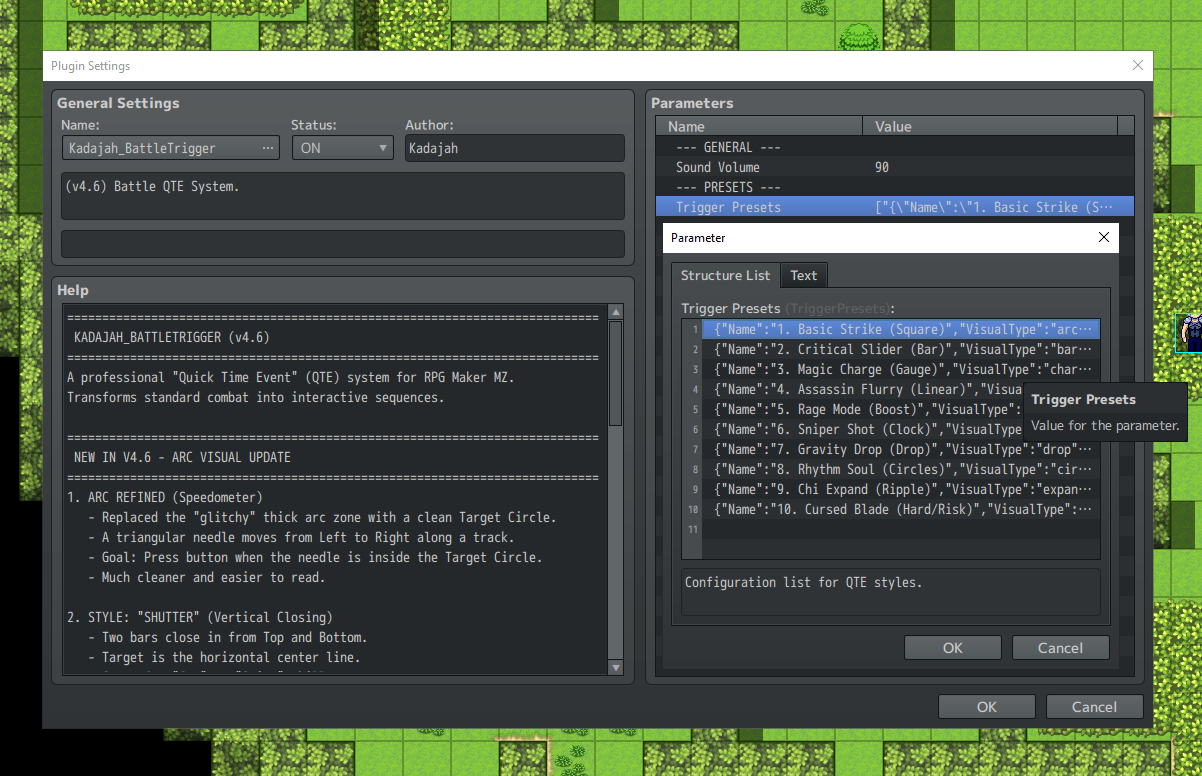
The plugin is designed to be "Set and Forget." You create your styles in the Plugin Parameters, and assign them to Skills, Items, or Weapons using a single ID.
Setup Workflow:
- Open Plugin Parameters.
- Configure a Trigger Preset (Visual Style, Difficulty, Colors).
- Note the ID (e.g., 1).
- Add the Note Tag to your Database.
Note Tag Examples:
- <BattleTrigger: 1>
- Placed in a Skill or Item note box: Activates Preset #1 when this skill is used.
- Placed in a Weapon note box: Activates Preset #1 when the actor attacks physically.
- Placed in an Actor/Class note box: Sets a default trigger for that character.
Parameter Highlights:
- Duration: How fast the trigger moves (lower is faster).
- Tolerance: The size of the success window in frames.
- Zone Shrink: Make the hit window get smaller after every successful hit in a combo.
- Speed Accel: Make the trigger move faster with every hit.
Creative Gameplay Mechanics
Kadajah Battle Trigger isn't just a UI overlay; it allows you to design entirely new mechanics for your classes:
The "Limit Break" Rush:
Use the Boost visual style with Max Repeats: 20 and Duration: 120. Creates a mechanic where the player must furiously mash a button to charge up a massive attack.
The "Sniper" Shot:
Use the Shutter or Arc style with a very high Duration (slow movement) but a tiny Critical Tolerance (1 frame). High risk, massive critical damage multiplier.
Combo Chains (Rhythm):
Use the Linear style to create a scrolling bar of 5-10 inputs. Use Zone Shrink to make each subsequent hit harder. Reward the player with Extra Hits or Skill Morphing only if they complete the full chain.
The "Glass Cannon":
Create a forbidden spell with massive damage potential, but set Fail Recoil: 50. If the player misses the timing, their mage loses 50% of their HP.
Cinematic Finishers:
Use the Perfect Finish system to flash a high-quality character portrait or dynamic artwork across the screen only when the player executes a move perfectly.
Perfect Game Examples
Not sure if this fits your project? Here are 4 game genres that benefit perfectly from Kadajah Battle Trigger:
- JRPG Classics: Recreate the "Gunblade" trigger or "Duel" mechanics from the PS1 era.
- Action-RPGs: Make turn-based combat feel fast and visceral by keeping the player's hands on the controller every second.
- Rhythm / Bard Games: Use the "Linear" track to make music-based classes that require playing notes to buff the party.
- Tactical Hardcore: Games where resources are scarce, and landing a "Perfect" hit is the difference between life and death.
Terms of Use
- Commercial and non-commercial projects.
- You are NOT permitted to resell or redistribute this plugin, either on its own or as part of a bundle.
- You ARE permitted to edit the plugin's code for your own project's use. However, you are NOT permitted to redistribute the edited version of the plugin.
Purchase
In order to download this tool you must purchase it at or above the minimum price of $2.99 USD. You will get access to the following files:
Development log


Comments
Log in with itch.io to leave a comment.
Heya! I love this plugin, it functions just as I'd hoped and it's very easy to set up.
There's also this classic game, where the squares had to line up exactly for you to trigger combos (if you missed any, the combo ended and you only did partial damage):Just one thing I wanna point out: I have a lot of VisuStella plugins, and it took me *hours* to figure out what was causing a weird touch-ui based crash. Eventually I isolated it to this plugin, which I'd placed below VS Core 0 plugins but nested between Core 2 and Core 3. When I moved it below the full VS plugin stack, I had no more crashes or errors.
Something you might want to inform about in the plugin description, is all. To be safe, I also put it below all CGMZ plugins, but I'm not sure if there's an inherent conflict with any of his stuff at this time.
Other than that, I have a request (two really), and I was surprised to see no one mention this yet. Would it be possible to implement a static square trigger that has a highlighted section you can aim to hit for a critical, with a little "chaser" shape that slides around the rim?
And two, how hard would it be to potentially add a parry mechanic for a perfect defense? Or does that go beyond the scope of this, since that'd require making use of the counterattack vanilla mechanic?
Example of both:
Thanks!
Hey bro, thanks for the tip. In the next update of this plugin, I'll add instructions to the description for when conflicts with VisuMz arise: move my plugin to the end of the list, so its scripts are loaded later. Your requests are within the project scope and can be implemented. I'm thinking of implementing critical, parry, and counter, with different QTE types for these cases. Could you explain this idea of the moving QTE a little better? I'm working on some releases for the next few days, but in the next support cycle, which should happen in up to two weeks, I can add these features. Spoiler alert: I hope the community likes Valkyrie Profile.
Awesome to all that, and thanks for your quick response!
The moving QTE would just be a square like what you've got already, could be a solid shape or just a line drawing, but it wouldn't move by itself. Instead, like shown in the Clair Obscur vid, there'd be a smaller shape (maybe a circle or very small rectangle) that traces the edge of the square, and you have to time your button press to land on the target edge, which would have a different color than the rest of the square. Hitting this different-colored edge would guarantee a critical hit, while hitting anywhere else just gives a basic success/normal damage.
Also, I'm thinking, failure to hit the QTE at all (including at any point of a chained QTE attack) would result in either a) failing to launch the attack at all, b) reduced damage output, or c) interrupted combo animations and damage (assuming it's possible to have multiple QTEs trigger in sequence with animations?)
So basically you always have a 25% chance to crit, assuming your reaction time is good.
And, heh, apologies, but here's another idea for ya, for a different way to implement combo chains (landing on the red zones on the ring would give you crits iirc):
Does it work with SV battle or only front view? How is the timing sequencer for Sv if SV does work, Do it go hit tigger/animation/end or trigger-animation/ end? Thanks!
Hey bro, how are you?
So, it works perfectly with SV mode. The plugin allows you to set up a preparation animation that runs at the start of the player/enemy's turn. The plugin lets you configure when the QTE will appear before or after this preparation animation.
The flow works like this:
[ENEMY]
1- Enemy's turn begins
2- Preparation animation plays
3- Defensive QTE appears
4- Enemy deals damage based on the QTE result
[PLAYER]
1- Player's turn begins
2- Player's attack QTE appears
3- Player deals damage based on the QTE result
Awesome thanks. Doing well thanks for asking How are you?, I like your work it's very malleable, thank your for the update on the damage plugin to include element color damage btw!
Great, man! I'm glad you're enjoying it. Let's push the tool to its limits! Thanks for your comment and all the support!
Hey is it possible for you to add credit card as payment to your plugins. i want a few but i dont use paypal. No worries if you cant.
Alright bro, card payment enabled, please let me know if you encounter any difficulties.
And here comes the most common question: Is it compatible with visu-battlecore? ^^
This week I provided support for a project that uses this plugin along with the VisuStella suite, including Battlecore. It works correctly, but some adjustments need to be made. It's necessary to disable the attack preparation animation in Battlecore and configure it in my plugin to avoid overlapping animations.
Another thing I need to point out is that it works with the current version of Battlecore. There have been instances where VisuStella released an update that caused my plugin (the BattleSummons plugin) to stop working correctly, so I cannot guarantee complete compatibility.
hey Kadajah, I love this plugin. Just one question (or request?)
for the defensive trigger, it would be REALLY helpful if that happened after the "sound effect + visual" skill charge, instead of before, when it's tied to a skill or magic. So you'd be prepared on when to defend from the attack. I hope I explained myself haha please let me know!
Hey Bro, how are you? Thanks for the suggestion, the new JS file has synchronization for the QTE to appear in-game after the animation, plus I added some more QTE templates and more animation options.
Could you download the new JS file and test it?
hey sorry if it took so long to check. I downloaded the new JS but it doesn't work properly.
It’s not just that the QTE shows up after the animation, it’s like everything is shifted. For example:
Enemy 1 attacks: No QTE appears at all.
Enemy 2 attacks: The animation plays, and then the QTE appears AFTER the animation is finished.
Defeat: My protagonist dies, the "DEFEAT" screen pops up, and then... a QTE suddenly appears over the Game Over screen.
It feels like the QTE is always "late" and triggers for the wrong action or at the wrong time. Can you check the plugin? I think there might be an error in how it handles the sequence.
Let me know!
Hey, let's diagnose and resolve these problems. Could you add me on Discord so we can address the errors one by one? If that's not possible, I'll ask here for some information about other plugins you're using and any possible configuration adjustments to ensure everything is correct. Could you add me, please? kadajj6223
This looks awesome
When the enemy attacks, is it possible to use this for QTE's to dodge or block the attacks?
Hey bro, thanks for the message and interest. Currently, there's no block or dodge option, but it's not complicated to implement. Could you give me more details about what you're thinking so I can see if I can add it to the tasks here and unlock this functionality?
I think a QTE for every enemy attack might be a bit exhausting for the player, so maybe we could adapt it for special abilities and spells. What do you think?
That's fair, and yeah it would be bad for each enemy attack. I was mostly curious if it also did that.
That could be a cool add in, or even just a single 'block' that is timed. Much like paper mario you have a small QTE when the enemy attacks to try and block a small bit of damage.
Just an idea, I like how this looks and will likely grab this plugin as is soon!
I really liked your suggestion; I'll add that option to the to-do list for the next update. If there are no complications, I believe an update with this feature will be available within a week.
Whenever I make an update that implements a new feature, I usually create a devlog or update the plugin's page description.
I thought about adding a plugin command that toggles block or dodge on and off for all attacks, and creating a tag to be placed on enemy abilities that triggers a QTE for those functions.
I envisioned a block ignoring 50% to 75% of the damage, and a dodge ignoring 100% and resulting in a miss; if you miss the QTE, you receive the full damage.
I'm glad you like the suggestion!
That sounds really cool! I'll keep an eye out for updates!
I like the idea of a command turning it on or off, I think that'd be good for difficulty toggling and/or some things just can't be dodged.
Hey bro, how's it going? Sorry for the delay, but the update you suggested is now available. If you need anything, just let me know.
i want to buy this plugin but it wont let me because you're an international merchant :/
Hello, thank you for your interest. I'd be happy to help. Where are you from? I'll try to resolve this now.
im from florida in the U.s. thank you for responding
I've updated my PayPal payment settings. Could you please try again? If that doesn't work, I'll change the method to Itch, which will likely solve the problem. Thanks again, and sorry for the inconvenience.
It worked! thank you so much.
Thank you. If you need any help or have any questions, please feel free to ask.