cpp_028: C++ Structures (struct)
In this post, we’ll explore how to define and use structures in C++. A structure (struct) is a user-defined data type that allows grouping multiple variables of different types under one name. This is especially useful when representing real-world entities like students, employees, or points in geometry.
Understanding Structures
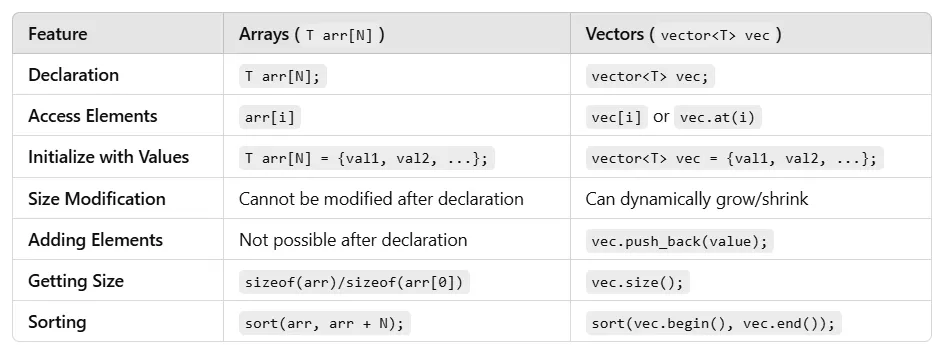
A struct in C++ is a user-defined type that groups variables (called members) under a single name. Unlike arrays, which store data of the same type, structures can hold mixed types (e.g., string, int, float). Structures are ideal for organizing data like employee records, book details, or game characters. In this post, we’ll cover three ways to declare structures — each with distinct use cases — using practical examples
Anonymous Structure (Multiple Variables)
This method defines an anonymous structure (no name) and immediately declares multiple variables. It’s a one-off structure, meaning you can’t reuse it to declare more variables later.
Syntax
#include <string> // For string type
using namespace std;

struct {
    dataType member1; // e.g., string model;
    dataType member2; // e.g., int year;
} var1, var2, var3; // Multiple variables declared

var1.member1 = value; // Assign value- Explanation: The struct has no name, so it’s tied to the variables listed (var1, var2, var3). Use the dot operator (.) to access members. The structure can’t be reused elsewhere.
- Key Point: Ideal for quick, isolated data grouping when you don’t need the structure type again.
Practical Example: Car Records
Let’s store details for three cars using an anonymous structure.
#include <iostream>
#include <string>
using namespace std;

struct {
    string model;
    int year;
    float price;
} car1, car2, car3; // Three variables

int main() {
    // Assign values
    car1.model = "Toyota Camry";
    car1.year = 2020;
    car1.price = 24000.99;

    car2.model = "Honda Civic";
    car2.year = 2019;
    car2.price = 20000.50;

    car3.model = "Ford Mustang";
    car3.year = 2021;
    car3.price = 35000.75;

    // Print values
    cout << "Car 1: " << car1.model << ", Year: " << car1.year << ", $" << car1.price << endl;
    cout << "Car 2: " << car2.model << ", Year: " << car2.year << ", $" << car2.price << endl;
    cout << "Car 3: " << car3.model << ", Year: " << car3.year << ", $" << car3.price << endl;

    return 0;
}Output:
Car 1: Toyota Camry, Year: 2020, $24000.99
Car 2: Honda Civic, Year: 2019, $20000.5
Car 3: Ford Mustang, Year: 2021, $35000.75
This structure is used only for car1, car2, and car3. You can’t declare a car4 later.
Anonymous Structure (Single Variable)
This method defines an anonymous structure for a single variable. It’s similar to Way 1 but limited to one instance.
Syntax
#include <string> // For string type
using namespace std;

struct {
    dataType member1; // e.g., string name;
    dataType member2; // e.g., int empId;
} var; // Single variable

var.member1 = value; // Assign value- Explanation: The struct has no name and is tied to a single variable (var). Use the dot operator to access members. Like Way 1, it’s non-reusable.
- Key Point: Best for one-time use when you need a single data record.
Get CodeAddict’s stories in your inbox
Join Medium for free to get updates from this writer.
Practical Example: Employee Record
Let’s store details for one employee.
#include <iostream>
#include <string>
using namespace std;

struct {
    string name;
    int empId;
    float salary;
} employee; // Single variable

int main() {
    // Assign values
    employee.name = "Jane Smith";
    employee.empId = 502;
    employee.salary = 60000.75;

    // Print values
    cout << "Employee: " << employee.name << ", ID: " << employee.empId << ", Salary: $" << employee.salary << endl;

    return 0;
}Output:
Employee: Jane Smith, ID: 502, Salary: $60000.75Named Structure Declaration
This method defines a structure with a name, creating a reusable type. You can declare variables of this type anywhere in the program.
Syntax
#include <string> // For string type
using namespace std;

struct StructureName {
    dataType member1; // e.g., string title;
    dataType member2; // e.g., float price;
}; // Semicolon required

StructureName var1, var2; // Declare variables
var1.member1 = value; // Assign value- Explanation: The struct has a name (StructureName), allowing you to declare variables (var1, var2) at any time. Use the dot operator to access members.
- Key Point: Ideal for reusable data types needed in multiple parts of the program.
Practical Example: Book Records
Let’s store details for three books using a named structure.
#include <iostream>
#include <string>
using namespace std;

struct Book {
    string title;
    string author;
    float price;
}; // Named structure

int main() {
    Book book1, book2, book3; // Declare three variables

    // Assign values
    book1.title = "The Great Gatsby";
    book1.author = "F. Scott Fitzgerald";
    book1.price = 10.99;

    book2.title = "1984";
    book2.author = "George Orwell";
    book2.price = 12.50;

    book3.title = "To Kill a Mockingbird";
    book3.author = "Harper Lee";
    book3.price = 11.25;

    // Print values
    cout << "Book 1: " << book1.title << " by " << book1.author << ", $" << book1.price << endl;
    cout << "Book 2: " << book2.title << " by " << book2.author << ", $" << book2.price << endl;
    cout << "Book 3: " << book3.title << " by " << book3.author << ", $" << book3.price << endl;

    return 0;
}Output:
Book 1: The Great Gatsby by F. Scott Fitzgerald, $10.99
Book 2: 1984 by George Orwell, $12.5
Book 3: To Kill a Mockingbird by Harper Lee, $11.25
Structure with Member Functions
Explanation:
This example shows how a struct in C++ can have member functions, just like a class. We're using a Rectangle struct that can calculate its area and scale itself.
struct Rectangle {
    float length;
    float width;

    // Member function to calculate area
    float area() {
        return length * width;
    }

    // Member function to scale dimensions
    void scale(float factor) {
        length *= factor;
        width *= factor;
    }
};

int main() {
    Rectangle rect = {4.0f, 3.0f};
    cout << "Area: " << rect.area() << endl;

    rect.scale(2);
    cout << "Scaled area: " << rect.area() << endl;

    return 0;
}
Nested Structures
Explanation:
This example demonstrates how one structure can be nested inside another. The Employee struct contains an Address struct to model a real-world relationship between entities.
struct Address {
    string street;
    string city;
    int zipCode;
};

struct Employee {
    string name;
    int id;
    Address homeAddress;  // Nested structure
};

int main() {
    Employee emp = {
        "John Doe",
        1001,
        {"123 Main St", "New York", 10001}
    };

    cout << "Employee: " << emp.name << endl;
    cout << "Address: " << emp.homeAddress.street << ", "
         << emp.homeAddress.city << " " << emp.homeAddress.zipCode << endl;

    return 0;
}
Structure with Constructors
Explanation:
This shows that a struct in C++ can also have a constructor (just like classes). The Student struct is initialized with a name, roll number, and marks, and it includes a method to compute the average.
struct Student {
    string name;
    int rollNo;
    float marks[5];

    // Constructor
    Student(string n, int r, float m[]) {
        name = n;
        rollNo = r;
        for(int i = 0; i < 5; i++) {
            marks[i] = m[i];
        }
    }

    // Member function to calculate average
    float average() {
        float sum = 0;
        for(int i = 0; i < 5; i++) {
            sum += marks[i];
        }
        return sum / 5;
    }
};

int main() {
    float m[] = {85.5, 90.0, 78.5, 92.5, 88.0};
    Student s("Alice", 101, m);

    cout << "Average marks: " << s.average() << endl;
    return 0;
}