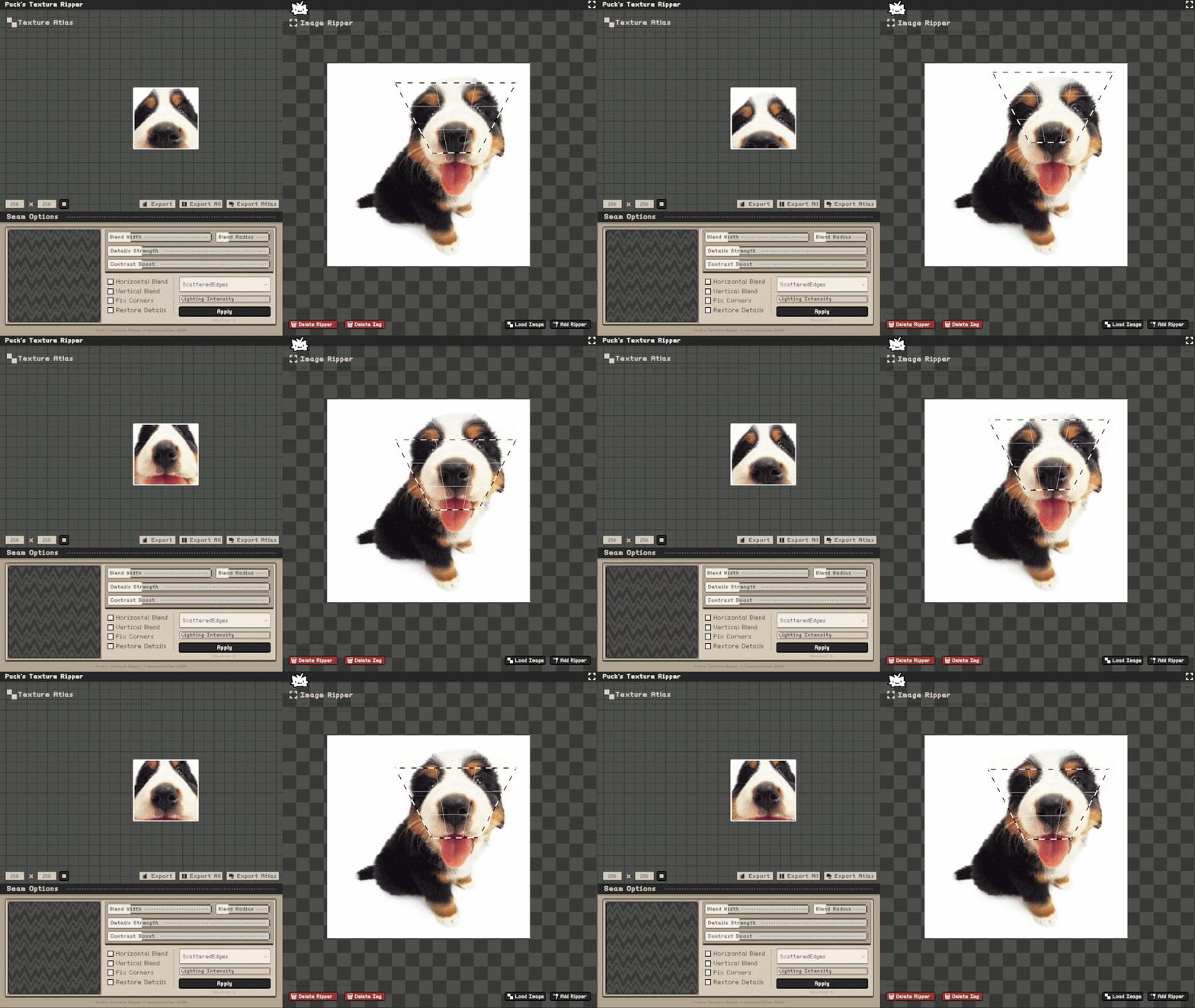
Puck's Seamlessifier + Ripper (UPDATE)!
Linux and Mac are now SUPPORTED!
Hi all! Thank you for the overwhelming support ><! The linux and mac versions are both complete and working :3 If you encounter any bugs, feel free to send them to me!
Thank you so much! I hope you enjoy >;3
Files
1.0Linux.tar.gz 42 MB
42 days ago
Seamlessifier.app.zip 53 MB
42 days ago
Get Puck's Seamlessifier + Ripper (UPDATE)!
Puck's Seamlessifier + Ripper (UPDATE)!
All in one tool that let's you rip the textures out of photos from any perspective and make them seamless!
| Status | In development |
| Category | Tool |
| Author | Puck |
| Tags | 2D, Asset Pack, Creative, Game Design, Indie, Low-poly, Modeling, Pixel Art, Textures |
More posts
- 1.3 Linux support!3 days ago
- 1.3 More Polygons Update!5 days ago
- STEAM VERSION ANNOUNCEMENT!15 days ago
- 1.2 MacOS Support!17 days ago
- Major Seamlessifier Method UPDATE! :D19 days ago
- Optimization and QoL Update!35 days ago
- Added hotkeys.txt!43 days ago
- Puck's Seamlessifier + Ripper Release!44 days ago
Comments
Log in with itch.io to leave a comment.
Hey there! The Mac version doesn't start by default. The standard error pops-up:
"The application “Seamlessifier.app” can’t be opened."
I checked by running through terminal and the app doesn't have permission to be an executable, so people should go to the directory they got the .app in and run this command in the terminal:
chmod +x Seamlessifier.app/Contents/MacOS/Seamlesifier
As a developer there are a bunch of ways to fix it, which mostly comes down to using an archiver which preserves flags.
P.S. there is a typo in the binary itself, it uses 1 "s" versus 2 in the app name, which is kinda annoying lol.
thank you so much for the heads up!! I think I fixed it now! My mac still yells at me that the app is from an unknown developer, but I'm not sure if it's possible to fix it without putting it on steam ;3 I'm completely unsure why theres one "s" in the binary lol. I've checked everything in the project and build settings, and I couldn't find anything that could cause this q_q maybe something with my git project? Anyway, thank you once again! Feel free to check again, it should work correctly :3