Puck's Seamlessifier + Ripper (UPDATE)!
A downloadable tool for Windows, macOS, and Linux
Get this tool and 15 more for $19.99 USD
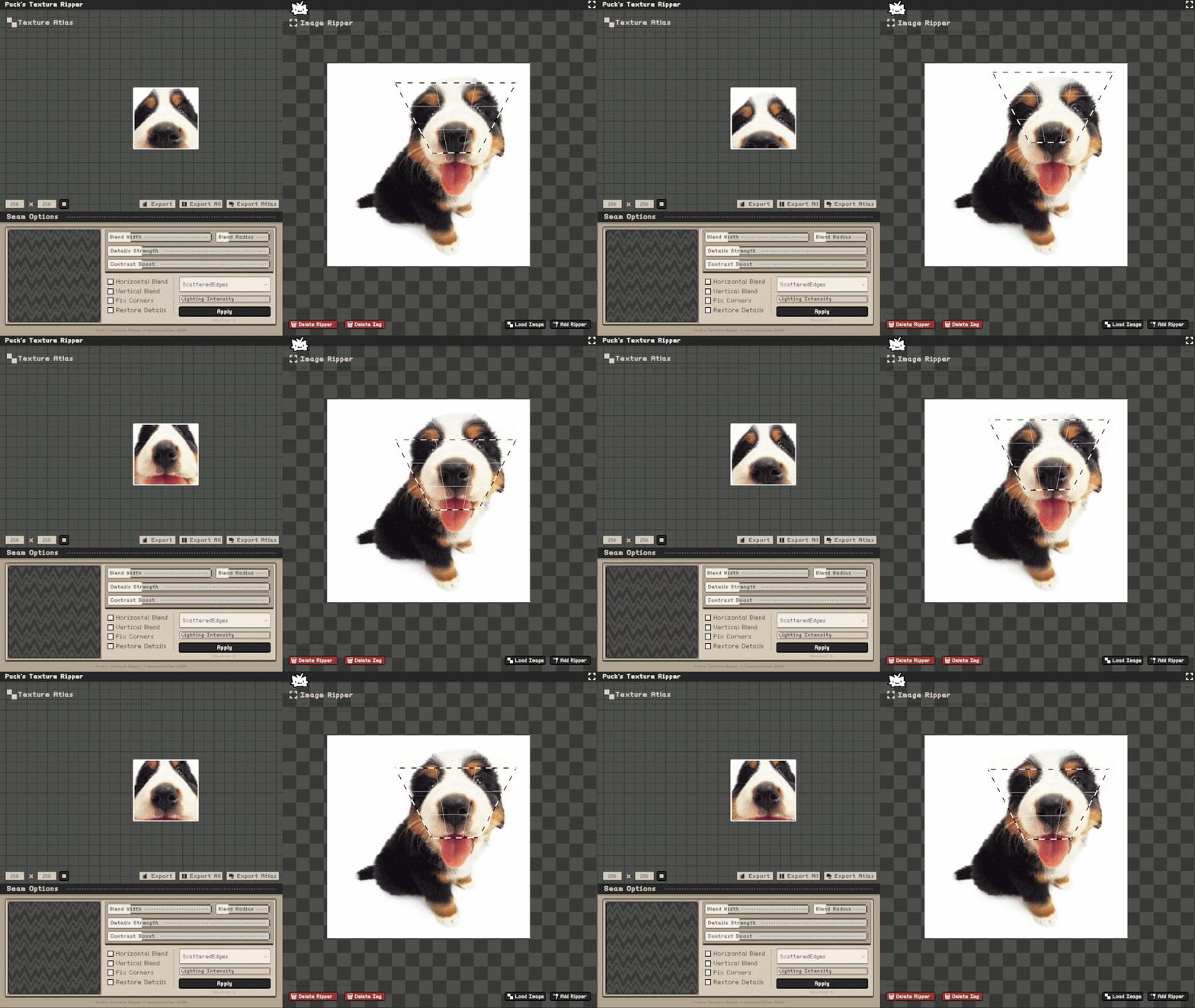
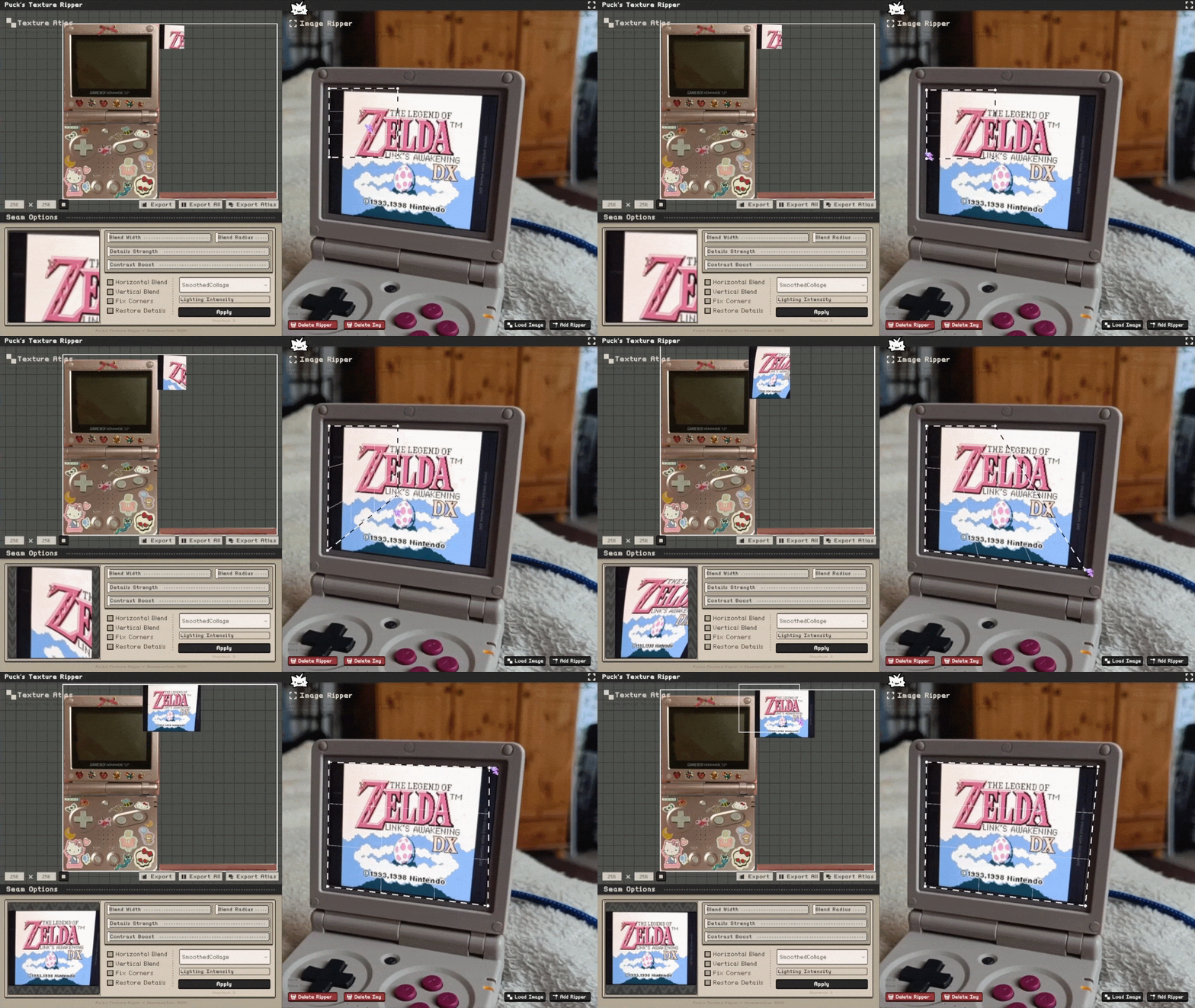
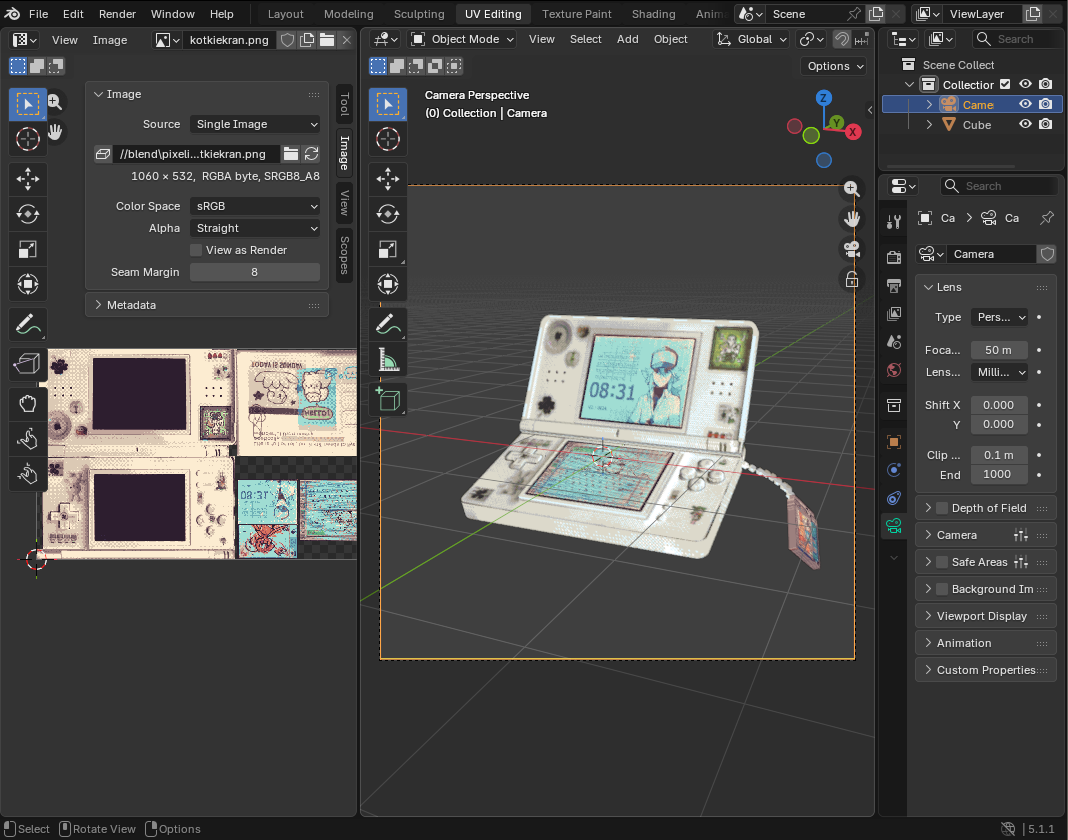
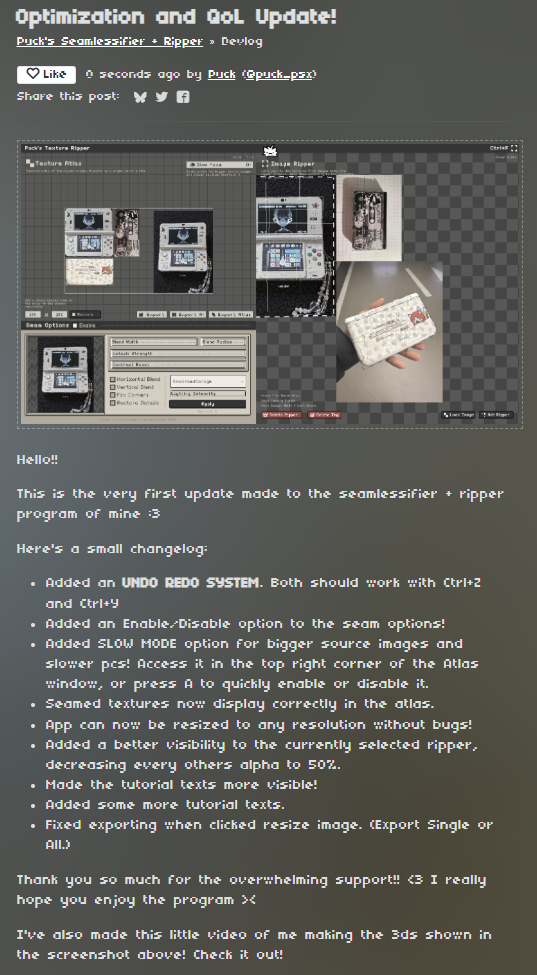
All in one tool that let's you rip the textures out of photos from any perspective and make them seamless!
Features
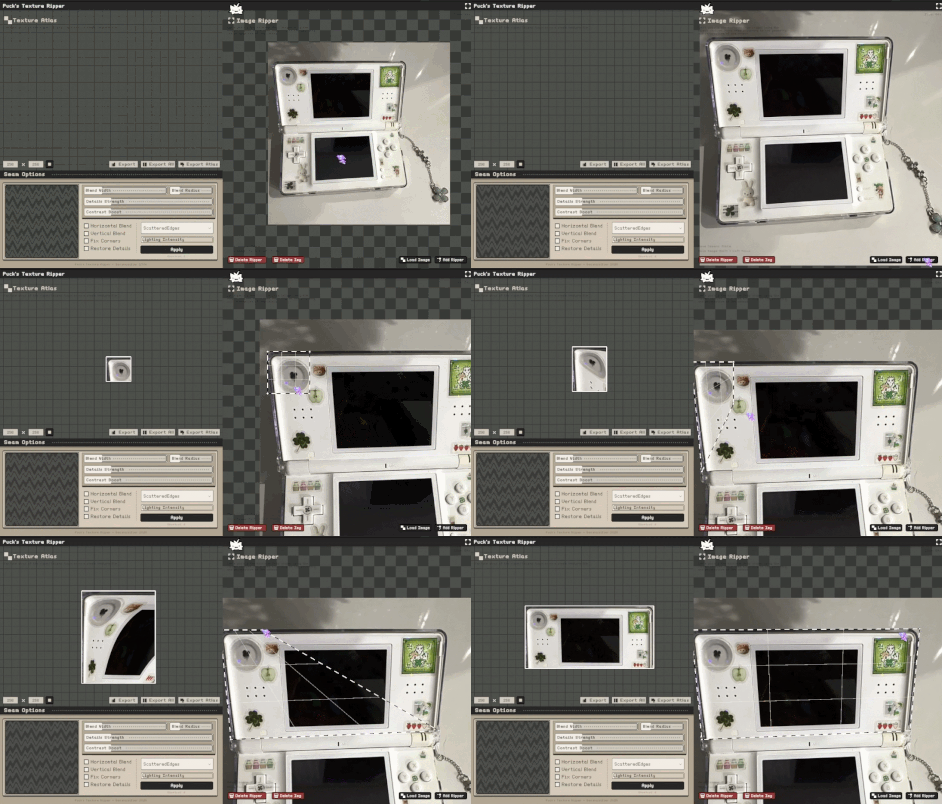
- Extract textures from images using customizable polygon-based selection.
- Real-time texture preview with individual outputs for each ripper.
- Texture atlas creation with automatic packing and export.
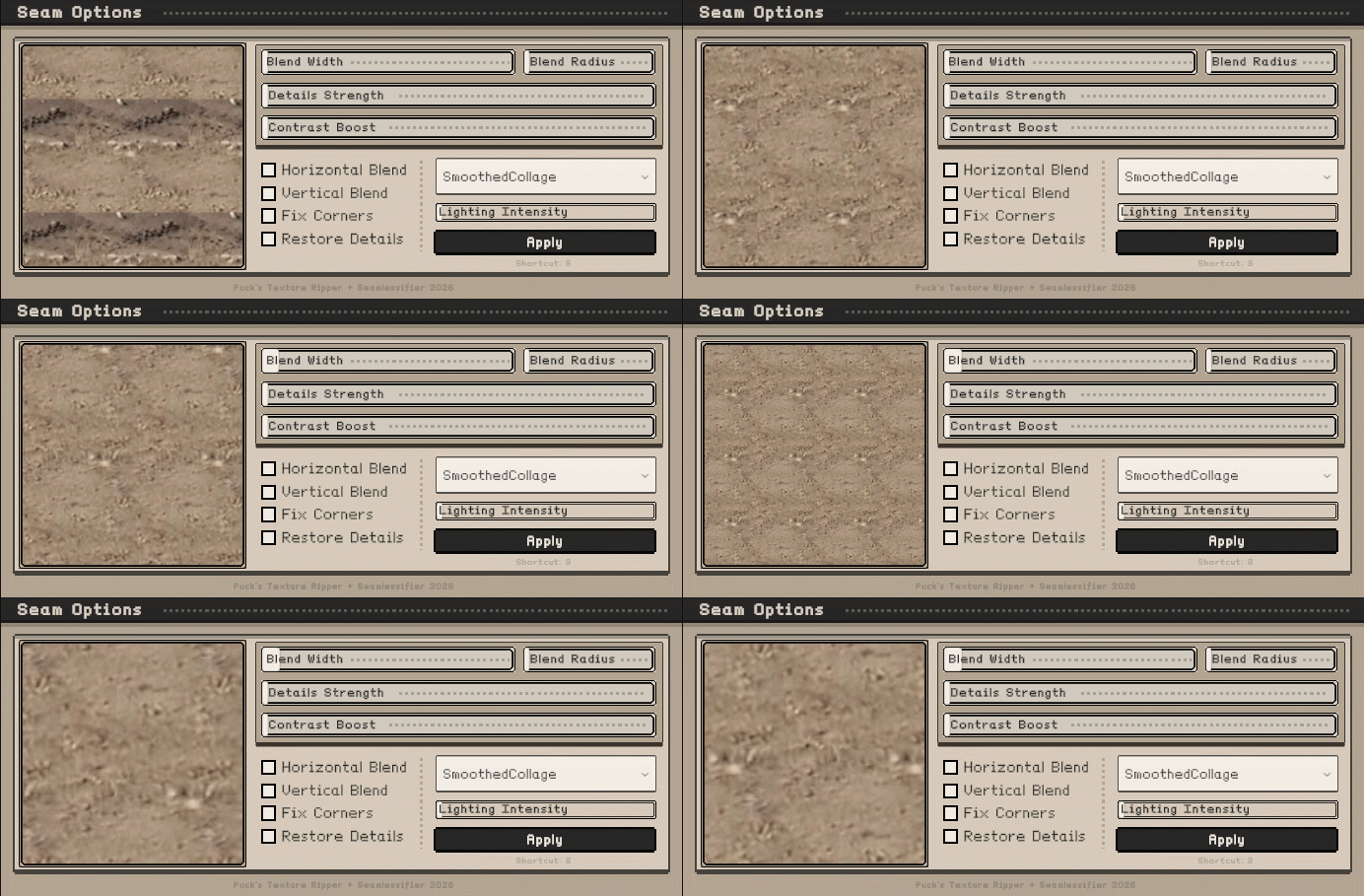
- Multiple seamless generation methods, including Smoothed Collage and Scattered Edges.
- Adjustable seam blending, detail restoration, contrast enhancement, and lighting correction.
- Export selected textures, all textures, or the entire atlas as PNG files.
- Pixel-art friendly workflow with retro-inspired interface.
- Supports perspective correction through custom polygon shapes.
Limitations
- Seamless generation quality depends heavily on the source image.
- Complex perspective distortion may require manual adjustment.
- Large textures and high blur settings can increase processing time.
- Some seamless methods are still experimental and may produce inconsistent results on certain texture types.
- Atlas packing is currently manual and does not automatically optimize texture placement.
- Generated seamless textures may require additional tweaking for professional use.
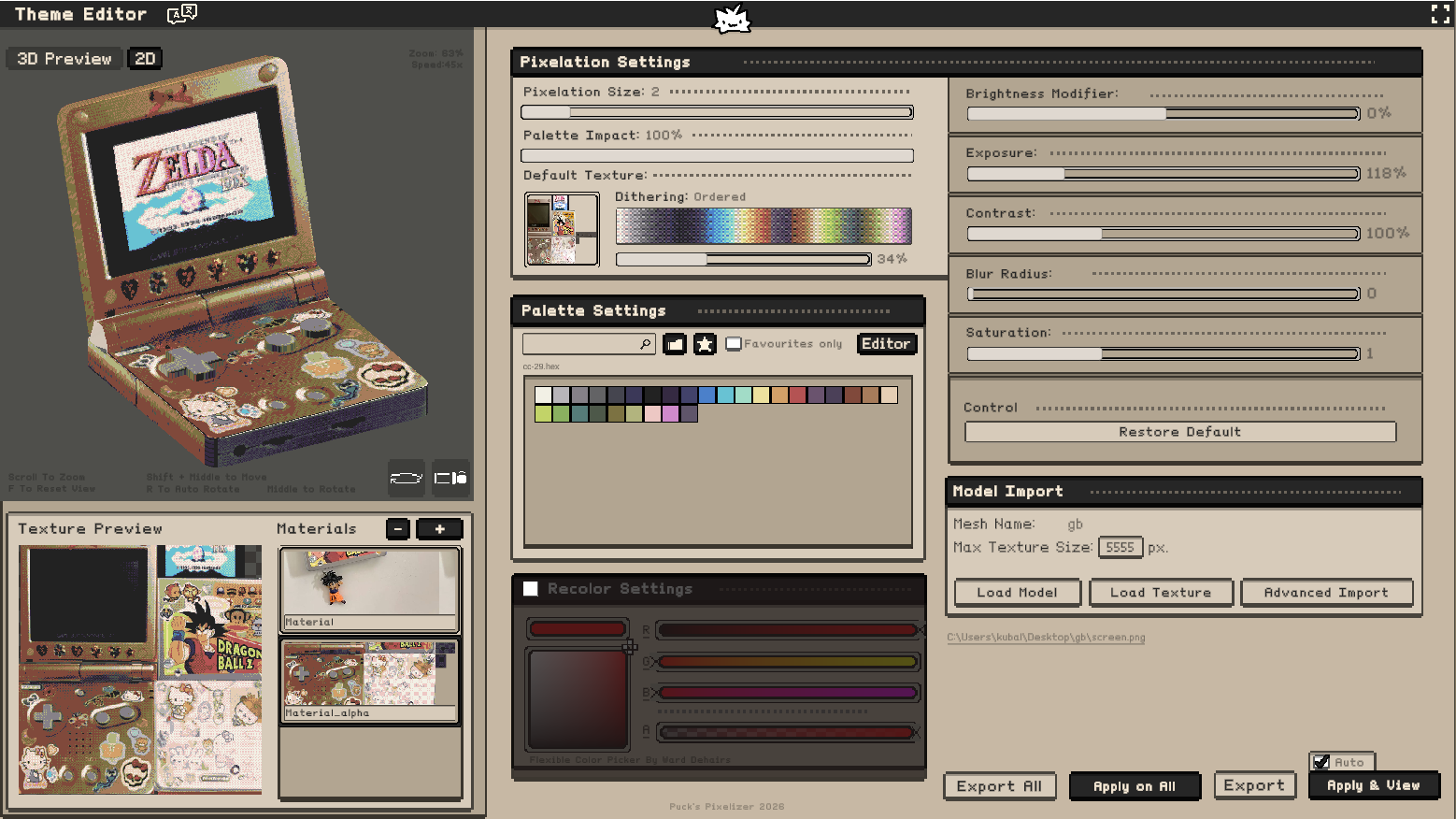
Try it with Puck's Pixelizer!
Purchase
Get this tool and 15 more for $19.99 USD
In order to download this tool you must purchase it at or above the minimum price of $7.49 USD. You will get access to the following files:
Development log
- 1.3 Linux support!3 days ago
- 1.3 More Polygons Update!5 days ago
- STEAM VERSION ANNOUNCEMENT!15 days ago
- 1.2 MacOS Support!17 days ago
- Major Seamlessifier Method UPDATE! :D19 days ago
- Optimization and QoL Update!35 days ago
- Linux and Mac are now SUPPORTED!42 days ago
- Added hotkeys.txt!43 days ago


Comments
Log in with itch.io to leave a comment.
Hello! It could be just me but no matter what i do there still seem to be visible separation between the tiles, and it's not seamless at all. Sometimes it's just a simple lines, but it's always there. Any chance you make a new video or something?
Hi! Could you send me a screenshot of how it looks for you? :O Maybe it's just the settings! I'll be making a tutorial video soon too!
Hello! Thanks for replying. It looks like this. No matter what i try, these lines seem to be there.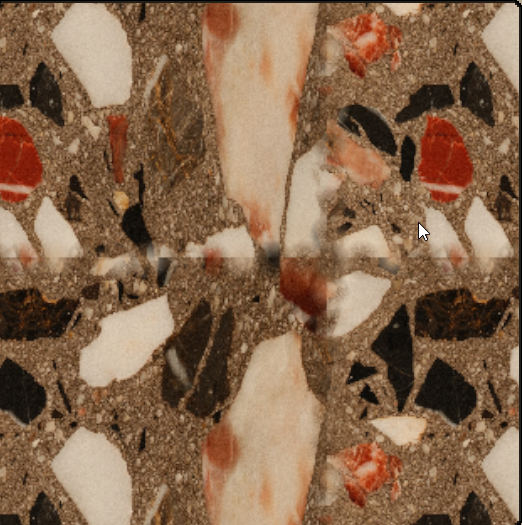
Thanks for the update!
I'd like to share some feedback about the Linux 1.3 version:
I just realized the seamless tile preview already exists.
Didn't know i could scroll the view back.
It might be worth adding a small hint or label for new users
lovely, i wish there was a way to preview tiling though
There is! Just scroll on the bottom left preview!
ooo ty
Cant wait for steam version.
Hi! I'm loving the tool, it makes texturing (something I've always struggled with) quite fun. Good luck with the Steam release!!
I have a couple things that would make this program a lot better and easier to use that I would appreciate you thinking about:
1: While holding control or shift, make moving a point keep the ripper in a square/rectangular shape. For example, if I move the top right point of the ripper, the top left point will match its Y-value, and the bottom right point will match its X-value. Another cool option would be a button to "straighten" the edges of your ripper after adjusting.
2: Pixel snapping. I want to be able to snap my ripper points to pixels or a set value. This is pretty easy, I've done grid systems before in Unity, you just need to use Mathf.Round and some division.
3: An option to apply tiling to only the horizontal or vertical sides of an image, instead of all 4 at once. Sometimes I only want something to tile in one direction. Also, the tiling window needs work, the sensitivity for moving it around feels off, and it doesn't work well with non-square images.
4. Resizable windows. Let me drag the edges of each window to make them bigger/smaller so I can see things easier, especially when tiling. Even better if I can separate each window and put them on different monitors.
5. Saving. I think this could even be done with a simple JSON format, storing the file paths of each image, their positions in the image window, the ripper positions and points, and then the output from each ripper's position/scaling/tiling settings. There really isn't too much data to save.
I think that's about it for now, again, good work and I hope there's more updates in the future! I'd love to hear your thoughts on these ideas, and if you need any clarification or help with the logic for them let me know.
These are an amazing additions!! thank you for your comment! >< I actually already implemented the first one!! I'll release an update for it tomorrow, with some more other things! I want to try adding the pixel snapping too!! >< Wait for tomorrow >:3 Thank you once again!
seconding all these asks, i’d also love to see an ability to “pixelate” textures and control the scale/density of said pixels just by emulating closest neighbor texture filtering. this tool is wonderful as is, but that would really make it sing for me. (think this very font we’re looking at, or “ps1” textures)
Thanks for the update! But while the option to lock dragging to one axis is super helpful, it isn't really what I meant by #1 in my original comment. What I meant was something like when using an image manipulation program, you can hold a key down while scaling the image to maintain its aspect ratio, but for the rippers. So if I wanted to keep my ripper a perfect square, I could drag one point while holding control and it would move the adjacent corners as well to maintain the shape. This kind of goes hand in hand with someone else's suggestion below with selecting and moving multiple points at once to keep straight shapes.
ALSO: I just came up with an idea that should be relatively simple to implement: if the user has an image selected in the image ripper window, any new ripper created should automatically fit the bounds of the image instead of spawning as the default size. Would help a lot with textures that are already flat and seamless that I just want to add to the atlas.
Again, thanks for the update! I look forward to seeing what's next.
Pain in ass, if you work on higher resolution photos, each time I try to adjust the ripper's size, it's being calculated real time, so it's getting massive stuttering and memory problems, resulting in crashing quite often :/
There's a "slow mode" option in the top right of the atlas window. Click it. It makes it recalculate only when you let go of the ripper point instead of real-time.
yep!! I think I should maybe describe it more precisely! I'll do something with it!
hi hello! i love this tool so badly and it's been extremely helpful with photobashing textures! do you plan on adding additional ripper shapes to the tool? it's a bit difficult to use the square for curved / organic shapes.
+1, would also love to see this!
yep! that's a must have! I made a simple function to add an additional handle to a chosen ripper! It should be ready in the next update! Then I'll be finally thinking about the full curve support...
wonderful tool !! im really happy to see someone talented like you in this world :)
it really make it way easier
Thank you so much >~<!!! Kindest words ive ever heard ><!!!
Hey! Great tool and great update. But I would like to see the following added:
1. Drag and drop support from Finder on MacOS.
2. Selectable points for each of the 4 corners in the Ripper, meaning I can click and drag to select 2 for instance, and move both at the same time.
3. Shift/Command/Control/Option Modifiers for scaling, vertical/horizontal lock and so on for the selected corner points.
If I missed any of these functions, then I sincerely apologize. Otherwise, great job with the tool! It will make the retro workflow for many devs/artist much easier :)
Hi! Love this tool, is there any way to scale images similar to how you would in Photoshop for example with the transform tool :)
Hi! It should be ready on the next update!! I'm almost finished with upgrading the seamless method I did, so it's only this and some QoL changes left for me to do!! Thank you! ><
aaa wicked, looking forward to it :D
Using the Linux build. Trying to load any photo larger than 1024 crashes the program. Edge blending doesn't seem to function at all.
Hi! What system are you on? It works on my linux mint VM q_q!! Maybe try saving a screenshot of the image you are using, maaybe something in it's metadata? :<
Is this a 3rd party tool and not an add-on?
This is a standalone app!! It's not an addon!
Happy to support a fellow dev. Good job with this too specifically, can’t wait to use it.
Thank you so much ><!
so i don't know how 1.1 would be, as i only see it for windows, but for my use i need over 1k textures and it's way too slow to be usable. also, seam blending didn't work, it just glitched out the center. maybe that is fixed in 1.1 idk.
i've thought about writing my own tool, to combine perspective grabbing (also for another ask, the ability to lock the output region to a square would be nice), a few different modes to scatter regions (corners/edges, tri grid, square grid, brick grid) with histogram preserving blending, and some basic edits (brightness, contrast, color shifting), etc in one spot, as i have a few hundred images to go thru and edit into textures already, and will be continuing to take more (i have tons of locations on a map to go to).
since i have so many images to go thru, any time saved is worth it in the long run. i bought this to see if it would work, but not in its current state. i don't have any unity experience so i can't really offer my time to work on it. however if you want to add histogram preserving blending, here is a paper on it: https://jcgt.org/published/0008/04/02/paper.pdf.
oh also if you're looking for other useful features, a highpass + average filter. average the image and save that color, blur the image to a large size (optionally downsampling first to run faster however that will reduce quality in many cases), gaussian blur, subtract from original, then add back the average color. this will remove large scale variation like a soft shadow along it or shading on a round object, but will keep the original base color and the details.
Hi! Thank you so much for the comment ><! The 1.1 should be more optimized! I was talking to a dev of a cool tool, that also generates seamless textures, and they agreed onto adding the algorithm here! It'll appear in the next update!!
awesome, i’ll let you know how it is when there’s 1.1 for mac
I've tried a few texture rippers but none have been able to replace shoebox for me but this one is really close and with a few more improvements it will 100% become the recommended tool for people ripping textures.
for me 4 things will make this a perfect replacement for shoebox.
1. Slow mode is nice but for larger texture you still have to wait for it to finish rendering each time you move a point, having a mode where you can move the points then press a button to rip would greatly speedup the process.
2. The ability to drag and drop an image into the program to auto open it would be very useful if possible.
3. When exporting using the input image file name as the export name (With a suffix like "_R") would be handy.
4. A way to click and add points like shoebox would be nice.
Even without these things this tool is already something people should start using instead of Shoebox, keep up the great work.
I love this software! I HATED trying to use shoebox or similar software. One suggestion, would it be possible to add a precision toggle to slow down the nodes while placing them? Similar to holding SHIFT in Blender.
Thank you so much ><!!
If we purchase the tool here on itch.io, is there a possibility of getting access to the tool when it arrives on Steam? Or are there no plans for that possibility for those of us who want the Steam versions
Yep! Until the official steam release, everyone that bought the program on itch, will recieve a free steam key!
This is very useful for the end product, but I will say that even just a pdf describing each feature would greatly help knowing how to manipulate the software. It lags a LOT just moving around an image. It can handle ripping at low resolutions, but it isn't anywhere as fast as the videos displayed above. I want to believe it's an issue on my end, but I would have no clue how to change the settings to increase performance, or if something enabled by default is lagging it. It also may just be laggy.
If you could add a setting that doesn't actually update the render in real time, so that you can move the rip section vertices without lag, and THEN it renders, that would immensely helpful, and would be friendly to high-resolution projects, even if the program is optimized in the future.
The work put into the UI and existing features is appreciated though, I think it looks and feels great when it isn't lagging and you know what the buttons do. The fact that images in the atlas can be different resolutions at the same scale is very helpful. And the importing/exporting features are fast and intuitive.
Additional things that would be quite useful would be scaling up/down a ripper area, and having corners snap to eachother. Since I'm using this in tandem with blender, things like that would be extremely convenient, and would contribute to the flow of the overall process.
That's my thoughts after using it, love the vibe and everything
Hi! Thank you for your feedback! Today there's going to be an update that'll help with reducing lags!!! I've changed the UI and added UNDO and REDO options!! stay tuned!!! ><
As much as I love this tool right now, and what it does... It really lags with higher resolution photos and makes it a bit cumbersome to use unfortunately. I am sure this will be patched in time, but, until then I will have to wait for this to be usable for my daily workflow.
This software is a great idea though, it is very seamless and user friendly, just needs a few tweaks in performance as well as QOL like undo/redo shortcuts, etc. <3
Same here, the lag is awful. Hopefully this gets fixed.
Hey Puck, purchased the software and it's a cool tool. I know it's pretty straightforward right now, but some documentation is needed. For instance, what does the square button next to the resolution settings do? Even a hover tooltip in the app would go a long way.
Has promise but need serious work on the Linux version. Increasingly laggy and it's almost impossible to select the corners of the Ripper without selecting the entire box, the image below, or nothing.
Also not having an, "undo," for the Seam Options (or anything for that matter) is rough, since I clicked, "apply," thinking it was the image result, but it skewed everything permanently.
Very useful for grabbing clean, straight, and properly aligned pics for texturing or for just making sure things aren't crooked.
Love it so far! its great for straightening out references images as well. Could i ask if you could add an option to have the whole image displayed rather than just the area inside the ripper please.
Unfortunately I can't reccomend it. I clicked the fullscreen button and it just totally broke the UI, can't even seem to exit fullscreen anymore even after deleting the folder and unzipping again. just totally unusuable.
Hi! You should be able to exit the fullscreen after pressing ctrl+F. Sorry for the issue! It's made in unity and I'm trying my best to make it work on every monitor. The update is coming soon!
I bought this mostly for the ripping functionality but making textures seamless is also a nice bonus however it's quite confusing to work with. The controls are quite strange, having to hold shift just to move textures around and resizing by scrolling is also a weird choice. I'd rather have it behave like any other image editing software where you got a frame with multiple control points to resize and also rotate textures which would also allow to change the aspect ratio of textures. Another thing, and that might just be a me thing, but it's unlcear to me wheter the checkboxes are checked or unchecked it also seems like horizontal and vertical are switched? And i don't really get what the texture atlas size does because it still exports at anything but 256px and when working with textures i'd like them to be a perfect square. Right now it seems like you can place the textures however you want without any real atlas border.
All in all i think this is a great tool to extract textures from pictures that has great potential to be more. Seeing the result of a rip in realtime makes it easy to check if textures line up which i appreciate alot. However there are still some issues and bugs which I hope will be resolved in future updates!
Hi! Thank you so much for your feedback! The atlas size box thing was my attempt at making a quick way to resize one chosen texture to any width/height! It's a bit buggy, but I'm working on it! In the next update I'll try to add the control points to every image! I still want to keep the shift having to be pressed to move things, because when testing, I often misclicked the rippers and it led to moving the entire image and messing things up! I'll try to find some better solution for it! Thanks once again! ><
Thank you for listening to the feedback!
Yeah accidentally moving the image on the ripper side would be annoying true. Tho on the atlas side I don't think it's too much of an issue. Thanks for clearing up what the resize thing does I thought it would set the size of the canvas which would also be a suggestion of mine, that there's a canvas to place the textures on and also tooltips for the interface.
Its a bit buggy, but im eager to see some future updates.
Its mostly the rightside of the image riper breaking if you have alot of images next to eachother
Hi! Could you describe the breaking? :O Is it not ripping the images below it?
The program thinks some kd the images are stretching ir something?
Let's say I have a image abobe another one.
If I try to put a ripper on the image below it's just all white, but when I move it somewhere else then it works fine, it's just a tad tedious. I can try and record a video if that helps.
Will buy this if you can paste image directly into the tool and able copy result from it. Just don't like the file clutter.
Working on it! o7
Hey Puck I'll definitely get this! On Pixelizer can you make it so it can transform .png files for pixel art as well please!!
Thank you! >W<!! I want to add a point filter to this one too, so it should generate textures as pixel art!
BASED PUCK LETS GOOOOOOOO~! <3 I love you bbyz!
Does this work with curved objects like a Can?
Not yet! You can technically do it, but I'll add an option for curve rippers in the near future.
Really cool! Bought the bundle!
Suggestions:
Ty!! I'll try to update it asap ><
Thank you so much! It has a lot of potential.
Additional one: maybe a list or panel to select and delete specific rippers/images would be incredibly helpful. Right now, when elements overlap, it's quite easy to accidentally delete the wrong one
I love the software! It's really useful and has inspired me to learn more about 3d modelling :D Just wanted to make sure you were aware of perhaps a minor bug, when you click the button to expand the window it seems like the bar at the top of the program and the taskbar cover up the ui a little? It doesn't really impact usability or anything, but I just figured you might like to know about it. Thank you for making such a great tool regardless!
Thank you! I'm aware! It's because the app is made in unity and its scalling sometimes may be off! I'll try to fix that!
Can we get a CTRL + Z feature?
Just a couple questions -
Hi! You can disable the seamless filter with the checkboxes under the sliders in the window! If you have them disabled, none of the settings should work! (maybe except the lighting one, but you can just set it to 0).
You can't redo the custom resizing thing yet! I want to add that, since it would be a huge time saver. I was just deleting the rippers and spawning new ones if I broke something lol ><
I have no idea why it would resize incorrectly tbh... Maybe the ripper moved, or values were missed? but tbh I haven't encountered that yet. I'll have to look into it!
The white box was previously a debugging thing for me, but ended up being quite useful. I've often used to add something to the atlas, after I've exported it and it broke often because it changed the atlas dimensions. If you are talking about the whitebox around _only_ the resized images, it's probably an another bug :C It was supposed to display which texture you are holding and I wanted it to show how it looked unresized, but it was bugging a lot and I gave up on it before the release x3 I'll fix it in the near future!
why is this a paid tool ffs cant we have a free tool thats good
yeah its called sandripper.vercel.app But the Pucks texture ripper is neat it just has a lot of bug.
which one has a lot of bugs?
You're not entitled to people's work for free, get a job
loveeeeee
<3
Does this have automatic color quantization? From what I can see it looks like you could quantize it but you might have to do it manually?
I did it using my other tool: Puck's Pixelizer! :3
Truthfully I can't tell if that has quantization either... Quantization is the act of taking the existing set of colors and removing the least necessary ones until you're only left with a desired number of colors in the palette. I'll leave this as a requested feature of mine then
A nice tool for sure, though I have to run it through WINE as I am working from Linux. It works fine as it is, but if it's possible, could you look into a dedicated Linux build? From what I see, it's written using Unity. I believe there is a config parameter that would allow you to make a Linux build. I believe it will simply spit out an ELF executable which will require a chmod +x and that's supposed to be it. Thanks for the tool anyway. Hunting down Shoebox and making it work the way I want was not a very good experience.
Linux is now SUPPORTED :3 Try it out!
Thanks! It works well, all the dialogs work, no bugs so far. I will report back when I find a new image to rip a texture from.
Hi, I just bought this and was wondering if there's any documentation I missed for the shortcuts etc! I tried joining the discord but I can't see any channels right now. In any case, this looks really cool!
Hi!!! I'm so sorry I didn't put it in the readme earlier QMQ! The basic shortcuts are shift+lmb to move images in the atlas and the ripper sections. If you press on the image and scroll in any direction, it should grow or shrink! If you want to instantly apply the seamless filter over your selected texture, press S
Thank you!!
Thanks a lot, I was wondering about the scaling option. Is there any way to rotate islands or grab multiple ripper points yet ?
not yet!! need to figure that out ;3 Currently it works by creating a blank texture and then drawing all of the ripped textures on it on their locations! It does not create a screenshot, so I would have to make it actually rotate the pixels of the texture by code to make it be angled on the final atlas><! I'll think something up tho, maybe theres an easier fix!
This looks amazing! Would you ever consider doing a macOS release?
thank you! :3 I will upload it this week! :3
Done! Check it out
wow! amazing work :)))
thank you!
this looks amazing!! im amazed at how cool the seamless feature looks this is exactly what i need for a project (waiting for mac build though :'0)
i bought it anyway :p
thank you!!! the mac os is still coming out this week >:3 I hope you'll like it!