Mesh WiFi
Mesh WiFi.
Nodeworthy.
Mesh WiFi


The difference between mesh WiFi and a regular router

What do you need for WiFi in your whole house?





How does mesh WiFi work?


The best mesh WiFi solution for your living situation
The number of stations you need depends on the size of your home. If you choose a set with enough mesh WiFi points, you can go online anywhere in your home without issue. Your choice for a mesh system also depends on what you do online.
- In a small apartment, choose 1 or 2 stations
- In a large apartment, choose 2 or 3 stations
- In a townhouse, choose 3 or 4 stations
- In a freestanding house, choose 4 or more stations
View the mesh WiFi solution for you
Mesh WiFi router of the month

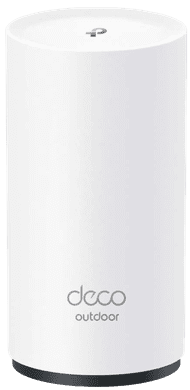
TP-Link Deco X50 Outdoor
Expand your current Deco set with this mesh router for outdoors. This way, you can also provide a stable WiFi network in the garden. This router is waterproof, you only need to connect a PoE cable.
Mesh WiFi explained
How do I get WiFi everywhere in my house?
Do you want the same WiFi network online through your whole house? We'll explain what to keep in mind.What's the difference between WiFi 6, 6E, and 7?
The different WiFi standards each have their own benefits. In the past, you had WiFI 5. Now, you mainly have WiFi 6, 6E, 7. WiFi 7 is the fastest WiFi version.3 tips to connect your mesh WiFi system
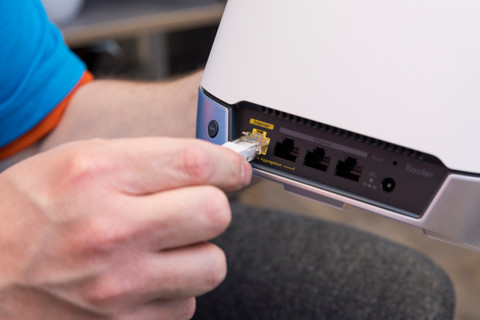
It can be hard to connect your mesh system. We'll explain how to do it here.How do you choose a router?
With your own router, you ensure a fast and stable WiFi that you can set up yourself.



FAQ
What's mesh WiFi?
Mesh WiFi is a WiFi system with multiple stations that together form a wireless network. That way, you can ensure better WiFi coverage in your entire house. You only have to use 1 password and your connection doesn't drop out when you're walking through your house.
What's the difference between a WiFi router and a mesh WiFi system?
A regular WiFi router is mostly suitable for improving the WiFi on 1 floor. With mesh WiFi, you spread out the connections over your entire house via multiple stations.
How many mesh WiFi stations do I need?
That depends on the size and layout of your house. The guideline is: 1 or 2 stations for a small apartment, 2 or 3 for a large apartment, 3 or 4 for a townhouse, and 4 or more for a freestanding house.

Bestselling products


Can't choose? View the advice from our expert.