


 Meet Maggie, PCMag's
Intel’s lineup of second-generation Core Ultra 200S "Arrow Lake" desktop processors is leaving the old Core i5/i7/i9 era in the rearview, with some new dynamics between the chips emerging. One notable trend is a narrowing of the gap between the 7-class and 9-class chips; the Core Ultra 7 265K we're reviewing here, in particular, lands closer than ever to the Ultra 9 285K in real-world power. And that makes it a strong contender for Intel’s best overall value this generation. At a $394 MSRP (and often on sale for around $310), the 265K is hardly a budget CPU—but with 20 cores on tap, few processors deliver as much raw CPU performance per dollar.
Arrow Lake’s main weakness remains: Under some key circumstances, PC-gaming frame rates with a discrete graphics card still trail what you'll see from some older Intel chips and AMD’s latest offerings. Even so, the 265K offers compelling multi-core muscle and fair pricing, earning its place as a go-to enthusiast CPU—if you’re willing to invest in the new platform and aren't an extreme esports player tracking every last game frame you can squeeze from your PC.
With its Arrow Lake 200S processors, Intel tried out several new design elements that differ from its previous designs. This CPU is Intel’s first desktop processor line to heavily employ chiplets, with several specialized chips made using numerous manufacturing processes combined on a single package. In this aspect, all Arrow Lake 200S processors are the same. I went over exactly what these chips are and what manufacturing processes Intel used for them in my review of the Intel Core Ultra 9 285K, so please check that review for more details on the chiplet design.

Another significant change that Intel made this generation was dropping support for Hyper-Threading, its branded version of simultaneous multithreading. Whether this was a wise decision is still up for debate. Hyper-Threading-enabled CPU cores open two work queues, or threads, for each CPU core supporting the feature. The CPU cannot work on both threads simultaneously, but instead switches back and forth between the two queues. The performance benefit from this scheme comes when one of the two work threads is stalled for one reason or another. The CPU doesn’t have to sit idle while the issue causing the stall is resolved; it can continue to work on the other thread.
Similar Products


With Intel's recent increase in core counts, dropping Hyper-Threading appears sensible. While CPU stalls can still happen, causing a CPU core to pause work while data is loaded, the other CPU cores can continue working, reducing the impact of a stall. Likewise, this can help to complete work faster, as each CPU core only has one thread for work to come in, so tasks can simply be sent to the CPU core with the shortest work queue.
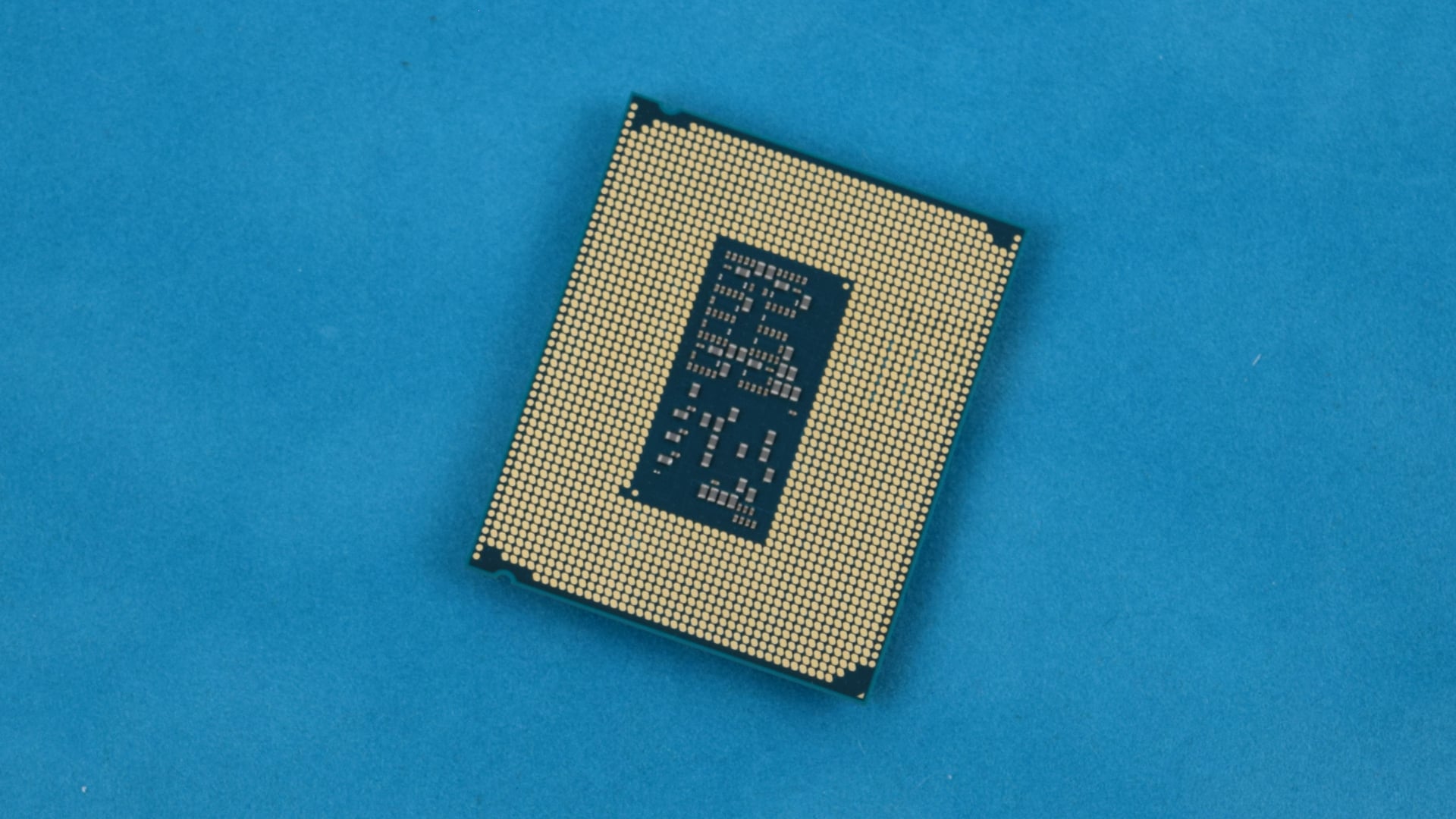
Unfortunately, determining if this move indeed was the best step forward is impossible without a parallel Arrow Lake 200S CPU with Hyper-Threading to compare, and such a chip does not exist. Dropping Hyper-Threading may not have hurt performance much under many circumstances, but it will almost certainly be a very program-by-program-dependent issue. Meanwhile, a few benefits are more concrete: Intel has said that removing Hyper-Threading reduced power draw and helped to save die space on the chip that contains the CPU cores.
The Core Ultra 7 265K has 20 CPU cores in total. Eight are high-performance P-cores; the remaining 12 are more energy-efficient E-cores. These are based on the "Lion Cove" and "Skymont" architectures, respectively, and all are produced on a TSMC N3B 3nm manufacturing process. The P-cores can operate at up to 5.5GHz, while the E-cores are a bit slower, topping out at 4.6GHz.
Alongside the CPU cores is a rather large amount of cache, with the processor containing 30MB of L3 cache and 36MB of L2 cache, which is typically faster than L3 cache. Intel also upgraded the memory controller on its Arrow Lake 200S processors, and it now has official support for DDR5 memory clocked at up to 6,400MHz. The Core Ultra 7 265K also supports CUDIMM memory modules, which can operate significantly faster than standard SODIMM.
Another notable feature improvement is the integrated graphics processor (IGP), which is based on Intel’s newer "Xe-LPG" architecture, a variant of Intel’s Arc "Alchemist" architecture. Due to the improved architecture and increased core count, it’s notably faster than the IGP used in previous generations of desktop Intel processors.
The test bed I used to evaluate the Intel Core Ultra 7 265K contains an ASRock Z890 Taichi motherboard and 32GB of DDR5 RAM in a dual-channel configuration. The memory is clocked at the processor’s maximum supported memory speed (6,400MHz). A Corsair iCUE Link Titan 360 RX LCD liquid CPU cooler managed this CPU and all other tested processors. The system also has a 1TB PCIe 4.0 M.2 SSD with Windows 11 installed, and is powered by a SilverStone Hela 1,650R 1,650-watt power supply.
The system also had an Nvidia GeForce RTX 5090 graphics card throughout most of the testing process. The GeForce card was removed only to run tests on the IGP; it was present during all other tests. (See how we test CPUs.)
The first test results we’ll look at are from Cinebench 2024, which may give you a false impression of the Core Ultra 7 265K’s place in the market. Compared with AMD’s Ryzen 9 processors or Intel’s own Core i9 and Core Ultra 9 processors, the Core Ultra 7 265K’s performance while running the Cinebench benchmark didn't look impressive.
It helps to remember, however, that the AMD Ryzen 9 processors in the charts cost a few hundred dollars more than the Core Ultra 7 265K. The Ultra 7 is actually the most affordable in the charts, with the Ryzen 7 9800X3D (substantially slower than the 265K on this test) costing $85 more.
The Blender benchmark test results were similar to the Cinebench numbers, with the Ultra 7 well behind the Ryzen 9 processors and decisively ahead of the Ryzen 7 9800X3D. The HandBrake test showed the Ultra 7 much closer to matching the Ryzen 9 9950X than the previous tests, while the Ryzen 7 languished in last place.
The Ultra 7 challenged the Ryzen 9 competition in POV-Ray 3.7, where it demonstrated potent single-threaded performance. It wasn’t quite as fast in the multi-threaded tests as the Ryzen 9 processors, but the Ultra 7 nearly tied those top-end AMD chips. The last few tests with Adobe Photoshop and Premiere Pro 24 also split the difference, with the Ultra 7 outpacing the Ryzen 9 9950X in Premiere Pro 24. In contrast, the 9950X outpaced the Ultra 7 during the Photoshop test.
Gaming is not a strong point for Intel’s Arrow Lake 200S processor line, and the Core Ultra 7 265K is no different. We started with our regimen of tests at low detail settings to suss out CPU bottlenecks.
In Cyberpunk 2077, the Core Ultra 7 265K appeared to perform quite well, on par with the Ryzen 9 9950X and slightly better than the Core Ultra 9 285K and Core i9-14900K. Gaming performance varied considerably from game to game, and the Ultra 7 265K was the slowest processor we tested in F1 2024.
The Ultra 7 265K’s performance in Black Myth: Wukong was more competitive than in F1 2024. It could keep up with the Ryzen 9 9950X and the Core Ultra 9 285K except at the 1080p resolution, where it lagged. Total War: Three Kingdoms and Shadow of the Tomb Raider both proved challenging for the Ultra 7 265K, which fell behind the other tested processors.
Gaming with high graphics settings gives a somewhat different picture of the Ultra 7 265K’s gaming prospects. Its 3DMark score was behind most other processors we tested, but only by a relatively small amount. In Cyberpunk 2077, the Ultra 7 265K proved again it could match the Core Ultra 9 285K and Ryzen 9 9950X, though the Core i9-14900K was a bit faster at 1080p.
The Core Ultra 7 265K struggled a bit more with F1 2024, just like it did while using low settings, but this time around, the performance gap wasn't quite as large. Running the game at 4K essentially put all the processors into a tie. The test results from Black Myth: Wukong were similar to those from F1 2024, but with an even smaller performance gap.
Overall, the Core Ultra 7 265K can run games and work in a gaming PC, but it isn’t an ideal gaming solution. AMD’s Ryzen 9 9950X3D and Ryzen 7 9800X3D both unlock far better gaming performance, thanks to their extended L3 cache pools, though this comes at a price: Both cost a fair bit more than the Ultra 7 265K, and the Ryzen 7 9800X3D has less potency than the Ultra 7 265K in other areas.
Gaming with a graphics card may not be a strength of the Core Ultra 7 265K, but gaming with integrated graphics, oddly, is. Intel equipped several of its desktop processors, including this one, with a rather capable IGP with four Intel Xe cores based on the Intel Alchemist graphics architecture. The IGP contains 64 vertex engines and four ray-tracing cores. The vertex engines each operate eight pixel shaders that give the Ultra 7 265K the equivalent of 512 shaders, 32 texture mapping units (TMUs), and 16 raster operation processors (ROPs).
Not only is this IGP based on a newer graphics architecture than the Xe cores used in the preceding Intel 14th Gen "Raptor Lake Refresh" processors, but it effectively has double the overall resource counts and a higher clock speed. It likely isn’t the fastest IGP on the desktop market; that award still goes to AMD’s Ryzen 7 8700G, but this is likely the second-best after that. Note that this IGP lives on all Intel Core Ultra 7 and Core Ultra 9 200S desktop processors, as well as some Ultra 5 models.
The Ultra 7 265K’s IGP obliterated the competition in all the IGP gaming tests I ran. The older Core i9-14900K previously showed that it generally had the best IGP performance among Intel processors on desktop, but it, too, was thoroughly whipped by the Ultra 7 265K.
I use a Kill-A-Watt power meter to measure the test system's power consumption during select tests. The Core Ultra 7 265K’s power consumption looks decent compared with the Core i9-14900K, which was a bit of a power hog. However, the Ultra 7 was surprisingly close to the Core Ultra 9 285K, even though the Ultra 7 has fewer cores and doesn’t drive as much performance.
Thermally, the Core Ultra 7 265K performed reasonably well, staying far cooler than the Core i9-14900K and some of the AMD competition. This marked reduction in operating temperatures is one of the biggest improvements inherent in the Arrow Lake 200S family, and it likely contributes somewhat to the processor's performance. It should also help to avoid heating issues and prevent premature failure.
Final Thoughts
 (Credit: Michael Justin Allen Sexton)
Intel Core Ultra 7 265K
- 5.0 - Exemplary: Near perfection, ground-breaking
- 4.5 - Outstanding: Best in class, acts as a benchmark for measuring competitors
- 4.0 - Excellent: A performance, feature, or value leader in its class, with few shortfalls
- 3.5 - Good: Does what the product should do, and does so better than many competitors
- 3.0 - Average: Does what the product should do, and sits in the middle of the pack
- 2.5 - Fair: We have some reservations, buy with caution
- 2.0 - Subpar: We do not recommend, buy with extreme caution
- 1.5 - Poor: Do not buy this product
- 1.0 - Dismal: Don't even think about buying this product
Read Our Editorial Mission Statement and Testing Methodologies.
The Intel Core Ultra 7 265K arguably comes closest to hitting the value target out of all of Intel’s Arrow Lake processors. Its CPU performance is exceptional for its price, it doesn’t get too hot, and it has a very capable IGP. Discussing Arrow Lake processors has become a bit like skipping a record, though, as gaming performance persists as an issue.
For most casual players, the Ultra 7 265K would work just fine as a gaming processor. It may fall considerably behind some of the competition when running games with low graphics settings, but not everyone builds a new high-end PC to run games at low graphics settings to maximize frame rates (though some people surely do). The point of building a new high-end gaming PC for many shoppers is to avoid running games with low graphics settings.
While you will still see some issues if you use the Ultra 7 to run games with high graphics settings, the problem is less pronounced. All that said, this issue is clear enough that if you are building a new PC exclusively for gaming and have a large enough budget, we recommend buying the AMD Ryzen 9 9950X or 9950X3D instead.
If your budget doesn’t stretch quite that far, or you plan to use this PC for tasks besides gaming, then the Core Ultra 7 265K makes a lot more sense. It drives a ton more raw CPU performance than the competing Ryzen 7 9800X3D, and its lower price boosts its appeal. It's a great generalist power CPU if gaming isn't your be-all and end-all.
STILL ON THE FENCE?
About Our Expert
I have been interested in science and technology for as long as I can remember, spurred on by a fondness for video games. I learned to work in Windows and manipulate files to get buggy games to work, and I learned to build and upgrade PCs for better performance.
In my role at PCMag for the past four years, I’ve deeply enjoyed the opportunity to share my knowledge and expertise. Before PCMag, I wrote for Tom's Hardware for three years, where I covered tech news, deals, and wrote some hands-on reviews. After working as a PCMag contributor for a time reviewing desktops, PC cases, budget processors, and motherboards, I now focus on testing and reviewing processors and graphics cards and sharing my insights on the industry.
- Geekom A9 Max 2026 Edition Review: An Outpaced and Out-Priced Mini PC
- Asus NUC 16 Pro Mini Review: A Powerhouse Mini PC for Work and Play
- I Tested Nvidia's DLSS 5 in NBA 2K27. AI Slop It Is Not
- Asus ProArt GeForce RTX 5090 32GB GDDR7 OC Edition Review: The Ultimate Creator Card
- AMD Ryzen 9 9950X3D2 Dual Edition Review: The Ultimate 3D V-Cache Chip for Creators, Not Gamers
- More from Michael Justin Allen Sexton


